# مركز المساعدة

**منصة اوتوربلاي Autorply موفر حلول أعمال رسمي و معتمد من شركة ميتا (فيسبوك)**

<figure><img src="https://1761489737-files.gitbook.io/~/files/v0/b/gitbook-x-prod.appspot.com/o/spaces%2Fm77lTZ1XuyIwUtHyTw94%2Fuploads%2FoEbQo7mwG4Bk6PsYvYhO%2Fimage.png?alt=media&amp;token=1f92d9f5-fa84-4fc2-93c6-bed329ff4d18" alt=""><figcaption></figcaption></figure>

####

> [**زيارة ملف الشركة**](https://www.facebook.com/business/partner-directory/search?solution_type=messaging\&platforms=whatsapp\&id=8019759771417166\&section=overview)

#### لماذا تستخدم Autorply كمزود حلول أعمال (BSP)؟

**Autorply** تُعد من أبرز مزودي واجهة برمجة تطبيقات واتساب للأعمال (WhatsApp Business API)، وهي تركز بشكل كامل على هذه الخدمة فقط، مما يجعلها مرنة وسهلة التكيف مع مختلف حالات الاستخدام، وقابلة للوصول لجميع أنواع الشركات.

***

#### ما هو مزود حلول الأعمال (BSP)؟

واجهة واتساب للأعمال (API) لا يمكن الوصول إليها إلا من خلال مزودي حلول معتمدين (BSPs). هؤلاء المزودون يمكّنون الشركات من التواصل مع عملائها عبر واتساب في حالات الاستخدام المصرّح بها، مثل الدعم الفني والإشعارات المخصصة والعاجلة.

***

#### Autorply للعملاء

**Autorply** تقدم واجهة API خفيفة وسهلة للمطورين، وهي مطابقة تمامًا لمواصفات واتساب الرسمية، مما يسمح باستخدام نفس التوثيق دون الحاجة لأي ملفات خاصة أو إضافات معقدة.

نقدم استضافة قوية، وبنية تعتمد على API فقط، وبأسعار ثابتة، شفافة، قابلة للتوسع، وتشمل:

* بدون رسوم إضافية على تكلفة واتساب
* بدون رسوم تفعيل
* رسائل غير محدودة
* التحديثات الرسمية من Meta و WhatsApp خلال أسبوعين
* جودة خدمة تتجاوز 98٪
* إمكانية الترقية لباقات مميزة بخدمة 24/7 وجودة أعلى من 99٪
* تكامل سهل باستخدام أدوات Inbox غير مرتبطة بواجهة جاهزة (Headless)

كما أن لدينا شركاء يقدمون حلولًا متقدمة مثل الأتمتة، الذكاء الاصطناعي، والصناديق متعددة القنوات.

***

#### Autorply للشركاء

لدينا فريق مخصص لدعم الشركاء (المعروفين بـ ISVs)، ونقدم لهم منتجات حصرية: **Autorply Partner Hub** و **Autorply Partner API**. وبما أننا نركز على الـ API فقط، فإن هيكلنا السعري والتقني يُعتبر الأفضل لمنصات البرمجيات التي ترغب بتقديم خدمات واتساب.

يحصل شركاؤنا على:

* أسعار وشروط مميزة لضم العملاء
* بدون رسوم إضافية على تكلفة واتساب
* رسائل غير محدودة
* التحديثات خلال أسبوعين
* جودة خدمة +98%
* إمكانية الترقية لباقات متميزة بخدمة 24/7

***

#### هل شركاء Autorply يعتبرون ISVs رسميين من Meta؟

بحسب تعريف Meta، فإن الشركاء الذين يستلمون الرسائل فقط من العميل (وليس من BSP) بعد استلام العميل لها، لا يُعتبرون "ISVs مباشرون لعملاء واتساب". ونظرًا لأن نظام API الخاص بنا يضمن أن الشركاء يستقبلون الرسائل بعد العميل، فإن شركاء Autorply لا يندرجون ضمن هذا التعريف.

كما أن الشركاء لا يعملون نيابة عن [Autorply](https://autorply.sa/)، لذا لا يُعتبرون كذلك "ISVs للشركة".

***

#### لماذا تستخدم WhatsApp Business API؟

موجهة للشركات المتوسطة والكبيرة، حيث تتيح التواصل على نطاق واسع مع العملاء.

تقدم API نفس ميزات التطبيق العادي ولكن بشكل مخصص للنظام الداخلي للشركة مثل الربط مع أنظمة إدارة العملاء (CRM) أو مراكز الاتصال. واتساب هو التطبيق الأكثر استخدامًا عالميًا، بأكثر من 2 مليار مستخدم نشط شهريًا، وأكثر من 100 مليار رسالة تُرسل يوميًا، منها 100 مليون رسالة يوميًا تُرسل من خلال WhatsApp Business API.

85٪ من العملاء يفضلون التفاعل مع الشركات عبر تطبيقات المراسلة، وهو ما يعزز الولاء والارتباط المستمر بالعلامة التجارية.

معدلات الرضا والتحويل عبر واتساب تتفوق بشكل كبير على وسائل التواصل التقليدية مثل البريد أو الهاتف، وقد تصل لمعدلات تحويل أعلى بعشر مرات من المتاجر الإلكترونية التقليدية.


# إنشاء حساب في اوتوربلاي

كيفية إنشاء حساب في منصة Autorply

**قم بالدخول الى الموقع التالي**

[إنشاء حساب جديد](https://live.autorply.com/register)

{% embed url="<https://www.loom.com/share/fba182f579ca462e9ca57594a0e280e0?sid=1831a646-ad6f-4d57-a4ab-bad10d6b7007>" %}

<figure><img src="https://1761489737-files.gitbook.io/~/files/v0/b/gitbook-x-prod.appspot.com/o/spaces%2Fm77lTZ1XuyIwUtHyTw94%2Fuploads%2F35e2ikuosb4ZRafPl4Tc%2F1.png?alt=media&amp;token=2f80f0cf-1ebf-4d98-9267-e58ac9374757" alt=""><figcaption></figcaption></figure>

<figure><img src="https://1761489737-files.gitbook.io/~/files/v0/b/gitbook-x-prod.appspot.com/o/spaces%2Fm77lTZ1XuyIwUtHyTw94%2Fuploads%2FBNgdgYdY3U4qyoguW4ea%2F2.png?alt=media&amp;token=6bc831b8-64a9-403e-8118-aeddd865621d" alt=""><figcaption></figcaption></figure>

<figure><img src="https://1761489737-files.gitbook.io/~/files/v0/b/gitbook-x-prod.appspot.com/o/spaces%2Fm77lTZ1XuyIwUtHyTw94%2Fuploads%2FRblQdiLQ00ujYAgwVqiZ%2F3.png?alt=media&amp;token=68a741a2-1c9c-4c30-bd0e-8f580e920b44" alt=""><figcaption></figcaption></figure>


# ربط حساب واتساب

## الطريقة الأولى: ربط واتساب مباشرة لرقم جديد <a href="#id-9200" id="id-9200"></a>

*<mark style="color:$danger;">يشترط حذف الرقم من خدمة واتساب او رقم جديد غير مستخدم سابقاً</mark>*

{% embed url="<https://www.youtube.com/watch?v=ldbMk0-C3Ks>" %}

## الطريقة الأخرى: ربط حساب واتساب عبر تطبيق واتساب أعمال <a href="#qr" id="qr"></a>

*<mark style="color:$success;">سيصبح الرقم مرتبط مع واتساب اعمال ومع WhatsApp Business API</mark>*

{% embed url="<https://www.youtube.com/watch?v=KQC19TzTldk>" %}

##

<figure><img src="https://1761489737-files.gitbook.io/~/files/v0/b/gitbook-x-prod.appspot.com/o/spaces%2Fm77lTZ1XuyIwUtHyTw94%2Fuploads%2FV1FVhvtW4n9jfJISgPuM%2Fconnect-or-add-whatsapp-number.png?alt=media&amp;token=9475b9be-91cc-41a9-ac26-5d23ccb4d32d" alt=""><figcaption></figcaption></figure>

<figure><img src="https://1761489737-files.gitbook.io/~/files/v0/b/gitbook-x-prod.appspot.com/o/spaces%2Fm77lTZ1XuyIwUtHyTw94%2Fuploads%2FBdGA2csZXKmRDWWgjGx0%2F--1.png?alt=media&amp;token=37c8625f-1623-4164-9511-8a16897457b1" alt=""><figcaption></figcaption></figure>

<figure><img src="https://1761489737-files.gitbook.io/~/files/v0/b/gitbook-x-prod.appspot.com/o/spaces%2Fm77lTZ1XuyIwUtHyTw94%2Fuploads%2FL7XJmCS4aRExqD0EVZEY%2F--2.png?alt=media&amp;token=0770cec5-3729-462b-8d34-a0ff51b46425" alt=""><figcaption></figcaption></figure>

<figure><img src="https://1761489737-files.gitbook.io/~/files/v0/b/gitbook-x-prod.appspot.com/o/spaces%2Fm77lTZ1XuyIwUtHyTw94%2Fuploads%2Fo66WaJIjeC5kRycY1FHT%2F--3.png?alt=media&amp;token=353c78bf-2ca1-465d-a2a4-6a8a492508bd" alt=""><figcaption></figcaption></figure>

<figure><img src="https://1761489737-files.gitbook.io/~/files/v0/b/gitbook-x-prod.appspot.com/o/spaces%2Fm77lTZ1XuyIwUtHyTw94%2Fuploads%2F42ORQQeRvkLEPyy2DJKt%2F--4.png?alt=media&amp;token=a31e8dc4-0a41-4ee1-b770-9a1e20900575" alt=""><figcaption></figcaption></figure>

<figure><img src="https://1761489737-files.gitbook.io/~/files/v0/b/gitbook-x-prod.appspot.com/o/spaces%2Fm77lTZ1XuyIwUtHyTw94%2Fuploads%2FNl6S5Bu0JBY7R6OYxFBz%2F--5.png?alt=media&amp;token=0120eb78-b54b-474e-8ca5-e05f87f4a580" alt=""><figcaption></figcaption></figure>

<figure><img src="https://1761489737-files.gitbook.io/~/files/v0/b/gitbook-x-prod.appspot.com/o/spaces%2Fm77lTZ1XuyIwUtHyTw94%2Fuploads%2FFayTng6Cj4PgIEQbZvIu%2F--6.png?alt=media&amp;token=c0ca9053-32a9-4a3f-a38a-9a5954f54b25" alt=""><figcaption></figcaption></figure>

<figure><img src="https://1761489737-files.gitbook.io/~/files/v0/b/gitbook-x-prod.appspot.com/o/spaces%2Fm77lTZ1XuyIwUtHyTw94%2Fuploads%2FMnM4uZT20X9JOFL826HM%2F--7.png?alt=media&amp;token=22b3949e-335b-40de-84e7-8bc0a55bc7f9" alt=""><figcaption></figcaption></figure>

<figure><img src="https://1761489737-files.gitbook.io/~/files/v0/b/gitbook-x-prod.appspot.com/o/spaces%2Fm77lTZ1XuyIwUtHyTw94%2Fuploads%2FzXIop1V1EzxkCimHE3UH%2Fimage.png?alt=media&amp;token=911d679a-ec47-44b4-985a-1b3a436fd9b4" alt=""><figcaption></figcaption></figure>

كي نربط الحساب قم بتسجيل الدخول بحساب فيسبوك ثم أكمل الخطوات الظاهرة على الشاشة.

{% hint style="info" %}
يمكن مشاهدة شرح الفيديو بالدخول على [الرابط ](https://www.youtube.com/watch?v=5nOqlay_rt8), ومتابعةالخطوات حتى إكمال عملية الربط.
{% endhint %}


# انشاء حساب فيسبوك اعمال


# اكمال معلومات النشاط التجاري

## إكمال معلومات النشاط التجاري في فيسبوك Business Info

{% embed url="<https://business.facebook.com/latest/settings/business_info>" %}

أحد أهم الخطوات بعد إنشاء حساب النشاط التجاري في فيسبوك هي إكمال قسم Business Info بشكل صحيح، لأن هذه البيانات تساعد على تعزيز موثوقية النشاط التجاري وتسهّل عمليات التحقق والربط مع خدمات ميتا المختلفة.

الحقول المطلوبة:

✓ اسم النشاط التجاري ✓ البلد ✓ العنوان ✓ رقم التواصل ✓ رابط الموقع الإلكتروني

نصائح سريعة:

• استخدم الاسم الحقيقي المسجل لنشاطك التجاري. • تأكد من أن البلد والعنوان متطابقان مع بيانات نشاطك الرسمية. • يمكن استخدام رقم تواصل مختلف عن رقم واتساب التجاري. • أضف موقعك الإلكتروني الرسمي إن وجد. • راجع جميع البيانات قبل الحفظ لتجنب أي تعارض مستقبلي.

{% embed url="<https://www.youtube.com/watch?v=MJkc83tGXzE>" %}


# اضافة وسيلة دفع

اضافة وسيلة الدفع هي متطلب اساسي من شركة ميتا لأي حساب تجاري , لايمكن بأي حال من الأحوال بدء استخدام خدمات واتساب التجاري بدون اضافة وسيلة الدفع , ننصح بأن تكون وسيلة الدفع هي بطاقة مسبقة الدفع.

[الدخول الى حساب ميتا بالضغط هنا](https://business.facebook.com/billing_hub/)

{% embed url="<https://www.youtube.com/watch?v=nhzLj94zGRY>" %}

<div data-full-width="false"><figure><img src="https://1761489737-files.gitbook.io/~/files/v0/b/gitbook-x-prod.appspot.com/o/spaces%2Fm77lTZ1XuyIwUtHyTw94%2Fuploads%2Fvayw0odtTZTbv4Yg9GwE%2Fpay1.png?alt=media&amp;token=d5879299-3c84-4b7b-8bcd-87dd05912698" alt=""><figcaption><p>اختر اضافة</p></figcaption></figure></div>

## اختر اضافة ثم اختر الدولة والعملة المتاحة&#x20;

<div data-full-width="true"><figure><img src="https://1761489737-files.gitbook.io/~/files/v0/b/gitbook-x-prod.appspot.com/o/spaces%2Fm77lTZ1XuyIwUtHyTw94%2Fuploads%2Fw5aOWExakfgpfgprtF5X%2Fpay2.png?alt=media&amp;token=22cb9ffc-c457-4821-bea4-4dc8b7149751" alt=""><figcaption></figcaption></figure></div>

<figure><img src="https://1761489737-files.gitbook.io/~/files/v0/b/gitbook-x-prod.appspot.com/o/spaces%2Fm77lTZ1XuyIwUtHyTw94%2Fuploads%2Fic02jKv4nP0X1cgd2qyw%2Fpay3.png?alt=media&amp;token=58dd08ad-4a8f-458e-b5ee-a12de58a8b2d" alt=""><figcaption></figcaption></figure>

بعدها قم بحفظ وسيلة الدفع وتعيينها كـ افتراضي.

لن تقوم ميتا بحسم اي مبالغ من وسيلة الدفع الا بعد استخدام المراسلة , وهي رسوم رمزية بين 0.04 سنت امريكي الى 1 دولار امريكي , باستثاء استخدام الرسائل الجماعية او رسائل التحقق الثنائي OTP .

انظر الى اسعار الرسائل حسب الدولة


# اضافة الرقم الضريبي

: الدخول على الرابط التالي

{% embed url="<https://business.facebook.com/billing_hub/accounts/>" %}

<figure><img src="https://1761489737-files.gitbook.io/~/files/v0/b/gitbook-x-prod.appspot.com/o/spaces%2Fm77lTZ1XuyIwUtHyTw94%2Fuploads%2FBOJXZVkiTjTyKyp1rdKx%2Ftax1.png?alt=media&amp;token=90634829-bcf1-4e61-a4d1-13d79b9e1d44" alt=""><figcaption></figcaption></figure>

<figure><img src="https://1761489737-files.gitbook.io/~/files/v0/b/gitbook-x-prod.appspot.com/o/spaces%2Fm77lTZ1XuyIwUtHyTw94%2Fuploads%2Fv9Op1Tx3SU1Mc352BMrp%2Fadd_paymnt.png?alt=media&amp;token=94bf65d7-8d4e-4d9c-a017-6121c544209f" alt=""><figcaption><p>                  </p></figcaption></figure>

مثال :بدون إدخال الرقم الضريبي

قيمة الإعلان: 100 ريال

ضريبة دولية (20% مثلًا): 120 ريال

:مع إدخال الرقم الضريبي

قيمة الإعلان: 100 ريال

ضريبة محلية (15%): 115 ريال

النتيجة: يتم إلغاءالضريبة الإجمالية بما يتوافق مع النظام السعودي او نظام بلدك.


# مشكلة تقييد الحساب

تقييد الحساب هو إجراء احترازي تقوم بهم شركة ميتا (فيسبوك) للحسابات كنوع مع التأمين على الحساب, يمكن بسهولة طلب مراجعة واكمال المتطلبات حسب الصور التالية:\
&#x20;1- الدخول الى مدير الأعمال > الحساب الإعلاني > مشاهدة التفاصيل .\
2-طلب المراجعة > ثم اكمال التحقق بالصور > ثم ادخال رقم هاتف صالح لأستقبال رسالة التحقق (يمكن ان يكون رقم اخر).

<div><figure><img src="https://1761489737-files.gitbook.io/~/files/v0/b/gitbook-x-prod.appspot.com/o/spaces%2Fm77lTZ1XuyIwUtHyTw94%2Fuploads%2FRENZ7EySWwPVU6NUdEmS%2F1.png?alt=media&amp;token=5e2dbf81-42b2-4db7-ac2c-82f20cd73c38" alt=""><figcaption><p>تقييد الحساب الاعلاني</p></figcaption></figure> <figure><img src="https://1761489737-files.gitbook.io/~/files/v0/b/gitbook-x-prod.appspot.com/o/spaces%2Fm77lTZ1XuyIwUtHyTw94%2Fuploads%2FuvKVvz2UFNX0d22Vg7S7%2F2.png?alt=media&amp;token=ffa544f6-5ecf-4814-b526-7076130da949" alt=""><figcaption></figcaption></figure> <figure><img src="https://1761489737-files.gitbook.io/~/files/v0/b/gitbook-x-prod.appspot.com/o/spaces%2Fm77lTZ1XuyIwUtHyTw94%2Fuploads%2Fm1wKHex2E38A7XpNU3rj%2F3.png?alt=media&amp;token=d105ddc4-1cdd-44fc-ba4d-b96d5fdc2d8a" alt=""><figcaption></figcaption></figure></div>

<mark style="background-color:orange;">**قد يتم طلب إثبات الهوية (هوية) او (جواز السفر) الخاص بمدير الحساب (الشخص المسؤول او المالك).**</mark>

3- سيتم إزالة القيد خلال 24 ساعة بعد التأكد منصحة البيانات المدخلة.

### القيود على حساب واتساب&#x20;

قد يتم فرض قيد على حساب واتساب لاسباب مختلفة مثل:

1- بدء المراسلة قبل إضافة وسيلة الدفع.

2-عدم تطابق الموقع الالكتروني مع اسم الحساب.

3- احتياطات أمنية تراها ميتا.

#### لإزالة هذا القيد يمكنك تقديم طلب مراجعه وتذكر به انه تم هذا القيد عن طريق الخطأ واني لم اقم بمخالفة اياً من سياسة واتساب&#x20;

<figure><img src="https://1761489737-files.gitbook.io/~/files/v0/b/gitbook-x-prod.appspot.com/o/spaces%2Fm77lTZ1XuyIwUtHyTw94%2Fuploads%2FWkTZ3B7lJYziDDyPuUAc%2F--20.png?alt=media&amp;token=1e252631-4f8e-433c-b52f-1586c65d9ad3" alt=""><figcaption></figcaption></figure>

بعض العملاء قد يواجهون تقييدًا مباشرًا لحساب واتساب الرسمي بعد إتمام عملية التسجيل بنجاح، دون إرسال أي رسالة. هذا يحدث بسبب خوارزميات "الحماية الاستباقية" من Meta.

#### 📌 ما سبب الحظر رغم أن الرقم جديد ولم يُستخدم بعد؟

تعتمد Meta على أنظمة آلية ترصد "سلوكًا غير معتاد"، مثل:

* تسجيل الرقم عبر الرابط الرسمي (embedded signup).
* ربط الرقم بحساب أعمال (Business Manager).
* إضافة وسيلة دفع.
* **ثم عدم استخدام الرقم إطلاقًا** (لا إرسال، لا جلسات، لا نشاط).

هذا السلوك يُفسَّر على أنه **نشاط آلي/روبوتي (Bots)**، وهو شائع في أنظمة إساءة الاستخدام (مثل البائعين غير الرسميين أو السبامرز)، ولذلك قد يُحظر الرقم تلقائيًا كإجراء وقائي.

***

### ✅ كيف أتفادى هذا الحظر؟

بعد تفعيل الرقم، قم فورًا بـ:

1. إرسال أول رسالة رسمية باستخدام قالب مصدّق (approved template).
2. بدء جلسة مع رقم حقيقي لتأكيد النشاط الطبيعي.
3. عدم ترك الرقم خاملاً لأكثر من 10 دقائق بعد التفعيل.

***

### 📩 هل تم تقييد رقمي فعلاً؟

إذا ظهرت لك الرسالة التالية:

> **We’ve restricted this phone number because it violated our Terms of Service or Acceptable Use Policy.**

فقد تم تقييد الرقم تلقائيًا، ويمكنك حينها الضغط على **Request Review** وفتح تذكرة دعم معنا لمساعدتك في تسريع عملية المراجعة.


# نظرة عامة على أوتوربلاي

Autorply: الحل الأمثل لإدارة خدمات واتساب ووسائل التواصل الاجتماعي  تقدم منصة "أوتوربلاي" حلولاً مبتكرة وشاملة لإدارة خدمات واتساب للأعمال ووسائل التواصل الاجتماعي بطريقة احترافية وسلسة. تم تصميم خدم

**أوتوربلاي: الحل الأمثل لإدارة خدمات واتساب ووسائل التواصل الاجتماعي**

تقدم منصة "أوتوربلاي" حلولاً مبتكرة وشاملة لإدارة خدمات واتساب للأعمال ووسائل التواصل الاجتماعي بطريقة احترافية وسلسة. تم تصميم خدماتنا لدعم الشركات في تحسين تواصلها مع العملاء، وزيادة إنتاجيتها من خلال أدوات ذكية تسهل عمليات الرد التلقائي، إدارة المحادثات، وتحليل الأداء.

سواء كنت ترغب في إرسال إشعارات آلية، إدارة حملات تسويقية عبر واتساب، أو تنظيم محادثات العملاء بكفاءة، فإن أوتوربلاي يوفر لك التقنيات الحديثة التي تلبي احتياجاتك. بالإضافة إلى ذلك، نقدم حلولًا متكاملة لإدارة وسائل التواصل الاجتماعي، من جدولة المنشورات إلى مراقبة التفاعل وتقديم تقارير تفصيلية تساعد في تحسين استراتيجيات التواصل الرقمي.

مع أوتوربلاي، يمكنك تحقيق تجربة عملاء متميزة وجعل قنواتك الرقمية أداة فعالة لتحقيق أهداف أعمالك.


# الصفحة الرئيسية

بعد تسجيل الدخول

<figure><img src="https://1761489737-files.gitbook.io/~/files/v0/b/gitbook-x-prod.appspot.com/o/spaces%2Fm77lTZ1XuyIwUtHyTw94%2Fuploads%2FpAJsYiQD9oVTinXdopV3%2Fimage.png?alt=media&amp;token=36292626-a769-4add-8772-516ad3862f32" alt=""><figcaption></figcaption></figure>


# بدء مراسلة العملاء

\*يخضع هذا الإجراء لسياسة ميتا

{% embed url="<https://www.facebook.com/business/help/2640149499569241>" %}
Meta
{% endembed %}

### لايمكن بدء مراسلة عميل لم يسبق له التواصل معكم أو انتهاء فترة 24 ساعه من توقف العميل عن المراسلة, بحسب شروط استخدام الخدمة من شركة ميتا (فيسبوك)

ولذلك تقدم ميتا خدمة إنشاء قوالب جاهزة يمكن استخدامها في بدء مراسلة العميل ومن ثمَ انتظار رد العميل&#x20;

{% tabs %}
{% tab title="خارج نطاق الـ24 ساعة" %}

<figure><img src="https://1761489737-files.gitbook.io/~/files/v0/b/gitbook-x-prod.appspot.com/o/spaces%2Fm77lTZ1XuyIwUtHyTw94%2Fuploads%2Fp1N497o4951ODDyNDdap%2Fstartsend.png?alt=media&amp;token=61dda987-e172-4493-83c9-2f64bdb72093" alt=""><figcaption></figcaption></figure>
{% endtab %}

{% tab title="داخل نطاق الـ24 ساعة" %}

<figure><img src="https://1761489737-files.gitbook.io/~/files/v0/b/gitbook-x-prod.appspot.com/o/spaces%2Fm77lTZ1XuyIwUtHyTw94%2Fuploads%2F3T1zbqUnBNm4rihGXl2C%2FScreenshot%202024-12-30%20233119.png?alt=media&amp;token=21be9654-5e94-4e1c-9879-a4d0fb403c15" alt=""><figcaption></figcaption></figure>
{% endtab %}
{% endtabs %}

ارسال قالب فتح المحادثة (ينصح بان يحتوي على زر واحد على الاقل)

<details>

<summary>اضغط هنا لمعرفة مكان ارسال القالب.</summary>

<img src="https://1761489737-files.gitbook.io/~/files/v0/b/gitbook-x-prod.appspot.com/o/spaces%2Fm77lTZ1XuyIwUtHyTw94%2Fuploads%2F5wC3knjIg9k2AbSHUGQA%2Fsend_tempale.png?alt=media&amp;token=6791b977-e211-4b35-bae7-c7cc7f3f0751" alt="" data-size="original">

<img src="https://1761489737-files.gitbook.io/~/files/v0/b/gitbook-x-prod.appspot.com/o/spaces%2Fm77lTZ1XuyIwUtHyTw94%2Fuploads%2FHDS4ycF6HsQBY10H0gEI%2Ftemplate_send.png?alt=media&amp;token=501b50e8-0d62-443e-a361-11e221d25185" alt="" data-size="original">

</details>

###


# إدارة البوت

#### ادارة بوت واتساب

**بوت الرد التلقائي:**

<figure><img src="https://1761489737-files.gitbook.io/~/files/v0/b/gitbook-x-prod.appspot.com/o/spaces%2Fm77lTZ1XuyIwUtHyTw94%2Fuploads%2Fwei8mpeA2qj6h5dGOtRj%2F--9.png?alt=media&amp;token=cd2721fe-5cf9-4429-a4cd-844f379a9165" alt=""><figcaption></figcaption></figure>

\
هذه ابسط صورة لعمل بوت يقوم بالرد على كلمة أو مجموعة كلمات.

<figure><img src="https://1761489737-files.gitbook.io/~/files/v0/b/gitbook-x-prod.appspot.com/o/spaces%2Fm77lTZ1XuyIwUtHyTw94%2Fuploads%2FbChA1JchQHCk4QWZTaWW%2F----14.png?alt=media&amp;token=ade187b7-03a2-4e91-bd0b-f628eddfce09" alt=""><figcaption></figcaption></figure>

في الخانة الاولى يتم ادخال الكلمات المتوقعه والتي سوف يجيب عليها البوت&#x20;

**توجد طريقتين لعمل البوت :**

Exact keyword match مطابقة تامة: سيجيب البوت فقط على نفس الكلمة اذا كتبت بدون اي اضافات (الأفضل)

String match: :وجود الكلمة ضمن جملة: سيجيب البوت على اي كلمة من هذه الكلمات اياً كان ترتيبها في الجملة

<figure><img src="https://1761489737-files.gitbook.io/~/files/v0/b/gitbook-x-prod.appspot.com/o/spaces%2Fm77lTZ1XuyIwUtHyTw94%2Fuploads%2Fb9mkzLTCGd0lm3MDFIpW%2F--11.png?alt=media&amp;token=a8669a48-2907-44b4-8095-5f161e23cd5f" alt=""><figcaption></figcaption></figure>

يمكنك الان التقدم واختيار تصنيفات فرعية مع مراعاة أنه : يمكن إنشاء ثلاث ازرار لكل اختيار كحد اقصى&#x20;

{% embed url="<https://www.youtube.com/watch?v=5CJqAzD4Z6I>" %}

<figure><img src="https://1761489737-files.gitbook.io/~/files/v0/b/gitbook-x-prod.appspot.com/o/spaces%2Fm77lTZ1XuyIwUtHyTw94%2Fuploads%2FFyrZQ8197qvh6B52nDNm%2Fbutton.png?alt=media&amp;token=d61d91b9-ed9d-4deb-b3fb-8e7473c4b0e5" alt="" width="153"><figcaption></figcaption></figure>

<figure><img src="https://1761489737-files.gitbook.io/~/files/v0/b/gitbook-x-prod.appspot.com/o/spaces%2Fm77lTZ1XuyIwUtHyTw94%2Fuploads%2FF3W4nbLnTsrFxKaXpsaj%2F--12.png?alt=media&amp;token=28b94cd6-30b4-4b3b-b3e0-70b8db9832d5" alt=""><figcaption></figcaption></figure>

&#x20;ملاحظة : النص فوق الزر يجب ان لا يتجاوز عدد الحروف بما فيها المسافات والارقام عن 20 حرف

يمكن استخدام هذه الأداة لعد الحروف <https://autorply.sa/Counter/>


# شات بوت

## إدارة البوت في أوتوربلاي <a href="#chat-bot-manage" id="chat-bot-manage"></a>

في هذا الدليل، سنتعرّف على كيفية إدارة البوت داخل لوحة التحكم الخاصة بمنصة أوتوربلاي، من إضافة الردود إلى ضبط الرسائل الذكية وربطها بالقنوات.

***

### ١. الوصول إلى صفحة البوت <a href="#chat-bot-page" id="chat-bot-page"></a>

* من القائمة الجانبية، اختر **الردود الذكية** أو **إدارة البوت**.
* ستظهر لك قائمة تحتوي على الرسائل الحالية المرتبطة بالقنوات (مثل واتساب أو الويب).

***

### ٢. إضافة رد ذكي جديد <a href="#smart-reply" id="smart-reply"></a>

* اضغط على زر **إضافة رد**.
* أدخل الكلمة المفتاحية (مثلاً: "اشتراك" أو "سعر").
* حدّد نص الرد، ويمكنك استخدام تنسيقات مثل:
  * رسائل نصية
  * روابط مدمجة
  * رموز تعبيرية
  * أزرار أو صور

***

### ٣. ربط البوت بالقنوات <a href="#chatbot-channel" id="chatbot-channel"></a>

* توجه إلى إعدادات القناة (مثل قناة الواتساب).
* فعّل خيار **تشغيل الردود الذكية تلقائيًا**.
* تأكد من تفعيل البوت على الرقم الصحيح.

***

### ٤. تتبع أداء البوت <a href="#truck-bot-pro" id="truck-bot-pro"></a>

* من لوحة التقارير، يمكنك معرفة عدد مرات تشغيل كل رد.
* راجع تفاعل المستخدمين وحدث الردود باستمرار لتحسين الأداء.

***

### 🔗 روابط مفيدة: <a href="#more-links" id="more-links"></a>

* [واتساب API الرسمي](https://autorply.sa/blog/whatsapp_embedded_signup_register_business)
* [خدمة WhatsApp Business عبر أوتوربلاي](https://autorply.sa/whatsapp-api/)

***

هل تحتاج مساعدة في تصميم البوت الخاص بنشاطك؟\
فريق أوتوربلاي جاهز لتقديم الدعم من الإعداد إلى التشغيل الكامل.


# اضافة جهات الاتصال

مقدمة

## مقدمة

[**احرص دائماً على مراسلة عملائك الحاليين, وجلب قوائم جهات اتصال العملاء المحتملين بالطرق النظامية** ](#user-content-fn-1)[^1]

قم بجمع وتهيئة جهات الاتصال لديك بالتنسيق الدولي 966500000000 بدون مسافات وبدون علامة + او صفر

<figure><img src="https://1761489737-files.gitbook.io/~/files/v0/b/gitbook-x-prod.appspot.com/o/spaces%2Fm77lTZ1XuyIwUtHyTw94%2Fuploads%2FAyKGnZcbTTHVYte6qTaH%2Fnumber_type.png?alt=media&amp;token=b3bdb241-5cef-4284-b4ad-9921f7088dd9" alt=""><figcaption></figcaption></figure>

### التصنيفات : (المسميات) Labels  <a href="#add_labels" id="add_labels"></a>

عند اضافة جهات الاتصال يفضل (يجب) وضع مسميتات لكل مجموعة جهات اتصال هذا الأمر سيساعدك في تحديد مجموعة من جهات الاتصال لتقوم بمراسلتها عبر الرسائل الدعائية او تصنيفات محددة للموظفين او العملاء كي يسهل تحديدهم عند بدء المراسلة.

{% embed url="<https://www.loom.com/share/f4766ad60e764d319ba62b44b50c3d06?sid=9b453371-15d3-499a-8179-36ef1da04b44>" %}

> <kbd>**ملاحظة : اذا قمت بإستيراد جهات اتصال دون تحديد تصنيف, فهذا يعني انك سوف تقوم بعمل المراسله بشكل يدوي, لذلك ننصح بشدة ان تقوم بحذف هذه الارقام واعادة استيرادها مع تحديد التصنيف المناسب او إعادة تصنيف الأرقام يدوياً.**</kbd>&#x20;
>
> &#x20;

## <mark style="color:red;">إعادة تصنيف الارقام يدوياً</mark> <a href="#add_manully" id="add_manully"></a>

{% embed url="<https://www.loom.com/share/f20578d53bad490190c6e5faa132cbf3?sid=35c6c956-78e3-416b-9ecb-a5a17101aebc>" %}

[^1]:


# الرسالة الترحيبية

نقوم بإعداد رد على اول رسالة يرسلها العميل اياً كانت الرسالة :مرحبا , او طلب او استفسار او اي كلمة يكتبها العميل ثم نقوم بربط هذه الرسالة الترحيبية مع "بوت" تم إنشاؤه سابقاً عن طريق "إدارة البوت".

من القائمة الجانبية نقوم بالدخول الى إدارة البوت > أزرار الإجراء > الرسالة الترحيبية&#x20;

<figure><img src="https://1761489737-files.gitbook.io/~/files/v0/b/gitbook-x-prod.appspot.com/o/spaces%2Fm77lTZ1XuyIwUtHyTw94%2Fuploads%2F5bLfmzNdjPYVXjeKaYMm%2Fwelcom1-1.png?alt=media&amp;token=59a0a36a-9d50-404a-84e0-ed3c18840259" alt=""><figcaption></figcaption></figure>

وستفتح صفحه جديدة :&#x20;

<figure><img src="https://1761489737-files.gitbook.io/~/files/v0/b/gitbook-x-prod.appspot.com/o/spaces%2Fm77lTZ1XuyIwUtHyTw94%2Fuploads%2FzVhc7EgEIR4DBUp3kDwg%2F--14.png?alt=media&amp;token=38804431-5879-42fc-9d77-2ee30a1872b0" alt=""><figcaption></figcaption></figure>

اختر نوع الرسالة تفاعلية&#x20;

>

&#x20;ثم اختر زر وممن خصائص الزر اختر&#x20;

Postback&#x20;

&#x20;ثم حدد البوت الذي انشأته مسبقاً\
يمكن تخصيص بوت مختلف لك لكل زر. قم بحفظ العمل بالضغط على زر SAVE .

الان يتم الانتقال الى الإعدادت وتفعيل خيار الرسالة, وتفعيل التكرار : حسب الوقت المحدد\ <br>

<figure><img src="https://1761489737-files.gitbook.io/~/files/v0/b/gitbook-x-prod.appspot.com/o/spaces%2Fm77lTZ1XuyIwUtHyTw94%2Fuploads%2FI7XczY4vLKG0A5HlkMvM%2Fimage.png?alt=media&amp;token=646f8747-d730-48b9-9057-05a89f2692a0" alt=""><figcaption></figcaption></figure>

**`كل وقت: سيتم الرد على كل رسالة يكتبها العميل (غير مستحسن).`**\
**`مرة في اليوم : سيتم الرد مرة واحدة كل 24 ساعة (موصى به).`**\
**`مرة في الشهر: رد خلال الشهر.`**\
**`مرة في السنة: رد خلال السنة.`**


# API

Reference Complete endpoint guide with parameters, request examples

<p align="center">BASE URL</p>

<p align="center">https://live.autorply.com/</p>

*Public API reference snapshot • URL base updated for Autorply*

## How to use this reference

Base URL: All API endpoint and platform links in this document use <https://live.autorply.com/>. Examples retain their original parameters and placeholder values.

Authentication — Most requests use the apiToken parameter. Replace API-KEY with your own API key before sending a request.

## API index

| 21 | WhatsApp API | WhatsApp API : Send Interactive Buttons        |
| -- | ------------ | ---------------------------------------------- |
| 22 | WhatsApp API | WhatsApp API : Send File / Media               |
| 23 | WhatsApp API | WhatsApp API : Upload Media                    |
| 24 | WhatsApp API | WhatsApp API : Get Conversation                |
| 25 | WhatsApp API | WhatsApp API : Get Post Back List              |
| 26 | WhatsApp API | WhatsApp API : Get Delivery Message Status     |
| 27 | WhatsApp API | WhatsApp API : Bot Template Get                |
| 28 | WhatsApp API | WhatsApp API : Send Broadcast Template         |
| 29 | WhatsApp API | WhatsApp API : Trigger Bot Flow                |
| 30 | WhatsApp API | WhatsApp API : Subscriber Get                  |
| 31 | WhatsApp API | WhatsApp API : Subscriber List                 |
| 32 | WhatsApp API | WhatsApp API : Subscriber Create               |
| 33 | WhatsApp API | WhatsApp API : Subscriber Update               |
| 34 | WhatsApp API | WhatsApp API : Delete Subscriber               |
| 35 | WhatsApp API | WhatsApp API : Reset User Input Flow           |
| 36 | WhatsApp API | WhatsApp API : Subscriber Assign Chat to Team  |
| 37 | WhatsApp API | WhatsApp API : Subscriber Assign Custom Fields |
| 38 | WhatsApp API | WhatsApp API : Custom Fields List              |
| 39 | WhatsApp API | WhatsApp API : Subscriber Assign Labels        |
| 40 | WhatsApp API | WhatsApp API : Subscriber Remove Labels        |
| 41 | WhatsApp API | WhatsApp API : Subscriber Assign Sequences     |
| 42 | WhatsApp API | WhatsApp API : Subscriber Remove Sequences     |
| 43 | WhatsApp API | WhatsApp API : Add Notes To Subscriber         |
| 44 | WhatsApp API | WhatsApp API : Label List                      |
| 45 | WhatsApp API | WhatsApp API : Label Create                    |
| 46 | WhatsApp API | WhatsApp API : Catalog List                    |
| 47 | WhatsApp API | WhatsApp Catalog : Sync                        |
| 48 | WhatsApp API | WhatsApp API : Catalog Order List              |
| 49 | WhatsApp API | WhatsApp API : Catalog Order Status Change     |
| 50 | WhatsApp API | Autorply AI : Get Response                     |

&#x20;

## User API

User API, create,update,list...

### User API : My Information

My Information

#### API End-point : GET/POST

```
https://live.autorply.com/api/v1/user/myInfo
```

| Parameter | Description  | Type / Requirement |
| --------- | ------------ | ------------------ |
| apiToken  | Your api key | String\|Required   |

&#x20;

#### GET Request Example

<https://live.autorply.com/api/v1/user/myInfo?apiToken=API-KEY>

#### POST Request Example

```
curl -X POST \
'https://live.autorply.com/api/v1/user/myInfo' \
-d 'apiToken=API-KEY'
```

#### Sample Response

`{"status": "1", "message": { "user_id": 114, "user_type": "Member", "name": "Member", "email": "member@gmail.com", "mobile": "3555757", "package_name": "Premium1", "expired_date": "2025-07-02 00:00:00", "created_at": "2022-03-26 10:55:29", "status": "1", "last_login_at": "2024-07-24 11:59:58", "last_login_ip": "127.0.0.1", "agent_has_ppu": "0", "agent_ppu_remaining": -1, "bot_subscriber_data": { "limit": "5000", "count": "1" }, "message_credit_data": { "limit": "unlimited", "used": 0 }, "whatsapp_bots_details": [ { "display_phone_number": "+966 55011XXXX", "phone_number_id": "11906XXXXX40020", "whatsapp_business_account_id": "10039XXXX785XX", "whatsapp_business_name": "Autorply" }] }}`

### User API : Usage Log

Usage Log

#### API End-point : GET/POST

`https://live.autorply.com/api/v1/user/usagelog`

| Parameter | Description  | Type / Requirement |
| --------- | ------------ | ------------------ |
| apiToken  | Your api key | String\|Required   |

&#x20;

#### GET Request Example

`https://live.autorply.com/api/v1/user/usage/log?apiToken=API-KEY`

#### POST Request Example

```
curl -X POST \
'https://live.autorply.com/api/v1/user/usage/log' \
-d 'apiToken=API-KEY'
```

#### Sample Response

`{"status": "1", "message": { "modules": [ { "module_name": "End-user", "limit": 500, "used": 1 }, { "module_name": "Connect Account", "limit": 0, "used": 0 }, { "module_name": "Message Credit", "limit": 1458, "used": 0 }, { "module_name": "Subscribers", "limit": 0, "used": 0 }, { "module_name": "Bot Message Insight", "limit": 0, "used": 0 }, { "module_name": "Bot Conditional Reply", "limit": 0, "used": 0 }, { "module_name": "Bot AI Token", "limit": 0, "used": 0 }, { "module_name": "Input Flow Campaign", "limit": 0, "used": 0 }, { "module_name": "Live Chat", "limit": 0, "used": 0 }, { "module_name": "Live Chat - Advanced", "limit": 0, "used": 0 }, { "module_name": "Live Chat - Translator", "limit": 0, "used": 0 }, { "module_name": "Sequence Campaign", "limit": 0, "used": 0 }, { "module_name": "WhatsApp - Flows", "limit": 0, "used": 0 }, { "module_name": "WhatsApp - eCommerce Catalog", "limit": 0, "used": 0 }, { "module_name": "WhatsApp - Webhook Workflow", "limit": 0, "used": 0 }, { "module_name": "Webchat Bot", "limit": 0, "used": 0 }, { "module_name": "WhatsApp - WordPress/Shopify Integration", "limit": 0, "used": 0 }, { "module_name": "Team Member", "limit": 0, "used": 0 }, { "module_name": "API Developer", "limit": 0, "used": 0 }, { "module_name": "Live Chat Restriction", "limit": 0, "used": 0 } ], "package_name": "Premium1", "total_modules": 20 }}`

### User API : User List

List of Users

#### API End-point : GET/POST

```
https://live.autorply.com/api/v1/user/list
```

| Parameter | Description                                                 | Type / Requirement |
| --------- | ----------------------------------------------------------- | ------------------ |
| apiToken  | Your api key                                                | String\|Required   |
| id        | Single User data can be fetched using both User ID or Email | Integer\|Optional  |
| limit     | Fetch number of users. Default 1000, max 1000               | Number\|Optional   |
| offset    | Page number of pagination. Default 1                        | Number\|Optional   |

&#x20;

#### GET Request Example

```
https://live.autorply.com/api/v1/user/list?apiToken=API-KEY&id=USER-ID-OR-EMAIL&limit=1000&offset=1
```

#### POST Request Example

```
curl -X POST \
'https://live.autorply.com/api/v1/user/list' \
-d 'apiToken=API-KEY' \
-d 'id=USER-ID-OR-EMAIL' \
-d 'limit=1000' \
-d 'offset=1'
```

#### Sample Response(All list)

`{"status":"1","message":[{"user_id":114,"name":"Member","email":"member@gmail.com","mobile":"017XXXXXXXX","package_name":"Premium2","expired_date":"2023-08-05 00:00:00","created_at":"2022-03-26 10:55:29","last_login_at":"2023-08-06 08:55:13","last_login_ip":"127.0.0.1"}],"nextOffset":2}`

#### Sample Response(Single User)

`{"status": "1", "message": { "user_id": 114, "user_type": "Member", "name": "Member", "email": "member@gmail.com", "mobile": "3555757","package_id":1, "package_name": "Premium1", "expired_date": "2025-07-02 00:00:00", "created_at": "2022-03-26 10:55:29", "status": "1", "last_login_at": "2024-07-24 11:59:58", "last_login_ip": "127.0.0.1", "agent_has_ppu": "0", "agent_ppu_remaining": -1, "bot_subscriber_data": { "limit": "5000", "count": "1" }, "message_credit_data": { "limit": "unlimited", "used": 0 }, "whatsapp_bots_details": [ { "display_phone_number": "+55011XXXX", "phone_number_id": "11906XXXXX40020", "whatsapp_business_account_id": "10039XXXX785XX", "whatsapp_business_name": "Autorply" }] }}`

### User API : User Create

Create an new User

#### API End-point : POST

```
https://live.autorply.com/api/v1/user/create
```

| Parameter     | Description                            | Type / Requirement |
| ------------- | -------------------------------------- | ------------------ |
| apiToken      | Your api key                           | String\|Required   |
| name          | Name of your user                      | String\|Required   |
| email         | Email of your user                     | Email\|Required    |
| mobile        | User phone number                      | String\|Optional   |
| password      | User password                          | String\|Required   |
| package\_id   | Package Id                             | Integer\|Required  |
| expired\_date | Pcakage Expired date like (2023-09-12) | String\|Required   |

&#x20;

#### GET Request Example

```
https://live.autorply.com/api/v1/user/create?apiToken=API-KEY&name=NAME&email=EMAIL&mobile=MOBILE&password=PASSWORD&package_id=NAME&expired_date=EXPIRED-DATE
```

#### POST Request Example

```
curl -X POST \
'https://live.autorply.com/api/v1/user/create' \
-d 'apiToken=API-KEY' \
-d 'name=NAME' \
-d 'email=EMAIL' \
-d 'mobile=MOBILE' \
-d 'password=PASSWORD' \
-d 'package_id=NAME' \
-d 'expired_date=EXPIRED-DATE'
```

#### Sample Response

`{"status":"1","mesasge":"User Created Successfully.","id":192}`\
`{"status":"0","message":"Subscriber limit has been exceeded. You cannot have more subscribers."}`

### User API : User Update

Update a Existing User

#### API End-point : POST

`https://live.autorply.com/api/v1/user/update`

| Parameter             | Description                                               | Type / Requirement |
| --------------------- | --------------------------------------------------------- | ------------------ |
| apiToken              | Your api key                                              | String\|Required   |
| id                    | User can be updated using both User ID or Email           | Integer\|Required  |
| name                  | Name of your user                                         | String\|Optional   |
| email                 | Email of your user                                        | Email\|Optional    |
| mobile                | User phone number                                         | String\|Optional   |
| password              | User password                                             | String\|Optional   |
| package\_id           | Package Id                                                | Integer\|Optional  |
| expired\_date         | Package Expired date like (2023-09-12)                    | String\|Optional   |
| status                | Status of user active(1) inactive(0)                      | String\|Optional   |
| reset\_monthly\_usage | Reset current month\`s usage log of user reset(1) keep(0) | String\|Optional   |

&#x20;

#### GET Request Example

```
https://live.autorply.com/api/v1/user/update?apiToken=API-KEY&id=USER-ID-OR-EMAIL&name=NAME&email=EMAIL&mobile=MOBILE&password=PASSWORD&package_id=NAME&expired_date=EXPIRED-DATE&status=STATUS&reset_monthly_usage=RESET-MONTHLY-USAGE
```

#### POST Request Example

```
curl -X POST \
'https://live.autorply.com/api/v1/user/update' \
-d 'apiToken=API-KEY' \
-d 'id=USER-ID-OR-EMAIL' \
-d 'name=NAME' \
-d 'email=EMAIL' \
-d 'mobile=MOBILE' \
-d 'password=PASSWORD' \
-d 'package_id=NAME' \
-d 'expired_date=EXPIRED-DATE' \
-d 'status=STATUS' \
-d 'reset_monthly_usage=RESET-MONTHLY-USAGE'
```

#### Sample Response

`{"status":"1","message":"User Updated Successfully."}`\
`{"status":"0","message":"Subscriber limit has been exceeded. You cannot have more subscribers."}`

### User API : Package List

List of Packages

#### API End-point : GET/POST

```
https://live.autorply.com/api/v1/user/package/list
```

| Parameter | Description  | Type / Requirement |
| --------- | ------------ | ------------------ |
| apiToken  | Your api key | String\|Required   |

&#x20;

#### GET Request Example

```
https://live.autorply.com/api/v1/user/package/list?apiToken=API-KEY
```

#### POST Request Example

```
curl -X POST \
'https://live.autorply.com/api/v1/user/package/list' \
-d 'apiToken=API-KEY'
```

#### Sample Response(All list)

`{"status":"1","message":{"id":1,"package_name":"Basic","package_type":"subscription","price":"Trial","validity":730,"module_ids":"1,19,18,9,10,11,2,26,24,3,4,7,22,13,15","monthly_limit":"{\"1\":\"1\",\"19\":\"3000\",\"18\":\"0\",\"9\":\"2000\",\"10\":\"0\",\"11\":\"0\",\"2\":\"0\",\"26\":\"0\",\"24\":\"0\",\"3\":\"0\",\"4\":\"0\",\"7\":\"3\",\"22\":\"0\",\"13\":\"0\",\"15\":\"0\"}"}}`

### User API : Module List

List of Module

#### API End-point : GET/POST

`https://live.autorply.com/api/v1/user/module/list`

| Parameter | Description  | Type / Requirement |
| --------- | ------------ | ------------------ |
| apiToken  | Your api key | String\|Required   |

&#x20;

#### GET Request Example

`https://live.autorply.com/api/v1/user/module/list?apiToken=API-KEY`

#### POST Request Example

`curl -X POST \`\
`'https://live.autorply.com/api/v1/user/module/list' \`\
`-d 'apiToken=API-KEY'`

#### Sample Response(All list)

`{"status":"1","message":{"id":1,"module_name":"Connect Account","extra_text":"","limit_enabled":"1","status":"1"}}`

### User API : Addon List

List of Addon

#### API End-point : GET/POST

`https://live.autorply.com/api/v1/user/addon/list`

| Parameter | Description  | Type / Requirement |
| --------- | ------------ | ------------------ |
| apiToken  | Your api key | String\|Required   |

&#x20;

#### GET Request Example

`https://live.autorply.com/api/v1/user/addon/list?apiToken=API-KEY`

#### POST Request Example

`curl -X POST \`\
`'https://live.autorply.com/api/v1/user/addon/list' \`\
`-d 'apiToken=API-KEY'`

#### Sample Response(All list)

`{"status":"1","message":{"id":2,"addon_name":"Unlimited Team Member","addon_description":"Description of addon","addon_type":"recurring","price":25,"validity":30,"product_data":"{\"fastspring\":{\"product_id\":\"\",\"coupon\":\"\"},\"paypro\":{\"product_id\":\"101357\",\"coupon\":\"ADDONDEFAULT\"},\"paypal\":{\"plan_id\":\"\"},\"razorpay\":{\"plan_id\":\"\"}}","variation_data":null,"discount_data":"{\"percent\":\"\",\"terms\":\"\",\"start_date\":\"\",\"end_date\":\"2024-11-24 13:35:12\",\"timezone\":\"Asia\\/Dhaka\",\"status\":\"1\"}","visible":"1"}}`

### User API : Addon Create

Create Addon

#### API End-point : GET/POST

`https://live.autorply.com/api/v1/user/addon/create`

#### Available Modules

| SL | Module ID | Module Name                              |
| -- | --------- | ---------------------------------------- |
| 1  | 19        | Message Credit                           |
| 1  | 1         | Connect Account                          |
| 2  | 40        | Bot Typing On Display                    |
| 2  | 18        | Bot AI Token                             |
| 2  | 9         | Subscribers                              |
| 2  | 10        | Bot Message Insight                      |
| 2  | 11        | Bot Conditional Reply                    |
| 3  | 2         | Input Flow Campaign                      |
| 3  | 26        | Instagram Bot                            |
| 3  | 44        | Incoming Message to Webhook URL          |
| 4  | 50        | Live Chat - Widget                       |
| 4  | 20        | Live Chat - Advanced                     |
| 4  | 3         | Live Chat                                |
| 4  | 30        | Livechat - Restriction                   |
| 4  | 24        | Live Chat - Translator                   |
| 5  | 4         | Broadcast                                |
| 8  | 7         | Sequence Campaign                        |
| 9  | 43        | Social Posting                           |
| 9  | 29        | WhatsApp Embedded Signup                 |
| 9  | 54        | Subscribers - Delete Retention           |
| 9  | 28        | Comment Automation                       |
| 11 | 23        | WhatsApp - Flows                         |
| 11 | 47        | WhatsApp - Appointment System            |
| 11 | 16        | WhatsApp - Webhook Workflow              |
| 11 | 37        | WhatsApp - Carousel Template             |
| 11 | 42        | WhatsApp - Click Ads                     |
| 11 | 21        | WhatsApp - Catalog                       |
| 12 | 17        | WhatsApp - WordPress/Shopify Integration |
| 12 | 27        | Whatsapp About Field Brand Name          |
| 12 | 38        | Webchat Bot                              |
| 13 | 35        | Integration - HTTP API                   |
| 14 | 36        | Google - Google Sheet                    |
| 14 | 45        | Google - Google Contacts                 |
| 14 | 46        | Google - Connect Account                 |
| 14 | 22        | Telegram - Group Manager                 |
| 14 | 48        | Google - Google Calendar                 |
| 15 | 15        | API Developer                            |
| 15 | 13        | Team Member                              |
| 39 | 39        | Bot AI Agent                             |
| 39 | 49        | Bot AI Assistant                         |
| 40 | 52        | Service - Meta App Verification          |

&#x20;

| Parameter                 | Description                                                                                                                | Type / Requirement |
| ------------------------- | -------------------------------------------------------------------------------------------------------------------------- | ------------------ |
| apiToken                  | Your api key                                                                                                               | String\|Required   |
| addon\_name               | Name of your addon                                                                                                         | String\|Required   |
| module\_id                | Your Module ID                                                                                                             | Int\|Required      |
| addon\_description        | Description of your addon                                                                                                  | String\|Required   |
| price                     | Price of your addon                                                                                                        | Float\|Required    |
| validity                  | Validity of your addon                                                                                                     | Int\|Required      |
| validity\_type            | validity type can be day,week, month, year. For Day use \`D\`, For Week use \`W\`, For Month use \`M\`, For Year use \`Y\` | String\|Required   |
| addon\_type               | You can use 2 tyepes of addon Recurring and One Time. For Recurring use \`recurring\` and For One Time use \`one-time\`    | String\|Required   |
| extend\_value             | This is Module Limit                                                                                                       | Int\|Required      |
| visible                   | Addon visibility 1 for visible and 0 for hidden                                                                            | Int\|Optional      |
| variation\_name           | Variation name and value in json format.                                                                                   | Json\|Optional     |
| variation\_validity       | Variation validity and value in json format.                                                                               | Json\|Optional     |
| variation\_validity\_type | validity type can be day,week, month, year. For Day use \`D\`, For Week use \`W\`, For Month use \`M\`, For Year use \`Y\` | Json\|Optional     |
| variation\_extend\_value  | This is Module Limit For Variation                                                                                         | Json\|Required     |
| variation\_price          | Variation price and value in json format.                                                                                  | Json\|Required     |

&#x20;

#### POST Request Example

`curl -X POST \`\
`'https://live.autorply.com/api/v1/user/addon/create' \`\
`-d 'apiToken=API-KEY' \`\
`-d 'addon_name=NAME' \`\
`-d 'module_id=MODULE-ID' \`\
`-d 'addon_description=DESCRIPTION' \`\
`-d 'price=PRICE' \`\
`-d 'validity=VALIDITY' \`\
`-d 'validity_type=D' \`\
`-d 'addon_type=one-time' \`\
`-d 'extend_value=extend_value' \`\
`-d 'visible=1' \`\
`-d 'variation_name=["variation_name1","variation_name2"]' \`\
`-d 'variation_validity=["30","60"]' \`\
`-d 'variation_validity_type=["D","M"]' \`\
`-d 'variation_extend_value=["extend_value1","extend_value2"]' \`\
`-d 'variation_price=["price1","price2"]'`

#### Sample Response(All list)

`{"status":"1","message":"Addon has been saved successfully.."}`

### User API : Addon Update

Update Addon

#### API End-point : GET/POST

`https://live.autorply.com/api/v1/user/addon/update`

| Parameter                 | Description                                                                                                                | Type / Requirement |
| ------------------------- | -------------------------------------------------------------------------------------------------------------------------- | ------------------ |
| apiToken                  | Your api key                                                                                                               | String\|Required   |
| id                        | Addon ID                                                                                                                   | Integer\|Required  |
| addon\_name               | Name of your addon                                                                                                         | String\|Required   |
| addon\_description        | Description of your addon                                                                                                  | String\|Optional   |
| price                     | Price of your addon                                                                                                        | Float\|Optional    |
| validity                  | Validity of your addon                                                                                                     | Int\|Optional      |
| validity\_type            | validity type can be day,week, month, year. For Day use \`D\`, For Week use \`W\`, For Month use \`M\`, For Year use \`Y\` | String\|Optional   |
| addon\_type               | You can use 2 tyepes of addon Recurring and One Time. For Recurring use \`recurring\` and For One Time use \`one-time\`    | String\|Optional   |
| extend\_value             | This is Module Limit                                                                                                       | Int\|Optional      |
| visible                   | Addon visibility 1 for visible and 0 for hidden                                                                            | Int\|Optional      |
| variation\_name           | Variation name and value in json format.                                                                                   | Json\|Optional     |
| variation\_validity       | Variation validity and value in json format.                                                                               | Json\|Optional     |
| variation\_validity\_type | validity type can be day,week, month, year. For Day use \`D\`, For Week use \`W\`, For Month use \`M\`, For Year use \`Y\` | Json\|Optional     |
| variation\_extend\_value  | This is Module Limit For Variation                                                                                         | Json\|Required     |
| variation\_price          | Variation price and value in json format.                                                                                  | Json\|Required     |

&#x20;

#### POST Request Example

`curl -X POST \`\
`'https://live.autorply.com/api/v1/user/addon/update' \`\
`-d 'apiToken=API-KEY' \`\
`-d 'id=ADDON-ID' \`\
`-d 'addon_name=NAME' \`\
`-d 'addon_description=DESCRIPTION' \`\
`-d 'price=PRICE' \`\
`-d 'validity=VALIDITY' \`\
`-d 'validity_type=D' \`\
`-d 'addon_type=one-time' \`\
`-d 'extend_value=extend_value' \`\
`-d 'visible=1' \`\
`-d 'variation_name=["variation_name1","variation_name2"]' \`\
`-d 'variation_validity=["30","60"]' \`\
`-d 'variation_validity_type=["D","M"]' \`\
`-d 'variation_extend_value=["extend_value1","extend_value2"]' \`\
`-d 'variation_price=["price1","price2"]'`

#### Sample Response(All list)

`{"status":"1","message":"Addon has been saved successfully."}`

### User API : Assign Addon

Assign Addon

#### API End-point :POST

`https://live.autorply.com/api/v1/user/addon/assign`

| Parameter     | Description                                                                                                                                                                         | Type / Requirement |
| ------------- | ----------------------------------------------------------------------------------------------------------------------------------------------------------------------------------- | ------------------ |
| apiToken      | Your api key                                                                                                                                                                        | String\|Required   |
| user\_id      | User ID                                                                                                                                                                             | Integer\|Required  |
| addon\_id     | Addon ID. For the main addon, use only the Addon ID (e.g., 5). For variations, use the format AddonID-Variation ID (e.g., 5-1 ), where 5 is the Addon ID and 1 is the Variation ID. | String\|Required   |
| expired\_date | Addon Expired date like (2023-09-12)                                                                                                                                                | String\|Required   |
| status        | Status of addon active(1) inactive(0)                                                                                                                                               | Boolean\|Optional  |

&#x20;

#### POST Request Example

`curl -X POST \`\
`'https://live.autorply.com/api/v1/user/addon/assign' \`\
`-d 'apiToken=API-KEY' \`\
`-d 'user_id=USER-ID' \`\
`-d 'addon_id=ADDON-ID' \`\
`-d 'expired_date=EXPIRED-DATE' \`\
`-d 'status=STATUS'`

#### Sample Response(All list)

`{"status":"1","message":"Addon has been assign successfully."}`

### User API : Addon Purchase List

Addon Purchase List

#### API End-point :POST

`https://live.autorply.com/api/v1/user/addon/assign/list`

| Parameter | Description                                                          | Type / Requirement |
| --------- | -------------------------------------------------------------------- | ------------------ |
| apiToken  | Your api key                                                         | String\|Required   |
| user\_id  | User ID. If you want to get all addon purchase data, leave it blank. | Integer\|Optional  |
| limit     | Fetch number of addon purchases. Default 50, max 100                 | Integer\|Optional  |
| offset    | Page number of pagination. Default 1                                 | Integer\|Optional  |

&#x20;GET Request Example

`https://live.autorply.com/api/v1/user/addon/assign/list?apiToken=API-KEY&user_id=USER-ID&limit=50&offset=1`

#### POST Request Example

`curl -X POST \`\
`'https://live.autorply.com/api/v1/user/addon/assign/list' \`\
`-d 'apiToken=API-KEY' \`\
`-d 'user_id=USER-ID' \`\
`-d 'limit=50' \`\
`-d 'offset=1'`

#### Sample Response(All list)

`{"status":"1","message":[{"id":122,"user_id":248,"seller_user_id":109,"purchase_date":"2025-05-24 06:14:04","addon_id":17,"expired_date":"2025-06-23 00:00:00","subscription_enabled":"0","subscription_data":null,"paypal_subscriber_id":"","paypal_next_check_time":null,"paypal_processing":"0","access_data":null,"last_payment_method":"Stripe","comment":null,"status":"1","updated_at":"2025-05-24 06:14:04","name":"sagor","email":"jondoe@gmail.com","addon_name":"Ai Addon"}],"nextOffset":2}`

### User API : Update Assign Addon

Update an assigned addon purchase (expired\_date, status, variation).

#### API End-point : GET/POST

`https://live.autorply.com/api/v1/user/addon/assign/update`

| Parameter     | Description                                                                                                                                                                 | Type / Requirement                        |
| ------------- | --------------------------------------------------------------------------------------------------------------------------------------------------------------------------- | ----------------------------------------- |
| apiToken      | Your api key                                                                                                                                                                | String\|Required                          |
| id            | Addon purchase id from Addon Purchase List response (addon\_users.id).                                                                                                      | Integer\|Required                         |
| user\_id      | Buyer user id. Required when changing variation (addon\_id).                                                                                                                | Integer\|Required for variation change    |
| addon\_id     | Which addon+variation to assign: addon\_id only for main (e.g. 5), or addon\_id-variation\_index (5-0=1st variation, 5-1=2nd variation). Send with id & user\_id to change. | String\|Optional (Required for variation) |
| expired\_date | New expiry date (Y-m-d). Leave blank for unlimited.                                                                                                                         | Date\|Optional                            |
| status        | 1 = active, 0 = inactive.                                                                                                                                                   | 0 or 1\|Optional                          |

&#x20;

#### GET Request Example

`https://live.autorply.com/api/v1/user/addon/assign/update?apiToken=API-KEY&id=ID&user_id=USER_ID&addon_id=5-1&expired_date=2025-12-31&status=1`

#### POST Request Example

`curl -X POST \`\
`'https://live.autorply.com/api/v1/user/addon/assign/update' \`\
`-d 'apiToken=API-KEY' \`\
`-d 'id=ID' \`\
`-d 'user_id=USER_ID' \`\
`-d 'addon_id=5-1' \`\
`-d 'expired_date=2025-12-31' \`\
`-d 'status=1'`

#### Sample Response (Success)

`{"status":"1","message":"Addon purchase updated successfully."}`

#### Sample Response (Error)

`{"status":"0","message":"Addon purchase not found."}`

### User API : De-assign Addon

De-assign addon purchase by purchase ID

#### API End-point : GET/POST

`https://live.autorply.com/api/v1/addon/purchase/delete`

| Parameter | Description                                                              | Type / Requirement |
| --------- | ------------------------------------------------------------------------ | ------------------ |
| apiToken  | Your api key                                                             | String\|Required   |
| id        | Addon purchase ID. Get this from Addon Purchase List response.           | Integer\|Required  |
| user\_id  | Buyer user id. When only id is sent, this is resolved from addon\_users. | Integer\|Required  |

&#x20;

#### GET Request Example

`https://live.autorply.com/api/v1/addon/purchase/delete?apiToken=API-KEY&id=ID&user_id=USER_ID`

#### POST Request Example

`curl -X POST \`\
`'https://live.autorply.com/api/v1/addon/purchase/delete' \`\
`-d 'apiToken=API-KEY' \`\
`-d 'id=ID' \`\
`-d 'user_id=USER_ID'`

#### Sample Response (Success)

`{"status":"1","message":"Addon purchase has been deleted successfully."}`

#### Sample Response (Error)

`{"status":"0","message":"Addon purchase not found"}`

### User API : Get Direct Login Url

An Unique and Secure One-time Login URL

#### API End-point : GET/POST

`https://live.autorply.com/api/v1/user/get/direct-login-url`

| Parameter        | Description                                                                                                     | Type / Requirement             |
| ---------------- | --------------------------------------------------------------------------------------------------------------- | ------------------------------ |
| apiToken         | Your api key                                                                                                    | String\|Required               |
| email            | Email of your user                                                                                              | Email\|Required                |
| name             | Name of your user                                                                                               | String\|Optional               |
| mobile           | User phone number                                                                                               | String\|Optional               |
| package\_id      | Package Id                                                                                                      | Integer\|Required for new user |
| expired\_date    | Package Expired date like (2023-09-12)                                                                          | String\|Required for new user  |
| status           | Status of user active(1) inactive(0)                                                                            | String\|Optional               |
| create\_on\_fail | Set Value 1 for If user not found, create new user with this data or Set(0) it will return User not found error | Boolean\|Optional              |

&#x20;

#### GET Request Example

`https://live.autorply.com/api/v1/user/get/direct-login-url?apiToken=API-KEY&email=EMAIL&name=NAME&mobile=MOBILE&package_id=NAME&expired_date=EXPIRED-DATE&status=STATUS&create_on_fail=1`

#### POST Request Example

`curl -X POST \`\
`'https://live.autorply.com/api/v1/user/get/direct-login-url' \`\
`-d 'apiToken=API-KEY' \`\
`-d 'email=EMAIL' \`\
`-d 'name=NAME' \`\
`-d 'mobile=MOBILE' \`\
`-d 'package_id=NAME' \`\
`-d 'expired_date=EXPIRED-DATE' \`\
`-d 'status=STATUS' \`\
`-d 'create_on_fail=1'`

#### Sample Response

`{"status":"1","message":{"email":"user@domain.com","password":"xxxxxxxxxx","login_url":"https://live.autorply.com/login","direct_login_url":"https://live.autorply.com/direct-login/xxxxxxxxxx"}}`

### User API : Get direct login url only for new users

Create user if not exists and return one-time direct login url. If user exists, it will return \`User already existed\`.

#### API End-point : GET/POST

`https://live.autorply.com/api/v1/user/get/direct-login-url/only-new-users`

| Parameter     | Description                            | Type / Requirement |
| ------------- | -------------------------------------- | ------------------ |
| apiToken      | Your api key                           | String\|Required   |
| email         | Email of your user                     | Email\|Required    |
| package\_id   | Package Id                             | Integer\|Required  |
| expired\_date | Package Expired date like (2026-05-05) | String\|Required   |

&#x20;

#### GET Request Example

`https://live.autorply.com/api/v1/user/get/direct-login-url/only-new-users?apiToken=API-KEY&email=EMAIL&package_id=PACKAGE-ID&expired_date=EXPIRED-DATE`

#### POST Request Example

`curl -X POST \`\
`'https://live.autorply.com/api/v1/user/get/direct-login-url/only-new-users' \`\
`-d 'apiToken=API-KEY' \`\
`-d 'email=EMAIL' \`\
`-d 'package_id=PACKAGE-ID' \`\
`-d 'expired_date=EXPIRED-DATE'`

#### Sample Response (Success)

`{"status":"1","message":{"email":"user@domain.com","password":"xxxxxxxxxx","login_url":"https://live.autorply.com/login","direct_login_url":"https://live.autorply.com/direct-login/xxxxxxxxxx"}}`

#### Sample Response (Existing User)

`{"status":"0","message":"User already existed"}`

### User API : Logout User

Logout user from the system

#### API End-point : GET/POST

`https://live.autorply.com/api/v1/user/logout`

| Parameter | Description                       | Type / Requirement |
| --------- | --------------------------------- | ------------------ |
| apiToken  | Your api key                      | String\|Required   |
| user\_id  | User ID of WhatsApp account owner | Integer\|Required  |

&#x20;

#### GET Request Example

`https://live.autorply.com/api/v1/user/logout?apiToken=API-KEY&user_id=USER-ID`

#### POST Request Example

`curl -X POST \`\
`'https://live.autorply.com/api/v1/user/logout' \`\
`-d 'apiToken=API-KEY' \`\
`-d 'user_id=USER-ID'`

#### Sample Response(All list)

`{"status":"1","message":"User logout from the system successfully."}`

### User API : Transaction List

Transaction list from the system

#### API End-point : GET/POST

`https://live.autorply.com/api/v1/user/transaction/list`

| Parameter | Description                                       | Type / Requirement |
| --------- | ------------------------------------------------- | ------------------ |
| apiToken  | Your api key                                      | String\|Required   |
| limit     | Fetch number of transactions. Default 50, max 100 | Integer\|Optional  |
| offset    | Page number of pagination. Default 1              | Integer\|Optional  |

&#x20;

#### GET Request Example

`https://live.autorply.com/api/v1/user/transaction/list?apiToken=API-KEY&limit=50&offset=1`

#### POST Request Example

`curl -X POST \`\
`'https://live.autorply.com/api/v1/user/transaction/list' \`\
`-d 'apiToken=API-KEY' \`\
`-d 'limit=50' \`\
`-d 'offset=1'`

#### Sample Response(All list)

`{"status":"1","message":[{"id":1,"user_id":1,"buyer_user_id":249,"verify_status":"Processed","first_name":"john doe","last_name":"","buyer_email":"johndoe@gmail.com","country":"","paid_currency":"USD","paid_at":"2025-10-13 09:20:53","payment_method":"Paypal","transaction_id":"AD1760347253249","paid_amount":0,"cycle_start_date":"2025-10-13","cycle_expired_date":null,"package_id":null,"addon_id":4,"variation_index":2,"variation_data_copy":"{\"name\":\"Webchat : unlimited website\/user\",\"validity\":\"30\",\"validity_type\":\"D\",\"extend_value\":\"0\",\"price\":\"149\",\"paypro_product_id\":\"103395\",\"fastspring_product_id\":\"\",\"paypal_plan_id\":\"\",\"razorpay_plan_id\":\"\",\"status\":\"1\"}","package_name":"Monthly Package","response_source":"","paypal_txn_type":"","invoice_url":null,"subscription_unique_id":null,"email":"johndoe@gmail.com"}],"nextOffset":2}`

## WhatsApp API

WhatsApp send api, add contact...

### WhatsApp API : Account Connect

Connect WhatsApp Business Account

#### API End-point : POST

`https://live.autorply.com/api/v1/whatsapp/account/connect`

| Parameter                       | Description                       | Type / Requirement |
| ------------------------------- | --------------------------------- | ------------------ |
| apiToken                        | Your api key                      | String\|Required   |
| user\_id                        | User ID of WhatsApp account owner | Integer\|Required  |
| whatsapp\_business\_account\_id | WhatsApp Business Account ID      | String\|Required   |
| access\_token                   | Access Token                      | String\|Required   |

&#x20;

#### GET Request Example

`https://live.autorply.com/api/v1/whatsapp/account/connect?apiToken=API-KEY&user_id=USER-ID&whatsapp_business_account_id=WHATSAPP-BUSINESS-ACCOUNT-ID&access_token=ACCESS-TOKEN`

#### POST Request Example

`curl -X POST \`\
`'https://live.autorply.com/api/v1/whatsapp/account/connect' \`\
`-d 'apiToken=API-KEY' \`\
`-d 'user_id=USER-ID' \`\
`-d 'whatsapp_business_account_id=WHATSAPP-BUSINESS-ACCOUNT-ID' \`\
`-d 'access_token=ACCESS-TOKEN'`

#### Sample Response

`{"status":"1","message":"Whatsapp account has been connect successfully."}`

### WhatsApp API : Send Text Message

Send WhatsApp message to any mobile number

#### Text vs Template Message

When a user writes you on your chat service using your business number, you can reply to them through text message within 24 hours. This is known as a customer-initiated text message or session message. A WhatsApp template message, on the other hand, uses a pre-approved template for communication and is an outbound message launched by a business. You can get in touch with a user using template messages if you accidentally don\`t respond to their message within 24 hours.

#### API End-point : Send Message (GET/POST)

<https://live.autorply.com/api/v1/whatsapp/send>

| Parameter         | Description                                                          | Type / Requirement |
| ----------------- | -------------------------------------------------------------------- | ------------------ |
| apiToken          | Your api key                                                         | String\|Required   |
| phone\_number\_id | WhatsApp account phone number ID                                     | String\|Required   |
| message           | Text message content (need url encoded value for GET request)        | String\|Required   |
| phone\_number     | Must start with country code and only numeric characters are allowed | String\|Required   |

&#x20;

#### GET Request Example

`https://live.autorply.com/api/v1/whatsapp/send?apiToken=API-KEY&phone_number_id=PHONE-NUMBER-ID&message=TEXT-MESSAGE&phone_number=PHONE-NUMBER`

#### POST Request Example

`curl -X POST \`\
`'https://live.autorply.com/api/v1/whatsapp/send' \`\
`-d 'apiToken=API-KEY' \`\
`-d 'phone_number_id=PHONE-NUMBER-ID' \`\
`-d 'message=TEXT-MESSAGE' \`\
`-d 'phone_number=PHONE-NUMBER'`

#### Sample Response

`{"status":"1", "wa_message_id":"wamid.HBgNODgwMTcyMzMwOTAwMxUCABEYEjlGQkY3MEFEMEVGODhCNDkxNQA=", "message":"Message sent successfully."}`\
`{"status":"0","message":"Subscriber limit has been exceeded. You cannot have more subscribers."}`

#### Generate API End-point : Send Template Message (GET/POST)

Template access: Sign in to load available WhatsApp templates and generate the template-message endpoint.

Select Message Template \*

#### Sample Response

`{"status":"1","message":"Template message sent successfully."}`\
`{"status":"0","message":"Subscriber limit has been exceeded. You cannot have more subscribers."}`

### WhatsApp API : Send Interactive Buttons

Send a session message with WhatsApp reply buttons. Optionally attach an image, video, or document as the header.

Reply buttons are session messages and can be sent within the 24 hour customer service window. Send 1 to 3 buttons; each title can be up to 20 characters. To attach media, add media\_url (or media\_id) along with the buttons; allowed media headers are image, video, and document only.

#### API End-point : Send Interactive Buttons (POST)

<https://live.autorply.com/api/v1/whatsapp/send/interactive-buttons>

| Parameter            | Description                                                                                                                                                     | Type / Requirement   |
| -------------------- | --------------------------------------------------------------------------------------------------------------------------------------------------------------- | -------------------- |
| apiToken             | Your api key                                                                                                                                                    | String\|Required     |
| phone\_number\_id    | WhatsApp account phone number ID                                                                                                                                | String\|Required     |
| phone\_number        | Must start with country code and only numeric characters are allowed                                                                                            | String\|Required     |
| message              | Message body shown above the buttons.                                                                                                                           | String\|Required     |
| buttons              | JSON array of 1 to 3 reply buttons. Each item can be a string or an object with id and title. Button id can be used later from webhook/button reply payload.    | JSON Array\|Required |
| button\_header\_text | Optional text header for the interactive message. Ignored when a media header is sent.                                                                          | String\|Optional     |
| button\_footer\_text | Optional footer text for the interactive message.                                                                                                               | String\|Optional     |
| media\_url           | Public HTTPS URL of an image, video, or document to use as the interactive header. Use either media\_url or media\_id.                                          | String\|Optional     |
| media\_id            | WhatsApp media id obtained from the Upload Media API. When using media\_id, media\_type is required.                                                            | String\|Optional     |
| media\_type          | Header media type. One of: image, video, document. Required when using media\_id, or when media\_url has no file extension. Audio is not supported as a header. | String\|Conditional  |
| media\_name          | Filename to display, only used when media\_type is document.                                                                                                    | String\|Optional     |

&#x20;

#### POST Request Example (buttons only)

curl -X POST "<https://live.autorply.com/api/v1/whatsapp/send/interactive-buttons>" \\\
-H "Accept: application/json" \\\
-d "apiToken=API-KEY" \\\
-d "phone\_number\_id=PHONE-NUMBER-ID" \\\
-d "phone\_number=PHONE-NUMBER" \\\
-d "message=Would you like to continue?" \\\
-d 'buttons=\[{"id":"buy\_now","title":"Buy Now"},{"id":"details","title":"View Details"}]' \\\
-d "button\_header\_text=Product update" \\\
-d "button\_footer\_text=Tap an option"

#### POST Request Example (media + buttons)

curl -X POST "<https://live.autorply.com/api/v1/whatsapp/send/interactive-buttons>" \\\
-H "Accept: application/json" \\\
-d "apiToken=API-KEY" \\\
-d "phone\_number\_id=PHONE-NUMBER-ID" \\\
-d "phone\_number=PHONE-NUMBER" \\\
-d "message=Check this product and choose an action." \\\
-d "media\_url=<https://example.com/product.jpg>" \\\
-d "media\_type=image" \\\
-d 'buttons=\[{"id":"buy\_now","title":"Buy Now"},{"id":"details","title":"View Details"}]' \\\
-d "button\_footer\_text=Tap an option"

#### Sample Response

{"status":"1", "wa\_message\_id":"wamid.HBgNODgwMTcyMzMwOTAwMxUCABEYEjlGQkY3MEFEMEVGODhCNDkxNQA=", "message":"Message sent successfully."}\
{"status":"0","message":"You can send between 1 and 3 reply buttons."}\
{"status":"0","message":"When sending media with buttons, media\_type must be one of: image, video, document."}

### WhatsApp API : Send File / Media

Send image, video, audio, or document using only this endpoint.

You must send media\_url or media\_id — at least one is required. All other fields below are optional unless noted.

#### API End-point : Send File (GET/POST)

<https://live.autorply.com/api/v1/whatsapp/send/file>

| Parameter            | Description                                                                                                                    | Type / Requirement                |
| -------------------- | ------------------------------------------------------------------------------------------------------------------------------ | --------------------------------- |
| apiToken             | Your api key                                                                                                                   | String\|Required                  |
| phone\_number\_id    | WhatsApp account phone number ID                                                                                               | String\|Required                  |
| phone\_number        | Must start with country code and only numeric characters are allowed                                                           | String\|Required                  |
| media\_url           | Public HTTPS URL of the file. WhatsApp downloads from this link. Use this when you are not using media\_id.                    | String\|Required if no media\_id  |
| media\_id            | WhatsApp media id from the Upload Media API or from Graph after uploading. When using media\_id only, media\_type is required. | String\|Required if no media\_url |
| media\_type          | One of: image, video, audio, document. Required when using media\_id only, or when media\_url has no file extension.           | String\|Conditional               |
| media\_caption\_text | Caption for image, video, or document (not for audio). If omitted, message is used as caption when present.                    | String\|Optional                  |

&#x20;

#### GET Request Example

<https://live.autorply.com/api/v1/whatsapp/send/file?apiToken=API-KEY\\&phone\\_number\\_id=PHONE-NUMBER-ID\\&phone\\_number=PHONE-NUMBER\\&media\\_type=image\\&media\\_url=https%3A%2F%2Fexample.com%2Fimage.jpg\\&message=Caption+text>

#### GET example with media\_id (media\_type required)

<https://live.autorply.com/api/v1/whatsapp/send/file?apiToken=API-KEY\\&phone\\_number\\_id=PHONE-NUMBER-ID\\&phone\\_number=PHONE-NUMBER\\&media\\_type=image\\&media\\_id=MEDIA\\_ID\\_FROM\\_GRAPH>

#### POST Request Example

curl -X POST \\\
'<https://live.autorply.com/api/v1/whatsapp/send/file>' \\\
-d 'apiToken=API-KEY' \\\
-d 'phone\_number\_id=PHONE-NUMBER-ID' \\\
-d 'phone\_number=PHONE-NUMBER' \\\
-d 'media\_url=<https://example.com/file.jpg>' \\\
-d 'media\_id=' \\\
-d 'media\_type=image' \\\
-d 'media\_caption\_text='

#### Sample Response

{"status":"1", "wa\_message\_id":"wamid.HBgNODgwMTcyMzMwOTAwMxUCABEYEjlGQkY3MEFEMEVGODhCNDkxNQA=", "message":"Message sent successfully."}\
{"status":"0","message":"Subscriber limit has been exceeded. You cannot have more subscribers."}

### WhatsApp API : Upload Media

Upload a file to get media\_id and media\_type for the Send File API.

#### API End-point : POST (multipart/form-data)

<https://live.autorply.com/api/v1/whatsapp/upload/media>

| Parameter         | Description                                                                                                                        | Type / Requirement |
| ----------------- | ---------------------------------------------------------------------------------------------------------------------------------- | ------------------ |
| apiToken          | Your api key (can also be sent as Authorization: Bearer token).                                                                    | String\|Required   |
| phone\_number\_id | WhatsApp account phone number ID (same as other WhatsApp APIs).                                                                    | String\|Required   |
| media\_file       | Multipart file field name must be media\_file. Supported types follow live chat / WhatsApp limits (image, video, audio, document). | File\|Required     |

&#x20;

#### POST Request Example

curl -X POST "<https://live.autorply.com/api/v1/whatsapp/upload/media>" \\\
-H "Authorization: Bearer API-KEY" \\\
-H "Accept: application/json" \\\
-F "phone\_number\_id=PHONE-NUMBER-ID" \\\
-F "media\_file=@/path/to/local/file.jpg"

#### Sample Response

{"status":"1","media\_id":"1739230482390482","media\_type":"image","message":"Upload successful. Use media\_id and media\_type with the Send File API."}\
{"status":"0","message":"..."}

#### Try upload (this page)

Choose which WhatsApp bot/account to upload against (media\_id is tied to that phone number id). Your API key at the top of this page is used for authentication.

### WhatsApp API : Get Conversation

Get Conversation of particular subscriber

#### API End-point : GET/POST

<https://live.autorply.com/api/v1/whatsapp/get/conversation>

| Parameter         | Description                                     | Type / Requirement |
| ----------------- | ----------------------------------------------- | ------------------ |
| apiToken          | Your api key                                    | String\|Required   |
| phone\_number\_id | Your whatsapp phone number id                   | String\|Required   |
| phone\_number     | Subscriber phone number                         | String\|Required   |
| limit             | Fetch number of conversation message. (upto 50) | Number\|Required   |
| offset            | Page number of pagination. Default 1            | Number\|Optional   |

&#x20;

#### GET Request Example

<https://live.autorply.com/api/v1/whatsapp/get/conversation?apiToken=API-KEY\\&phone\\_number\\_id=PHONE-NUMBER-ID\\&phone\\_number=PHONE-NUMBER\\&limit=10\\&offset=1>

#### POST Request Example

curl -X POST \\\
'<https://live.autorply.com/api/v1/whatsapp/get/conversation>' \\\
-d 'apiToken=API-KEY' \\\
-d 'phone\_number\_id=PHONE-NUMBER-ID' \\\
-d 'phone\_number=PHONE-NUMBER' \\\
-d 'limit=10' \\\
-d 'offset=1'

#### Sample Response

{"status":"1","message":\[{"id":8XX3,"whatsapp\_bot\_subscriber\_subscriber\_id":"0123456789-23","whatsapp\_bot\_id":23,"sender":"bot","agent\_name":null,"message\_content":"{\\"delay\_in\_reply\\":0,\\"messaging\_product\\":\\"whatsapp\\",\\"recipient\_type\\":\\"individual\\",\\"to\\":\\"0123456789\\",\\"type\\":\\"interactive\\",\\"interactive\\":{\\"header\\":{\\"type\\":\\"text\\",\\"text\\":\\"Order gateway\\"},\\"body\\":{\\"text\\":\\"How would you like to purchase it?\\"},\\"type\\":\\"button\\",\\"action\\":{\\"buttons\\":\[{\\"type\\":\\"reply\\",\\"reply\\":{\\"id\\":\\"5lvomLOuENXIe6D::gPeAiDDmVQR\_jTR\\",\\"title\\":\\"Paypal pay\\"}},{\\"type\\":\\"reply\\",\\"reply\\":{\\"id\\":\\"YES\_START\_CHAT\_WITH\_HUMAN::CBaLoC4yTMyIljZ\\",\\"title\\":\\"COD\\"}}]}}}","conversation\_time":"2024-07-28 13:21:03","wa\_message\_id":"wamid.HBgNODgwMTcyMzMwOTAwMxUCABEYEjlGQkY3MEFEMEVGODhCNDkxNQA=","reaction\_data":null,"message\_status":null,"delivery\_status\_updated\_at":"2024-07-28 13:21:03","failed\_reason":""}],"nextOffset":101}

### WhatsApp API : Get Post Back List

Get Post Back List

#### API End-point : GET/POST

<https://live.autorply.com/api/v1/whatsapp/get/post-back-list>

| Parameter         | Description                   | Type / Requirement |
| ----------------- | ----------------------------- | ------------------ |
| apiToken          | Your api key                  | String\|Required   |
| phone\_number\_id | Your whatsapp phone number id | String\|Required   |

&#x20;

#### GET Request Example

<https://live.autorply.com/api/v1/whatsapp/get/post-back-list?apiToken=API-KEY\\&phone\\_number\\_id=PHONE-NUMBER-ID>

#### POST Request Example

curl -X POST \\\
'<https://live.autorply.com/api/v1/whatsapp/get/post-back-list>' \\\
-d 'apiToken=API-KEY' \\\
-d 'phone\_number\_id=PHONE-NUMBER-ID'

#### Sample Response

{"status":"1","message":\[{"id":671,"user\_id":1,"postback\_id":"QUICK\_REPLY\_LOCATION\_REPLY\_BOT","whatsapp\_bot\_id":95,"use\_status":"0","status":"1","whatsapp\_bot\_setting\_id":1770,"bot\_name":"Location quick reply","is\_template":"1","template\_jsoncode":"\[{\\"messaging\_product\\":\\"whatsapp\\",\\"to\\":\\"replace\_id\\",\\"type\\":\\"text\\",\\"text\\":{\\"body\\":\\"Thank you for sharing your location. It has been received.\
Thank you for being here with us today.\\",\\"preview\_url\\":true}}]","template\_name":"Location quick reply","template\_for":"location-quick-reply","template\_id":null,"inherit\_from\_template":"0","whatsapp\_bot\_label\_ids":"","whatsapp\_bot\_remove\_label\_ids":"","remove\_sequence\_campaign\_id":0,"team\_assign\_role\_id":0,"team\_assign\_user\_id":0,"broadcast\_sequence\_campaign\_id":0,"visual\_flow\_type":"flow","postback\_type":"main","whatsapp\_bot\_visual\_flow\_builder\_campaign\_id":1358,"google\_sheet\_ids":"","updated\_at":"2024-07-14 05:25:55","row\_type":"static","custom\_field\_id":0,"custom\_field\_index":"","custom\_field\_index\_title":"","generateGoogleMeetLink":null,"googleCalendarId":null,"googleMeetToCustomFieldId":null}]}

### WhatsApp API : Get Delivery Message Status

Get message statuses from API

#### API End-point : GET/POST

<https://live.autorply.com/api/v1/whatsapp/get/message-status>

| Parameter         | Description                         | Type / Requirement |
| ----------------- | ----------------------------------- | ------------------ |
| apiToken          | Your api key                        | String\|Required   |
| wa\_message\_id   | WhatsApp message ID to check status | String\|Required   |
| whatsapp\_bot\_id | WhatsApp bot ID                     | Number\|Required   |

&#x20;

#### GET Request Example

<https://live.autorply.com/api/v1/whatsapp/get/message-status?apiToken=API-KEY\\&wa\\_message\\_id=WAMID.XXXXX\\&whatsapp\\_bot\\_id=123>

#### POST Request Example

curl -X POST \\\
'<https://live.autorply.com/api/v1/whatsapp/get/message-status>' \\\
-d 'apiToken=API-KEY' \\\
-d 'wa\_message\_id=WAMID.XXXXX' \\\
-d 'whatsapp\_bot\_id=123'

#### Sample Response

{"status":"1","message":{"message\_status":"delivered","delivery\_status\_updated\_at":"2024-07-28 13:21:03","read\_time":null,"failed\_time":null,"failed\_reason":""}}

### WhatsApp API : Bot Template Get

Get Whatsapp Bot template

#### API End-point : Get Template (GET/POST)

<https://live.autorply.com/api/v1/whatsapp/template/list>

| Parameter         | Description                      | Type / Requirement |
| ----------------- | -------------------------------- | ------------------ |
| apiToken          | Your api key                     | String\|Required   |
| phone\_number\_id | WhatsApp account phone number ID | String\|Required   |

&#x20;

#### GET Request Example

<https://live.autorply.com/api/v1/whatsapp/template/list?apiToken=API-KEY\\&phone\\_number\\_id=PHONE-NUMBER-ID>

#### POST Request Example

curl -X POST \\\
'<https://live.autorply.com/api/v1/whatsapp/template/list>' \\\
-d 'apiToken=API-KEY' \\\
-d 'phone\_number\_id=PHONE-NUMBER-ID'

#### Sample Response

{"status":"1","message":{"id":48,"template\_id":"437509121867805","whatsapp\_business\_id":11,"template\_name":"ada","template\_type":"single","locale":"en\_US","header\_type":"media","header\_subtype":"image","header\_content":"","body\_content":"To send an interactive message template, make a POST call to \\/PHONE\_NUMBER\_ID\\/","footer\_content":"","button\_content":"\[]","template\_json":"{\\"name\\":\\"template\_23\_1666095188\\",\\"language\\":\\"en\_US\\",\\"category\\":\\"transactional\\",\\"components\\":\[{\\"type\\":\\"header\\",\\"format\\":\\"image\\",\\"example\\":{\\"header\_handle\\":\[\\"https:\\\\\\/\\\\\\/example.com\\\\\\/assets\\\\\\/images\\\\\\/template\\\\\\/image.jpg\\"]}},{\\"type\\":\\"body\\",\\"text\\":\\"To send an interactive message template, make a POST call to \\\\\\/PHONE\_NUMBER\_ID\\\\\\/\\"}],\\"access\_token\\":\\"EAAHFAlhZBSyEBAIRZCsHKZA5ZAdOWMRL7AwuuCBKd3tZChAQQ1PHojPUS5k76aMVyzzxG9bYp2JQ57aLMfQBCZCpvXKac4KLDZAhejOuw1zkNCxGjvK7J5YwNmZBwTTd8Iig2YDq0vGZBoS20ipsLB4scbOOh0WmQrj7oLI9ZC5rFlsFC9mYctgQKIyJCvZBfgn5pGE1YPiBllrqwZDZD\\"}","button\_type":"none","variable\_map":"{\\"header\\":\[],\\"body\\":\[]}","updated\_at":"2022-10-18 12:13:09","user\_id":1,"status":"Rejected","system\_template":"0","map\_needed":"0","check\_wp\_type":"general"}}

#### Sample Response

{"status":"1","message":"Template message sent successfully."}\
{"status":"0","message":"Subscriber limit has been exceeded. You cannot have more subscribers."}

### WhatsApp API : Send Broadcast Template

Get Whatsapp Broadcast Template

#### API End-point : Send Broadcast Template (GET/POST)

<https://live.autorply.com/api/v1/whatsapp/broadcast/template/send>

| Parameter         | Description                      | Type / Requirement |
| ----------------- | -------------------------------- | ------------------ |
| apiToken          | Your api key                     | String\|Required   |
| phone\_number\_id | WhatsApp account phone number ID | String\|Required   |
| flow\_data        | Pass Flow data as json format    | Json\|Required     |

&#x20;

#### GET Request Example

<https://live.autorply.com/api/v1/whatsapp/broadcast/template/send?apiToken=API-KEY\\&phone\\_number\\_id=PHONE-NUMBER-ID>

#### POST Request Example

curl -X POST \\\
'<https://live.autorply.com/api/v1/whatsapp/broadcast/template/send>' \\\
-d 'apiToken=API-KEY' \\\
-d 'phone\_number\_id=PHONE-NUMBER-ID'

#### Sample Response

{"status":"1","visual\_flow\_campaign\_id":1727,"message":"Data has been saved successfully.","redirect\_on\_success\_url":""}

#### Sample Response

{"status":"1","message":"Template message sent successfully."}\
{"status":"0","message":"Subscriber limit has been exceeded. You cannot have more subscribers."}

### WhatsApp API : Trigger Bot Flow

Trigger your bot to any mobile number

#### API End-point : Trigger Bot Flow (GET/POST)

<https://live.autorply.com/api/v1/whatsapp/trigger-bot>

| Parameter             | Description                                                          | Type / Requirement |
| --------------------- | -------------------------------------------------------------------- | ------------------ |
| apiToken              | Your api key                                                         | String\|Required   |
| phone\_number\_id     | WhatsApp account phone number ID                                     | String\|Required   |
| bot\_flow\_unique\_id | Bot Flow Unique ID                                                   | String\|Required   |
| phone\_number         | Must start with country code and only numeric characters are allowed | String\|Required   |

&#x20;

#### GET Request Example

<https://live.autorply.com/api/v1/whatsapp/trigger-bot?apiToken=API-KEY\\&phone\\_number\\_id=PHONE-NUMBER-ID\\&bot\\_flow\\_unique\\_id=BOT-FLOW-UNIQUE-ID\\&phone\\_number=PHONE-NUMBER>

#### POST Request Example

curl -X POST \\\
'<https://live.autorply.com/api/v1/whatsapp/trigger-bot>' \\\
-d 'apiToken=API-KEY' \\\
-d 'phone\_number\_id=PHONE-NUMBER-ID' \\\
-d 'bot\_flow\_unique\_id=BOT-FLOW-UNIQUE-ID' \\\
-d 'phone\_number=PHONE-NUMBER'

#### Sample Response

{"status":"1","message":"Bot has been trigger successfully."}

### WhatsApp API : Subscriber Get

Get Subscriber Using Chat ID (Phone Number

#### API End-point : POST

<https://live.autorply.com/api/v1/whatsapp/subscriber/get>

| Parameter         | Description                      | Type / Requirement |
| ----------------- | -------------------------------- | ------------------ |
| apiToken          | Your api key                     | String\|Required   |
| phone\_number\_id | WhatsApp account phone number ID | String\|Required   |
| phone\_number     | Subscriber phone number          | String\|Required   |

&#x20;

#### GET Request Example

<https://live.autorply.com/api/v1/whatsapp/subscriber/get?apiToken=API-KEY\\&phone\\_number\\_id=PHONE-NUMBER-ID\\&phone\\_number=PHONE-NUMBER>

#### POST Request Example

curl -X POST \\\
'<https://live.autorply.com/api/v1/whatsapp/subscriber/get>' \\\
-d 'apiToken=API-KEY' \\\
-d 'phone\_number\_id=PHONE-NUMBER-ID' \\\
-d 'phone\_number=PHONE-NUMBER'

#### Sample Response

{"status":"1","message":\[{"subscriber\_id":144,"chat\_id":"0123456789","first\_name":"john","last\_name":"Doe","email":"<test@gmail.com>","gender":"Male","created\_at":"2026-04-07 10:30:00","assigned\_agent\_id":12,"assigned\_agent":"Support Agent","bot\_reply\_label":"Bot Reply On","ai\_reply\_label":"AI Reply On","label\_names":"Label1,Label2"}]}

### WhatsApp API : Subscriber List

List of Subscribers

#### API End-point : GET/POST

<https://live.autorply.com/api/v1/whatsapp/subscriber/list>

| Parameter         | Description                                                                                                                | Type / Requirement |
| ----------------- | -------------------------------------------------------------------------------------------------------------------------- | ------------------ |
| apiToken          | Your api key                                                                                                               | String\|Required   |
| phone\_number\_id | Your whatsapp phone number id                                                                                              | String\|Required   |
| limit             | Fetch number of subscribers. (upto 100)                                                                                    | Number\|Required   |
| offset            | Page number of pagination. Default 1                                                                                       | Number\|Optional   |
| orderBy           | Set this to 1 to sort the subscriber list by their most recent message (latest first). Set to 0 to keep the default order. | Number\|Optional   |

&#x20;

#### GET Request Example

<https://live.autorply.com/api/v1/whatsapp/subscriber/list?apiToken=API-KEY\\&phone\\_number\\_id=PHONE-NUMBER-ID\\&limit=100\\&offset=1\\&orderBy=0>

#### POST Request Example

curl -X POST \\\
'<https://live.autorply.com/api/v1/whatsapp/subscriber/list>' \\\
-d 'apiToken=API-KEY' \\\
-d 'phone\_number\_id=PHONE-NUMBER-ID' \\\
-d 'limit=100' \\\
-d 'offset=1' \\\
-d 'orderBy=0'

#### Sample Response

{"status":"1","message":\[{"subscriber\_id":144,"chat\_id":"0123456789","first\_name":"John","last\_name":"Doe","email":"<test@gmail.com>","gender":"male","label\_names":"One ,two","assigned\_agent\_id":12},{"subscriber\_id":157,"chat\_id":"0123456789","first\_name":"john","last\_name":"Doe","email":"null","gender":"Male","assigned\_agent\_id":12}],"nextOffset":2}

### WhatsApp API : Subscriber Create

Create a Subscriber/Contact

#### API End-point : POST

<https://live.autorply.com/api/v1/whatsapp/subscriber/create>

| Parameter     | Description                                                | Type / Requirement |
| ------------- | ---------------------------------------------------------- | ------------------ |
| apiToken      | Your api key                                               | String\|Required   |
| phoneNumberID | WhatsApp account phone number ID                           | String\|Required   |
| name          | Name of your subscriber                                    | String\|Required   |
| phoneNumber   | Subscriber phone number with country code (without + sign) | String\|Required   |

&#x20;

#### GET Request Example

<https://live.autorply.com/api/v1/whatsapp/subscriber/create?apiToken=API-KEY\\&phoneNumberID=PHONE-NUMBER-ID\\&name=NAME\\&phoneNumber=MOBILE>

#### POST Request Example

curl -X POST \\\
'<https://live.autorply.com/api/v1/whatsapp/subscriber/create>' \\\
-d 'apiToken=API-KEY' \\\
-d 'phoneNumberID=PHONE-NUMBER-ID' \\\
-d 'name=NAME' \\\
-d 'phoneNumber=MOBILE'

#### Sample Response

{"status":"1","mesasge":"WhatsApp subscriber has been created."}\
{"status":"0","message":"WhatsApp account not found."}\
{"status":"0","message":"Subscriber limit has been exceeded. You cannot have more subscribers."}\
{"status":"0","message":"Something went wrong or subscriber already exist."}

### WhatsApp API : Subscriber Update

Update an Existing Subscriber

#### API End-point : POST

<https://live.autorply.com/api/v1/whatsapp/subscriber/update>

| Parameter         | Description                                 | Type / Requirement |
| ----------------- | ------------------------------------------- | ------------------ |
| apiToken          | Your api key                                | String\|Required   |
| phone\_number\_id | WhatsApp account phone number ID            | String\|Required   |
| phone\_number     | Subscriber phone number                     | String\|Required   |
| first\_name       | First name of your subscriber               | String\|Optional   |
| last\_name        | Last name of your subscriber                | String\|Optional   |
| gender            | Gender of your subscriber                   | String\|Optional   |
| label\_ids        | Label ids with comma separated like (1,4,5) | String\|Optional   |

&#x20;

#### GET Request Example

<https://live.autorply.com/api/v1/whatsapp/subscriber/update?apiToken=API-KEY\\&phone\\_number\\_id=PHONE-NUMBER-ID\\&phone\\_number=PHONE-NUMBER\\&first\\_name=FIRST-NAME\\&last\\_name=LAST-NAME\\&gender=GENDER\\&label\\_ids=LABEL-IDS>

#### POST Request Example

curl -X POST \\\
'<https://live.autorply.com/api/v1/whatsapp/subscriber/update>' \\\
-d 'apiToken=API-KEY' \\\
-d 'phone\_number\_id=PHONE-NUMBER-ID' \\\
-d 'phone\_number=PHONE-NUMBER' \\\
-d 'first\_name=FIRST-NAME' \\\
-d 'last\_name=LAST-NAME' \\\
-d 'gender=GENDER' \\\
-d 'label\_ids=LABEL-IDS'

#### Sample Response

{"status":"1","message":"Subscriber Updated Successfully."}

### WhatsApp API : Delete Subscriber

Delete Whatsapp Subscriber

#### API End-point : Delete Subscriber (GET/POST)

<https://live.autorply.com/api/v1/whatsapp/subscriber/delete>

| Parameter         | Description                                                          | Type / Requirement |
| ----------------- | -------------------------------------------------------------------- | ------------------ |
| apiToken          | Your api key                                                         | String\|Required   |
| phone\_number\_id | WhatsApp account phone number ID                                     | String\|Required   |
| phone\_number     | Must start with country code and only numeric characters are allowed | String\|Required   |

&#x20;

#### GET Request Example

<https://live.autorply.com/api/v1/whatsapp/subscriber/delete?apiToken=API-KEY\\&phone\\_number\\_id=PHONE-NUMBER-ID\\&phone\\_number=PHONE-NUMBER>

#### POST Request Example

curl -X POST \\\
'<https://live.autorply.com/api/v1/whatsapp/subscriber/delete>' \\\
-d 'apiToken=API-KEY' \\\
-d 'phone\_number\_id=PHONE-NUMBER-ID' \\\
-d 'phone\_number=PHONE-NUMBER'

#### Sample Response

{"status":"1","message":"Subscriber has been deleted successfully."}

### WhatsApp API : Reset User Input Flow

Reset User Input Flow

#### API End-point : POST

<https://live.autorply.com/api/v1/whatsapp/subscriber/reset/user-input-flow>

| Parameter         | Description                      | Type / Requirement |
| ----------------- | -------------------------------- | ------------------ |
| apiToken          | Your api key                     | String\|Required   |
| phone\_number\_id | WhatsApp account phone number ID | String\|Required   |
| phone\_number     | Subscriber phone number          | String\|Required   |

&#x20;

#### GET Request Example

<https://live.autorply.com/api/v1/whatsapp/subscriber/reset/user-input-flow?apiToken=API-KEY\\&phone\\_number\\_id=PHONE-NUMBER-ID\\&phone\\_number=PHONE-NUMBER>

#### POST Request Example

curl -X POST \\\
'<https://live.autorply.com/api/v1/whatsapp/subscriber/reset/user-input-flow>' \\\
-d 'apiToken=API-KEY' \\\
-d 'phone\_number\_id=PHONE-NUMBER-ID' \\\
-d 'phone\_number=PHONE-NUMBER'

#### Sample Response

{"status":"1","message":"Reset User Input Flow successfully."}

### WhatsApp API : Subscriber Assign Chat to Team

Assign a Subscriber\`s Chat to a Team Member

#### API End-point : POST

<https://live.autorply.com/api/v1/whatsapp/subscriber/chat/assign-to-team-member>

| Parameter         | Description                   | Type / Requirement |
| ----------------- | ----------------------------- | ------------------ |
| apiToken          | Your api key                  | String\|Required   |
| phone\_number\_id | Your whatsapp phone number id | String\|Required   |
| phone\_number     | Subscriber phone number       | String\|Required   |
| team\_member\_id  | Team Member ID                | Integer\|Required  |

&#x20;

#### GET Request Example

<https://live.autorply.com/api/v1/whatsapp/subscriber/chat/assign-to-team-member?apiToken=API-KEY\\&phone\\_number\\_id=PHONE-NUMBER-ID\\&phone\\_number=PHONE-NUMBER\\&team\\_member\\_id=TEAM-MEMBER-ID>

#### POST Request Example

curl -X POST \\\
'<https://live.autorply.com/api/v1/whatsapp/subscriber/chat/assign-to-team-member>' \\\
-d 'apiToken=API-KEY' \\\
-d 'phone\_number\_id=PHONE-NUMBER-ID' \\\
-d 'phone\_number=PHONE-NUMBER' \\\
-d 'team\_member\_id=TEAM-MEMBER-ID'

#### Sample Response

{"status":"1","message":"Successfully Assign Agent to Conversation."}

### WhatsApp API : Subscriber Assign Custom Fields

Assign Custom Field To Subscriber

#### API End-point : POST

<https://live.autorply.com/api/v1/whatsapp/subscriber/chat/assign-custom-fields>

| Parameter         | Description                                  | Type / Requirement |
| ----------------- | -------------------------------------------- | ------------------ |
| apiToken          | Your api key                                 | String\|Required   |
| phone\_number\_id | Your whatsapp phone number id                | String\|Required   |
| phone\_number     | Subscriber phone number                      | String\|Required   |
| custom\_fields    | Custom fileds name and value in json format. | JSON\|Required     |

&#x20;

#### POST Request Example

curl -X POST \\\
'<https://live.autorply.com/api/v1/whatsapp/subscriber/chat/assign-custom-fields>' \\\
-d 'apiToken=API-KEY' \\\
-d 'phone\_number\_id=PHONE-NUMBER-ID' \\\
-d 'phone\_number=PHONE-NUMBER' \\\
-d 'custom\_fields={"custom\_filed\_name1": "custom\_field\_value1","custom\_filed\_name2": "custom\_field\_value2"}'

#### Sample Response

{"status":"1","message":"Subscriber changes have been saved successfully."}

### WhatsApp API : Custom Fields List

Get List of Custom Fields

#### API End-point : POST

<https://live.autorply.com/api/v1/whatsapp/subscriber/custom-fields/list>

| Parameter | Description  | Type / Requirement |
| --------- | ------------ | ------------------ |
| apiToken  | Your api key | String\|Required   |

&#x20;

#### POST Request Example

curl -X POST \\\
'<https://live.autorply.com/api/v1/whatsapp/subscriber/custom-fields/list>' \\\
-d 'apiToken=API-KEY'

#### Sample Response

{"status":"1","message":"Custom fields retrieved successfully","data":\[{"id":1,"name":"customer\_name","reply\_type":"text"},{"id":2,"name":"customer\_email","reply\_type":"email"}]}

### WhatsApp API : Subscriber Assign Labels

Assign Labels To Subscriber

#### API End-point : POST

<https://live.autorply.com/api/v1/whatsapp/subscriber/chat/assign-labels>

| Parameter         | Description                                 | Type / Requirement |
| ----------------- | ------------------------------------------- | ------------------ |
| apiToken          | Your api key                                | String\|Required   |
| phone\_number\_id | Your whatsapp phone number id               | String\|Required   |
| phone\_number     | Subscriber phone number                     | String\|Required   |
| label\_ids        | Label ids with comma separated like (1,4,5) | String\|Required   |

&#x20;

#### POST Request Example

curl -X POST \\\
'<https://live.autorply.com/api/v1/whatsapp/subscriber/chat/assign-labels>' \\\
-d 'apiToken=API-KEY' \\\
-d 'phone\_number\_id=PHONE-NUMBER-ID' \\\
-d 'phone\_number=PHONE-NUMBER' \\\
-d 'label\_ids=LABEL-IDS'

#### Sample Response

{"status":"1","message":"Labels have been assigned successfully."}

### WhatsApp API : Subscriber Remove Labels

Remove Labels To Subscriber

#### API End-point : POST

<https://live.autorply.com/api/v1/whatsapp/subscriber/chat/remove-labels>

| Parameter         | Description                                 | Type / Requirement |
| ----------------- | ------------------------------------------- | ------------------ |
| apiToken          | Your api key                                | String\|Required   |
| phone\_number\_id | Your whatsapp phone number id               | String\|Required   |
| phone\_number     | Subscriber phone number                     | String\|Required   |
| label\_ids        | Label ids with comma separated like (1,4,5) | String\|Required   |

&#x20;

#### POST Request Example

curl -X POST \\\
'<https://live.autorply.com/api/v1/whatsapp/subscriber/chat/remove-labels>' \\\
-d 'apiToken=API-KEY' \\\
-d 'phone\_number\_id=PHONE-NUMBER-ID' \\\
-d 'phone\_number=PHONE-NUMBER' \\\
-d 'label\_ids=LABEL-IDS'

#### Sample Response

{"status":"1","message":"Labels have been assigned successfully."}

### WhatsApp API : Subscriber Assign Sequences

Assign Sequences To Subscriber

#### API End-point : POST

<https://live.autorply.com/api/v1/whatsapp/subscriber/chat/assign-sequence>

| Parameter         | Description                                 | Type / Requirement |
| ----------------- | ------------------------------------------- | ------------------ |
| apiToken          | Your api key                                | String\|Required   |
| phone\_number\_id | Your whatsapp phone number id               | String\|Required   |
| phone\_number     | Subscriber phone number                     | String\|Required   |
| sequence\_ids     | Label ids with comma separated like (1,4,5) | String\|Required   |

&#x20;

#### POST Request Example

curl -X POST \\\
'<https://live.autorply.com/api/v1/whatsapp/subscriber/chat/assign-sequence>' \\\
-d 'apiToken=API-KEY' \\\
-d 'phone\_number\_id=PHONE-NUMBER-ID' \\\
-d 'phone\_number=PHONE-NUMBER' \\\
-d 'sequence\_ids=SEQUENCE-IDS'

#### Sample Response

{"status":"1","message":"Sequences have been assigned successfully."}

### WhatsApp API : Subscriber Remove Sequences

Remove Sequence To Subscriber

#### API End-point : POST

<https://live.autorply.com/api/v1/whatsapp/subscriber/chat/remove-sequence>

| Parameter         | Description                                    | Type / Requirement |
| ----------------- | ---------------------------------------------- | ------------------ |
| apiToken          | Your api key                                   | String\|Required   |
| phone\_number\_id | Your whatsapp phone number id                  | String\|Required   |
| phone\_number     | Subscriber phone number                        | String\|Required   |
| sequence\_ids     | Sequence ids with comma separated like (1,4,5) | String\|Required   |

&#x20;

#### POST Request Example

curl -X POST \\\
'<https://live.autorply.com/api/v1/whatsapp/subscriber/chat/remove-sequence>' \\\
-d 'apiToken=API-KEY' \\\
-d 'phone\_number\_id=PHONE-NUMBER-ID' \\\
-d 'phone\_number=PHONE-NUMBER' \\\
-d 'sequence\_ids=SEQUENCE-IDS'

#### Sample Response

{"status":"1","message":"Sequences have been removed successfully."}

### WhatsApp API : Add Notes To Subscriber

Add Notes To Subscriber

#### API End-point : POST

<https://live.autorply.com/api/v1/whatsapp/subscriber/chat/add-notes>

| Parameter         | Description                   | Type / Requirement |
| ----------------- | ----------------------------- | ------------------ |
| apiToken          | Your api key                  | String\|Required   |
| phone\_number\_id | Your whatsapp phone number id | String\|Required   |
| phone\_number     | Subscriber phone number       | String\|Required   |
| note\_text        | Note text                     | String\|Required   |

&#x20;

#### POST Request Example

curl -X POST \\\
'<https://live.autorply.com/api/v1/whatsapp/subscriber/chat/add-notes>' \\\
-d 'apiToken=API-KEY' \\\
-d 'phone\_number\_id=PHONE-NUMBER-ID' \\\
-d 'phone\_number=PHONE-NUMBER' \\\
-d 'note\_text=NOTE-TEXT'

#### Sample Response

{"status":"1","message":"Notes have been added successfully."}

### WhatsApp API : Label List

List of Labels

#### API End-point : GET/POST

<https://live.autorply.com/api/v1/whatsapp/label/list>

| Parameter         | Description                   | Type / Requirement |
| ----------------- | ----------------------------- | ------------------ |
| apiToken          | Your api key                  | String\|Required   |
| phone\_number\_id | Your whatsapp phone number id | String\|Required   |

&#x20;

#### GET Request Example

`https://live.autorply.com/api/v1/whatsapp/label/list?apiToken=API-KEY&phone_number_id=PHONE-NUMBER-ID`

#### POST Request Example

`curl -X POST \`\
`'https://live.autorply.com/api/v1/whatsapp/label/list' \`\
`-d 'apiToken=API-KEY' \`\
`-d 'phone_number_id=PHONE-NUMBER-ID'`

#### Sample Response

`{"status":"1","message":[{"id":1,"label_name":"Your label name","status":"1"}]}`

### WhatsApp API : Label Create

Create a Label

#### API End-point : GET/POST

`https://live.autorply.com/api/v1/whatsapp/label/create`

| Parameter         | Description                   | Type / Requirement |
| ----------------- | ----------------------------- | ------------------ |
| apiToken          | Your api key                  | String\|Required   |
| phone\_number\_id | Your whatsapp phone number id | String\|Required   |
| label\_name       | Label Name                    | String\|Required   |

&#x20;

#### GET Request Example

`https://live.autorply.com/api/v1/whatsapp/label/create?apiToken=API-KEY&phone_number_id=PHONE-NUMBER-ID&label_name=LABEL-NAME`

#### POST Request Example

`curl -X POST \`\
`'https://live.autorply.com/api/v1/whatsapp/label/create' \`\
`-d 'apiToken=API-KEY' \`\
`-d 'phone_number_id=PHONE-NUMBER-ID' \`\
`-d 'label_name=LABEL-NAME'`

#### Sample Response

`{"status":"1","message":"Label has been created successfully."}`

### WhatsApp API : Catalog List

Catalog List

#### API End-point : GET/POST

`https://live.autorply.com/api/v1/whatsapp/catalog/list`

| Parameter | Description  | Type / Requirement |
| --------- | ------------ | ------------------ |
| apiToken  | Your api key | String\|Required   |

&#x20;

#### GET Request Example

<https://live.autorply.com/api/v1/whatsapp/catalog/list?apiToken=API-KEY>

#### POST Request Example

`curl -X POST \`\
`'https://live.autorply.com/api/v1/whatsapp/catalog/list' \`\
`-d 'apiToken=API-KEY'`

#### Sample Response

`{"status":true,"message":[{"catalog_id":"1429267xxxx5095","catalog_name":"The White","catalog_url":"https:xxxxx","checkout_settings":"{"tax_percentage":"5.5","shipping_charge":"20"}"}]}`

### WhatsApp Catalog : Sync

Catalog Sync

#### API End-point : POST

<https://live.autorply.com/api/v1/whatsapp/catalog/sync>

| Parameter             | Description              | Type / Requirement |
| --------------------- | ------------------------ | ------------------ |
| apiToken              | Your api key             | String\|Required   |
| whatsapp\_catalog\_id | Your whatsapp catalog id | String\|Required   |

&#x20;

#### POST Request Example

`curl -X POST \`\
`'https://live.autorply.com/api/v1/whatsapp/catalog/sync' \`\
`-d 'apiToken=API-KEY' \`\
`-d 'whatsapp_catalog_id=WHATSAPP-CATALOG-ID'`

#### Sample Response

{"status":"1","message":"Catalog products have been synced successfully."}

### WhatsApp API : Catalog Order List

Catalog List

#### API End-point : GET/POST

<https://live.autorply.com/api/v1/whatsapp/catalog/order/list>

| Parameter             | Description              | Type / Requirement |
| --------------------- | ------------------------ | ------------------ |
| apiToken              | Your api key             | String\|Required   |
| whatsapp\_catalog\_id | Your whatsapp catalog id | String\|Optional   |

&#x20;

#### GET Request Example

<https://live.autorply.com/api/v1/whatsapp/catalog/order/list?apiToken=API-KEY\\&whatsapp\\_catalog\\_id=WHATSAPP-CATALOG-ID>

#### POST Request Example

curl -X POST \\\
'<https://live.autorply.com/api/v1/whatsapp/catalog/order/list>' \\\
-d 'apiToken=API-KEY' \\\
-d 'whatsapp\_catalog\_id=WHATSAPP-CATALOG-ID'

#### Sample Response

`{"status":"1","message":[{"order_unique_id":"172310467380123456789","catalog_id":"762561142206860","chat_id":"0123456789","catalog_name":"Catalog Name","first_name":"John","cart_total":4300,"cart_currency":"USD","cart_status_raw":"Submitted","ordered_at":"2024-08-08 08:11:13","updated_at":"2024-08-08 08:30:40","payment_amount":4300,"payment_method":"Cash on Delivery","shipping_address":"{\"name\":\"John Doe\",\"phone_number\":\"0123456789\",\"email\":\"test@gmail.com\",\"address\":\"pti road\"}","checkout_account_email":null,"checkout_amount":"0","checkout_timestamp":null,"transaction_id":"PD1723104673012345678933FAD1","paid_at":"2024-08-08 08:30:40","status_changed_at":"2024-08-08 08:30:40"}]}`

### WhatsApp API : Catalog Order Status Change

Change Catalog Order Status

#### API End-point : GET/POST

<https://live.autorply.com/api/v1/whatsapp/catalog/order/status-change>

| Parameter         | Description                                                              | Type / Requirement |
| ----------------- | ------------------------------------------------------------------------ | ------------------ |
| apiToken          | Your api key                                                             | String\|Required   |
| order\_unique\_id | Your Catalog Order ID                                                    | String\|Required   |
| cart\_status      | Status value should be Approved\|Completed\|Shipped\|Delivered\|Refunded | String\|Required   |

&#x20;

#### GET Request Example

<https://live.autorply.com/api/v1/whatsapp/catalog/order/status-change?apiToken=API-KEY\\&order\\_unique\\_id=ORDER-UNIQUE-ID\\&cart\\_status=CART-STATUS>

#### POST Request Example

curl -X POST \\\
'<https://live.autorply.com/api/v1/whatsapp/catalog/order/status-change>' \\\
-d 'apiToken=API-KEY' \\\
-d 'order\_unique\_id=ORDER-UNIQUE-ID' \\\
-d 'cart\_status=CART-STATUS'

#### Sample Response

{"status":true,"message":"Cart status has been updated successfully"}

### Autorply AI : Get Response

Get Response

#### API End-point : GET/POST

<https://live.autorply.com/api/v1/ai/get\\_response>

| Parameter | Description     | Type / Requirement |
| --------- | --------------- | ------------------ |
| apiToken  | Your api key    | String\|Required   |
| param     | Your Data Promt | Json\|Required     |

&#x20;

#### GET Request Example

<https://live.autorply.com/api/v1/ai/get\\_response?apiToken=API-KEY\\&param=PARAM>

#### POST Request Example

curl -X POST \\\
'<https://live.autorply.com/api/v1/ai/get\\_response>' \\\
-d 'apiToken=API-KEY' \\\
-d 'param=PARAM'

#### Sample Response

{"status":true,"message":"Cart status has been updated successfully"}


# إنشاء القوالب الجاهزة -Meta

{% embed url="<https://www.youtube.com/watch?v=YKGH8I77VxI>" %}

#### يمكن إنشاء قالب بطريقتين :

## **الطريقة الأولى** : من داخل المنصة: <a href="#first_method" id="first_method"></a>

<figure><img src="https://1761489737-files.gitbook.io/~/files/v0/b/gitbook-x-prod.appspot.com/o/spaces%2Fm77lTZ1XuyIwUtHyTw94%2Fuploads%2FE7yXiKDMbGvbo1HgdbJ0%2Fimage.png?alt=media&amp;token=9d17b488-eebf-4d9c-99ff-8ad875d98004" alt=""><figcaption></figcaption></figure>

* **الدخول إلى إدارة البوت:**
  * توجه إلى قسم **القوالب الجاهزة - ميتا**.
  * اختر **إنشاء قالب عام**.

{% embed url="<https://www.loom.com/share/66c67a5dc52742afb2b357c516115fef?sid=58488dba-2f4a-4230-83e2-83bdaca0ba9f>" %}

<figure><img src="https://1761489737-files.gitbook.io/~/files/v0/b/gitbook-x-prod.appspot.com/o/spaces%2Fm77lTZ1XuyIwUtHyTw94%2Fuploads%2FMiielUc0jpOoG7dILrbn%2F%D9%82%D8%A7%D9%84%D8%A8_%D9%85%D9%86_%D8%A7%D9%84%D9%85%D9%86%D8%B5%D8%A92.png?alt=media&amp;token=02cdb04e-7772-4f7f-acf5-cdb95d6e17e3" alt=""><figcaption></figcaption></figure>

<figure><img src="https://1761489737-files.gitbook.io/~/files/v0/b/gitbook-x-prod.appspot.com/o/spaces%2Fm77lTZ1XuyIwUtHyTw94%2Fuploads%2FfCN7zE55Puj0T0EmLdG8%2F%D9%82%D8%A7%D9%84%D8%A8_%D9%85%D9%86_%D8%A7%D9%84%D9%85%D9%86%D8%B5%D8%A93.png?alt=media&amp;token=767999f3-d615-4252-86ef-0781d8e5e10b" alt=""><figcaption></figcaption></figure>

* **تعبئة بيانات القالب:**
  * [ ] **الاسم:**\
    اكتب الاسم باللغة الإنجليزية (حروف صغيرة فقط وبدون مسافات).
  * [ ] **اللغة:**\
    حدد لغة القالب.
  * [ ] **نوع القالب : تسويقي**
  * [ ] **نوع المحتوى:**\
    اختر نوع المحتوى من الخيارات التالية:
    * نص
    * صورة
    * فيديو
    * مستند (PDF)
* **كتابة المحتوى:**
  * أدخل النص المطلوب داخل **صندوق الرسالة**.
* **تذييل الرسالة (اختياري):**
  * يمكنك إضافة تذييل يظهر أسفل الرسالة.

{% hint style="warning" %}
اسم القالب يجب ان يكون باللغة الإنجليزية وبحروف صغيرة وبدون مسافات
{% endhint %}

<figure><img src="https://1761489737-files.gitbook.io/~/files/v0/b/gitbook-x-prod.appspot.com/o/spaces%2Fm77lTZ1XuyIwUtHyTw94%2Fuploads%2F2kpq41w1rLwqDp8Gbp3u%2F%D9%82%D8%A7%D9%84%D8%A8_%D9%85%D9%86_%D8%A7%D9%84%D9%85%D9%86%D8%B5%D8%A94.png?alt=media&amp;token=0edeb0aa-f198-4aa8-8d7c-c5aae086cb27" alt=""><figcaption></figcaption></figure>

<figure><img src="https://1761489737-files.gitbook.io/~/files/v0/b/gitbook-x-prod.appspot.com/o/spaces%2Fm77lTZ1XuyIwUtHyTw94%2Fuploads%2FQwOWKKy30NEmx9FTVyY8%2FScreenshot%202025-01-21%20233416.png?alt=media&amp;token=03253233-2a01-4c24-952a-d5d268bd67d1" alt=""><figcaption></figcaption></figure>

﹊﹊﹊﹊﹊﹊﹊﹊﹊﹊﹊﹊﹊﹊﹊﹊﹊﹊﹊﹊﹊﹊﹊﹊﹊﹊﹊﹊﹊﹊﹊﹊﹊﹊﹊﹊﹊﹊﹊﹊﹊﹊

## التزامن: قبل امكانية استخدام القالب يجب مزامنة الحالة لمعرفة هل تمت الموافقة ام لا! <a href="#sync_template" id="sync_template"></a>

اضغط على زر مزامنة لتحديث حالة القالب , يجب ان تكون (<mark style="color:green;">⬤</mark> Approved )

![](https://help.autorply.sa/~gitbook/image?url=https%3A%2F%2F1761489737-files.gitbook.io%2F%7E%2Ffiles%2Fv0%2Fb%2Fgitbook-x-prod.appspot.com%2Fo%2Fspaces%252Fm77lTZ1XuyIwUtHyTw94%252Fuploads%252FGRPsgKU2R5Yc2dhnDPM1%252Fsync_template.gif%3Falt%3Dmedia%26token%3D97fc7c4d-1279-401b-bc56-ef2f0c1b6581\&width=768\&dpr=4\&quality=100\&sign=e5088824\&sv=2)

بعد ان تتم الموافقة يمكنك ارسال تجربة الإرسال عن طريق الذهاب الى المحادثات > ثم اختيار المحادثة التي ترغب في ارسال القالب له

والضغط على زر

![](https://help.autorply.sa/~gitbook/image?url=https%3A%2F%2F1761489737-files.gitbook.io%2F%7E%2Ffiles%2Fv0%2Fb%2Fgitbook-x-prod.appspot.com%2Fo%2Fspaces%252Fm77lTZ1XuyIwUtHyTw94%252Fuploads%252FNBU0O60VXon0ZakQ86m8%252Flive_send_temp.png%3Falt%3Dmedia%26token%3Df7243ad6-ba9a-4178-bf00-1f40604e5253\&width=768\&dpr=4\&quality=100\&sign=dc7033f7\&sv=2)

ثم اختيار القالب من القوالب الجاهزة

<figure><img src="https://1761489737-files.gitbook.io/~/files/v0/b/gitbook-x-prod.appspot.com/o/spaces%2Fm77lTZ1XuyIwUtHyTw94%2Fuploads%2F4ZTF709jXYnVgm9n311V%2Flive_send_temp1.png?alt=media&amp;token=5b47acec-80c7-44c3-8cc4-c79c50ba4bdc" alt=""><figcaption></figcaption></figure>

{% hint style="info" %}
يمكنك اضافة متغير وتضمينه داخل اي قالب ليعكس اسم المستخدم في واتساب&#x20;
{% endhint %}

<figure><img src="https://1761489737-files.gitbook.io/~/files/v0/b/gitbook-x-prod.appspot.com/o/spaces%2Fm77lTZ1XuyIwUtHyTw94%2Fuploads%2FJQvdOzAznXtj6khnDvIH%2FLEAD_USER_FIRST_NAME%23.png?alt=media&amp;token=ea6baf89-f7ed-4552-8b3c-544fffce2521" alt=""><figcaption></figcaption></figure>

<figure><img src="https://1761489737-files.gitbook.io/~/files/v0/b/gitbook-x-prod.appspot.com/o/spaces%2Fm77lTZ1XuyIwUtHyTw94%2Fuploads%2FhZ224FFhPTF5hVBluJSI%2FLEAD_USER_FIRST_NAME2.png?alt=media&amp;token=57738103-6ef3-40e3-9fe9-1edcfd748c4d" alt="" width="375"><figcaption></figcaption></figure>

## **الطريقة الثانية** : من حساب ميتا - مدير الواتساب: <a href="#sconed_method" id="sconed_method"></a>

#### **خطوات إنشاء قالب تسويقي في ميتا**

* **تسجيل الدخول إلى حساب ميتا:**
  * توجه إلى [Meta Business Suite](https://business.facebook.com/) وقم بتسجيل الدخول.

<figure><img src="https://1761489737-files.gitbook.io/~/files/v0/b/gitbook-x-prod.appspot.com/o/spaces%2Fm77lTZ1XuyIwUtHyTw94%2Fuploads%2FdnVtKSLFKM0psjZFPwZ1%2F%D8%A7%D9%84%D8%AF%D8%AE%D9%88%D9%84_%D8%A7%D9%84%D9%89_%D9%85%D8%AF%D9%8A%D8%B1%D9%88%D8%A7%D8%AA%D8%B3%D8%A7%D8%A81.png?alt=media&amp;token=13abeca8-058a-4f2c-8c4b-e3d22445cc3c" alt=""><figcaption></figcaption></figure>

* **اختيار حساب واتساب:**
  * من لوحة التحكم، انتقل إلى **حسابات واتساب** وحدد الحساب المطلوب.

<figure><img src="https://1761489737-files.gitbook.io/~/files/v0/b/gitbook-x-prod.appspot.com/o/spaces%2Fm77lTZ1XuyIwUtHyTw94%2Fuploads%2FEpzumNEA4XdGOeb3chos%2F%D8%A7%D9%84%D8%AF%D8%AE%D9%88%D9%84_%D8%A7%D9%84%D9%89_%D9%85%D8%AF%D9%8A%D8%B1%D9%88%D8%A7%D8%AA%D8%B3%D8%A7%D8%A82.png?alt=media&amp;token=75854bb2-b767-4d56-bae3-a7e430e28abb" alt=""><figcaption></figcaption></figure>

* **الدخول إلى مدير الواتساب:**
  * اضغط على **مدير الواتساب (WhatsApp Manager)**.

<figure><img src="https://1761489737-files.gitbook.io/~/files/v0/b/gitbook-x-prod.appspot.com/o/spaces%2Fm77lTZ1XuyIwUtHyTw94%2Fuploads%2FBAwkZ9qRtfaVXiTiGt4V%2F%D8%A7%D9%84%D8%AF%D8%AE%D9%88%D9%84_%D8%A7%D9%84%D9%89_%D9%85%D8%AF%D9%8A%D8%B1%D9%88%D8%A7%D8%AA%D8%B3%D8%A7%D8%A83.png?alt=media&amp;token=e5809c64-fe18-4a82-bd81-ab50c3814bf3" alt=""><figcaption></figcaption></figure>

* **إدارة القوالب:**
  * من القائمة الجانبية، اختر **إدارة القوالب (Template Management)**.

<figure><img src="https://1761489737-files.gitbook.io/~/files/v0/b/gitbook-x-prod.appspot.com/o/spaces%2Fm77lTZ1XuyIwUtHyTw94%2Fuploads%2F6YEdzDsb9mISxSg3eNky%2F%D8%A7%D9%84%D8%AF%D8%AE%D9%88%D9%84_%D8%A7%D9%84%D9%89_%D9%85%D8%AF%D9%8A%D8%B1%D9%88%D8%A7%D8%AA%D8%B3%D8%A7%D8%A84.png?alt=media&amp;token=795fd00a-45d4-4c53-802f-b41db273a768" alt=""><figcaption></figcaption></figure>

* **إنشاء قالب جديد:**
  * اضغط على **إنشاء قالب (Create Template)**.
  * اختر **نوع القالب: تسويقي (Marketing)**.
* **تعبئة النموذج:**
  * أدخل **الاسم** باللغة الإنجليزية (حروف صغيرة وبدون مسافات).
  * اختر **لغة القالب**.
  * قم بإدخال **محتوى الرسالة** (نص، صورة، أو فيديو).
  * أضف **التذييل (اختياري)**.
  * اضغط على **حفظ**.

<div data-full-width="true"><figure><img src="https://1761489737-files.gitbook.io/~/files/v0/b/gitbook-x-prod.appspot.com/o/spaces%2Fm77lTZ1XuyIwUtHyTw94%2Fuploads%2FlZqI97msD3NoYyjc2PM1%2Fmsg_template.png?alt=media&amp;token=3f9e84c3-72a1-4a34-b388-cfacaed53a89" alt=""><figcaption></figcaption></figure> <figure><img src="https://1761489737-files.gitbook.io/~/files/v0/b/gitbook-x-prod.appspot.com/o/spaces%2Fm77lTZ1XuyIwUtHyTw94%2Fuploads%2FjiAECXFcfh6qvaBEg7U0%2Fmsg_template1.png?alt=media&amp;token=364cd8f2-2492-4c71-95cf-4077579d7f2a" alt=""><figcaption></figcaption></figure> <figure><img src="https://1761489737-files.gitbook.io/~/files/v0/b/gitbook-x-prod.appspot.com/o/spaces%2Fm77lTZ1XuyIwUtHyTw94%2Fuploads%2FtslT6fkxdMz4bznK7Y2x%2Fmsg_template2.png?alt=media&amp;token=39aaf0a1-3d92-4cd3-8cd5-02838afbc498" alt=""><figcaption></figcaption></figure> <figure><img src="https://1761489737-files.gitbook.io/~/files/v0/b/gitbook-x-prod.appspot.com/o/spaces%2Fm77lTZ1XuyIwUtHyTw94%2Fuploads%2FVLGX3hivljp9PiRoqJ89%2Fmsg_template4.png?alt=media&amp;token=631c1b21-e017-44c4-9d2c-b50b146d6546" alt=""><figcaption></figcaption></figure></div>

<figure><img src="https://1761489737-files.gitbook.io/~/files/v0/b/gitbook-x-prod.appspot.com/o/spaces%2Fm77lTZ1XuyIwUtHyTw94%2Fuploads%2FGTz8Yp1CEadTmpdjjBo8%2Fmsg_template3.png?alt=media&amp;token=d5daf1ff-1bb7-453f-a63e-50a13c83b11c" alt=""><figcaption></figcaption></figure>

<figure><img src="https://1761489737-files.gitbook.io/~/files/v0/b/gitbook-x-prod.appspot.com/o/spaces%2Fm77lTZ1XuyIwUtHyTw94%2Fuploads%2F3RqYrzQ0ChI4S82zgFvj%2Fmsg_template5.png?alt=media&amp;token=bec5012d-bfed-4c2d-8040-ad69b7d92252" alt=""><figcaption></figcaption></figure>

بعد إنشاء القالب من صفحة مدير الواتساب > ادارة القوالب يتم عمل مزامنة القالب في المنصة بالضغط على زر "مزامنة القالب"

<figure><img src="https://1761489737-files.gitbook.io/~/files/v0/b/gitbook-x-prod.appspot.com/o/spaces%2Fm77lTZ1XuyIwUtHyTw94%2Fuploads%2FmWG7WSHFErq55x4sRayg%2Fsynctmplt.png?alt=media&amp;token=49d80260-95e7-4fa1-a23a-011fcc8dd652" alt=""><figcaption></figcaption></figure>

Approved : تمت الموافقة عليه

Pending : قيد المراجعة

Not Mapped : تمت الموافقة ولكن غير مرتبط

نضغط على زر # ثم نقوم بالحفظ SAVE.

بذلك اصبح القالب مرتبط مع الحساب في المنصة.


# إنشاء قالب رسالة البطاقات

## قالب شريط التمرير

الخطوة 1:&#x20;

الوصول إلى القوالب من لوحة تحكم اوتوربلاي، انتقل إلى "إدارة البوت"

Bot Manager

&#x20;ثم اخترالقوالب الجاهزة - Message Templates.

&#x20;انقر على إنشاء Create واختر قالب شريط التمرير

Carousel Media Template.

<figure><img src="https://1761489737-files.gitbook.io/~/files/v0/b/gitbook-x-prod.appspot.com/o/spaces%2Fm77lTZ1XuyIwUtHyTw94%2Fuploads%2Fxdz1nIQpb2cCeMcji9WI%2Fcaros1.png?alt=media&amp;token=69f64fe3-23b5-4ee1-b0b9-d270569ec454" alt=""><figcaption></figcaption></figure>

الخطوة 2: إعداد القالب أضف اسمًا للقالب. غيّر الفئة إلى تسويقي Marketing.

<figure><img src="https://1761489737-files.gitbook.io/~/files/v0/b/gitbook-x-prod.appspot.com/o/spaces%2Fm77lTZ1XuyIwUtHyTw94%2Fuploads%2FObQQtiqMEIhZDlbHCB2Q%2F3.png?alt=media&amp;token=26eb7d77-aa46-402c-815f-89759a43e190" alt=""><figcaption></figcaption></figure>

&#x20;أضف النص الأساسي داخل الفقاعة وابدأ في تعبئة الحقول. اختر نوع البطاقة: صورة .

&#x20;الخطوة 3: تخصيص الأزرار لكل كارد، يمكنك إضافة زرَّين كحد أقصى. اختر بين الخيارات التالية

: زر URL: لإضافة رابط المنتج او اي رابط ترغب بدخول العملاء اليه.

&#x20;زر الرد السريع (Quick Reply): لتفاعل مباشر مع البوت (يمكنك نسخ هذه الكلمة وانشاء بوت للرد على الكلمة.(رابط شات بوت)

&#x20;الخطوة 4:  قم بتخصيص الرسالة لتتضمن النصوص والوسائط المطلوبة. (تأكد من عدم تجاوز عدد الحروف المسموح به)

<figure><img src="https://1761489737-files.gitbook.io/~/files/v0/b/gitbook-x-prod.appspot.com/o/spaces%2Fm77lTZ1XuyIwUtHyTw94%2Fuploads%2Ff34QzEJoBVLPJgNXtxSE%2F4.png?alt=media&amp;token=4626ac0d-0c76-4b15-8ce5-e6d2782dab92" alt=""><figcaption><p>Add alt text and captions to your images</p></figcaption></figure>

&#x20;الخطوة 5: اضافة بطاقة اخرى يمكن اضافة اكثر من بطاقة (الحد الأقصى 10 بطاقات).

&#x20;الخطوة 6: إرسال القالب وانتظار الموافقة بعد إنهاء التصميم، انتظر حتى تتم الموافقة على القالب (تستغرق الموافقة من 10 ثواني الى 24 ساعه)&#x20;

اضغط على زر مزامنة لتحديث حالة القالب , يجب ان تكون (<mark style="color:green;">⬤</mark> Approved )

<figure><img src="https://1761489737-files.gitbook.io/~/files/v0/b/gitbook-x-prod.appspot.com/o/spaces%2Fm77lTZ1XuyIwUtHyTw94%2Fuploads%2FGRPsgKU2R5Yc2dhnDPM1%2Fsync_template.gif?alt=media&amp;token=97fc7c4d-1279-401b-bc56-ef2f0c1b6581" alt=""><figcaption></figcaption></figure>

بعد ان تتم الموافقة يمكنك ارسال تجربة الإرسال عن طريق الذهاب الى المحادثات > ثم اختيار المحادثة التي ترغب في ارسال القالب له&#x20;

والضغط على زر <br>

<figure><img src="https://1761489737-files.gitbook.io/~/files/v0/b/gitbook-x-prod.appspot.com/o/spaces%2Fm77lTZ1XuyIwUtHyTw94%2Fuploads%2FNBU0O60VXon0ZakQ86m8%2Flive_send_temp.png?alt=media&amp;token=f7243ad6-ba9a-4178-bf00-1f40604e5253" alt=""><figcaption></figcaption></figure>

ثم اختيار القالب من القوالب الجاهزة

<figure><img src="https://1761489737-files.gitbook.io/~/files/v0/b/gitbook-x-prod.appspot.com/o/spaces%2Fm77lTZ1XuyIwUtHyTw94%2Fuploads%2F4ZTF709jXYnVgm9n311V%2Flive_send_temp1.png?alt=media&amp;token=5b47acec-80c7-44c3-8cc4-c79c50ba4bdc" alt=""><figcaption></figcaption></figure>

&#x20;وقم بتعبة الصور (وقم بتعين زر الرد الى البوت الذي انشأته سابقاً)

{% embed url="<https://www.loom.com/share/7a3cf6ccfa864b9697f5c7628d1a427d?sid=29847340-984d-466d-88d7-f7d22ad05ec8>" %}
هذا النموذج مجرد عرض🌟 اصنع شريط التمرير الخاص بك وأبدع في تصميمه كما تشاء! 🎨
{% endembed %}

[**`ارسال القالب كرسالة تسويقية عبر واتساب لمجموعة عملاء (Labels)`** ](#user-content-fn-1)[^1]&#x20;

{% embed url="<https://www.loom.com/share/cb883189afcf4d4c8e4a2371d1d786bc?sid=8f2254bd-bc04-4276-89f5-fd78861d28ca>" %}

> <mark style="background-color:green;">**نقاط مهمة**</mark>**:**
>
> * &#x20;يمكن جعل كلا الزرين كـ رابطين او كـ زرين مخصصين
> * عند اختيار نوع الزر "زر مخصص" فيجب عليك تعيين رد للكلمة التي فوق الزر من خلال إدارة البوت > بوت الرد التلقائي&#x20;
> * يمكن إنشاء قالب التمرير او قالب الكاتلوج فقط من منصة اوتوربلاي , ميتا لاتدعم انشاء هذه القوالب مباشرة من مدير الواتساب الخاص بها.

```
نصائح :
التناسق: حافظ على تصميم موحد لجميع البطاقات.
جودة الصور: استخدم صورًا جذابة وذات صلة وبحجم مناسب.
نصوص مختصرة: اجعل النصوص موجزة ومركزة.
دعوات واضحة: استخدم أزرارًا ورسائل تشجع على التفاعل.
الاختبار والتحسين: اختبر القالب للتأكد من عمله وأجرِ التعديلات إذا لزم الأمر.
```

***

## قالب الكالتلوج:&#x20;

استخدام قالب منتجات الكالتلوج إذا كنت ترغب في عرض منتجات متجرك الإلكتروني المضافة مسبقآ في كاتلوج واتساب:

يمكن انشاء كالتلوج جديد ومزامنة المنتجات مع المتجر الخاص بك (اقرأ تعليمات مزود متجرك حول مزامنة الكاتلوج)

اادخل الى مدير الاعمال الخاص بحسابك في ميتا عبر الرابط التالي:

{% embed url="<https://business.facebook.com/latest/settings>" %}

ثم من القائمة الجانبية : اختر مصادر البيانات > الكاتالوجات ثم أكمل الخطوات المطلوبة.

<figure><img src="https://1761489737-files.gitbook.io/~/files/v0/b/gitbook-x-prod.appspot.com/o/spaces%2Fm77lTZ1XuyIwUtHyTw94%2Fuploads%2FbYOd4eXVS5ubPRCVGMN0%2Fcatloge.png?alt=media&amp;token=77a8274c-254f-4c01-b85f-06720b6b3233" alt=""><figcaption></figcaption></figure>

بعد ظهور منتجاتك في حساب الواتساب الخاص بك واصبح مرئي عند معاينته من تطبيق الواتساب, يمكنك انشاء قالب الكاتلوج:<br>

<figure><img src="https://1761489737-files.gitbook.io/~/files/v0/b/gitbook-x-prod.appspot.com/o/spaces%2Fm77lTZ1XuyIwUtHyTw94%2Fuploads%2FzILDNgOy5gU0JkuYYx3w%2Fcatlogeicon.jpg?alt=media&amp;token=a81ada44-526d-42e4-a88a-638281cfb070" alt=""><figcaption></figcaption></figure>

من القائمة الجانبية > ادارة البوت > القوالب الجاهزة Meta > إنشاء > قالب الكاتلوج.

<figure><img src="https://1761489737-files.gitbook.io/~/files/v0/b/gitbook-x-prod.appspot.com/o/spaces%2Fm77lTZ1XuyIwUtHyTw94%2Fuploads%2Fc7vu7K5zD8PWk6ljE0OW%2Fcatlog3.png?alt=media&amp;token=9a9f4f7b-cb58-424a-be85-c830728cbe9e" alt=""><figcaption></figcaption></figure>

نقوم بتعبئة الحقول واختيار عدد المنتجات التي سوف تظهر في القالب ثم حفظ . وبنفس الطريقة السابقة تتم مزامنة القالب حتى يتم معرفة حالة طلب الموافقة.

<figure><img src="https://1761489737-files.gitbook.io/~/files/v0/b/gitbook-x-prod.appspot.com/o/spaces%2Fm77lTZ1XuyIwUtHyTw94%2Fuploads%2FTT8MJ5mZ9YatinHbYIF8%2Fcatlogetemp.png?alt=media&amp;token=bb26b461-967a-478d-aaa5-d90f51291a65" alt=""><figcaption></figcaption></figure>

[^1]:


# Flow واتساب فلو

واتساب فلو او (تدفقات واتساب)&#x20;


# تدفق الإدخال

## فحص التقارير وتصدير بيانات الفلو في أوتوربلاي

متابعة أداء الشات بوت وجمع بيانات المستخدمين أمر أساسي لأي استراتيجية ناجحة في أتمتة واتساب. من خلال أدوات التقارير داخل **أوتوربلاي**، تقدر بسهولة تشوف كيف تفاعل كل جهة اتصال مع الـ Input Flow وتصدر البيانات خلال ثواني.

***

#### ماذا ستتعلم

* عرض ردود الـ Input Flow لكل جهة اتصال
* تصدير البيانات بصيغة CSV للتحليل
* تحسين قرارات التسويق والدعم بناءً على بيانات حقيقية

***

#### ماذا يمكنك فعله

* عرض الردود المرسلة من كل جهة اتصال
* معرفة أي فلو تم استخدامه
* فلترة الردود حسب التصنيف (Label) أو الحالة أو التسلسل
* تصدير البيانات بصيغة CSV

***

### الخطوات

#### 1. الدخول إلى اداة البوت Bot Manager وفتح تدفق الإدخال Input Flow

* من القائمة الجانبية اختر **رقم الواتساب**
* اختر البوت المطلوب
* ادخل إلى **Input Flow**
* ستظهر قائمة الحملات
* اضغط على **View** لعرض الردود

<figure><img src="https://1761489737-files.gitbook.io/~/files/v0/b/gitbook-x-prod.appspot.com/o/spaces%2Fm77lTZ1XuyIwUtHyTw94%2Fuploads%2FnI3ss1dS2PbQMnzsElKe%2Fimage.png?alt=media&amp;token=a80aa7d5-c9b7-4cbe-8fb6-d48802122ddc" alt=""><figcaption></figcaption></figure>

***

#### 2. عرض بيانات جهة الاتصال

سيتم تحويلك إلى مدير جهات الاتصال (Input Flow)، وتقدر:

* تصفية حسب التصنيف أو الحالة أو التسلسل
* البحث عن جهة اتصال
* مشاهدة تاريخ الاشتراك والتحديث

<figure><img src="https://1761489737-files.gitbook.io/~/files/v0/b/gitbook-x-prod.appspot.com/o/spaces%2Fm77lTZ1XuyIwUtHyTw94%2Fuploads%2FlUIz9XZXfmBUsYusepPy%2Fimage.png?alt=media&amp;token=6cc3c17e-2c52-4a9d-b72c-af560179d0ca" alt=""><figcaption></figcaption></figure>

***

#### 3. عرض الردود بالتفصيل

* اضغط على **Input Flows** داخل **إجراءات جهة الاتصال**
* ستظهر جميع إجابات المستخدم داخل الفلو

مثل:

* الاسم
* العنوان
* البريد الإلكتروني
* رقم الجوال
* أي حقول مخصصة

<figure><img src="https://1761489737-files.gitbook.io/~/files/v0/b/gitbook-x-prod.appspot.com/o/spaces%2Fm77lTZ1XuyIwUtHyTw94%2Fuploads%2FvhKbc0YzTq7SYm0j8lud%2Fimage.png?alt=media&amp;token=c5d861d3-4c44-419e-acbf-32587d85f20f" alt=""><figcaption></figcaption></figure>

***

#### 4. تصدير بيانات الفلو

* ارجع لقائمة الحملات
* اضغط على **Export** للحملة المطلوبة

<figure><img src="https://1761489737-files.gitbook.io/~/files/v0/b/gitbook-x-prod.appspot.com/o/spaces%2Fm77lTZ1XuyIwUtHyTw94%2Fuploads%2Fk5ioPd7EFpf9Nu4sWxnR%2Fimage.png?alt=media&amp;token=bd8a825c-ccf3-40fb-bfce-f3248c475e81" alt=""><figcaption></figcaption></figure>

***

#### 5. تحميل الملف

* سيتم تحميل الملف بصيغة **CSV**
* تقدر تفتحه عبر Excel أو Google Sheets

<figure><img src="https://1761489737-files.gitbook.io/~/files/v0/b/gitbook-x-prod.appspot.com/o/spaces%2Fm77lTZ1XuyIwUtHyTw94%2Fuploads%2FsYJJdDVDZxBe09PwfaUF%2Fimage.png?alt=media&amp;token=bb87e6d0-4694-4339-bf8f-50aba4fc630a" alt=""><figcaption></figcaption></figure>

***

### نصائح مهمة

* صدّر البيانات أسبوعيًا كنسخة احتياطية
* استخدم التصنيفات لتنظيم المستخدمين
* استفد من البيانات في الحملات الإعلانية

***

### الأسئلة الشائعة

**هل يمكن تصدير عدة فلو دفعة واحدة؟**\
لا، كل فلو يتم تصديره بشكل منفصل

**ما صيغة الملف؟**\
CSV ومتوافق مع Excel وGoogle Sheets

**هل يمكن رؤية كل ردود جهة اتصال في مكان واحد؟**\
نعم من خلال تبويب Input Flows

**هل التصدير متاح في كل الباقات؟**\
حسب الباقة، راجع صفحة الأسعار

**هل يمكن الفلترة بالتاريخ قبل التصدير؟**\
غير متاح حاليًا، لكن ممكن بعد التصدير

**هل يمكن جدولة التصدير؟**\
غير مدعوم حاليًا

**هل يتم تضمين الحقول المخصصة؟**\
نعم

**كيف أتابع الفلو الغير مكتمل؟**\
لم يتم العثور — لا يتم حفظ الفلو غير المكتمل

**كم مرة أراجع التقارير؟**\
يوصى أسبوعيًا

**هل يمكن إعادة استيراد البيانات داخل أوتوربلاي؟**\
لم يتم العثور — لا يوجد دعم مباشر لذلك


# الرسائل الإعلانية

## انشاء حملة واتساب :

{% embed url="<https://www.youtube.com/watch?v=Rhvdpe36hk4>" %}

{% hint style="info" %}
ملاحظة: قد يتعذر استلام الرسالة الى بعض الارقام , يمكن الرجوع الى [الأخطاء الشائعة في الحملات](https://help.autorply.sa/basics/messages_error) للاطلاع على سبب تعذر التسليم.
{% endhint %}


# نتائج حملات واتساب

تعتبر حملات واتساب أداة فعّالة للتواصل المباشر مع العملاء، خاصةً عند استخدام رسائل تفاعلية أو ذات طابع شخصي. ومع ذلك، قد يشعر بعض المعلنين بالإحباط عندما لا تحقق الحملات النتائج المرجوة، رغم الطموحات العالية. هذا الإحباط قد يكون نتيجة عدة عوامل مرتبطة بطريقة التخطيط والتنفيذ للحملة، وهنا نستعرض أهم النقاط بناءً على تعليمات ميتا لتحسين الأداء:

1. **تأكد من الحصول على الموافقة (Opt-in):**\
   أول وأهم خطوة قبل إطلاق أي حملة واتساب هي ضمان أن العملاء المستهدفين قد وافقوا على استقبال الرسائل. ميتا تشدد على أهمية هذه الخطوة، حيث إن إرسال الرسائل دون موافقة مسبقة (Opt-in) يمكن أن يؤدي إلى استياء العملاء وإبلاغهم عن الرسائل كرسائل مزعجة.
2. **استخدام قوالب رسائل ذات جودة عالية:**\
   ميتا توصي باستخدام قوالب رسائل مدروسة تُقدم قيمة مضافة للعملاء، مثل تذكيرات شخصية، إشعارات مهمة، أو عروض حصرية. رسائل عامة أو غير مخصصة تقلل من تفاعل العملاء.
3. **اختيار الوقت المناسب:**\
   توقيت الرسالة عامل حاسم. يجب تجنب إرسال الرسائل في أوقات غير مناسبة مثل أوقات النوم أو ساعات العمل المزدحمة. ميتا تنصح باختيار أوقات تتماشى مع احتياجات الجمهور المستهدف.
4. **إضافة أزرار تفاعلية أو محتوى جذاب:**\
   وفقًا لإرشادات ميتا، تضمين أزرار "اهتم" أو "تفاعل معنا" داخل الرسائل يزيد من احتمالية التفاعل. الأزرار التفاعلية تسهّل على العملاء الاستجابة دون عناء.
5. **تحليل الأداء وتعديل الاستراتيجيات:**\
   ميتا تتيح أدوات تحليل أداء الحملات من خلال واجهتها. استغل هذه البيانات لفهم ما ينجح وما يحتاج إلى تحسين، مثل معدل فتح الرسائل أو التفاعل مع الروابط.
6. **معالجة الاعتراضات والانسحابات (Opt-out):**\
   من الطبيعي أن يرغب بعض العملاء في إلغاء الاشتراك من الرسائل. تأكد من توفير خيار انسحاب واضح وسهل للعملاء، حيث إن احترام رغبتهم يحسّن سمعة علامتك التجارية.

## تحليل الأداء:

#### 1. **معدل التسليم (Delivery Rate)**

*
* **الوصف:** النسبة المئوية للرسائل التي وصلت إلى العملاء مقارنة بعدد الرسائل المرسلة.
* **الهدف:** تحديد جودة قائمة الأرقام المستخدمة، مثل معرفة إن كانت الأرقام غير صحيحة أو مكررة.
* **مثال:**\
  إذا أرسلت 1,000 رسالة وتم تسليم 900، فإن معدل التسليم هو 90%.
  * **الإجراء:** تنظيف قائمة الأرقام من أرقام غير نشطة.

***

#### 2. **معدل الفتح (Open Rate)**

* **الوصف:** عدد الرسائل التي قام العملاء بفتحها مقارنة بعدد الرسائل المستلمة.
* **الهدف:** قياس جاذبية محتوى الرسالة الأولى (المعاينة).
* **مثال:**\
  من بين 900 رسالة تم تسليمها، قام 600 عميل بفتحها، أي معدل فتح 66%.
  * **الإجراء:** تحسين النصوص في مقدمة الرسالة لتكون مشوقة أو ذات قيمة.

***

#### 3. **معدل الاستجابة (Response Rate)**

* **الوصف:** نسبة العملاء الذين ردوا على الرسالة مقارنة بعدد الرسائل المفتوحة.
* **الهدف:** قياس فعالية الرسائل في جذب العملاء للرد.
* **مثال:**\
  إذا فتح 600 عميل الرسائل وردّ 150 منهم، يكون معدل الاستجابة 25%.
  * **الإجراء:** إضافة أسئلة مباشرة أو دعوات للتفاعل (CTA) في الرسالة.

***

#### 4. **معدل التحويل (Conversion Rate)**

* **الوصف:** نسبة العملاء الذين قاموا بالإجراء المطلوب (شراء، تسجيل، حجز) مقارنة بعدد العملاء المتفاعلين.
* **الهدف:** معرفة مدى تأثير الرسائل على تحقيق الأهداف التجارية.
* **مثال:**\
  إذا استجاب 150 شخصًا للرسالة و50 منهم أكملوا الشراء، فإن معدل التحويل هو 33%.
  * **الإجراء:** تحسين العروض والروابط المرفقة لتكون أكثر جاذبية.

***

#### 5. **معدل الرفض (Opt-out Rate)**

* **الوصف:** النسبة المئوية للعملاء الذين اختاروا إلغاء الاشتراك في الرسائل بعد الحملة.
* **الهدف:** فهم ما إذا كانت الحملة مزعجة أو غير مرغوبة.
* **مثال:**\
  من بين 1,000 رسالة، طلب 20 عميلًا إلغاء الاشتراك، أي معدل رفض 2%.
  * **الإجراء:** تقليل التكرار أو تحسين استهداف العملاء المناسبين.

***

#### 6. **مدة التفاعل (Time to First Response)**

* **الوصف:** الوقت الذي يستغرقه العملاء للرد على الرسائل.
* **الهدف:** قياس مدى جاذبية الحملة وسرعة استجابة العملاء.
* **مثال:**\
  إذا كان متوسط الردود يأتي بعد 10 دقائق، فإن الرسالة جذبت اهتمامًا سريعًا.
  * **الإجراء:** استغلال أوقات التفاعل المرتفعة لإرسال حملات إضافية.

***

#### 7. **الروابط المفتوحة (Link Click Rate)**

* **الوصف:** عدد مرات النقر على الروابط الموجودة في الرسائل مقارنة بعدد الرسائل المفتوحة.
* **الهدف:** معرفة مدى جاذبية العروض أو الروابط المرفقة.
* **مثال:**\
  إذا فتح 600 عميل الرسالة وضغط 300 على الرابط، يكون معدل النقر 50%.
  * **الإجراء:** تحسين صياغة النصوص حول الرابط لجعله أكثر إقناعًا.


# الأخطاء الشائعة في الحملات

* **أبرز الأسباب والملاحظات:**
* **المعرف غير مرتبط بحساب الأعمال (WhatsApp Business Account):**
  * قد يكون المعرف تم رفعه عبر حساب مختلف.
  * أو أن المعرف لم يتم رفعه بشكل صحيح عبر واجهة API.
* **المعرف تم حذفه أو انتهت صلاحيته:**
  * إذا تم حذف الوسائط من مكتبة حساب الأعمال، لن يكون معرفها صالحًا بعد الآن.
* **القالب يتطلب وسائط مختلفة:**
  * القالب قد يكون مخصصًا لاستقبال صورة، لكنك قد أرسلت معرفًا لوسائط غير متوافقة (مثل مستند).
* **خطأ في تحميل الوسائط:**

  * الوسائط قد لا تكون قد رفعت إلى WhatsApp Business بشكل صحيح.
  * #### الحلول المقترحة:

    رفع الوسائط مرة أخرى
  *

  ```
  **التحقق من تطابق النوع:**
  ```

  ```
  * إذا كان القالب يتطلب صورة، تأكد أن الوسائط المرفوعة هي صورة. نفس الشيء ينطبق على الفيديو أو الملفات الأخرى.

  #### **التحقق من توافق القالب مع الوسائط:**

  * [ ] تأكد أن القالب (Template) يتطلب نوع الوسائط التي تحاول إرسالها (صورة، فيديو، أو مستند).
  * [ ] قم بالدخول الى الحساب بالمنصة ثم > ربط حساب > اختر الرقم ثم اضغط على زر مزامنة Sync&#x20;
  ```

| رمز حالة HTTP                                    | الحلول المحتملة                                                                                                                                                                                                                                                                                                                                                                                                                                                                                                                                                                                                                                     | الوصف                                                                                                                                                                                                                                                                                                                                                                                                                                                                                                                                                                                                                                                                                                             | الرمز                                                                                                              |
| ------------------------------------------------ | --------------------------------------------------------------------------------------------------------------------------------------------------------------------------------------------------------------------------------------------------------------------------------------------------------------------------------------------------------------------------------------------------------------------------------------------------------------------------------------------------------------------------------------------------------------------------------------------------------------------------------------------------- | ----------------------------------------------------------------------------------------------------------------------------------------------------------------------------------------------------------------------------------------------------------------------------------------------------------------------------------------------------------------------------------------------------------------------------------------------------------------------------------------------------------------------------------------------------------------------------------------------------------------------------------------------------------------------------------------------------------------- | ------------------------------------------------------------------------------------------------------------------ |
| <p><code>400</code></p><p>طلب غير صالح</p>       | يمكنك تحميل التطبيق في [لوحة معلومات التطبيق](https://developers.facebook.com/docs/apps) وعرض قسم **تقييد معدلات استدعاء التطبيق** للتحقق من وصول التطبيق إلى [تقييد معدلات الاستدعاء](https://developers.facebook.com/docs/graph-api/overview/rate-limiting#wa-biz-api). إذا وصل بالفعل إلى التقييد المحدد، فحاول مرة أخرى لاحقًا أو يمكنك تقليل التكرار أو مقدار استعلامات API التي يقوم بها التطبيق.                                                                                                                                                                                                                                             | وصل التطبيق إلى تقييد معدلات استدعاء API.                                                                                                                                                                                                                                                                                                                                                                                                                                                                                                                                                                                                                                                                         | <p><code>4</code></p><p>استدعاءات كثيرة للغاية لواجهة API</p>                                                      |
| <p><code>400</code></p><p>طلب غير صالح</p>       | راجع [تقييدات معدلات الاستدعاء](https://developers.facebook.com/docs/whatsapp/cloud-api/overview/#rate-limits) في حساب واتساب للأعمال. حاول مرة أخرى لاحقًا أو يمكنك تقليل التكرار أو مقدار استعلامات API التي يقوم بها التطبيق.                                                                                                                                                                                                                                                                                                                                                                                                                    | قد وصل حساب واتساب للأعمال إلى تقييد معدلات الاستدعاء المخصص له.                                                                                                                                                                                                                                                                                                                                                                                                                                                                                                                                                                                                                                                  | <p><code>80007</code></p><p>مشاكل تقييد معدلات الاستدعاء</p>                                                       |
| <p><code>400</code></p><p>طلب غير صالح</p>       | لقد وصل التطبيق إلى تقييد معدل الإرسال المسموح به في API. راجع [معدل الإرسال](https://developers.facebook.com/docs/whatsapp/cloud-api/overview/#throughput). حاول مرة أخرى لاحقًا أو يمكنك تقليل معدل تكرار إرسال التطبيق للرسائل.                                                                                                                                                                                                                                                                                                                                                                                                                  | تم الوصول إلى معدل إرسال رسالة API السحابة المسموح به.                                                                                                                                                                                                                                                                                                                                                                                                                                                                                                                                                                                                                                                            | <p><code>130429</code></p><p>تم الوصول إلى تقييد معدلات الاستدعاء</p>                                              |
| <p><code>400</code></p><p>طلب غير صالح</p>       | تحقق من حالة الجودة لديك في مدير واتساب وراجع وثائق [تقييدات معدلات الاستدعاء المستندة إلى الجودة](https://developers.facebook.com/docs/whatsapp/messaging-limits#quality-rating-and-messaging-limits) لمزيد من المعلومات.                                                                                                                                                                                                                                                                                                                                                                                                                          | تعذر إرسال الرسالة نظرًا إلى وجود تقييدات على عدد الرسائل التي يمكن إرسالها من رقم الهاتف هذا. وقد يرجع ذلك إلى حظر عدد كبير من الرسائل السابقة أو الإبلاغ عنها باعتبارها محتوى غير مهم أو احتيالي.                                                                                                                                                                                                                                                                                                                                                                                                                                                                                                               | <p><code>131048</code></p><p>تم الوصول إلى تقييد معدلات الاستدعاء المخصص للمحتوى غير المهم أو الاحتيالي</p>        |
| <p><code>400</code></p><p>طلب غير صالح</p>       | انتظر ثم أعد العملية، إذا كنت تنوي إرسال رسائل إلى رقم الهاتف ذاته. لا يزال بإمكانك إرسال رسائل إلى رقم هاتف مختلف من دون الحاجة إلى الانتظار                                                                                                                                                                                                                                                                                                                                                                                                                                                                                                       | تم إرسال عدد كبير جدًا من الرسائل من رقم هاتف المرسل إلى رقم هاتف المستلم ذاته ضمن فترة زمنية قصيرة.                                                                                                                                                                                                                                                                                                                                                                                                                                                                                                                                                                                                              | <p><code>131056</code></p><p>تم الوصول إلى تقييد معدلات الاستدعاء المخصص للإقران (حساب الأعمال، حساب المستهلك)</p> |
| <p><code>400</code></p><p>طلب غير صالح</p>       | يتم حظر رقم هاتف النشاط التجاري لأنه وصل إلى الحد الأقصى المسموح به لمحاولات التسجيل/إلغاء التسجيل. حاول مرة أخرى بمجرد إلغاء حظر الرقم. راجع "التقييدات" في مستند [التسجيل](https://developers.facebook.com/docs/whatsapp/cloud-api/reference/registration/).                                                                                                                                                                                                                                                                                                                                                                                      | فشل التسجيل أو إلغاء التسجيل نظرًا إلى وجود عدد كبير جدًا من المحاولات لرقم الهاتف هذا في فترة زمنية قصيرة                                                                                                                                                                                                                                                                                                                                                                                                                                                                                                                                                                                                        | <p><code>133016</code></p><p>تم تجاوز تقييد معدل استدعاء تسجيل الحساب</p>                                          |
| <p><code>403</code></p><p>ممنوع</p>              | راجع مستند [إنفاذ السياسة](https://developers.facebook.com/docs/whatsapp/overview/policy-enforcement/) للتعرف على انتهاكات السياسة وكيفية حلها.                                                                                                                                                                                                                                                                                                                                                                                                                                                                                                     | تم تقييد حساب واتساب للأعمال المرتبط بالتطبيق أو تعطيله نتيجة انتهاك سياسة المنصة.                                                                                                                                                                                                                                                                                                                                                                                                                                                                                                                                                                                                                                | <p><code>368</code></p><p>تم الحظر مؤقتًا نتيجة انتهاك السياسات</p>                                                |
| <p><code>403</code></p><p>ممنوع</p>              | انظر [سياسة مراسلات الأعمال في واتساب](https://business.whatsapp.com/policy) للحصول على تفاصيل حول البلدان المسموح بها للمراسلة في فئة نشاطك التجاري.                                                                                                                                                                                                                                                                                                                                                                                                                                                                                               | يتم تقييد حساب واتساب للأعمال من إرسال الرسائل إلى المستخدمين في بلدان معينة.                                                                                                                                                                                                                                                                                                                                                                                                                                                                                                                                                                                                                                     | <p><code>130497</code></p><p>تم تقييد حساب الأعمال من مراسلة المستخدمين في هذا البلد.</p>                          |
| <p><code>403</code></p><p>ممنوع</p>              | <p>راجع مستند <a href="https://developers.facebook.com/docs/whatsapp/overview/policy-enforcement/">إنفاذ السياسة</a> للتعرف على انتهاكات السياسة وكيفية حلها.</p><p><br></p><p>يمكنك أيضًا استخدام <a href="https://developers.facebook.com/docs/whatsapp/cloud-api/health-status">API حالة الحساب</a>، والتي قد توفر نظرة إضافية عن أسباب قفل الحساب.</p>                                                                                                                                                                                                                                                                                          | تم تقييد حساب واتساب للأعمال المرتبط بالتطبيق أو تعطيله نتيجة انتهاك سياسة المنصة أو أنه يتعذر علينا التحقق من صحة البيانات المضمنة في الطلب مقابل مجموعة البيانات المتوفرة في حساب واتساب للأعمال (على سبيل المثال قد يكون رقم التعريف الشخصي للتحقق بخطوتين المضمَّن في الطلب غير صحيح).                                                                                                                                                                                                                                                                                                                                                                                                                        | <p><code>131031</code></p><p>تم قفل الحساب</p>                                                                     |
| <p><code>401</code></p><p>غير مصرح به</p>        | عادةً ما يعني ذلك أن رمز الوصول المضمن قد انتهت صلاحيته أو أصبح غير صالح أو أن مستخدم التطبيق قد قام بتغيير الإعداد لمنع جميع التطبيقات من الوصول إلى بياناته. نوصي [بالحصول على رمز وصول جديد](https://developers.facebook.com/docs/whatsapp/business-management-api/get-started#system-user-access-tokens).                                                                                                                                                                                                                                                                                                                                       | تتعذر مصادقة مستخدم التطبيق.                                                                                                                                                                                                                                                                                                                                                                                                                                                                                                                                                                                                                                                                                      | <p><code>0</code></p><p>AuthException</p>                                                                          |
| <p><code>500</code></p><p>خطأ داخلي بالخادم</p>  | استخدم [أداة تصحيح أخطاء رمز الوصول](https://developers.facebook.com/tools/debug/accesstoken) للتحقق من منح تطبيقك الأذونات المطلوبة بواسطة نقطة النهاية. راجع [استكشاف الأخطاء وإصلاحها](https://developers.facebook.com/docs/whatsapp/cloud-api/support/troubleshooting#authentication-authorization).                                                                                                                                                                                                                                                                                                                                            | توجد مشكلة في الإمكانية أو الأذونات.                                                                                                                                                                                                                                                                                                                                                                                                                                                                                                                                                                                                                                                                              | <p><code>3</code></p><p>أسلوب API</p>                                                                              |
| <p><code>403</code></p><p>ممنوع</p>              | <p>استخدم <a href="https://developers.facebook.com/tools/debug/accesstoken">أداة تصحيح أخطاء رمز الوصول</a> للتحقق من منح تطبيقك الأذونات المطلوبة بواسطة نقطة النهاية. راجع <a href="https://developers.facebook.com/docs/whatsapp/cloud-api/support/troubleshooting#authentication-authorization">استكشاف الأخطاء وإصلاحها</a>.</p><p>تأكد من أن رقم الهاتف المستخدم في <a href="https://developers.facebook.com/docs/whatsapp/cloud-api/reference/whatsapp-business-encryption#set-business-public-key">إعداد مفتاح النشاط التجاري العام</a> مدرج في قائمة السماح.</p>                                                                           | لم يتم منح الإذن أو تمت إزالته.                                                                                                                                                                                                                                                                                                                                                                                                                                                                                                                                                                                                                                                                                   | <p><code>10</code></p><p>تم رفض الإذن</p>                                                                          |
| <p><code>401</code></p><p>غير مصرح به</p>        |                                                                                                                                                                                                                                                                                                                                                                                                                                                                                                                                                                                                                                                     | انتهت صلاحية رمز الوصول.                                                                                                                                                                                                                                                                                                                                                                                                                                                                                                                                                                                                                                                                                          | <p><code>190</code></p><p>انتهت صلاحية رمز الوصول</p>                                                              |
| <p><code>403</code></p><p>محظور</p>              | استخدم أداة تصحيح أخطاء رمز الوصول للتحقق من منح تطبيقك الأذونات المطلوبة بواسطة نقطة النهاية. [استكشاف الأخطاء وإصلاحها](https://developers.facebook.com/docs/whatsapp/cloud-api/support/troubleshooting#authentication-authorization).                                                                                                                                                                                                                                                                                                                                                                                                            | لم يتم منح الإذن أو تمت إزالته.                                                                                                                                                                                                                                                                                                                                                                                                                                                                                                                                                                                                                                                                                   | <p><code>200-299</code></p><p>إذن API</p>                                                                          |
| <p><code>403</code></p><p>ممنوع</p>              | راجع مستند [إنفاذ السياسة](https://developers.facebook.com/docs/whatsapp/overview/policy-enforcement/) للتعرف على انتهاكات السياسة وكيفية حلها.                                                                                                                                                                                                                                                                                                                                                                                                                                                                                                     | تم تقييد حساب واتساب للأعمال المرتبط بالتطبيق أو تعطيله نتيجة انتهاك سياسة المنصة.                                                                                                                                                                                                                                                                                                                                                                                                                                                                                                                                                                                                                                | <p><code>368</code></p><p>تم الحظر مؤقتًا نتيجة انتهاك السياسات</p>                                                |
| <p><code>403</code></p><p>ممنوع</p>              | انظر [سياسة مراسلات الأعمال في واتساب](https://business.whatsapp.com/policy) للحصول على تفاصيل حول البلدان المسموح بها للمراسلة في فئة نشاطك التجاري.                                                                                                                                                                                                                                                                                                                                                                                                                                                                                               | يتم تقييد حساب واتساب للأعمال من إرسال الرسائل إلى المستخدمين في بلدان معينة.                                                                                                                                                                                                                                                                                                                                                                                                                                                                                                                                                                                                                                     | <p><code>130497</code></p><p>تم تقييد حساب الأعمال من مراسلة المستخدمين في هذا البلد.</p>                          |
| <p><code>403</code></p><p>ممنوع</p>              | <p>راجع مستند <a href="https://developers.facebook.com/docs/whatsapp/overview/policy-enforcement/">إنفاذ السياسة</a> للتعرف على انتهاكات السياسة وكيفية حلها.</p><p><br></p><p>يمكنك أيضًا استخدام <a href="https://developers.facebook.com/docs/whatsapp/cloud-api/health-status">API حالة الحساب</a>، والتي قد توفر نظرة إضافية عن أسباب قفل الحساب.</p>                                                                                                                                                                                                                                                                                          | تم تقييد حساب واتساب للأعمال المرتبط بالتطبيق أو تعطيله نتيجة انتهاك سياسة المنصة أو أنه يتعذر علينا التحقق من صحة البيانات المضمنة في الطلب مقابل مجموعة البيانات المتوفرة في حساب واتساب للأعمال (على سبيل المثال قد يكون رقم التعريف الشخصي للتحقق بخطوتين المضمَّن في الطلب غير صحيح).                                                                                                                                                                                                                                                                                                                                                                                                                        | <p><code>131031</code></p><p>تم قفل الحساب</p>                                                                     |
| <p><code>400</code></p><p>طلب غير صالح</p>       | اطلع على صفحة [حالة منصة واتساب للأعمال](https://l.facebook.com/l.php?u=https%3A%2F%2Fmetastatus.com%2Fwhatsapp-business-api\&h=AT25ZSuPfttY123MAHPu4w_YdfNW0r4CB_zS--RJ3L1PvKDMoN0wDJTlEiSW67ATsOUNq74y0ZSuA7X4Wu8VBJB-RkqfL2GVq2vQuBjZsNQpR421d7eXP9SJcANk8EpGhXrcYfZm7m5mUPMHNDMhLQ) للتعرف على معلومات حول حالة API. إذا لم يكن هناك حالات انقطاع في الخادم، فيمكنك الرجوع إلى [مرجع](https://developers.facebook.com/docs/whatsapp/cloud-api/reference) نقطة النهاية والتحقق من تنسيق طلبك بشكل صحيح وأنه يفي بكل متطلبات نقطة النهاية.                                                                                                        | يوجد طلب غير صالح أو خطأ محتمل في الخادم.                                                                                                                                                                                                                                                                                                                                                                                                                                                                                                                                                                                                                                                                         | <p><code>1</code></p><p>API مجهولة</p>                                                                             |
| <p><code>503</code></p><p>الخدمة غير متوفرة</p>  | اطلع على صفحة [حالة منصة واتساب للأعمال](https://l.facebook.com/l.php?u=https%3A%2F%2Fmetastatus.com%2Fwhatsapp-business-api\&h=AT2Y3kzJ7wDg1vEPiY4320BkjrmU7IYN5yZQaoF6LbEHZlOMOGrtLYvRjR2TUJIekBOjZNX1Uk7_3eby5bZ7oUYQiQpEHLEzqavoyizvfmOlrgI-wRE4uX9nrjDBsVuqhoe5IDXBpw6jpfGBkeNCTA) للتعرف على معلومات حول حالة API قبل إعادة المحاولة.                                                                                                                                                                                                                                                                                                         | مؤقتة بسبب زمن التوقف أو بسبب التحميل الزائد.                                                                                                                                                                                                                                                                                                                                                                                                                                                                                                                                                                                                                                                                     | <p><code>2</code></p><p>خدمة API</p>                                                                               |
| <p><code>400</code></p><p>طلب غير صالح</p>       | تحقق من أن رقم هاتف النشاط التجاري صحيح.                                                                                                                                                                                                                                                                                                                                                                                                                                                                                                                                                                                                            | تم حذف رقم هاتف النشاط التجاري.                                                                                                                                                                                                                                                                                                                                                                                                                                                                                                                                                                                                                                                                                   | <p><code>33</code></p><p>قيمة المعلمة غير صالحة</p>                                                                |
| <p><code>400</code></p><p>طلب غير صالح</p>       | <p>راجع <a href="https://developers.facebook.com/docs/whatsapp/cloud-api/reference">مرجع</a> نقطة النهاية لتحديد المعلمات المدعومة وكيفية تهجئتها.</p><p>احرص عند تعيين المفتاح العام للنشاط التجاري، أن يكون <a href="https://developers.facebook.com/docs/whatsapp/cloud-api/reference/whatsapp-business-encryption#gen">مفتاح عام بتنسيق 2048-bit RSA</a>.</p><p>تأكد من عدم تطابق معرف رقم الهاتف الذي تعمل على <a href="https://developers.intern.facebook.com/docs/whatsapp/cloud-api/reference/registration#register-phone">تسجيله</a> ومعرف رقم الهاتف المخزن مسبقًا.</p><p>تأكد من أن المعلمة تخضع لأي قيود بخصوص المدة بالنسبة للنوع.</p> | يتضمن الطلب معلمة واحدة أو أكثر غير مدعومة أو بها أخطاء إملائية.                                                                                                                                                                                                                                                                                                                                                                                                                                                                                                                                                                                                                                                  | <p><code>100</code></p><p>معلمة غير صالحة</p>                                                                      |
| <p><code>400</code></p><p>طلب غير صالح</p>       | راجع [تجربة الرسالة التسويقية](https://developers.facebook.com/docs/whatsapp/cloud-api/guides/experiments#marketing-message-experiment).                                                                                                                                                                                                                                                                                                                                                                                                                                                                                                            | لم يتم إرسال الرسالة كجزء من [التجربة](https://developers.facebook.com/docs/whatsapp/cloud-api/guides/experiments).                                                                                                                                                                                                                                                                                                                                                                                                                                                                                                                                                                                               | <p><code>130472</code></p><p>رقم المستخدم يمثل جزءًا من تجربة</p>                                                  |
| <p><code>500</code></p><p>خطأ داخلي بالخادم</p>  | حاوِل مرة أخرى. إذا استمر الخطأ، فافتح تذكرة [دعم مباشر](https://business.facebook.com/direct-support).                                                                                                                                                                                                                                                                                                                                                                                                                                                                                                                                             | <p>تعذّر إرسال الرسالة نتيجة خطأ غير معروف.</p><p>عند <a href="https://developers.facebook.com/docs/whatsapp/cloud-api/reference/whatsapp-business-encryption#set-business-public-key">تعيين مفتاح عام للنشاط التجاري</a>، يتعذر حينها حساب التوقيع أو استدعاء نقطة نهاية GraphQL أو تقوم نقطة نهاية GraphQL بإرجاع خطأ.</p>                                                                                                                                                                                                                                                                                                                                                                                      | <p><code>131000</code></p><p>حدث خطأ ما</p>                                                                        |
| <p><code>403</code></p><p>ممنوع</p>              |                                                                                                                                                                                                                                                                                                                                                                                                                                                                                                                                                                                                                                                     | لم يتم منح الإذن أو تمت إزالته.                                                                                                                                                                                                                                                                                                                                                                                                                                                                                                                                                                                                                                                                                   | <p><code>131005</code></p><p>الوصول مرفوض</p>                                                                      |
| <p><code>400</code></p><p>طلب غير صالح</p>       |                                                                                                                                                                                                                                                                                                                                                                                                                                                                                                                                                                                                                                                     | يفتقد الطلب إلى معلمة مطلوبة.                                                                                                                                                                                                                                                                                                                                                                                                                                                                                                                                                                                                                                                                                     | <p><code>131008</code></p><p>المعلمة المطلوبة غير موجودة</p>                                                       |
| <p><code>400</code></p><p>طلب غير صالح</p>       | راجع [مرجع](https://developers.facebook.com/docs/whatsapp/cloud-api/reference) نقطة النهاية لتحديد القيم المدعومة لكل معلمة، وراجع [أرقام الهواتف](https://developers.facebook.com/docs/whatsapp/phone-numbers) للتعرف على كيفية إضافة رقم هاتف إلى حساب واتساب للأعمال.                                                                                                                                                                                                                                                                                                                                                                            | قيم معلمة واحدة أو أكثر غير صالحة.                                                                                                                                                                                                                                                                                                                                                                                                                                                                                                                                                                                                                                                                                | <p><code>131009</code></p><p>قيمة المعلمة غير صالحة</p>                                                            |
| <p><code>500</code></p><p>خطأ داخلي بالخادم</p>  | اطلع على صفحة [حالة منصة واتساب للأعمال](https://l.facebook.com/l.php?u=https%3A%2F%2Fmetastatus.com%2Fwhatsapp-business-api\&h=AT2zD19tkeM8LLHDGLcbtb1M9jS-Jc1RPbfr5npfkyctA5kggG3vFqRsZV-o2tAo49KJHBa4VcZm36k24T_azlwfm0_GIh2z-as9DEFyoZi_NUoOyYR4BMPnLw1oqe8WKcxGzDCxbjgi-TyAkzu83Q) للتعرف على معلومات حالة API قبل إعادة المحاولة.                                                                                                                                                                                                                                                                                                             | الخدمة غير متوفرة مؤقتًا.                                                                                                                                                                                                                                                                                                                                                                                                                                                                                                                                                                                                                                                                                         | <p><code>131016</code></p><p>الخدمة غير متوفرة</p>                                                                 |
| <p><code>400</code></p><p>طلب غير صالح</p>       | أرسل رسالة إلى رقم هاتف آخر بخلاف رقم المرسل.                                                                                                                                                                                                                                                                                                                                                                                                                                                                                                                                                                                                       | رقم هاتف المرسل هو ذاته رقم المستلم.                                                                                                                                                                                                                                                                                                                                                                                                                                                                                                                                                                                                                                                                              | <p><code>131021</code></p><p>لا يمكن أن يكون المستلم هو المرسل نفسه</p>                                            |
| <p><code>400</code></p><p>طلب غير صالح</p>       | <p></p><p>باستخدام وسيلة اتصال بخلاف واتساب، اطلب من مستخدم واتساب:</p><ul><li>تأكيد أنه يمكنه بالفعل إرسال رسالة إلى رقم هاتف واتساب للأعمال الخاص بك.</li><li>تأكيد قبول أحدث شروط الخدمة (بالانتقال إلى <strong>الإعدادات</strong> > <strong>مساعدة</strong>، أو <strong>الإعدادات</strong> > <strong>معلومات التطبيق</strong> سيُطلب منه قبول أحدث الشروط/السياسات إذا لم يكن قد قبِلها بالفعل)</li><li>التحديث إلى أحدث إصدار من عميل واتساب.</li></ul>                                                                                                                                                                                        | <p></p><p>تعذر تسليم الرسالة. يمكن أن تتضمن الأسباب:</p><ul><li>رقم هاتف المستلم ليس رقم هاتف مسجل على واتساب.</li><li>إرسال <a href="https://developers.facebook.com/docs/whatsapp/business-management-api/authentication-templates">قالب مصادقة</a> إلى مستخدم واتساب لديه كود اتصال البلد +91 (الهند). لا يمكن إرسال قوالب المصادقة حاليًا إلى مستخدمي واتساب في الهند.</li><li>لم يقبل المستلم شروط الخدمة وسياسة الخصوصية الجديدة.</li><li><p>يستخدم المستلم إصدار واتساب قديم ويجب استخدام إصدار واتساب التالي أو إصدار أحدث:</p><ul><li>Android: 2.21.15.15</li><li>SMBA: 2.21.15.15</li><li>iOS: 2.21.170.4</li><li>SMBI: 2.21.170.4</li><li>KaiOS: 2.2130.10</li><li>الويب: 2.2132.6</li></ul></li></ul> | <p><code>131026</code></p><p>تعذر إرسال الرسالة</p>                                                                |
| <p><code>400</code></p><p>طلب غير صالح</p>       | قم بتغيير اسم العرض لرقم هاتف النشاط التجاري 555. راجع مقالة مركز المساعدة حول [كيفية تغيير اسم عرض حساب واتساب للأعمال](https://www.facebook.com/business/help/378834799515077) لمعرفة الطريقة.                                                                                                                                                                                                                                                                                                                                                                                                                                                    | لا يحتوي [رقم هاتف النشاط التجاري 555](https://developers.facebook.com/docs/whatsapp/embedded-signup#555-business-phone-numbers) المستخدم لإرسال الطلب على [اسم عرض](https://www.facebook.com/business/help/338047025165344) تمت الموافقة عليه.                                                                                                                                                                                                                                                                                                                                                                                                                                                                   | <p><code>131037</code></p><p>يجب على رقم واتساب الذي يتم توفيره الحصول على موافقة اسم العرض قبل إرسال الرسالة.</p> |
| <p><code>400</code></p><p>طلب غير صالح</p>       | <p></p><p>راجع <a href="https://www.facebook.com/business/help/2225184664363779">حول الفوترة في حساب واتساب للأعمال</a> وتحقق من إعداد الفوترة بشكل صحيح.</p><p>المشكلات الشائعة:</p><ul><li>حساب الدفع غير مرتبط بحساب واتساب للأعمال</li><li>حد الائتمان يتجاوز الحد الأقصى المسموح به</li><li>لم يتم تعيين حد الائتمان (حساب الدفع) أو تنشيطه</li><li>تم حذف حساب واتساب للأعمال</li><li>تم تعليق حساب واتساب للأعمال</li><li>لم يتم تعيين المنطقة الزمنية</li><li>لم يتم تعيين العملة</li><li>يتم تعليق طلب MessagingFor (الإنابة) أو رفضه</li><li>تم تجاوز الحد الأدنى لطبقة المحادثة المجانية من دون وجود طريقة دفع صالحة</li></ul>           | حدث خطأ متعلق بطريقة الدفع.                                                                                                                                                                                                                                                                                                                                                                                                                                                                                                                                                                                                                                                                                       | <p><code>131042</code></p><p>مشكلة في الدفع تتعلق بأهلية النشاط التجاري</p>                                        |
| <p><code>500</code></p><p>خطأ داخلي بالخادم</p>  | [يمكنك تسجيل رقم الهاتف](https://developers.facebook.com/docs/whatsapp/cloud-api/reference/registration) قبل إعادة المحاولة.                                                                                                                                                                                                                                                                                                                                                                                                                                                                                                                        | فشل إرسال الرسالة بسبب خطأ في تسجيل رقم الهاتف.                                                                                                                                                                                                                                                                                                                                                                                                                                                                                                                                                                                                                                                                   | <p><code>131045</code></p><p>شهادة غير صحيحة</p>                                                                   |
| <p><code>400</code></p><p>طلب غير صالح</p>       | أرسل للمستلم رسالة بدأها النشاط التجاري باستخدام [قالب رسالة](https://developers.facebook.com/docs/whatsapp/cloud-api/guides/send-message-templates) بدلاً من ذلك.                                                                                                                                                                                                                                                                                                                                                                                                                                                                                  | لقد مرت أكثر من 24 ساعة منذ تلقي آخر رد من جانب المستلم على رقم المرسل.                                                                                                                                                                                                                                                                                                                                                                                                                                                                                                                                                                                                                                           | <p><code>131047</code></p><p>رسالة تشجيع التفاعل</p>                                                               |
| <p><code>400</code></p><p>طلب غير صالح</p>       | <p>لا تحاول مرة أخرى على الفور إذا تلقيت رمز الخطأ هذا وكنت تشتبه في أن ذلك نتيجة التقييد. بدلاً من ذلك، أعد المحاولة عن طريق توفير زيادات زمنية أكبر حتى يتم توصيل الرسالة، لأن التقييد قد يكون ساريًا لفترات زمنية مختلفة.</p><p>راجع <a href="https://developers.facebook.com/docs/whatsapp/cloud-api/guides/send-message-templates#per-user-marketing-template-message-limits">تقييدات رسائل قالب التسويق لكل مستخدم</a> للحصول على معلومات إضافية.</p>                                                                                                                                                                                         | لم يتم تسليم هذه الرسالة للحفاظ على أداء التفاعل داخل النظام.                                                                                                                                                                                                                                                                                                                                                                                                                                                                                                                                                                                                                                                     | <p><code>131049</code></p><p>اختارت Meta عدم التسليم.</p>                                                          |
| <p><code>400</code></p><p>طلب غير صالح</p>       | راجع [الرسائل](https://developers.facebook.com/docs/whatsapp/cloud-api/reference/messages) للتعرف على أنواع الرسالة المدعومة قبل إعادة المحاولة باستخدام نوع رسالة مدعوم.                                                                                                                                                                                                                                                                                                                                                                                                                                                                           | نوع الرسالة غير مدعوم.                                                                                                                                                                                                                                                                                                                                                                                                                                                                                                                                                                                                                                                                                            | <p><code>131051</code></p><p>نوع الرسالة غير مدعوم</p>                                                             |
| <p><code>400</code></p><p>طلب غير صالح</p>       | <p>تعذر تنزيل الوسائط المتضمنة في رسالة مستخدم واتساب. لمزيد من المعلومات، راجع القيمة <code>error.error\_data.details</code> في أي من أحداث webhooks <strong>الرسائل</strong> التي يتم تشغيلها عند استلام هذه الرسالة.</p><p>اطلب من مستخدم واتساب إرسال ملف الوسائط بطريقة أخرى بخلاف واتساب.</p>                                                                                                                                                                                                                                                                                                                                                 | تعذر تنزيل الوسائط المرسلة من جانب المستخدم.                                                                                                                                                                                                                                                                                                                                                                                                                                                                                                                                                                                                                                                                      | <p><code>131052</code></p><p>خطأ في تنزيل الوسائط</p>                                                              |
| <p><code>400</code></p><p>طلب غير صالح</p>       |                                                                                                                                                                                                                                                                                                                                                                                                                                                                                                                                                                                                                                                     |                                                                                                                                                                                                                                                                                                                                                                                                                                                                                                                                                                                                                                                                                                                   | <p><code>131053</code></p><p>خطأ في تحميل الوسائط</p>                                                              |
| <p><code>500</code></p><p>طلب غير صالح</p>       |                                                                                                                                                                                                                                                                                                                                                                                                                                                                                                                                                                                                                                                     | حساب الأعمال في وضع الصيانة                                                                                                                                                                                                                                                                                                                                                                                                                                                                                                                                                                                                                                                                                       | <p><code>131057</code></p><p>الحساب في وضع الصيانة</p>                                                             |
| <p><code>400</code></p><p>طلب غير صالح</p>       | راجع [إرشادات قالب الرسالة](https://developers.facebook.com/docs/whatsapp/message-templates/guidelines/) وتأكد من أن الطلب يتضمن كل قيم المعلمات المتغيرة التي تم تحديدها في القالب.                                                                                                                                                                                                                                                                                                                                                                                                                                                                | لا يتطابق عدد قيم المعلمات المتغيرة المضمنة في الطلب مع عدد معلمات المتغيرة المحددة في القالب.                                                                                                                                                                                                                                                                                                                                                                                                                                                                                                                                                                                                                    | <p><code>132000</code></p><p>عدد معلمات القالب غير متطابق</p>                                                      |
| <p><code>404</code></p><p>لم يتم العثور عليه</p> | تأكد من الموافقة على القالب لديك وأن اسم القالب والإعداد المحلي للغة صحيحان. يُرجى الحرص على اتباع [إرشادات قالب الرسالة](https://developers.facebook.com/docs/whatsapp/message-templates/guidelines/).                                                                                                                                                                                                                                                                                                                                                                                                                                             | القالب غير موجود باللغة المحددة أو أنه لم تتم الموافقة على القالب.                                                                                                                                                                                                                                                                                                                                                                                                                                                                                                                                                                                                                                                | <p><code>132001</code></p><p>القالب غير موجود</p>                                                                  |
| <p><code>400</code></p><p>طلب غير صالح</p>       |                                                                                                                                                                                                                                                                                                                                                                                                                                                                                                                                                                                                                                                     | يتجاوز طول النص المُترجم الحد الأقصى.                                                                                                                                                                                                                                                                                                                                                                                                                                                                                                                                                                                                                                                                             | <p><code>132005</code></p><p>يتجاوز طول نص القالب المُحدث الحد الأقصى</p>                                          |
| <p><code>400</code></p><p>طلب غير صالح</p>       | راجع [أسباب الرفض](https://developers.facebook.com/docs/whatsapp/message-templates/guidelines/#rejection-reasons) لتحديد الأسباب المحتملة للانتهاك.                                                                                                                                                                                                                                                                                                                                                                                                                                                                                                 | ينتهك محتوى القالب سياسة واتساب.                                                                                                                                                                                                                                                                                                                                                                                                                                                                                                                                                                                                                                                                                  | <p><code>132007</code></p><p>تم انتهاك سياسة تنسيق الأحرف في القالب</p>                                            |
| <p><code>400</code></p><p>طلب غير صالح</p>       | لا تستخدم قيم المعلمات المتغيرة المضمنة في الطلب التنسيق المحدد في القالب. راجع [إرشادات قالب الرسالة](https://developers.facebook.com/docs/whatsapp/message-templates/guidelines/).                                                                                                                                                                                                                                                                                                                                                                                                                                                                | تم تنسيق قيم المعلمات المتغيرة بشكل غير صحيح.                                                                                                                                                                                                                                                                                                                                                                                                                                                                                                                                                                                                                                                                     | <p><code>132012</code></p><p>تنسيق معلمة القالب غير متطابق</p>                                                     |
| <p><code>400</code></p><p>طلب غير صالح</p>       | [قم بتعديل القالب](https://developers.facebook.com/docs/whatsapp/business-management-api/message-templates#edit-a-message-template) لتحسين الجودة وحاول مرة أخرى بمجرد الموافقة عليه.                                                                                                                                                                                                                                                                                                                                                                                                                                                               | القالب موقوف مؤقتًا نتيجة [الجودة المنخفضة](https://developers.facebook.com/docs/whatsapp/message-templates/guidelines#quality-rating) لذلك لا يمكن إرساله في رسالة قالب.                                                                                                                                                                                                                                                                                                                                                                                                                                                                                                                                         | <p><code>132015</code></p><p>القالب موقوف مؤقتًا</p>                                                               |
| <p><code>400</code></p><p>طلب غير صالح</p>       | أنشئ قالبًا جديدًا يتضمن محتوى مختلفًا.                                                                                                                                                                                                                                                                                                                                                                                                                                                                                                                                                                                                             | تم إيقاف القالب مؤقتًا مرات عديدة نتيجة [الجودة المنخفضة](https://developers.facebook.com/docs/whatsapp/message-templates/guidelines#quality-rating) وأصبح الآن معطلاً بشكل دائم.                                                                                                                                                                                                                                                                                                                                                                                                                                                                                                                                 | <p><code>132016</code></p><p>القالب معطَّل</p>                                                                     |
| <p><code>400</code></p><p>طلب غير صالح</p>       |                                                                                                                                                                                                                                                                                                                                                                                                                                                                                                                                                                                                                                                     | الدفق في حالة محظورة.                                                                                                                                                                                                                                                                                                                                                                                                                                                                                                                                                                                                                                                                                             | <p><code>132068</code></p><p>الدفق محظور</p>                                                                       |
| <p><code>400</code></p><p>طلب غير صالح</p>       | تصحيح الدفق                                                                                                                                                                                                                                                                                                                                                                                                                                                                                                                                                                                                                                         | الدفق ف حالة مقيدة وتم إرسال 10 رسائل بالفعل تستخدم هذا الدفق في الساعة الماضية.                                                                                                                                                                                                                                                                                                                                                                                                                                                                                                                                                                                                                                  | <p><code>132069</code></p><p>الدفق مقيد</p>                                                                        |
| <p><code>500</code></p><p>خطأ داخلي بالخادم</p>  | يمكنك [إلغاء تسجيل](https://developers.facebook.com/docs/whatsapp/cloud-api/reference/registration#deregister-phone) الرقم مرة أخرى قبل [التسجيل](https://developers.facebook.com/docs/whatsapp/cloud-api/reference/registration).                                                                                                                                                                                                                                                                                                                                                                                                                  | فشلت محاولة سابقة لإلغاء التسجيل.                                                                                                                                                                                                                                                                                                                                                                                                                                                                                                                                                                                                                                                                                 | <p><code>133000</code></p><p>إلغاء التسجيل غير المكتمل</p>                                                         |
| <p><code>503</code></p><p>الخدمة غير متوفرة</p>  | اطلع على صفحة [حالة منصة واتساب للأعمال](https://l.facebook.com/l.php?u=https%3A%2F%2Fmetastatus.com%2Fwhatsapp-business-api\&h=AT3ALsGlYMrqJ5tUbWdDB02xsmZ1oKH8ngV9wNs0pK3riiDC8AmQZ0evmUBTGOnHZU24JCp-jis367YWRleuBIyQfZAnikj4a8XvNAjzo6QOAHxf6hc2CcPs1ykowDLv_OZvfpjDMu8qeD0yfqnJbQ) للتعرف على معلومات حالة API وتحقق من القيمة `details` في الاستجابة قبل إعادة المحاولة.                                                                                                                                                                                                                                                                      | الخادم غير متوفر مؤقتًا.                                                                                                                                                                                                                                                                                                                                                                                                                                                                                                                                                                                                                                                                                          | <p><code>133004</code></p><p>الخادم غير متوفر مؤقتًا</p>                                                           |
| <p><code>400</code></p><p>طلب غير صالح</p>       | <p></p><p>تحقق من أن رقم التعريف الشخصي لعملية التحقق بخطوتين المضمن في الطلب صحيح.</p><p><br></p><p>لإعادة تعيين رقم التعريف الشخصي لعملية التحقق بخطوتين:</p><p><br></p><ol><li>يمكنك <a href="https://developers.facebook.com/docs/whatsapp/phone-numbers#resetting-two-step-verification-pin-in-whatsapp-manager">تعطيل التحقق بخطوتين</a>.</li><li>أرسل طلب POST يتضمن رقم التعريف الشخصي الجديد إلى نقطة نهاية <a href="https://developers.facebook.com/docs/whatsapp/cloud-api/reference/two-step-verification">رقم الهاتف</a>.</li></ol>                                                                                                    | رقم التعريف الشخصي لعملية التحقق بخطوتين غير صحيح.                                                                                                                                                                                                                                                                                                                                                                                                                                                                                                                                                                                                                                                                | <p><code>133005</code></p><p>رقم التعريف الشخصي لعملية التحقق بخطوتين غير متطابق</p>                               |
| <p><code>400</code></p><p>طلب غير صالح</p>       | [تحقق من رقم الهاتف](https://developers.facebook.com/docs/whatsapp/cloud-api/reference/phone-numbers#verify) قبل تسجيله.                                                                                                                                                                                                                                                                                                                                                                                                                                                                                                                            | يجب إعادة التحقق من رقم الهاتف قبل التسجيل.                                                                                                                                                                                                                                                                                                                                                                                                                                                                                                                                                                                                                                                                       | <p><code>133006</code></p><p>تتعين إعادة التحقق من رقم الهاتف</p>                                                  |
| <p><code>400</code></p><p>طلب غير صالح</p>       | حاول مرة أخرى بعد الفترة الزمنية المحددة في قيمة الاستجابة `details`.                                                                                                                                                                                                                                                                                                                                                                                                                                                                                                                                                                               | عدد عمليات تخمين رقم التعريف الشخصي في عملية التحقق بخطوتين لرقم الهاتف هذا كبير للغاية.                                                                                                                                                                                                                                                                                                                                                                                                                                                                                                                                                                                                                          | <p><code>133008</code></p><p>تم إدخال تخمينات كثيرة للغاية لرقم التعريف الشخصي في عملية التحقق بخطوتين</p>         |
| <p><code>400</code></p><p>طلب غير صالح</p>       | تحقق من قيمة الاستجابة `details` قبل إعادة المحاولة.                                                                                                                                                                                                                                                                                                                                                                                                                                                                                                                                                                                                | تم إدخال رقم التعريف الشخصي لعملية التحقق بخطوتين بسرعة كبيرة.                                                                                                                                                                                                                                                                                                                                                                                                                                                                                                                                                                                                                                                    | <p><code>133009</code></p><p>تم تخمين رقم التعريف الشخصي لعملية التحقق بخطوتين بشكل سريع جدًا</p>                  |
| <p><code>400</code></p><p>طلب غير صالح</p>       | [يمكنك تسجيل رقم الهاتف](https://developers.facebook.com/docs/whatsapp/cloud-api/reference/registration) قبل إعادة المحاولة.                                                                                                                                                                                                                                                                                                                                                                                                                                                                                                                        | رقم الهاتف غير مسجل في منصة واتساب للأعمال.                                                                                                                                                                                                                                                                                                                                                                                                                                                                                                                                                                                                                                                                       | <p><code>133010</code></p><p>رقم الهاتف غير مسجل</p>                                                               |
| <p><code>400</code></p><p>طلب غير صالح</p>       | يُرجى الانتظار 5 دقائق قبل إعادة محاولة الطلب.                                                                                                                                                                                                                                                                                                                                                                                                                                                                                                                                                                                                      | تم حذف رقم الهاتف الذي كنت تحاول تسجيله مؤخرًا، ولم تكتمل عملية الحذف بعد.                                                                                                                                                                                                                                                                                                                                                                                                                                                                                                                                                                                                                                        | <p><code>133015</code></p><p>يُرجى الانتظار بضع دقائق قبل محاولة تسجيل رقم الهاتف هذا</p>                          |
| <p><code>400</code></p><p>طلب غير صالح</p>       | راجع [مرجع](https://developers.facebook.com/docs/whatsapp/cloud-api/reference/) نقطة النهاية لتحديد ما إذا كنت تستعلم عن نقطة النهاية باستخدام البنية الصحيحة. اتصل بفريق [دعم الزبائن](https://developers.facebook.com/support/) إذا استمر ظهور رمز الخطأ هذا في الاستجابة.                                                                                                                                                                                                                                                                                                                                                                        | فشل إرسال الرسالة نتيجة وجود خطأ غير معروف في معلمات الطلب.                                                                                                                                                                                                                                                                                                                                                                                                                                                                                                                                                                                                                                                       | <p><code>135000</code></p><p>خطأ مستخدم عام</p>                                                                    |
|                                                  |                                                                                                                                                                                                                                                                                                                                                                                                                                                                                                                                                                                                                                                     |                                                                                                                                                                                                                                                                                                                                                                                                                                                                                                                                                                                                                                                                                                                   |                                                                                                                    |
|                                                  |                                                                                                                                                                                                                                                                                                                                                                                                                                                                                                                                                                                                                                                     |                                                                                                                                                                                                                                                                                                                                                                                                                                                                                                                                                                                                                                                                                                                   |                                                                                                                    |

| <p><br>تصحيح الدفق</p> |
| ---------------------- |

| <p><br>تحقق من مدير واتساب للتأكد من ترجمة القالب. راجع <a href="https://developers.facebook.com/docs/whatsapp/message-templates/guidelines/#quality-rating-and-template-status">تقييم الجودة وحالة القالب</a>.</p> |
| ------------------------------------------------------------------------------------------------------------------------------------------------------------------------------------------------------------------- |

| <p><br>حساب واتساب للأعمال في وضع الصيانة. أحد أسباب ذلك قد يكون أن الحساب يخضع إلى ترقية <a href="https://developers.facebook.com/docs/whatsapp/cloud-api/overview#throughput">معدل الإرسال</a>.</p> |
| ----------------------------------------------------------------------------------------------------------------------------------------------------------------------------------------------------- |

| <p><br>تعذر تحميل الوسائط المستخدمة في الرسالة.</p> |
| --------------------------------------------------- |

| <p><br>تعذر علينا تحميل الوسائط لسبب واحد أو أكثر، مثل نوع الوسائط غير مدعوم.</p><p>لمزيد من المعلومات، راجع القيمة <code>error.error\_data.details</code> في أي من أحداث webhooks <strong>الرسائل</strong> التي يتم تشغيلها عند فشل إرسال هذه الرسالة.</p><p>نوصي بفحص أي ملفات وسائط تسبب أخطاءً وتأكيد أنها مدعومة بالفعل. على سبيل المثال، في UNIX يمكنك استخدام فحص الملف عبر سطر الأوامر لتحديد نوع MIME:</p><p><code>file -I rejected-file.mov</code></p><p>يمكنك حينها تأكيد ما إذا كان نوع MIME مدعومًا. راجع <a href="https://developers.facebook.com/docs/whatsapp/cloud-api/reference/media#supported-media-types">أنوع الوسائط المدعومة</a>.</p> |
| ------------------------------------------------------------------------------------------------------------------------------------------------------------------------------------------------------------------------------------------------------------------------------------------------------------------------------------------------------------------------------------------------------------------------------------------------------------------------------------------------------------------------------------------------------------------------------------------------------------------------------------------------------------- |

| <p><br>راجع <a href="https://developers.facebook.com/docs/whatsapp/cloud-api/reference">مرجع</a> نقطة النهاية لتحديد المعلمات المطلوبة.</p> |
| ------------------------------------------------------------------------------------------------------------------------------------------- |

| <p><br>استخدم <a href="https://developers.facebook.com/tools/debug/accesstoken">أداة تصحيح أخطاء رمز الوصول</a> للتحقق من منح تطبيقك الأذونات المطلوبة بواسطة نقطة النهاية. راجع <a href="https://developers.facebook.com/docs/whatsapp/cloud-api/support/troubleshooting#authentication-authorization">استكشاف الأخطاء وإصلاحها</a>.</p> |
| ----------------------------------------------------------------------------------------------------------------------------------------------------------------------------------------------------------------------------------------------------------------------------------------------------------------------------------------- |

| <p><br>الحصول على رمز وصول جديد.</p> |
| ------------------------------------ |

| رمز الخطأ                                                         | الوصف                                                                                                                                                                                                                                                                                                                                                                                                                                                                                                                                                                                                                                                                                                                                                                                                                                                                                                                                                                                                                            |
| ----------------------------------------------------------------- | -------------------------------------------------------------------------------------------------------------------------------------------------------------------------------------------------------------------------------------------------------------------------------------------------------------------------------------------------------------------------------------------------------------------------------------------------------------------------------------------------------------------------------------------------------------------------------------------------------------------------------------------------------------------------------------------------------------------------------------------------------------------------------------------------------------------------------------------------------------------------------------------------------------------------------------------------------------------------------------------------------------------------------- |
| `400` - خطأ في تنزيل الوسائط                                      | تعذر تنزيل الوسائط الواردة من المُرسل.                                                                                                                                                                                                                                                                                                                                                                                                                                                                                                                                                                                                                                                                                                                                                                                                                                                                                                                                                                                           |
| `402` - أهلية النشاط التجاري — مشكلة دفع                          | <p>فشل إرسال الرسالة نظرًا لوجود خطأ واحد أو أكثر متعلق بطريقة الدفع الخاصة بك.</p><ul><li>حساب الدفع غير مرفق بحساب WhatsApp</li><li>حد الائتمان يتجاوز الحد الأقصى المسموح به</li><li>لم يتم تعيين حد الائتمان (حساب الدفع)، أو تنشيطه</li><li>تم حذف حساب WhatsApp للأعمال</li><li>تم تعليق الحساب من جانبنا</li><li>لم يتم تعيين المنطقة الزمنية</li><li>لم يتم تعيين العملة</li><li>يتم تعليق طلب MessagingFor (نيابة عن (OBO))، أو رفضه</li><li>تم تجاوز الحد الأدنى لطبقة المحادثة المجانية بدون طريقة دفع صالحة. (سيتم نشر نوع الخطأ هذا في 1 فبراير 2022).</li></ul><p>تحقق من إعداد الدفع لديك في مدير واتساب وحاول مرة أخرى.</p>                                                                                                                                                                                                                                                                                                                                                                                      |
| `408` - الرسالة غير صالحة                                         | <p>تعذر إرسال الرسالة نظرًا لأنها كانت مُعلقة لفترة طويلة جدًا. (أي، أكثر من يوم واحد). يكون هذا الأمر متوقعًا في حالة تعطيل عميل API الخاصة بتطبيق WhatsApp للأعمال لأكثر من يوم واحد، ثم إعادة تشغيله.</p><p><br></p><p>أعد إرسال الرسالة.</p>                                                                                                                                                                                                                                                                                                                                                                                                                                                                                                                                                                                                                                                                                                                                                                                 |
| `410` - انتهت صلاحية الرسالة                                      | فشل إرسال الرسالة أثناء فترة الصلاحية (TTL).                                                                                                                                                                                                                                                                                                                                                                                                                                                                                                                                                                                                                                                                                                                                                                                                                                                                                                                                                                                     |
| `429` - الوصول إلى حد المعدل المسموح به                           | <ul><li><strong>بالنسبة للرسائل الصادرة:</strong> تعذر إرسال الرسالة نظرًا لوجود عدد كبير جدًا من الرسائل المُرسلة من رقم الهاتف هذا خلال فترة زمنية قصيرة.<br>أعد إرسال الرسائل التي تعذر إرسالها.</li><li><strong>بالنسبة للرسائل الواردة:</strong> تعذر تنزيل الوسائط بنجاح بسبب تقييد معدلات الاستدعاء. واطلب من المُرسل إعادة إرسال الرسالة.</li></ul>                                                                                                                                                                                                                                                                                                                                                                                                                                                                                                                                                                                                                                                                      |
| `430` - شهادة غير موقعة                                           | <p>تعذر إرسال الرسالة نظرًا لوجود خطأ متعلق بشهادتك.</p><p><br></p><p>قم بتنزيل الشهادة الجديدة من مدير واتساب وأعد التسجيل.</p>                                                                                                                                                                                                                                                                                                                                                                                                                                                                                                                                                                                                                                                                                                                                                                                                                                                                                                 |
| `432` - عدم تطابق معرف الشهادة                                    | <p>تعذر إرسال الرسالة نظرًا لوجود خطأ متعلق بشهادتك.</p><p><br></p><p>قم بتنزيل الشهادة الجديدة من مدير واتساب وأعد التسجيل.</p>                                                                                                                                                                                                                                                                                                                                                                                                                                                                                                                                                                                                                                                                                                                                                                                                                                                                                                 |
| `433` - توقيع الشهادة غير صالح                                    | يمكن أن يحدث ذلك عند إرسال رسالة ولكن بدون التوقيع على شهادة عميل النشاط التجاري بشكل صحيح باستخدام مفاتيح هوية العميل. ويشير ذلك على الأرجح إلى أن العميل قد أعاد التسجيل باستخدام مفاتيح هوية جديدة، ولكنه لم يجتز دفق إنشاء الشهادة بالكامل.                                                                                                                                                                                                                                                                                                                                                                                                                                                                                                                                                                                                                                                                                                                                                                                  |
| `470` - رسالة إعادة التفاعل                                       | <p>تعذر إرسال الرسالة نظرًا لمرور أكثر من 24 ساعة منذ آخر رد للعميل على هذا الرقم.</p><p><br></p><p>استخدم قالب رسالة للرد.</p>                                                                                                                                                                                                                                                                                                                                                                                                                                                                                                                                                                                                                                                                                                                                                                                                                                                                                                  |
| `471` - الوصول إلى حد المعدل المسموح به لمحتوى غير مهم أو احتيالي | <p>تعذر إرسال الرسالة نظرًا لوجود تقييدات على عدد الرسائل التي يمكن إرسالها من رقم الهاتف هذا. وقد يرجع ذلك إلى حظر عدد كبير من الرسائل السابقة أو الإبلاغ عنها باعتبارها محتوى غير مهم أو احتيالي.</p><p><br></p><p>تحقق من حالة الجودة لديك في مدير واتساب. لمزيد من المعلومات، يمكنك الرجوع إلى <a href="https://developers.facebook.com/docs/whatsapp/api/rate-limits/quality-limits">وثائق تقييدات معدلات الاستدعاء القائمة على الجودة</a>.</p>                                                                                                                                                                                                                                                                                                                                                                                                                                                                                                                                                                             |
| `472` - يُعد رقم المستخدم جزءًا من تجربة                          | <p>تعذر إرسال الرسالة نظرًا إلى أن رقم هاتف هذا المستخدم يمثل جزءًا من <a href="https://developers.facebook.com/docs/whatsapp/on-premises/guides/experiments">تجربة</a>.</p><p><br></p><p>يمكنك تخطي إرسال الرسائل إلى هذا المستخدم.</p>                                                                                                                                                                                                                                                                                                                                                                                                                                                                                                                                                                                                                                                                                                                                                                                         |
| `480` - احتمالية تغيير المستخدم                                   | تعذر إرسال الرسالة نظرًا لاحتمالية تغيير المستخدم الذي يملك رقم الهاتف هذا.                                                                                                                                                                                                                                                                                                                                                                                                                                                                                                                                                                                                                                                                                                                                                                                                                                                                                                                                                      |
| `500` - خطأ عام                                                   | <p>تعذر إرسال الرسالة نظرًا لحدوث خطأ غير معروف.</p><p><br></p><p>أعد المحاولة لاحقًا.</p>                                                                                                                                                                                                                                                                                                                                                                                                                                                                                                                                                                                                                                                                                                                                                                                                                                                                                                                                       |
| `501` - نوع الرسالة غير مدعوم حاليًا.                             | رسائل المستند التي تتضمن شروحات توضيحية غير مدعومة حاليًا.                                                                                                                                                                                                                                                                                                                                                                                                                                                                                                                                                                                                                                                                                                                                                                                                                                                                                                                                                                       |
| `1000` - خطأ عام                                                  |                                                                                                                                                                                                                                                                                                                                                                                                                                                                                                                                                                                                                                                                                                                                                                                                                                                                                                                                                                                                                                  |
| `1001` - الرسالة طويلة للغاية                                     | يتجاوز طول الرسالة 4096 حرفًا.                                                                                                                                                                                                                                                                                                                                                                                                                                                                                                                                                                                                                                                                                                                                                                                                                                                                                                                                                                                                   |
| `1002` - نوع المستلم غير صالح                                     | <p>أنواع المستلم الصالحة:</p><ul><li><code>individual</code></li></ul>                                                                                                                                                                                                                                                                                                                                                                                                                                                                                                                                                                                                                                                                                                                                                                                                                                                                                                                                                           |
| `1004` - المورد موجود بالفعل                                      | يمكن أن يوجد بالفعل تعارض في معرف UUID لطلب تحميل الوسائط أو في الوسائط التي تتضمن معرف UUID هذا.                                                                                                                                                                                                                                                                                                                                                                                                                                                                                                                                                                                                                                                                                                                                                                                                                                                                                                                                |
| `1005` - تم رفض الوصول                                            | <ul><li>أنت تحاول تسجيل رقم هاتف نشاط تجاري لاستخدامه مع API داخل المواقع، وهو أمر لم يعد مسموحًا به. انظر <a href="https://developers.facebook.com/docs/whatsapp/on-premises/sunset">إيقاف استخدام API داخل المواقع</a>.</li><li>دليل الوسائط غير قابل للكتابة فيه (طلب التحميل)، أو</li><li>بيانات الاعتماد غير صالحة، أو</li><li>خطأ في الشهادة، أو</li><li>انتهت صلاحية التطبيق: يلزم ترقية الإصدار، أو</li><li>تم تعطيل رسائل <code>button</code> لهذا الحساب، أو</li><li>يكون الرقم مسجّلاً بالفعل على واتساب (يمكنك الرجوع إلى <a href="https://developers.facebook.com/docs/whatsapp/guides/phone-number#migrate">ترحيل رقم هاتف</a> للحصول على معلومات حول نقل رقم هاتف من واتساب إلى API واتساب للأعمال) أو</li><li>إذا كان نشاطك التجاري يرسل رسائل معاملات تجارية في الهند، فتأكد من إكمال كل الحقول الإلزامية لعنصر المنتج وملف النشاط التجاري. لمزيد من المعلومات، راجع <a href="https://www.facebook.com/business/help/1104628230079278"><https://www.facebook.com/business/help/1104628230079278></a>.</li></ul> |
| `1006` - تعذر العثور على المورد                                   | لم يتم العثور على الملف أو المورد                                                                                                                                                                                                                                                                                                                                                                                                                                                                                                                                                                                                                                                                                                                                                                                                                                                                                                                                                                                                |
| `1007` - تم حظر المستلم من تلقي الرسالة (*تم إيقاف الاستخدام*)    | المستلم غير مُدرج في قائمة السماح                                                                                                                                                                                                                                                                                                                                                                                                                                                                                                                                                                                                                                                                                                                                                                                                                                                                                                                                                                                                |
| `1008` - المعلمة المطلوبة مفقودة                                  | <p>عدم توفير معلمة مطلوبة.</p><p><br></p><p>إذا كنت ترسل <a href="https://developers.facebook.com/docs/whatsapp/guides/interactive-messages">قائمة رسائل</a>، فمن الممكن أنه فاتك جزء <code>title</code> في الكائن <a href="https://developers.facebook.com/docs/whatsapp/api/messages#section-object"><code>section</code></a> أو معرفات <code>ID</code> في <code>rows</code>.</p><p><br></p><p>إذا كنت تحاول إرسال رسالة منتج واحد أو رسالة تتعلق بمنتجات متعددة، فمن الممكن أنك قد فوت <code>catalog\_id</code> أو <code>product\_retailer\_id</code>. كلا الحقلين مطلوبين لهذا النوع من الرسائل.</p>                                                                                                                                                                                                                                                                                                                                                                                                                         |
| `1009` - قيمة المعلمة غير صالحة                                   | <p>إما أن القيمة التي تم إدخالها للمعلمة من النوع الخاطئ أو أنه توجد مشكلة أخرى.</p><p><br></p><p>إذا كنت تحاول إرسال <a href="https://developers.facebook.com/docs/whatsapp/guides/interactive-messages">قائمة رسائل</a>، فتحقق مما إذا كان كل معرف صف فريدًا أم لا.</p><p><br></p><p>إذا كنت تحاول إرسال رسالة منتج واحد، فمن الممكن أن تكون قد أرسلت <code>catalog\_id</code> الخطأ. يُرجى العودة إلى مدير المعاملات التجارية والتحقق منه مرة أخرى.</p><p><br></p><p>إذا كنت تحاول إرسال رسالة تتعلق بمنتجات متعددة، فتحقق من أن <code>product\_retailer\_id</code> فريد لكل قسم. كما عليك التأكد من أن الكائنين <code>header</code> و<code>body</code> موجودان ولديهما قيمة معينة.</p><p><br></p>                                                                                                                                                                                                                                                                                                                            |
| `1010` - المعلمة غير مطلوبة                                       | توجد معلمة غير مطلوبة.                                                                                                                                                                                                                                                                                                                                                                                                                                                                                                                                                                                                                                                                                                                                                                                                                                                                                                                                                                                                           |
| `1011` - الخدمة ليست جاهزة                                        |                                                                                                                                                                                                                                                                                                                                                                                                                                                                                                                                                                                                                                                                                                                                                                                                                                                                                                                                                                                                                                  |
| `1013` - المستخدم غير صالح                                        |                                                                                                                                                                                                                                                                                                                                                                                                                                                                                                                                                                                                                                                                                                                                                                                                                                                                                                                                                                                                                                  |
| `1014` - خطأ داخلي                                                | <ul><li>فشل تحميل الصورة غير الصالحة (لم يتم تحميل الصورة بشكل صحيح) أو لم يتم العثور على نقطة نهاية</li><li>التجزئة التي قدمتها لا تتطابق مع أحدث تجزئة للمستخدم</li></ul>                                                                                                                                                                                                                                                                                                                                                                                                                                                                                                                                                                                                                                                                                                                                                                                                                                                      |
| `1015` - تتجاوز الطلبات الحد الأقصى                               | تم الوصول إلى تقييد معدلات الاستدعاء من جانب العميل                                                                                                                                                                                                                                                                                                                                                                                                                                                                                                                                                                                                                                                                                                                                                                                                                                                                                                                                                                              |
| `1016` - تم تجاوز حد تحميل النظام                                 | إذا كان النظام يتعرض لتحميل زائد، فسيتم إرجاع هذا الخطأ للسماح للنظام بالتعافي من التحميل الزائد.                                                                                                                                                                                                                                                                                                                                                                                                                                                                                                                                                                                                                                                                                                                                                                                                                                                                                                                                |
| `1017` - ليست عقدة Master أساسية                                  | <p>يظهر هذا الخطأ عند إرسال طلب master فقط، مثل تعيين الإعدادات والحصول على الإعدادات والاستيراد والتصدير وطلب الرمز البرمجي والتسجيل وغير ذلك، إلى عقدة ليست عقدة master أساسية. قد يحدث ذلك في حالة عدم إعداد عميل API الخاصة بتطبيق واتساب للأعمال بشكل صحيح أو بسبب حدوث أخطاء داخلية.</p><p><br></p><p>يجب أن تؤدي إعادة محاولة إجراء الطلب إلى حل هذا الخطأ. إذا لم يساعد ذلك في إزالة الخطأ، فيرجى الاتصال بفريق الدعم.</p>                                                                                                                                                                                                                                                                                                                                                                                                                                                                                                                                                                                               |
| `1018` - ليست عقدة Coreapp أساسية                                 | <p>يحدث هذا الخطأ عند إرسال الطلبات إلى عقدة Coreapp التي لا تكون مالكة للجزء أو قيد عملية ما لتصبح مالكة للجزء. وقد يظهر هذا الخطأ عندما نجري عملية تجاوز الفشل للجزء في إعداد الاتصال المتعدد.</p><p><br></p><p>يجب أن تؤدي غالبًا إعادة محاولة إجراء الطلب إلى حل هذا الخطأ. وإذا لم يتم حل هذا الخطأ، فيرجى الاتصال بفريق الدعم.</p>                                                                                                                                                                                                                                                                                                                                                                                                                                                                                                                                                                                                                                                                                         |
| `1021` - مستخدم غير صالح                                          | <p>يحدث هذا الخطأ عندما ترسل رسالة إلى نفسك.<br>لحل هذا الخطأ، أرسل الرسالة إلى رقم آخر غير رقمك.</p>                                                                                                                                                                                                                                                                                                                                                                                                                                                                                                                                                                                                                                                                                                                                                                                                                                                                                                                            |
| `1022` - لم يتم تكوين عنوان URL لأحداث Webhooks                   | يحدث هذا الخطأ إذا لم تقم بتكوين تنسيق أحداث Webhooks لواجهة REST API.                                                                                                                                                                                                                                                                                                                                                                                                                                                                                                                                                                                                                                                                                                                                                                                                                                                                                                                                                           |
| `1023` - حدث خطأ في قاعدة البيانات                                |                                                                                                                                                                                                                                                                                                                                                                                                                                                                                                                                                                                                                                                                                                                                                                                                                                                                                                                                                                                                                                  |
| `1024` - تغيير كلمة السر مطلوب                                    | تكون مطالبًا بتغيير كلمة السر.                                                                                                                                                                                                                                                                                                                                                                                                                                                                                                                                                                                                                                                                                                                                                                                                                                                                                                                                                                                                   |
| `1025` - طلب غير صالح                                             | الطلب غير صالح.                                                                                                                                                                                                                                                                                                                                                                                                                                                                                                                                                                                                                                                                                                                                                                                                                                                                                                                                                                                                                  |
| `1026` - يتعذر على المستلم                                        | تعذر إرسال الرسالة. راجع "لماذا لا يصل معدل التسليم إلى 100%؟" [الأسئلة المتكررة](https://developers.facebook.com/docs/whatsapp/on-premises/faq)                                                                                                                                                                                                                                                                                                                                                                                                                                                                                                                                                                                                                                                                                                                                                                                                                                                                                 |
| `1028` - يتطلب إشعار نظام `user_identity_changed` توفير إقرار     | أرسلت رسالة إلى مستخدم واتساب الذي من المحتمل أنه قد تغير، وتم إرسال إشعار نظام `user_identity_changed` إليك ويكون مُعلقًا في انتظار الإقرار.                                                                                                                                                                                                                                                                                                                                                                                                                                                                                                                                                                                                                                                                                                                                                                                                                                                                                    |
| `1031` - تم تأمين حساب المرسِل                                    | تم تقييد حسابك من إرسال أي رسائل بسبب انتهاك سياسة النزاهة. راجع [إنفاذ سياسة منصة واتساب للأعمال](https://developers.facebook.com/docs/whatsapp/overview/policy-enforcement) لمزيد من المعلومات.                                                                                                                                                                                                                                                                                                                                                                                                                                                                                                                                                                                                                                                                                                                                                                                                                                |
| `2000` - عدد معلمات القالب غير متطابق                             | لا يتطابق عدد المعلمات المتوفر مع العدد المتوقع للمعلمات.                                                                                                                                                                                                                                                                                                                                                                                                                                                                                                                                                                                                                                                                                                                                                                                                                                                                                                                                                                        |
| `2001` - القالب مفقود                                             | حالة القالب غير نشطة، أو أن القالب غير متوفر للغة والإعدادات المحلية.                                                                                                                                                                                                                                                                                                                                                                                                                                                                                                                                                                                                                                                                                                                                                                                                                                                                                                                                                            |
| `2002` - فشل إحضار القالب                                         | تعذر على المتلقي تنزيل القالب.                                                                                                                                                                                                                                                                                                                                                                                                                                                                                                                                                                                                                                                                                                                                                                                                                                                                                                                                                                                                   |
| `2003` - حزمة القالب مفقودة                                       | لا توجد قوالب للغة والإعداد المحلي المحددين.                                                                                                                                                                                                                                                                                                                                                                                                                                                                                                                                                                                                                                                                                                                                                                                                                                                                                                                                                                                     |
| `2004` - يتجاوز طول معلمة القالب الحد الأقصى                      | يتجاوز طول المعلمة الحد الأقصى                                                                                                                                                                                                                                                                                                                                                                                                                                                                                                                                                                                                                                                                                                                                                                                                                                                                                                                                                                                                   |
| `2005` - يتجاوز نص القالب المُحدث الحد الأقصى                     | يتجاوز طول النص المُترجم الحد الأقصى                                                                                                                                                                                                                                                                                                                                                                                                                                                                                                                                                                                                                                                                                                                                                                                                                                                                                                                                                                                             |
| `2006` - تم انتهاك سياسة المسافات البيضاء في القالب               | تم انتهاك سياسة المسافات البيضاء                                                                                                                                                                                                                                                                                                                                                                                                                                                                                                                                                                                                                                                                                                                                                                                                                                                                                                                                                                                                 |
| `2007` - تم انتهاك سياسة تنسيق الأحرف في القالب                   | تم انتهاك سياسة تنسيق الأحرف                                                                                                                                                                                                                                                                                                                                                                                                                                                                                                                                                                                                                                                                                                                                                                                                                                                                                                                                                                                                     |
| `2008` - تنسيق وسائط القالب غير مدعوم                             | تنسيق الوسائط المُستخدم غير مدعوم                                                                                                                                                                                                                                                                                                                                                                                                                                                                                                                                                                                                                                                                                                                                                                                                                                                                                                                                                                                                |
| `2009` - المكون المطلوب في القالب مفقود                           | المكون المطلوب في القالب غير موجود                                                                                                                                                                                                                                                                                                                                                                                                                                                                                                                                                                                                                                                                                                                                                                                                                                                                                                                                                                                               |
| `2010` - عنوان URL المُحدث في القالب غير صالح                     | عنوان URL في مكون الزر غير صالح                                                                                                                                                                                                                                                                                                                                                                                                                                                                                                                                                                                                                                                                                                                                                                                                                                                                                                                                                                                                  |
| `2011` - رقم الهاتف في القالب غير صالح                            | رقم الهاتف في مكون الزر غير صالح                                                                                                                                                                                                                                                                                                                                                                                                                                                                                                                                                                                                                                                                                                                                                                                                                                                                                                                                                                                                 |
| `2012` - تنسيق معلمة القالب غير متطابق                            | لا يتطابق تنسيق المعلمة مع التنسيق الموجود في القالب الذي تم إنشاؤه                                                                                                                                                                                                                                                                                                                                                                                                                                                                                                                                                                                                                                                                                                                                                                                                                                                                                                                                                              |
| `2013` - أزرار القالب غير مدعومة                                  | الأزرار غير مدعومة من جانب المُتلقي                                                                                                                                                                                                                                                                                                                                                                                                                                                                                                                                                                                                                                                                                                                                                                                                                                                                                                                                                                                              |
| `2014` - مساحة الاسم المتوقعة فارغة                               | يحدث هذا الخطأ عندما لا يتم تنزيل حزمة لغة رسالة القالب بعد.                                                                                                                                                                                                                                                                                                                                                                                                                                                                                                                                                                                                                                                                                                                                                                                                                                                                                                                                                                     |
| `2015` - عدد الأقسام غير صالح                                     | <p>يحتوي طلب الرسالة على عدد أقسام يقل عن الحد الأدنى أو يزيد عن الحد الأقصى. لمزيد من المعلومات، يمكنك الرجوع إلى <a href="https://developers.facebook.com/docs/whatsapp/api/messages#section-object">الكائن <code>section</code></a>.</p><p><br></p><p>تحتاج إلى كائن <code>section</code> واحد على الأقل، ويمكن أن يكون لديك 10 كائنات كحد أقصى.</p>                                                                                                                                                                                                                                                                                                                                                                                                                                                                                                                                                                                                                                                                          |
| `2016` - عدد الصفوف غير صالح                                      | يوجد عدد غير صالح من الصفوف. وبالنسبة [لقائمة الرسائل](https://developers.facebook.com/docs/whatsapp/guides/interactive-messages#list-messages)، يجب أن يتوفر كائن `rows` واحد على الأقل لكل `section`.                                                                                                                                                                                                                                                                                                                                                                                                                                                                                                                                                                                                                                                                                                                                                                                                                          |
| `2017` - تم انتهاك سياسة الأحرف                                   | تم انتهاك سياسة تنسيق الأحرف.                                                                                                                                                                                                                                                                                                                                                                                                                                                                                                                                                                                                                                                                                                                                                                                                                                                                                                                                                                                                    |
| `2023` - عدد المنتجات غير صالح                                    | لا يحتوي كائن القسم على أي منتجات أو أن إجمالي عدد المنتجات قد تجاوز الحد الأقصى المسموح به.                                                                                                                                                                                                                                                                                                                                                                                                                                                                                                                                                                                                                                                                                                                                                                                                                                                                                                                                     |
| `2024` - لم يتم العثور على معرف الكتالوج                          | معرف الكتالوج الذي تم تقديمه إما غير موجود أو لا ينتمي إلى حساب WhatsApp للأعمال (WABA).                                                                                                                                                                                                                                                                                                                                                                                                                                                                                                                                                                                                                                                                                                                                                                                                                                                                                                                                         |
| `2025` - معرف الكتالوج غير مرتبط برقم واجهة API                   | لم يتم ربط معرف الكتالوج الذي تم تقديمه برقم الهاتف الذي تستخدمه لإرسال رسالة.                                                                                                                                                                                                                                                                                                                                                                                                                                                                                                                                                                                                                                                                                                                                                                                                                                                                                                                                                   |
| `2026` - المنتجات مفقودة                                          | لم يتم العثور على بعض المنتجات التي تم تقديمها ضمن الطلب في الكتالوج.                                                                                                                                                                                                                                                                                                                                                                                                                                                                                                                                                                                                                                                                                                                                                                                                                                                                                                                                                            |
| `2027` - لم يتم العثور على أي منتجات                              | لم يتم العثور على أي منتجات في الكتالوج الذي تم تقديمه.                                                                                                                                                                                                                                                                                                                                                                                                                                                                                                                                                                                                                                                                                                                                                                                                                                                                                                                                                                          |
| `2028` - عرض كل المنتجات التي فشلت في الامتثال                    | <p><em>متوفر فقط للأنشطة التجارية في الهند.</em></p><p>يتم إرجاع هذا الخطأ عندما يرسل النشاط التجاري رسالة منتج فردي تتضمن معلومات امتثال للتجارة الإلكترونية مفقودة وغير مكتملة.</p>                                                                                                                                                                                                                                                                                                                                                                                                                                                                                                                                                                                                                                                                                                                                                                                                                                            |
| `2029` - عرض بعض المنتجات فشل في الامتثال                         | <p><em>متوفر فقط للأنشطة التجارية في الهند.</em></p><p>يتم إرجاع هذا الخطأ عندما يرسل النشاط التجاري رسالة منتجات متعددة تتضمن معلومات امتثال للتجارة الإلكترونية مفقودة وغير مكتملة.</p>                                                                                                                                                                                                                                                                                                                                                                                                                                                                                                                                                                                                                                                                                                                                                                                                                                        |
| `2030` - عرض المنتجات المختلطة غير صالح وفشل في الامتثال          | <p><em>متوفر فقط للأنشطة التجارية في الهند.</em></p><p>يتم إرجاع هذا الخطأ عندما يرسل نشاط تجاري رسالة منتجات متعددة حيث يوجد مزيج من المنتجات غير الصالحة والمنتجات التي تفتقد إلى معلومات الامتثال.</p>                                                                                                                                                                                                                                                                                                                                                                                                                                                                                                                                                                                                                                                                                                                                                                                                                        |
| `2036` - بنية العنوان غير صالحة                                   | يتم الإرجاع عندما تكون بنية [الكائن `header`](https://developers.facebook.com/docs/whatsapp/api/messages#header-object) غير صالحة.                                                                                                                                                                                                                                                                                                                                                                                                                                                                                                                                                                                                                                                                                                                                                                                                                                                                                               |
| `2050` - معلومات الامتثال مفقودة                                  | <p><em>متوفر فقط للأنشطة التجارية في الهند.</em></p><p>يتم إرجاع هذا الخطأ عندما لا يوفر النشاط التجاري أي معلومات امتثال. راجع نقطة نهاية <a href="https://developers.facebook.com/docs/whatsapp/api/settings/business-compliance-info">امتثال النشاط التجاري</a>.</p>                                                                                                                                                                                                                                                                                                                                                                                                                                                                                                                                                                                                                                                                                                                                                          |
| `2060` - القالب مرفوض                                             | حالة القالب `REJECTED` ولذلك يتعذر إرساله.                                                                                                                                                                                                                                                                                                                                                                                                                                                                                                                                                                                                                                                                                                                                                                                                                                                                                                                                                                                       |
| `2061` - القالب موقوف مؤقتًا                                      | حالة القالب `PAUSED` ولذلك يتعذر إرساله.                                                                                                                                                                                                                                                                                                                                                                                                                                                                                                                                                                                                                                                                                                                                                                                                                                                                                                                                                                                         |
| `2062` - القالب معطَّل                                            | حالة القالب `DISABLED` ولذلك يتعذر إرساله.                                                                                                                                                                                                                                                                                                                                                                                                                                                                                                                                                                                                                                                                                                                                                                                                                                                                                                                                                                                       |
| `2064` - معرف الدفق غير صالح                                      | الدفق بالمعرف المحدد غير موجود أو لا ينتمي إلى حساب واتساب للأعمال الخاص بك (WABA)، أو أنه في حالة غير صالحة.                                                                                                                                                                                                                                                                                                                                                                                                                                                                                                                                                                                                                                                                                                                                                                                                                                                                                                                    |
| `2065` - إصدار رسالة الدفق غير صالح                               | إصدار رسالة الدفق غير صالح. راجع إصدار الرسالة المدعوم حاليًا في [سجل تغييرات التدفقات](https://developers.facebook.com/docs/whatsapp/flows/changelogs#currently-supported-versions)                                                                                                                                                                                                                                                                                                                                                                                                                                                                                                                                                                                                                                                                                                                                                                                                                                             |
| `2066` - وضع الدفق غير صالح                                       | يتم إرجاعه عندما يتم إرسال دفق بالحالة `DRAFT` مع تحديد وضع المسودة أو إرسال دفق بالحالة `PUBLISHED` في وضع المسودة.                                                                                                                                                                                                                                                                                                                                                                                                                                                                                                                                                                                                                                                                                                                                                                                                                                                                                                             |
| `2067` - غير مسموح باستخدام وضع دفق المسودة                       | يتعذر إرسال الدفق بالحالة `DRAFT`، الرجاء التحقق من صفحة [الحالة](https://l.facebook.com/l.php?u=https%3A%2F%2Fmetastatus.com%2Fwhatsapp-business-api\&h=AT0bQZ6-UAKNsaumgKMDaOqcRec-8nHY4is-elcZIh4bLeGVlTxR0VsCieO9EwQ-tg6HD745VfEGEzoYZIk7RwtNibN9DmdONL-0NrcnWNX0GEXxefn51GuSrSQH9NiaH-nARVUd7TvPcmBkN1n8K0GuBh-oOQCZE9o) لمعالجة أي مشكلات مستمرة، وإذا لم يتم حل المشكلة، فالرجاء الاتصال [بفريق الدعم](https://developers.facebook.com/docs/whatsapp/flows/support).                                                                                                                                                                                                                                                                                                                                                                                                                                                                                                                                                      |
| `2068` - تم حظر الدفق                                             | <p>الدفق في حالة محظورة.</p><p>يمكن إرجاع هذا الخطأ أيضًا إذا كان الدفق يستخدم نقطة نهاية وكان الإعداد المطلوب غير مكتمل، على سبيل المثال، لم يتم تحميل المفتاح العام أو أصبح غير صالح. راجع <a href="https://developers.facebook.com/docs/whatsapp/flows/guides/implementingyourflowendpoint#setupdc">تنفيذ نقطة نهاية التدفقات</a>.</p>                                                                                                                                                                                                                                                                                                                                                                                                                                                                                                                                                                                                                                                                                        |
| `2069` - تم تقييد الدفق                                           | الدفق ف حالة مقيدة وتم إرسال 10 رسائل بالفعل تستخدم هذا الدفق في الساعة الماضية.                                                                                                                                                                                                                                                                                                                                                                                                                                                                                                                                                                                                                                                                                                                                                                                                                                                                                                                                                 |
| `2070` - إصدار الدفق غير صالح                                     | إصدار الدفق غير صالح أو منتهى الصلاحية. راجع الإصدارات المدعومة حاليًا في [سجل تغييرات التدفقات](https://developers.facebook.com/docs/whatsapp/flows/changelogs#currently-supported-versions)                                                                                                                                                                                                                                                                                                                                                                                                                                                                                                                                                                                                                                                                                                                                                                                                                                    |

### يمكنك دوماً التحقق من حالة خدمات ميتا عبر الدخول على الموقع التالي اضغط هنا [Autorply](https://metastatus.com/)

<figure><img src="https://1761489737-files.gitbook.io/~/files/v0/b/gitbook-x-prod.appspot.com/o/spaces%2Fm77lTZ1XuyIwUtHyTw94%2Fuploads%2FT29uMvfhbJDWZCvfb7My%2Fsync.png?alt=media&amp;token=7a8a02d5-279a-4551-9354-f47bcb85a157" alt=""><figcaption></figcaption></figure>


# WhatsApp Api

**واجهة برمجة تطبيقات Autorply متاحة الآن** لاستخدامها في دمج **Autorply** مع مواقع الويب أو التطبيقات الخارجية. يمكنك الآن إرسال رسائل واتساب من موقعك الإلكتروني أو تطبيقك باستخدام **Autorply API**.

ستأخذك هذه المقالة عبر خطوات إرسال رسالة OTP إلى واتساب باستخدام API.

#### **الخطوة 1:**

أولًا، من لوحة التحكم في **Autorply**، انقر على حساب المستخدم الخاص بك ثم اختر **API Developer**. بعد ذلك، للحصول على رمز API جديد، انقر على زر **Generate API Key**.

**المسار:**\
حساب المستخدم > API Developer > إنشاء مفتاح API

<figure><img src="https://1761489737-files.gitbook.io/~/files/v0/b/gitbook-x-prod.appspot.com/o/spaces%2Fm77lTZ1XuyIwUtHyTw94%2Fuploads%2FbHJ3R3UmDFh65QdWv3I1%2Fapi.png?alt=media&amp;token=7c9cd98d-4502-441c-b59e-7f452daa1fa8" alt=""><figcaption></figcaption></figure>

هناك نوعان من واجهات برمجة تطبيقات واتساب:

* **Send API** لإرسال الرسائل
* **Subscriber/Contact API** لإدارة جهات الاتصال

سنستخدم **Send API** لإرسال رسائل واتساب.

#### **الخطوة 2: (إنشاء رسالة القالب لرسالة OTP)**

لإنشاء رسالة قالب، انتقل إلى **WhatsApp Bot Manager** ضمن واتساب، ثم حدد حساب واتساب وانتقل إلى **Message Template**.

**المسار:**\
واتساب > مدير البوت > اختيار حساب البوت > قوالب الرسائل

قبل إنشاء رسالة القالب، سنحتاج إلى إنشاء **متغير** ليتم استخدامه داخل القالب، حيث سيحصل كل مستخدم على OTP مختلف. لإنشاء المتغير، انقر على **Create** في قسم **Template Variables**.

<figure><img src="https://1761489737-files.gitbook.io/~/files/v0/b/gitbook-x-prod.appspot.com/o/spaces%2Fm77lTZ1XuyIwUtHyTw94%2Fuploads%2F8VLQz9Gjc8J997IV212z%2Fapi2.png?alt=media&amp;token=1924c706-a1c5-40e2-b13b-66bb28666cd9" alt=""><figcaption></figcaption></figure>

### <mark style="color:orange;">بعد ذلك، قم بتسمية المتغير وانقر على زر</mark> <mark style="color:orange;"></mark><mark style="color:orange;">**Save**</mark><mark style="color:orange;">.</mark>

<figure><img src="https://1761489737-files.gitbook.io/~/files/v0/b/gitbook-x-prod.appspot.com/o/spaces%2Fm77lTZ1XuyIwUtHyTw94%2Fuploads%2FgbzSlv74aLDID7YFXs47%2Fapi3.png?alt=media&amp;token=8cd64aa6-7d36-43d0-8989-311eaf8d71ca" alt=""><figcaption></figcaption></figure>

الآن، من إعدادات **Message Template**، انقر على زر **Create** لإنشاء القالب.


# Authentication-templates

OTP

## قوالب المصادقة <a href="#undefined" id="undefined"></a>

إذا كان تطبيق الهاتف المحمول يعرض خيار تلقي كلمات السر لمرة واحدة أو رموز التحقق عبر واتساب، فيجب استخدام قالب المصادقة.

تتكون قوالب المصادقة مما يلي:

* **نص ثابت تم تعيينه مسبقًا**: *\<VERIFICATION\_CODE> هو رمز التحقق.*
* **إخلاء مسؤولية أمنية** اختياري: *لأغراض الأمان، لا تشارك هذا الرمز.*
* **تحذير انتهاء صلاحية** اختياري: *تنتهي صلاحية هذا الرمز في غضون \<NUM\_MINUTES> من الدقائق.*
* زر **الملء التلقائي بضغطة واحدة** أو زر **نسخ الرمز** أو بدون زر على الإطلاق إذا كنت لا تستخدم [أي ضغطات](https://developers.facebook.com/docs/whatsapp/business-management-api/authentication-templates#zero-tap-authentication-templates).

<img src="https://scontent.fjed4-1.fna.fbcdn.net/v/t39.2365-6/391704029_868992307740251_3073203578067340408_n.png?stp=dst-webp&#x26;_nc_cat=101&#x26;ccb=1-7&#x26;_nc_sid=e280be&#x26;_nc_ohc=WRa6OawYnUUQ7kNvgG0MVDH&#x26;_nc_oc=AdnLjyjylfNsaLWUxOxRPc1ygKtaAXjB1n_K9_Ia5NsI7koKXWLhbJZfONmb7NgC2CU&#x26;_nc_zt=14&#x26;_nc_ht=scontent.fjed4-1.fna&#x26;_nc_gid=VHBU6TLdbonuRjcGg_8H0Q&#x26;oh=00_AYH_wUHKNP1nrAwdT-dcNmyLfzTftpaQQxyN9yW6shYRHw&#x26;oe=67FA9B9E" alt="" width="600">

تُعد أزرار الملء التلقائي بضغطة واحدة هي الحل المفضل حيث إنها تقدم أفضل تجربة مستخدم. مع ذلك، فإنه لا يتم دعم أزرار الملء التلقائي بضغطة واحدة حاليًا إلا على Android وتتطلب تغييرات إضافية على رمز التطبيق.

راجع [الإرشادات الإضافية](https://developers.facebook.com/docs/whatsapp/updates-to-pricing/new-template-guidelines#authentication-templates) لمعرفة الوقت المناسب لاستخدام قالب مصادقة.

### أمان الجهاز المرتبط <a href="#undefined" id="undefined"></a>

<img src="https://scontent.fjed4-5.fna.fbcdn.net/v/t39.2365-6/458481136_1204876024064039_8216873060873003926_n.png?stp=dst-webp&#x26;_nc_cat=100&#x26;ccb=1-7&#x26;_nc_sid=e280be&#x26;_nc_ohc=n29N-0B_HMgQ7kNvgGuN88E&#x26;_nc_oc=Adkqv_RKnIJ1xmwoB1UbxENjpOssMKgFOVz3F79vdyT04Cm22PVhH6x8nOtzw00hrMw&#x26;_nc_zt=14&#x26;_nc_ht=scontent.fjed4-5.fna&#x26;_nc_gid=VHBU6TLdbonuRjcGg_8H0Q&#x26;oh=00_AYEUreCNBWVildQDpQiJm04fXuSpWvRC-4uvDrjLVDD2YA&#x26;oe=67FA9EA6" alt="" width="325">

تحتوي قوالب المصادقة الآن على ميزة أمان الجهاز المرتبط. وهذا يعني أنه لا يتم عرض رسائل المصادقة إلا على جهاز واتساب الرئيسي للمستخدم.

يتم إخفاء رسائل المصادقة التي يتم إرسالها إلى الأجهزة المرتبطة لدى المستخدم من خلال مطالبة توجه المستخدم لعرض الرسالة على جهازه الأساسي.

يتم تمكين هذه الميزة بشكل افتراضي ولا تتطلب تغييرات في الرمز. كما يتعذر تكوينها أو تخصيصها. وتتوفر فقط في API السحابة.

### قوالب مصادقة الملء التلقائي بضغطة واحدة <a href="#undefined" id="undefined"></a>

تتضمن قوالب المصادقة زر الملء التلقائي بضغطة واحدة.

<img src="https://scontent.fjed4-3.fna.fbcdn.net/v/t39.2365-6/393789031_872892117564016_6400271480127333734_n.png?stp=dst-webp&#x26;_nc_cat=104&#x26;ccb=1-7&#x26;_nc_sid=e280be&#x26;_nc_ohc=5RVGxeRXwaUQ7kNvgFiMfTF&#x26;_nc_oc=AdlIDy3j09Hh9IUzaqJsjSt6VF_GtDhYxAZsmzK3wvPkzPJGR1a3RxmrwR252t55owc&#x26;_nc_zt=14&#x26;_nc_ht=scontent.fjed4-3.fna&#x26;_nc_gid=VHBU6TLdbonuRjcGg_8H0Q&#x26;oh=00_AYHUeOdZ4XPeFDt3KdsC1h65P-qeXKUGt-JorTd88SsoCg&#x26;oe=67FAB1A8" alt="" width="325">

عندما يضغط مستخدم واتساب على زر الملء التلقائي، يعمل عميل واتساب على تشغيل نشاط يقوم بفتح التطبيق ويرسل له كلمة السر أو الرمز.

راجع [قوالب مصادقة الملء التلقائي بضغطة واحدة](https://developers.facebook.com/docs/whatsapp/business-management-api/authentication-templates/autofill-button-authentication-templates) للتعرف على كيفية استخدامها.

### قوالب مصادقة زر نسخ الرمز <a href="#undefined" id="undefined"></a>

تسمح لك قوالب مصادقة زر نسخ الرمز بإرسال كلمة سر لمرة واحدة أو رمز مع زر نسخ الرمز إلى المستخدمين.

<img src="https://scontent.fjed4-1.fna.fbcdn.net/v/t39.2365-6/391709210_6733218460105388_4204949555628827374_n.png?stp=dst-webp&#x26;_nc_cat=107&#x26;ccb=1-7&#x26;_nc_sid=e280be&#x26;_nc_ohc=DyuQCe1gfRUQ7kNvgEr83to&#x26;_nc_oc=AdnQpGvIczeY7CAPpdPJJuE8kK9AFszdzOamo1as6N2VfZJl1fx_vXB5NqVa_0oUjfE&#x26;_nc_zt=14&#x26;_nc_ht=scontent.fjed4-1.fna&#x26;_nc_gid=VHBU6TLdbonuRjcGg_8H0Q&#x26;oh=00_AYHlKbj_g2JmeRf-BEkOjniyxuVSMdO6Gi1cWGxSKi-Fkw&#x26;oe=67FABFFD" alt="" width="325">

عندما يضغط مستخدم واتساب على زر نسخ الرمز، يعمل عميل واتساب على نسخ كلمة السر أو الرمز إلى حافظة الجهاز. يمكن للمستخدم حينها التبديل إلى التطبيق ولصق كلمة السر أو الرمز في التطبيق.

راجع [قوالب مصادقة زر نسخ لرمز](https://developers.facebook.com/docs/whatsapp/business-management-api/authentication-templates/copy-code-button-authentication-templates) للتعرف على كيفية استخدامها.

### قوالب المصادقة بدون أي ضغطات <a href="#undefined" id="undefined"></a>

تسمح قوالب المصادقة بدون أي ضغطات للمستخدمين بتلقي كلمات سر لمرة واحدة أو الرموز عبر واتساب بدون الحاجة إلى الخروج من التطبيق.

عندما يطلب المستخدم في التطبيق كلمة السر أو الرمز وترسلها باستخدام قالب المصادقة بدون أي ضغطات، يعمل عميل واتساب على بث كلمة السر أو الرمز المضمن، والذي يمكن للتطبيق الحصول عليها من خلال أداة تلقي البث.

راجع [قوالب المصادقة بدون أي ضغطات](https://developers.facebook.com/docs/whatsapp/business-management-api/authentication-templates/zero-tap-authentication-templates) للتعرف على كيفية استخدامها.

### أفضل الممارسات <a href="#id-2" id="id-2"></a>

* تأكد من رقم هاتف المستخدم في واتساب قبل إرسال كلمة السر لمرة واحدة أو الرمز لذلك الرقم.
* أوضح للمستخدم أن كلمة السر أو الرمز سيتم إرساله إلى رقم الهاتف على واتساب، خاصةً إذا كنت توفر طرق متعددة تتيح للمستخدم تلقي كلمة السر أو استلام الرمز. راجع [الاشتراك](https://developers.facebook.com/docs/whatsapp/overview/getting-opt-in) لنصائح إضافية.
* عندما يلصق المستخدم كلمة السر أو الرمز في التطبيق أو يتلقاه التطبيق كجزء من دفق زر الملء التلقائي من ضغطة واحدة، أوضح للمستخدم أن التطبيق قد قام بتسجيله.

راجع أيضًا [أفضل ممارسات مصادقة المستخدمين عبر واتساب](https://developers.facebook.com/docs/whatsapp/business-management-api/authentication-templates/authentication-best-practices).

### تخصيص فترة الصلاحية <a href="#id-2" id="id-2"></a>

راجع [تخصيص فترة الصلاحية](https://developers.facebook.com/docs/whatsapp/business-management-api/message-templates#customizing-time-to-live).

### إرسال رسائل قوالب المصادقة <a href="#undefined" id="undefined"></a>

استخدم API السحابة أو API داخل المواقع لإرسال قوالب المصادقة في رسالة قالب.

* [إرسال رسائل قوالب المصادقة باستخدام API السحابة](https://developers.facebook.com/docs/whatsapp/cloud-api/guides/send-message-templates/auth-otp-template-messages)
* [إرسال رسائل قوالب المصادقة باستخدام API داخل المواقع](https://developers.facebook.com/docs/whatsapp/api/messages/message-templates/authentication-message-templates)

### معاينات القالب <a href="#id-3" id="id-3"></a>

يمكنك إنشاء معاينات لنصوص قوالب المصادقة بلغات مختلفة تتضمن سلسلة توصية الأمان وسلسلة انتهاء صلاحية الرمز أو تستبعدها باستخدام نقطة النهاية [**GET /\<WABA\_ID>/message\_template\_previews**](https://developers.facebook.com/docs/graph-api/reference/whats-app-business-account/message_template_previews/#Reading).

#### بنية الطلب <a href="#undefined" id="undefined"></a>

```
GET /<WHATSAPP_BUSINESS_ACCOUNT_ID>/message_template_previews
  ?category=AUTHENTICATION,
  &language=<LANGUAGE>, // Optional
  &add_security_recommendation=<ADD_SECURITY_RECOMMENDATION>, // Optional
  &code_expiration_minutes=<CODE_EXPIRATION_MINUTES>, // Optional
  &button_types=<BUTTON_TYPES> // Optional
```

#### معلمات سلسلة الاستعلام <a href="#undefined" id="undefined"></a>

| العنصر النائب                                                                             | الوصف                                                                                                                                                                                                                                                                                                                                                             | مثال على القيمة |
| ----------------------------------------------------------------------------------------- | ----------------------------------------------------------------------------------------------------------------------------------------------------------------------------------------------------------------------------------------------------------------------------------------------------------------------------------------------------------------- | --------------- |
| <p><code>\<LANGUAGE></code></p><p><em>قائمة مفصولة بفاصلة</em></p>                        | <p><strong>اختياري.</strong></p><p><br></p><p>قائمة مفصولة بفاصلة تتضمن <a href="https://developers.facebook.com/docs/whatsapp/business-management-api/message-templates/supported-languages">رموز اللغات والإعدادات المحلية</a> لإصدارات اللغة التي تريد إرجاعها.</p><p><br></p><p>إذا تم الحذف، فسيتم إرجاع إصدارات كل اللغات المدعومة.</p>                     | `en_US,es_ES`   |
| <p><code>\<ADD\_SECURITY\_RECOMMENDATION></code></p><p><em>Boolean (قيمة منطقية)</em></p> | <p><strong>اختياري.</strong></p><p><br></p><p>يتم التعيين على <code>true</code> إذا أردت تضمين سلسلة نص توصية الأمان في الاستجابة.</p><p><br></p><p>إذا تم الحذف، فلن يتم تضمين سلسلة توصية الأمان.</p>                                                                                                                                                           | `true`          |
| <p><code>\<CODE\_EXPIRATION\_MINUTES></code></p><p><em>Int64</em></p>                     | <p><strong>اختياري.</strong></p><p><br></p><p>يتم التعيين على عدد صحيح إذا تم تضمين سلسلة تذييل انتهاء صلاحية الرمز في الاستجابة.</p><p><br></p><p>إذا تم الحذف، فلن يتم تضمين سلسلة تذييل انتهاء صلاحية الرمز.</p><p><br></p><p>تشير القيمة إلى عدد الدقائق المتبقية حتى انتهاء صلاحية الرمز.</p><p>الحد الأدنى <code>1</code> والحد الأقصى <code>90</code>.</p> | `10`            |
| <p><code>\<BUTTON\_TYPES></code></p><p><em>قائمة سلاسل مفصولة بفاصلة</em></p>             | <p><strong>مطلوب.</strong></p><p><br></p><p>قائمة سلاسل مفصولة بفاصلة تشير إلى نوع الزر.</p><p><br></p><p>إذا تم التضمين، فستتضمن الاستجابة نص الزر لكل زر في الاستجابة.</p><p><br></p><p>بالنسبة إلى قوالب المصادقة، يجب أن تكون هذه القيمة <code>OTP</code>.</p>                                                                                                | `OTP`           |

#### مثال على الطلب

```
curl 'https://graph.facebook.com/v17.0/102290129340398/message_template_previews?category=AUTHENTICATION&languages=en_US,es_ES&add_security_recommendation=true&code_expiration_minutes=10&button_types=OTP' \
-H 'Authorization: Bearer EAAJB...'
```

#### مثال على الاستجابة <a href="#undefined" id="undefined"></a>

```
{
  "data": [
    {
      "body": "*{{1}}* is your verification code. For your security, do not share this code.",
      "buttons": [
        {
          "autofill_text": "Autofill",
          "text": "Copy code"
        }
      ],
      "footer": "This code expires in 10 minutes.",
      "language": "en_US"
    },
    {
      "body": "Tu código de verificación es *{{1}}*. Por tu seguridad, no lo compartas.",
      "buttons": [
        {
          "autofill_text": "Autocompletar",
          "text": "Copiar código"
        }
      ],
      "footer": "Este código caduca en 10 minutos.",
      "language": "es_ES"
    }
  ]
}
```

### الإدارة المجمّعة <a href="#undefined" id="undefined"></a>

استخدم نقطة النهاية [**POST /\<WABA\_ID>/upsert\_message\_templates**](https://developers.facebook.com/docs/graph-api/reference/whats-app-business-account/upsert_message_templates/#Creating) لتحديث قوالب المصادقة أو إنشائها بشكل مجمّع بلغات متعددة والتي تتضمن تحذيرات الأمان وانتهاء الصلاحية الاختيارية أو تستبعدها.

إذا كان القالب موجودًا بالفعل بالاسم واللغة المطابقة، فسيتم تحديث القالب بمحتويات الطلب، وبخلاف ذلك، سيتم إنشاء قالب جديد.

#### بنية الطلب <a href="#id-2" id="id-2"></a>

```
POST /<WHATSAPP_BUSINESS_ACCOUNT_ID>/upsert_message_templates
```

#### نص المنشور

```
{
  "name": "<NAME>",
  "languages": [<LANGUAGES>],
  "category": "AUTHENTICATION",
  "components": [
    {
      "type": "BODY",
      "add_security_recommendation": <ADD_SECURITY_RECOMMENDATION> // Optional
    },
    {
      "type": "FOOTER",
      "code_expiration_minutes": <CODE_EXPIRATION_MINUTES> // Optional
    },
    {
      "type": "BUTTONS",
      "buttons": [
        {
          "type": "OTP",
          "otp_type": "<OTP_TYPE>",
          "supported_apps": [
            {
              "package_name": "<PACKAGE_NAME>", // One-tap and zero-tap buttons only
              "signature_hash": "<SIGNATURE_HASH>" // One-tap and zero-tap buttons only
            }
          ]
        }
      ]
    }
  ]
}
```

#### الخصائص <a href="#undefined" id="undefined"></a>

كل [خصائص إنشاء القالب](https://developers.facebook.com/docs/whatsapp/business-management-api/authentication-templates#properties) مدعومة، مع الاستثناءات التالية:

* خاصية `language` غير مدعومة. بدلاً من ذلك، استخدم `languages` وقم بتعيين قيمتها على مصفوفة سلاسل [رمز اللغة والإعداد المحلي](https://developers.facebook.com/docs/whatsapp/business-management-api/message-templates/supported-languages). على سبيل المثال: `["en_US","es_ES","fr"]`.
* الخاصية `text` غير مدعومة.
* الخاصية `autofill_text` غير مدعومة.

#### مثال على طلب نسخ الرمز <a href="#id-2" id="id-2"></a>

ينشئ هذا المثال ثلاثة قوالب مصادقة باللغة الإنجليزية والإسبانية والفرنسية مع أزرار نسخ الرمز. كل قالب يُسمى "authentication\_code\_copy\_code\_button" ويتضمن توصية الأمان ووقت انتهاء الصلاحية.

```
curl 'https://graph.facebook.com/v17.0/102290129340398/upsert_message_templates' \
-H 'Content-Type: application/json' \
-H 'Authorization: Bearer EAAJB...' \
-d '
{
  "name": "authentication_code_copy_code_button",
  "languages": ["en_US","es_ES","fr"],
  "category": "AUTHENTICATION",
  "components": [
    {
      "type": "BODY",
      "add_security_recommendation": true
    },
    {
      "type": "FOOTER",
      "code_expiration_minutes": 10
    },
    {
      "type": "BUTTONS",
      "buttons": [
        {
          "type": "OTP",
          "otp_type": "COPY_CODE"
        }
      ]
    }
  ]
}'
```

#### مثال على طلب الملء التلقائي بضغطة واحدة <a href="#id-2" id="id-2"></a>

يعمل هذا المثال (1) على تحديث قالب موجود بالاسم "authentication\_code\_autofill\_button" واللغة "en\_US"، ويعمل (2) على إنشاء قالبي مصادقة جديدين باللغة الإسبانية والفرنسية مع أزرار ملء تلقائي بضغطة واحدة. يتم تسمية كلا القالبين الذين تم إنشاؤهما مؤخرًا بالاسم "authentication\_code\_autofill\_button" ويتم تضمين توصية الأمان ووقت انتهاء الصلاحية.

```
curl 'https://graph.facebook.com/v17.0/102290129340398/upsert_message_templates' \
-H 'Content-Type: application/json' \
-H 'Authorization: Bearer EAAJB...' \
-d '
{
  "name": "authentication_code_autofill_button",
  "languages": ["en_US","es_ES","fr"],
  "category": "AUTHENTICATION",
  "components": [
    {
      "type": "BODY",
      "add_security_recommendation": true
    },
    {
      "type": "FOOTER",
      "code_expiration_minutes": 15
    },
    {
      "type": "BUTTONS",
      "buttons": [
        {
          "type": "OTP",
          "otp_type": "ONE_TAP",
          "supported_apps": [
            {
              "package_name": "com.example.luckyshrub",
              "signature_hash": "K8a/AINcGX7"
            }
          ]
        }
      ]
    }
  ]
}'
```

#### مثال على الاستجابة <a href="#id-2" id="id-2"></a>

```
{
  "data": [
    {
      "id": "954638012257287",
      "status": "APPROVED",
      "language": "en_US"
    },
    {
      "id": "969725527415202",
      "status": "APPROVED",
      "language": "es_ES"
    },
    {
      "id": "969725530748535",
      "status": "APPROVED",
      "language": "fr"
    }
  ]
}
```

### عينة من التطبيق <a href="#undefined" id="undefined"></a>

راجع [عينة تطبيق يحتوي على كلمة سر لمرة واحدة (OTP) في واتساب](https://l.facebook.com/l.php?u=https%3A%2F%2Fgithub.com%2FWhatsApp%2FWhatsApp-OTP-Sample-App\&h=AT25vKlY2nB-4Kvf9YCF8D9jP5jT7uuHlKd47EWqQ57Zuq2l1EShpgQasBpC9up91_-TG5lXVkORqKjbE6O62oWFIf7qAZ6edv23FmOLhUGXHLEn0LAJb2nMDMrdB8XB3xeoNw) لنظام Android على Github. تعرض عينة التطبيق كيفية إرسال كلمات سر OTP والرموز وتلقيها عبر API وكيفية دمج أزرار الملء التلقائي بضغطة واحدة وأزرار نسخ الرمز وكيفية إنشاء قالب وكيفية تشغيل عينة من الخادم.

### راجع أيضًا <a href="#id-3" id="id-3"></a>

* [الحساب التجاري الرسمي](https://developers.facebook.com/docs/whatsapp/overview/business-accounts/#official-business-account) - يمكنك طلب حالة الحساب التجاري الرسمي لتعزيز ثقة المستخدمين، والذي سيعمل على تقليل احتمالية تجاهل الرسائل أو تخطيها.
* [أحداث Webhooks لمؤشرات قراءة الرسائل](https://developers.facebook.com/docs/whatsapp/business-management-api/guides/set-up-webhooks#available-subscription-fields) - نوصي بالاشتراك في حقل أحداث webhooks للرسائل حتى يمكن إرسال إشعار إليك عندما يتلقى المستخدم قالب مصادقة يتضمن زر OTP ويقرأ القالب. راجع [أحداث Webhooks في API السحابة](https://developers.facebook.com/docs/whatsapp/cloud-api/guides/set-up-webhooks) أو [أحداث Webhooks في API داخل المواقع](https://developers.facebook.com/docs/whatsapp/on-premises/guides/webhooks).


# &#x20;نظام كشف النوايا الضارة في أوتوربلاي

## كيف نحمي منصتنا من الاستخدام غير المشروع؟ <a href="#how-to-prevent" id="how-to-prevent"></a>

في أوتوربلاي، نسعى دائمًا لحماية عملائنا وضمان استخدام منصتنا بشكل مسؤول وآمن. لهذا السبب، طوّرنا نظامًا ذكيًا لمراقبة واكتشاف **النوايا الضارة أو المشبوهة**، مثل:

* الاشتراك المؤقت فقط لتنفيذ حملة واحدة ثم الاختفاء
* استخدام الخدمة في إرسال رسائل عشوائية (Spam)
* تجاوز القيود النظامية عبر الاشتراكات القصيرة أو بطاقات مؤقتة

***

#### &#x20;كيف يعمل النظام؟ <a href="#how-it-works" id="how-it-works"></a>

نستخدم مزيجًا من التحليل السلوكي والذكاء الاصطناعي لمراقبة الأنماط التالية:

**1. سلوك الاشتراك المشبوه:**

* الاشتراك بدون إدخال معلومات النشاط التجاري
* استخدام باقة تجريبية أو شهرية فقط بدون نية للترقية

**2. نمط إرسال غير طبيعي:**

* إرسال عدد كبير من الرسائل خلال أول 72 ساعة
* محتوى الرسائل مكرر أو يحتوي كلمات دعائية عامة جدًا

**3. غياب التفاعل بعد الإرسال:**

* عدم فتح الردود أو متابعة الحملات
* تجاهل تفعيل الردود الآلية أو الأتمتة (Flows)

**4. بيانات غير مكتملة أو مؤقتة:**

* استخدام رقم واتساب غير موثق
* إدخال بيانات عامة أو غير قابلة للتحقق
* عدم رفع صورة للملف الشخصي أو ترك الملف التعريفي غير مكتمل

***

#### 🔒 ماذا يحدث عند اكتشاف سلوك مشبوه؟

* يتم **تقييد بعض الميزات تلقائيًا** (مثل الإرسال الجماعي أو تحميل القوالب)
* نطلب من المستخدم **توثيق بياناته التجارية** خلال فترة محددة
* قد يتم **تعليق الحساب مؤقتًا** لمراجعته يدويًا من قبل فريق الدعم

***

#### ✅ كيف تتجنب التقييد؟ <a href="#safe-side" id="safe-side"></a>

* اكمل ملفك التجاري وفعّل رقم واتساب رسمي
* لا ترسل حملات فورية بدون اختبار الردود أو إعداد flows
* تأكد من وجود صورة للملف الشخصي وبيانات تعريف واضحة
* تواصل مع فريق الدعم قبل أي استخدام مكثف أو حملات كبيرة


# GPT الذكاء الإصطناعي

تدريب الذكاء الإصطناعي AI WhatsApp

{% embed url="<https://www.youtube.com/watch?v=005IWFiyYSE>" %}

قم بإنشاء حساب في موقع Open Ai&#x20;

{% hint style="info" %}
<https://platform.openai.com/>
{% endhint %}

<figure><img src="https://1761489737-files.gitbook.io/~/files/v0/b/gitbook-x-prod.appspot.com/o/spaces%2Fm77lTZ1XuyIwUtHyTw94%2Fuploads%2F8Xv3IkeQwc2mq2LUYDCs%2Fopenai0.png?alt=media&amp;token=cc6092d5-6692-4ad9-92bd-f46d3efc578c" alt=""><figcaption></figcaption></figure>

### ثم قم بتسجل الدخول الى موقع Open Ai عبر الرابط السابق. <a href="#login-openai" id="login-openai"></a>

<figure><img src="https://1761489737-files.gitbook.io/~/files/v0/b/gitbook-x-prod.appspot.com/o/spaces%2Fm77lTZ1XuyIwUtHyTw94%2Fuploads%2FL49Su2cqYT9Vty9fp6JN%2Fopenai1.png?alt=media&amp;token=15b2761b-ade7-4473-bf37-f02601ae1762" alt=""><figcaption></figcaption></figure>

اختر

<figure><img src="https://1761489737-files.gitbook.io/~/files/v0/b/gitbook-x-prod.appspot.com/o/spaces%2Fm77lTZ1XuyIwUtHyTw94%2Fuploads%2FY2Qm5IzKAbYtp0fPvNXB%2Fopenai3.png?alt=media&amp;token=5fc460d7-d678-4fd4-bb83-b1759d24fd62" alt=""><figcaption></figcaption></figure>

### في خانة organization name اكتب اسمك المفضل: <a href="#rganization-name" id="rganization-name"></a>

<figure><img src="https://1761489737-files.gitbook.io/~/files/v0/b/gitbook-x-prod.appspot.com/o/spaces%2Fm77lTZ1XuyIwUtHyTw94%2Fuploads%2FXISeDSNEp9G4I4SVPhiT%2Fopenai4.png?alt=media&amp;token=c72b2a62-cd5f-44d9-b72f-2558a3e969a1" alt=""><figcaption></figcaption></figure>

#### ثثم تخطي الدعوات

<figure><img src="https://1761489737-files.gitbook.io/~/files/v0/b/gitbook-x-prod.appspot.com/o/spaces%2Fm77lTZ1XuyIwUtHyTw94%2Fuploads%2FhjdneaUJk3A7GX1XPbyA%2Fopenai5.png?alt=media&amp;token=3121f88c-4355-4b0a-96cf-7c6ee2fe87aa" alt=""><figcaption></figcaption></figure>

<figure><img src="https://1761489737-files.gitbook.io/~/files/v0/b/gitbook-x-prod.appspot.com/o/spaces%2Fm77lTZ1XuyIwUtHyTw94%2Fuploads%2FSsCmAw3GG8smStoGvVWP%2Fopenai6.png?alt=media&amp;token=8917f0ef-f4d2-4e45-9242-babb2eeac7f1" alt=""><figcaption></figcaption></figure>

<figure><img src="https://1761489737-files.gitbook.io/~/files/v0/b/gitbook-x-prod.appspot.com/o/spaces%2Fm77lTZ1XuyIwUtHyTw94%2Fuploads%2FyzXfXJJPrhNkI4mymihI%2Fopenai7.png?alt=media&amp;token=752d1a89-4a2a-4e15-b85c-a2583b2a2d3e" alt=""><figcaption></figcaption></figure>

####

```
//https://platform.openai.com/settings/organization/api-keys   يكمنك إدارة مفاتحيك من هنا 
```

#### بعد نسخ مفتاح Ai اتجه الى حسابك في منصة اوتوربلاي&#x20;

الاعدادت > Open Ai > المفتاح السري > اختر اي موديل ذكاء اصطناعي مناسب (gpt-3.5-turbo)  ثم حفظ.

<figure><img src="https://1761489737-files.gitbook.io/~/files/v0/b/gitbook-x-prod.appspot.com/o/spaces%2Fm77lTZ1XuyIwUtHyTw94%2Fuploads%2FTiK6rAHlISmQ9X4WkTUx%2Fimage.png?alt=media&amp;token=69852dcf-1f8e-4011-b54e-747f0900cbbd" alt=""><figcaption></figcaption></figure>


# Ai تدريب


# صندوق الدردشة

يمكنك اضافة رز واتساب الى موقعك و انشاء صندوق محادثة ووضعه في صفحة موقعك للمحادثة عبر واتساب (اختياري)

{% code overflow="wrap" %}

```markup
يمكن ربط الدرشة مع الذكاء الاصطناعي, شاهد الذكاء الاصطناعي
```

{% endcode %}

<figure><img src="https://1761489737-files.gitbook.io/~/files/v0/b/gitbook-x-prod.appspot.com/o/spaces%2Fm77lTZ1XuyIwUtHyTw94%2Fuploads%2F1DrIbJ5bLE07CLf0OSI9%2F--15.png?alt=media&amp;token=9cb12977-0418-40ed-89f4-f79b11f12824" alt="" width="375"><figcaption></figcaption></figure>

بالذهاب الى إدارة البوت > صندوق الدردشة >إنشاء

<figure><img src="https://1761489737-files.gitbook.io/~/files/v0/b/gitbook-x-prod.appspot.com/o/spaces%2Fm77lTZ1XuyIwUtHyTw94%2Fuploads%2FyOrk4Y48VR59xfEqwjAZ%2F--16.png?alt=media&amp;token=527596ad-3a57-44ac-9a92-f1176e5d9768" alt=""><figcaption></figcaption></figure>

ستظهر صفحة اخرى يمكنك من خلالها تخصيص صندوق الدردشة من خلال اختيار اللون والشعار ومكان ظهوره في الموقع , يجب ان تقوم بكاتبة اي اسم او رقم فريد في خانة "مرجع" حتى يمكن تمييز الصندوق . Reference&#x20;

<figure><img src="https://1761489737-files.gitbook.io/~/files/v0/b/gitbook-x-prod.appspot.com/o/spaces%2Fm77lTZ1XuyIwUtHyTw94%2Fuploads%2FPzfsXoWyXVziBsD0mjiW%2F--17.png?alt=media&amp;token=fce046fa-1bcc-42cc-abdf-f0ffb080f844" alt=""><figcaption></figcaption></figure>

قم بالرجوع الى الصفحة السابقة ثم قم بنسخ الكود البرمجي ولصقه في المكان المخصص في الموقع الخاص بكم.

<div><figure><img src="https://1761489737-files.gitbook.io/~/files/v0/b/gitbook-x-prod.appspot.com/o/spaces%2Fm77lTZ1XuyIwUtHyTw94%2Fuploads%2FXgy4UWcLyIbXUbWaSkKy%2F--18.png?alt=media&amp;token=fdefd781-2ba8-4482-b5c0-b19b8ad24edb" alt=""><figcaption></figcaption></figure> <figure><img src="https://1761489737-files.gitbook.io/~/files/v0/b/gitbook-x-prod.appspot.com/o/spaces%2Fm77lTZ1XuyIwUtHyTw94%2Fuploads%2FRI2oFS9mqr6FbsyHAbpD%2F--19.png?alt=media&amp;token=d9dcfed3-9a05-4362-b218-3ebc191b8337" alt=""><figcaption></figcaption></figure></div>


# تسلسل واتساب (WhatsApp Sequence)

**تسلسل رسائل واتساب هو مجموعة من الرسائل المبرمجة التي يتم إرسالها تلقائيًا إلى العملاء بناءً على وقت معين أو تفاعل محدد. يمكن استخدامه لإرسال سلسلة من التذكيرات، التحديثات، أو الرسائل الترويجية بهدف تعزيز التفاعل مع العملاء.**

باستخدام قائمة التسلسل في مدير بوت واتساب، تتوفر تقارير حملات التسلسل. كما يمكن تعديل حملة التسلسل من هنا.

**الوصول إلى التقارير:** لعرض تقارير حملات رسائل التسلسل، انقر على خيارات التقارير اليومية أو الساعة تحت قسم `الإجراءات` في قائمة التسلسل.

<figure><img src="https://1761489737-files.gitbook.io/~/files/v0/b/gitbook-x-prod.appspot.com/o/spaces%2Fm77lTZ1XuyIwUtHyTw94%2Fuploads%2FXhvlYARLvX1wqQmUnqVB%2Fimage.png?alt=media&amp;token=a996e17d-641c-4074-bdca-6ded67ddb8c5" alt=""><figcaption></figcaption></figure>

يمكن انشاء تسلل جديد عن طريق ربطه بأي زر من ازرار الشات بوت: مثال

<figure><img src="https://1761489737-files.gitbook.io/~/files/v0/b/gitbook-x-prod.appspot.com/o/spaces%2Fm77lTZ1XuyIwUtHyTw94%2Fuploads%2FnBue7B8EZne4p8CPOhwr%2Fimage.png?alt=media&amp;token=60a43a04-8c57-4fa9-80ac-f7c48857deaf" alt=""><figcaption></figcaption></figure>

ييمكن اضافة اكثر من رسالة واختيار وقت مختلف | مع مراعاة (وكما تعلمنا سابقاً) انه عند انقضاء مدة 24 ساعة لابد من اختيار قالب جاهز ليتم إرساله \
\
![](https://1761489737-files.gitbook.io/~/files/v0/b/gitbook-x-prod.appspot.com/o/spaces%2Fm77lTZ1XuyIwUtHyTw94%2Fuploads%2FribEZHgKUkqvQJflU8qm%2Fimage.png?alt=media\&token=c672e637-90d2-4b60-9e5d-ab09f7558e51)   ![](https://1761489737-files.gitbook.io/~/files/v0/b/gitbook-x-prod.appspot.com/o/spaces%2Fm77lTZ1XuyIwUtHyTw94%2Fuploads%2FvNGdKeINezk6uBiaej54%2Fimage.png?alt=media\&token=50f123e7-b464-4a81-a8dc-3916e1636bd9)

<figure><img src="https://1761489737-files.gitbook.io/~/files/v0/b/gitbook-x-prod.appspot.com/o/spaces%2Fm77lTZ1XuyIwUtHyTw94%2Fuploads%2FmLptypGCeSh2wr3wI4NY%2Fimage.png?alt=media&amp;token=3a9897af-7f68-4927-9faf-4dcc40dea190" alt=""><figcaption></figcaption></figure>


# كاتلوج المتجر

انشاء متجر وعرض المنتجات

كتالوج المتجر الإلكتروني على واتساب هو ميزة قوية تمكّن الأعمال من عرض وإدارة منتجاتهم أو خدماتهم مباشرة عبر منصة واتساب.

تعمل هذه الأداة كواجهة متجر افتراضية، حيث يمكن للشركات إنشاء كتالوج يحتوي على وصف المنتجات، الصور، الأسعار، وروابط مباشرة لشراء المنتجات بسهولة.

### [<mark style="color:$success;">**اضغط هنا للدخول الى صفحة إنشاء الكالتوج**</mark> ](https://business.facebook.com/products/catalogs/new/?business_id=)

### لإنشاء كتالوج وربطه مع اوتوربلاي، اتبع الخطوات التالية:

* إنشاء كتالوج متجر إلكتروني

<figure><img src="https://1761489737-files.gitbook.io/~/files/v0/b/gitbook-x-prod.appspot.com/o/spaces%2Fm77lTZ1XuyIwUtHyTw94%2Fuploads%2FBk80yqhCtDI5gCUkJxSc%2Fimage.png?alt=media&amp;token=76352434-f14b-4706-822a-a275b08e4877" alt=""><figcaption></figcaption></figure>

<figure><img src="https://1761489737-files.gitbook.io/~/files/v0/b/gitbook-x-prod.appspot.com/o/spaces%2Fm77lTZ1XuyIwUtHyTw94%2Fuploads%2Fq7mLVFO31xdQyvRV89tX%2Fimage.png?alt=media&amp;token=b139c364-fe9f-45e4-96b5-9c1f367e7551" alt=""><figcaption></figcaption></figure>

<figure><img src="https://1761489737-files.gitbook.io/~/files/v0/b/gitbook-x-prod.appspot.com/o/spaces%2Fm77lTZ1XuyIwUtHyTw94%2Fuploads%2FeoxDesCERZAqv01R2CbH%2Fimage.png?alt=media&amp;token=99ec5060-8beb-4b30-895e-d7b2604716db" alt=""><figcaption></figcaption></figure>

<figure><img src="https://1761489737-files.gitbook.io/~/files/v0/b/gitbook-x-prod.appspot.com/o/spaces%2Fm77lTZ1XuyIwUtHyTw94%2Fuploads%2F1CSA9Ic3ycV8yelTLhNL%2Fimage.png?alt=media&amp;token=60e0284e-609e-4870-998d-1f72ae4a168e" alt=""><figcaption></figcaption></figure>

<figure><img src="https://1761489737-files.gitbook.io/~/files/v0/b/gitbook-x-prod.appspot.com/o/spaces%2Fm77lTZ1XuyIwUtHyTw94%2Fuploads%2FByZti5MvSfRDW2dTmkmQ%2Fimage.png?alt=media&amp;token=4307416f-6c21-433a-9418-914531235c21" alt=""><figcaption></figcaption></figure>

<figure><img src="https://1761489737-files.gitbook.io/~/files/v0/b/gitbook-x-prod.appspot.com/o/spaces%2Fm77lTZ1XuyIwUtHyTw94%2Fuploads%2F1i28C3xj2I1wpFq1kEux%2Fimage.png?alt=media&amp;token=7171a147-2669-46ca-935e-5edb419591e0" alt=""><figcaption></figcaption></figure>

<figure><img src="https://1761489737-files.gitbook.io/~/files/v0/b/gitbook-x-prod.appspot.com/o/spaces%2Fm77lTZ1XuyIwUtHyTw94%2Fuploads%2FzbQdR4oSKnP3xcxkpKCM%2Fimage.png?alt=media&amp;token=c74f0017-0ddc-4207-b206-352cfd620b1a" alt=""><figcaption></figcaption></figure>

**انتقل إلى business.facebook.com.**

1. اضغط على قائمة `كل الأدوات`.
2. اختر `إنشاء` وأعطِ القالب اسمًا.
3. حدد `تجارة`.
4. سيتم توجيهك إلى "مدير التجارة".
5. من الزاوية العلوية اليمنى، انقر على الملف الشخصي واختر حساب عملك.
6. اضغط على زر `إضافة كتالوج`.
7. اختر نوع الكتالوج كـ `تجارة إلكترونية`.
8. حدد `منتجات عبر الإنترنت` أو `منتجات محلية` بناءً على نوع عملك، ثم اضغط `التالي`.
9. اختر طريقة الرفع (رفع معلومات المنتجات أو الاتصال بمنصة شريكة). حاليًا، اختر `رفع معلومات المنتجات`.
10. في قسم مالك الكتالوج، اختر نشاطك التجاري إذا كان لديك أكثر من نشاط.
11. أعطِ اسمًا للكتالوج واضغط `إنشاء`.

### إضافة المنتجات إلى الكتالوج يدويًا

<figure><img src="https://1761489737-files.gitbook.io/~/files/v0/b/gitbook-x-prod.appspot.com/o/spaces%2Fm77lTZ1XuyIwUtHyTw94%2Fuploads%2FgZFgF1G2eLRXnhVdROQh%2Fimage.png?alt=media&amp;token=29848475-1897-4e4c-ad61-6c03806cf105" alt=""><figcaption></figcaption></figure>

<figure><img src="https://1761489737-files.gitbook.io/~/files/v0/b/gitbook-x-prod.appspot.com/o/spaces%2Fm77lTZ1XuyIwUtHyTw94%2Fuploads%2FRFWIK5C50XxTO345LGKc%2Fimage.png?alt=media&amp;token=f494e4c4-8cd1-42b7-aa1c-1aa3825605c0" alt=""><figcaption></figcaption></figure>

<figure><img src="https://1761489737-files.gitbook.io/~/files/v0/b/gitbook-x-prod.appspot.com/o/spaces%2Fm77lTZ1XuyIwUtHyTw94%2Fuploads%2Fsehk6ZoKUEeAO2Zqc8xL%2Fimage.png?alt=media&amp;token=bc97a87e-c226-4ef2-8ec3-ee18a336b62b" alt=""><figcaption></figcaption></figure>

اضغط على `عرض الكتالوج`.\
اضغط على زر `إضافة عناصر`.\
اختر إضافة المنتجات يدويًا.\
اضغط على `التالي`.\
ارفع صور المنتجات.\
أدخل عنوان المنتج والوصف.\
أضف رابط موقع المنتج.\
حدد السعر وسعر العرض (إذا كان متاحًا).\
اختياريًا، اختر فئة المنتج على فيسبوك والحالة.\
قم بتكوين خيارات التوفر والحالة.\
اسم العلامة التجارية ومعرفات المحتوى اختيارية.\
اضغط على `رفع العناصر`.

* **Connect the Catalog to WhatsApp**

<figure><img src="https://1761489737-files.gitbook.io/~/files/v0/b/gitbook-x-prod.appspot.com/o/spaces%2Fm77lTZ1XuyIwUtHyTw94%2Fuploads%2Fe5iBmw4GOQDuTOnDbMq2%2Fimage.png?alt=media&amp;token=f3d129a2-d637-4c6c-a2fd-4302dcd68537" alt=""><figcaption></figcaption></figure>

<figure><img src="https://1761489737-files.gitbook.io/~/files/v0/b/gitbook-x-prod.appspot.com/o/spaces%2Fm77lTZ1XuyIwUtHyTw94%2Fuploads%2F3msy040CCs3kAER8gs7w%2Fimage.png?alt=media&amp;token=8298074f-a001-40bb-bdb3-49922afcc52b" alt=""><figcaption></figcaption></figure>

<figure><img src="https://1761489737-files.gitbook.io/~/files/v0/b/gitbook-x-prod.appspot.com/o/spaces%2Fm77lTZ1XuyIwUtHyTw94%2Fuploads%2FApoXPPF0dfcM68GiVxGX%2Fimage.png?alt=media&amp;token=5b8180ad-8005-41a2-a71d-8c4660d6fd85" alt=""><figcaption></figcaption></figure>

**من قائمة `كل الأدوات`، اختر `مدير واتساب`.**\
**ضمن أدوات الحساب، اضغط على `الكتالوج`.**\
**اضغط على زر `اختر الكتالوج`.**\
**حدد الكتالوج المطلوب.**\
**اضغط على زر `ربط الكتالوج`.**

### **استخدام الكتالوج على واتساب**

<figure><img src="https://1761489737-files.gitbook.io/~/files/v0/b/gitbook-x-prod.appspot.com/o/spaces%2Fm77lTZ1XuyIwUtHyTw94%2Fuploads%2FGvjABYKeo4PG1LsDmujN%2Fimage.png?alt=media&amp;token=e54fa533-e0e0-4650-96ed-145a3a97f5c7" alt=""><figcaption></figcaption></figure>

## تكوين إعدادات الكتالوج

<figure><img src="https://1761489737-files.gitbook.io/~/files/v0/b/gitbook-x-prod.appspot.com/o/spaces%2Fm77lTZ1XuyIwUtHyTw94%2Fuploads%2FG5amG1SIMfRpLQbXiPar%2Fimage.png?alt=media&amp;token=fbefbc3d-74c4-48e4-9af4-acacfad46860" alt=""><figcaption></figcaption></figure>

<figure><img src="https://1761489737-files.gitbook.io/~/files/v0/b/gitbook-x-prod.appspot.com/o/spaces%2Fm77lTZ1XuyIwUtHyTw94%2Fuploads%2FvT00IXNOJt1a0yok1LUS%2Fimage.png?alt=media&amp;token=86b4e261-cb7d-492b-9fbe-122632413284" alt=""><figcaption></figcaption></figure>

<figure><img src="https://1761489737-files.gitbook.io/~/files/v0/b/gitbook-x-prod.appspot.com/o/spaces%2Fm77lTZ1XuyIwUtHyTw94%2Fuploads%2FtXy21UTw7oFUa2LOfm0g%2Fimage.png?alt=media&amp;token=9666f39c-021c-413b-9ffc-ba931cd0556c" alt=""><figcaption></figcaption></figure>

<figure><img src="https://1761489737-files.gitbook.io/~/files/v0/b/gitbook-x-prod.appspot.com/o/spaces%2Fm77lTZ1XuyIwUtHyTw94%2Fuploads%2F4ODBIr6r006BIuJ632ju%2Fimage.png?alt=media&amp;token=a2c70db6-10b4-4bb4-b46a-eb7d7cb501b6" alt=""><figcaption></figcaption></figure>

**انتقل إلى كتالوج التجارة الإلكترونية.**

* ستجد اسم الكتالوج ومعرّفه. يوجد خيار لتفعيل أو تعطيل الحالة العامة.
* ضمن قسم `الإجراءات`، يمكنك عرض منتجات الكتالوج ومزامنة المنتجات المضافة أو المحدثة.
* حدد المنتجات واضغط على `مزامنة`.
* يمكنك أيضًا مزامنة الكتالوج بالكامل.
* انسخ رابط الكتالوج لمشاركته مع المستخدمين.
* احذف الكتالوج بالنقر على زر الحذف.

**تكوين قوالب الرسائل والإعدادات**

<figure><img src="https://1761489737-files.gitbook.io/~/files/v0/b/gitbook-x-prod.appspot.com/o/spaces%2Fm77lTZ1XuyIwUtHyTw94%2Fuploads%2FtiTlDoW7CJ63HlMh7tnm%2Fimage.png?alt=media&amp;token=b26bd5af-163b-470d-8e1e-a992d646f112" alt=""><figcaption></figcaption></figure>

<figure><img src="https://1761489737-files.gitbook.io/~/files/v0/b/gitbook-x-prod.appspot.com/o/spaces%2Fm77lTZ1XuyIwUtHyTw94%2Fuploads%2F3o58dRWtT0zSGc3j8vAx%2Fimage.png?alt=media&amp;token=1ad71413-287c-417b-bab1-1a92c056716f" alt=""><figcaption></figcaption></figure>

<figure><img src="https://1761489737-files.gitbook.io/~/files/v0/b/gitbook-x-prod.appspot.com/o/spaces%2Fm77lTZ1XuyIwUtHyTw94%2Fuploads%2FPcBp2pVPnMvNDXi3LAg0%2Fimage.png?alt=media&amp;token=f72209f7-fbba-4b9d-af0a-083ee3c36177" alt=""><figcaption></figcaption></figure>

<figure><img src="https://1761489737-files.gitbook.io/~/files/v0/b/gitbook-x-prod.appspot.com/o/spaces%2Fm77lTZ1XuyIwUtHyTw94%2Fuploads%2F6TPzg9dWxq3qfm0UkfHS%2Fimage.png?alt=media&amp;token=d03f1212-a3d2-4504-81c3-532ad2c3a2c0" alt=""><figcaption></figcaption></figure>

<figure><img src="https://1761489737-files.gitbook.io/~/files/v0/b/gitbook-x-prod.appspot.com/o/spaces%2Fm77lTZ1XuyIwUtHyTw94%2Fuploads%2FTXVVMT5bLFvIHOLkIM9I%2Fimage.png?alt=media&amp;token=376ee4f6-a894-4ccd-be19-af2dda4386d3" alt=""><figcaption></figcaption></figure>

**قم بالتمرير لأسفل إلى `مدير الكتالوج`.**

* حرر الرسالة الخاصة بعنوان URL للدفع وذكر التذكير.
* يمكنك إعادة كتابة الرسالة ولكن لا تغيّر عنوان URL للدفع.
* أضف طريقة الدفع في إعدادات الدفع (تتوفر عدة خيارات).
* قم بتكوين إعدادات السلة، بما في ذلك نسبة الضرائب ورسوم الشحن.
* قم بإعداد رسالة تذكير للسلة المهجورة واختر التوقيت.
* يمكنك عرض طلبات الكتالوج وتغيير حالة الطلب من `طلب الكتالوج` في أعلى الصفحة.

**استخدام الكتالوج على واتساب**

* عندما ينقر المستخدم على رابط الكتالوج الذي شاركته، سيفتح الكتالوج على واتساب الخاص بهم.
* يمكنهم إضافة المنتجات إلى السلة والمتابعة إلى صفحة الدفع.
* سيحصل المستخدمون على رابط الدفع عبر واتساب.
* يمكنهم إتمام عملية الشراء على صفحة الدفع.
* قم بتكوين إعدادات السلة، بما في ذلك نسبة الضرائب ورسوم الشحن.
* قم بإعداد رسالة تذكير للسلة المهجورة واختر التوقيت.
* يمكنك عرض طلبات الكتالوج وتغيير حالة الطلب من `طلب الكتالوج` في أعلى الصفحة.

**يجب أن تساعد هذه الوثائق خطوة بخطوة المستخدمين على إنشاء كتالوج تجارة إلكترونية واستخدامه على واتساب بناءً على السكربت المقدم.**


# integration - التكامل


# الربط مع منصة سلة

```
// /محتوى غير مرئي
```

<sup><mark style="color:red;">**عملاء سلة فقط**<mark style="color:red;"></sup>


# الربط مع منصة زد

```
// /محتوى غير مرئي
```

<sup><mark style="color:red;">**عملاء Zid فقط**<mark style="color:red;"></sup>

<figure><img src="https://1761489737-files.gitbook.io/~/files/v0/b/gitbook-x-prod.appspot.com/o/spaces%2Fm77lTZ1XuyIwUtHyTw94%2Fuploads%2FPYi45Uvdrw9MPiCRXJiC%2Fzid.png?alt=media&amp;token=958ef496-2dfc-41a5-94b4-8e1b7f30e2eb" alt=""><figcaption></figcaption></figure>


# الربط مع WooCommerce

تحميل إضافة متجر WooCommerce [هــنـــا](https://live.autorply.com/download/woocommerce-abandoned-cart-recovery-webhook-plugin)

<figure><img src="https://1761489737-files.gitbook.io/~/files/v0/b/gitbook-x-prod.appspot.com/o/spaces%2Fm77lTZ1XuyIwUtHyTw94%2Fuploads%2F5K12nKvfAKUG1KZ2RfDf%2FScreenshot%202025-05-31%20125641.png?alt=media&amp;token=41539d67-3227-4143-98a8-a8cef6e4ba10" alt=""><figcaption></figcaption></figure>


# الربط مع شوبيفاي

<figure><img src="https://1761489737-files.gitbook.io/~/files/v0/b/gitbook-x-prod.appspot.com/o/spaces%2Fm77lTZ1XuyIwUtHyTw94%2Fuploads%2FzEllBUkYs3rxoCsJWSHM%2Fgit%20book%20shopify.png?alt=media&amp;token=2c2d3a5f-ea1d-4e9e-bb86-43f2dc91a233" alt=""><figcaption></figcaption></figure>

## ربط متجر Shopify مع رقم الواتساب&#x20;

{% embed url="<https://www.youtube.com/watch?v=hpgQaHBiEo8>" %}

{% embed url="<https://www.youtube.com/watch?v=ekp92G7uxpY>" %}


# #API DOCUMENTATION Autorply API

Reference Complete endpoint guide with parameters, request examples

<p align="center">BASE URL</p>

<p align="center">https://live.autorply.com/</p>

*Public API reference snapshot • URL base updated for Autorply*

## How to use this reference

Base URL: All API endpoint and platform links in this document use <https://live.autorply.com/>. Examples retain their original parameters and placeholder values.

Authentication — Most requests use the apiToken parameter. Replace API-KEY with your own API key before sending a request.

## API index

<table data-header-hidden><thead><tr><th valign="top"></th><th valign="top"></th><th valign="top"></th></tr></thead><tbody><tr><td valign="top">#</td><td valign="top">Group</td><td valign="top">Endpoint</td></tr><tr><td valign="top">1</td><td valign="top">User API</td><td valign="top">User API : My Information</td></tr><tr><td valign="top">2</td><td valign="top">User API</td><td valign="top">User API : Usage Log</td></tr><tr><td valign="top">3</td><td valign="top">User API</td><td valign="top">User API : User List</td></tr><tr><td valign="top">4</td><td valign="top">User API</td><td valign="top">User API : User Create</td></tr><tr><td valign="top">5</td><td valign="top">User API</td><td valign="top">User API : User Update</td></tr><tr><td valign="top">6</td><td valign="top">User API</td><td valign="top">User API : Package List</td></tr><tr><td valign="top">7</td><td valign="top">User API</td><td valign="top">User API : Module List</td></tr><tr><td valign="top">8</td><td valign="top">User API</td><td valign="top">User API : Addon List</td></tr><tr><td valign="top">9</td><td valign="top">User API</td><td valign="top">User API : Addon Create</td></tr><tr><td valign="top">10</td><td valign="top">User API</td><td valign="top">User API : Addon Update</td></tr><tr><td valign="top">11</td><td valign="top">User API</td><td valign="top">User API : Assign Addon</td></tr><tr><td valign="top">12</td><td valign="top">User API</td><td valign="top">User API : Addon Purchase List</td></tr><tr><td valign="top">13</td><td valign="top">User API</td><td valign="top">User API : Update Assign Addon</td></tr><tr><td valign="top">14</td><td valign="top">User API</td><td valign="top">User API : De-assign Addon</td></tr><tr><td valign="top">15</td><td valign="top">User API</td><td valign="top">User API : Get Direct Login Url</td></tr><tr><td valign="top">16</td><td valign="top">User API</td><td valign="top">User API : Get direct login url only for new users</td></tr><tr><td valign="top">17</td><td valign="top">User API</td><td valign="top">User API : Logout User</td></tr><tr><td valign="top">18</td><td valign="top">User API</td><td valign="top">User API : Transaction List</td></tr><tr><td valign="top">19</td><td valign="top">WhatsApp API</td><td valign="top">WhatsApp API : Account Connect</td></tr><tr><td valign="top">20</td><td valign="top">WhatsApp API</td><td valign="top">WhatsApp API : Send Text Message</td></tr><tr><td valign="top"></td><td valign="top"></td><td valign="top"></td></tr></tbody></table>

| 21 | WhatsApp API | WhatsApp API : Send Interactive Buttons        |
| -- | ------------ | ---------------------------------------------- |
| 22 | WhatsApp API | WhatsApp API : Send File / Media               |
| 23 | WhatsApp API | WhatsApp API : Upload Media                    |
| 24 | WhatsApp API | WhatsApp API : Get Conversation                |
| 25 | WhatsApp API | WhatsApp API : Get Post Back List              |
| 26 | WhatsApp API | WhatsApp API : Get Delivery Message Status     |
| 27 | WhatsApp API | WhatsApp API : Bot Template Get                |
| 28 | WhatsApp API | WhatsApp API : Send Broadcast Template         |
| 29 | WhatsApp API | WhatsApp API : Trigger Bot Flow                |
| 30 | WhatsApp API | WhatsApp API : Subscriber Get                  |
| 31 | WhatsApp API | WhatsApp API : Subscriber List                 |
| 32 | WhatsApp API | WhatsApp API : Subscriber Create               |
| 33 | WhatsApp API | WhatsApp API : Subscriber Update               |
| 34 | WhatsApp API | WhatsApp API : Delete Subscriber               |
| 35 | WhatsApp API | WhatsApp API : Reset User Input Flow           |
| 36 | WhatsApp API | WhatsApp API : Subscriber Assign Chat to Team  |
| 37 | WhatsApp API | WhatsApp API : Subscriber Assign Custom Fields |
| 38 | WhatsApp API | WhatsApp API : Custom Fields List              |
| 39 | WhatsApp API | WhatsApp API : Subscriber Assign Labels        |
| 40 | WhatsApp API | WhatsApp API : Subscriber Remove Labels        |
| 41 | WhatsApp API | WhatsApp API : Subscriber Assign Sequences     |
| 42 | WhatsApp API | WhatsApp API : Subscriber Remove Sequences     |
| 43 | WhatsApp API | WhatsApp API : Add Notes To Subscriber         |
| 44 | WhatsApp API | WhatsApp API : Label List                      |
| 45 | WhatsApp API | WhatsApp API : Label Create                    |
| 46 | WhatsApp API | WhatsApp API : Catalog List                    |
| 47 | WhatsApp API | WhatsApp Catalog : Sync                        |
| 48 | WhatsApp API | WhatsApp API : Catalog Order List              |
| 49 | WhatsApp API | WhatsApp API : Catalog Order Status Change     |
| 50 | WhatsApp API | Autorply AI : Get Response                     |

&#x20;

## User API

User API, create,update,list...

### User API : My Information

My Information

#### API End-point : GET/POST

<https://live.autorply.com/api/v1/user/myInfo>

| Parameter | Description  | Type / Requirement |
| --------- | ------------ | ------------------ |
| apiToken  | Your api key | String\|Required   |

&#x20;

#### GET Request Example

<https://live.autorply.com/api/v1/user/myInfo?apiToken=API-KEY>

#### POST Request Example

curl -X POST \\\
'<https://live.autorply.com/api/v1/user/myInfo>' \\\
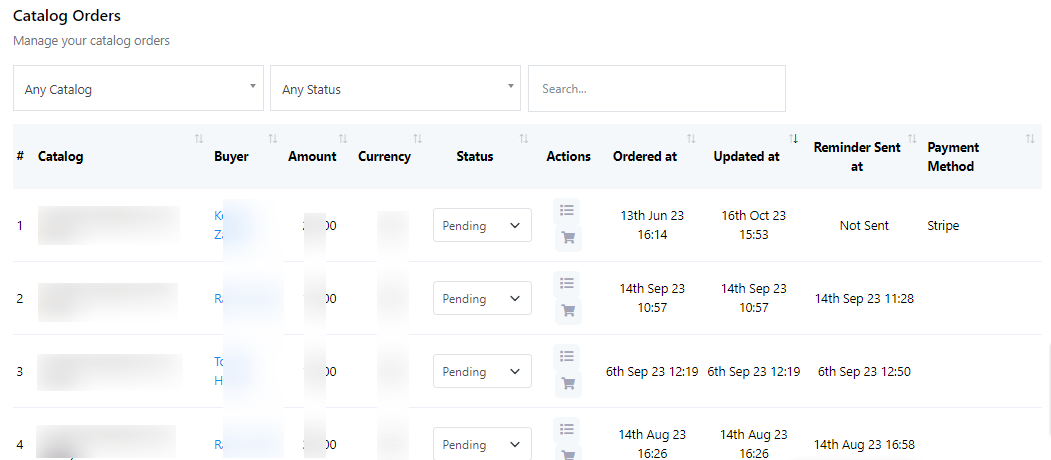
-d 'apiToken=API-KEY'

#### Sample Response

{"status": "1", "message": { "user\_id": 114, "user\_type": "Member", "name": "Member", "email": "<member@gmail.com>", "mobile": "3555757", "package\_name": "Premium1", "expired\_date": "2025-07-02 00:00:00", "created\_at": "2022-03-26 10:55:29", "status": "1", "last\_login\_at": "2024-07-24 11:59:58", "last\_login\_ip": "127.0.0.1", "agent\_has\_ppu": "0", "agent\_ppu\_remaining": -1, "bot\_subscriber\_data": { "limit": "5000", "count": "1" }, "message\_credit\_data": { "limit": "unlimited", "used": 0 }, "whatsapp\_bots\_details": \[ { "display\_phone\_number": "+91 97031 XXXX", "phone\_number\_id": "11906XXXXX40020", "whatsapp\_business\_account\_id": "10039XXXX785XX", "whatsapp\_business\_name": "Autorply" }] }}

### User API : Usage Log

Usage Log

#### API End-point : GET/POST

<https://live.autorply.com/api/v1/user/usage/log>

| Parameter | Description  | Type / Requirement |
| --------- | ------------ | ------------------ |
| apiToken  | Your api key | String\|Required   |

&#x20;

#### GET Request Example

<https://live.autorply.com/api/v1/user/usage/log?apiToken=API-KEY>

#### POST Request Example

curl -X POST \\\
'<https://live.autorply.com/api/v1/user/usage/log>' \\\
-d 'apiToken=API-KEY'

#### Sample Response

{"status": "1", "message": { "modules": \[ { "module\_name": "End-user", "limit": 500, "used": 1 }, { "module\_name": "Connect Account", "limit": 0, "used": 0 }, { "module\_name": "Message Credit", "limit": 1458, "used": 0 }, { "module\_name": "Subscribers", "limit": 0, "used": 0 }, { "module\_name": "Bot Message Insight", "limit": 0, "used": 0 }, { "module\_name": "Bot Conditional Reply", "limit": 0, "used": 0 }, { "module\_name": "Bot AI Token", "limit": 0, "used": 0 }, { "module\_name": "Input Flow Campaign", "limit": 0, "used": 0 }, { "module\_name": "Live Chat", "limit": 0, "used": 0 }, { "module\_name": "Live Chat - Advanced", "limit": 0, "used": 0 }, { "module\_name": "Live Chat - Translator", "limit": 0, "used": 0 }, { "module\_name": "Sequence Campaign", "limit": 0, "used": 0 }, { "module\_name": "WhatsApp - Flows", "limit": 0, "used": 0 }, { "module\_name": "WhatsApp - eCommerce Catalog", "limit": 0, "used": 0 }, { "module\_name": "WhatsApp - Webhook Workflow", "limit": 0, "used": 0 }, { "module\_name": "Webchat Bot", "limit": 0, "used": 0 }, { "module\_name": "WhatsApp - WordPress/Shopify Integration", "limit": 0, "used": 0 }, { "module\_name": "Team Member", "limit": 0, "used": 0 }, { "module\_name": "API Developer", "limit": 0, "used": 0 }, { "module\_name": "Live Chat Restriction", "limit": 0, "used": 0 } ], "package\_name": "Premium1", "total\_modules": 20 }}

### User API : User List

List of Users

#### API End-point : GET/POST

<https://live.autorply.com/api/v1/user/list>

| Parameter | Description                                                 | Type / Requirement |
| --------- | ----------------------------------------------------------- | ------------------ |
| apiToken  | Your api key                                                | String\|Required   |
| id        | Single User data can be fetched using both User ID or Email | Integer\|Optional  |
| limit     | Fetch number of users. Default 1000, max 1000               | Number\|Optional   |
| offset    | Page number of pagination. Default 1                        | Number\|Optional   |

&#x20;

#### GET Request Example

<https://live.autorply.com/api/v1/user/list?apiToken=API-KEY\\&id=USER-ID-OR-EMAIL\\&limit=1000\\&offset=1>

#### POST Request Example

curl -X POST \\\
'<https://live.autorply.com/api/v1/user/list>' \\\
-d 'apiToken=API-KEY' \\\
-d 'id=USER-ID-OR-EMAIL' \\\
-d 'limit=1000' \\\
-d 'offset=1'

#### Sample Response(All list)

{"status":"1","message":\[{"user\_id":114,"name":"Member","email":"<member@gmail.com>","mobile":"017XXXXXXXX","package\_name":"Premium2","expired\_date":"2023-08-05 00:00:00","created\_at":"2022-03-26 10:55:29","last\_login\_at":"2023-08-06 08:55:13","last\_login\_ip":"127.0.0.1"}],"nextOffset":2}

#### Sample Response(Single User)

{"status": "1", "message": { "user\_id": 114, "user\_type": "Member", "name": "Member", "email": "<member@gmail.com>", "mobile": "3555757","package\_id":1, "package\_name": "Premium1", "expired\_date": "2025-07-02 00:00:00", "created\_at": "2022-03-26 10:55:29", "status": "1", "last\_login\_at": "2024-07-24 11:59:58", "last\_login\_ip": "127.0.0.1", "agent\_has\_ppu": "0", "agent\_ppu\_remaining": -1, "bot\_subscriber\_data": { "limit": "5000", "count": "1" }, "message\_credit\_data": { "limit": "unlimited", "used": 0 }, "whatsapp\_bots\_details": \[ { "display\_phone\_number": "+91 97031 XXXX", "phone\_number\_id": "11906XXXXX40020", "whatsapp\_business\_account\_id": "10039XXXX785XX", "whatsapp\_business\_name": "Autorply" }] }}

### User API : User Create

Create an new User

#### API End-point : POST

<https://live.autorply.com/api/v1/user/create>

| Parameter     | Description                            | Type / Requirement |
| ------------- | -------------------------------------- | ------------------ |
| apiToken      | Your api key                           | String\|Required   |
| name          | Name of your user                      | String\|Required   |
| email         | Email of your user                     | Email\|Required    |
| mobile        | User phone number                      | String\|Optional   |
| password      | User password                          | String\|Required   |
| package\_id   | Package Id                             | Integer\|Required  |
| expired\_date | Pcakage Expired date like (2023-09-12) | String\|Required   |

&#x20;

#### GET Request Example

<https://live.autorply.com/api/v1/user/create?apiToken=API-KEY\\&name=NAME\\&email=EMAIL\\&mobile=MOBILE\\&password=PASSWORD\\&package\\_id=NAME\\&expired\\_date=EXPIRED-DATE>

#### POST Request Example

curl -X POST \\\
'<https://live.autorply.com/api/v1/user/create>' \\\
-d 'apiToken=API-KEY' \\\
-d 'name=NAME' \\\
-d 'email=EMAIL' \\\
-d 'mobile=MOBILE' \\\
-d 'password=PASSWORD' \\\
-d 'package\_id=NAME' \\\
-d 'expired\_date=EXPIRED-DATE'

#### Sample Response

{"status":"1","mesasge":"User Created Successfully.","id":192}\
{"status":"0","message":"Subscriber limit has been exceeded. You cannot have more subscribers."}

### User API : User Update

Update a Existing User

#### API End-point : POST

<https://live.autorply.com/api/v1/user/update>

| Parameter             | Description                                               | Type / Requirement |
| --------------------- | --------------------------------------------------------- | ------------------ |
| apiToken              | Your api key                                              | String\|Required   |
| id                    | User can be updated using both User ID or Email           | Integer\|Required  |
| name                  | Name of your user                                         | String\|Optional   |
| email                 | Email of your user                                        | Email\|Optional    |
| mobile                | User phone number                                         | String\|Optional   |
| password              | User password                                             | String\|Optional   |
| package\_id           | Package Id                                                | Integer\|Optional  |
| expired\_date         | Package Expired date like (2023-09-12)                    | String\|Optional   |
| status                | Status of user active(1) inactive(0)                      | String\|Optional   |
| reset\_monthly\_usage | Reset current month\`s usage log of user reset(1) keep(0) | String\|Optional   |

&#x20;

#### GET Request Example

<https://live.autorply.com/api/v1/user/update?apiToken=API-KEY\\&id=USER-ID-OR-EMAIL\\&name=NAME\\&email=EMAIL\\&mobile=MOBILE\\&password=PASSWORD\\&package\\_id=NAME\\&expired\\_date=EXPIRED-DATE\\&status=STATUS\\&reset\\_monthly\\_usage=RESET-MONTHLY-USAGE>

#### POST Request Example

curl -X POST \\\
'<https://live.autorply.com/api/v1/user/update>' \\\
-d 'apiToken=API-KEY' \\\
-d 'id=USER-ID-OR-EMAIL' \\\
-d 'name=NAME' \\\
-d 'email=EMAIL' \\\
-d 'mobile=MOBILE' \\\
-d 'password=PASSWORD' \\\
-d 'package\_id=NAME' \\\
-d 'expired\_date=EXPIRED-DATE' \\\
-d 'status=STATUS' \\\
-d 'reset\_monthly\_usage=RESET-MONTHLY-USAGE'

#### Sample Response

{"status":"1","message":"User Updated Successfully."}\
{"status":"0","message":"Subscriber limit has been exceeded. You cannot have more subscribers."}

### User API : Package List

List of Packages

#### API End-point : GET/POST

<https://live.autorply.com/api/v1/user/package/list>

| Parameter | Description  | Type / Requirement |
| --------- | ------------ | ------------------ |
| apiToken  | Your api key | String\|Required   |

&#x20;

#### GET Request Example

<https://live.autorply.com/api/v1/user/package/list?apiToken=API-KEY>

#### POST Request Example

curl -X POST \\\
'<https://live.autorply.com/api/v1/user/package/list>' \\\
-d 'apiToken=API-KEY'

#### Sample Response(All list)

{"status":"1","message":{"id":1,"package\_name":"Basic","package\_type":"subscription","price":"Trial","validity":730,"module\_ids":"1,19,18,9,10,11,2,26,24,3,4,7,22,13,15","monthly\_limit":"{\\"1\\":\\"1\\",\\"19\\":\\"3000\\",\\"18\\":\\"0\\",\\"9\\":\\"2000\\",\\"10\\":\\"0\\",\\"11\\":\\"0\\",\\"2\\":\\"0\\",\\"26\\":\\"0\\",\\"24\\":\\"0\\",\\"3\\":\\"0\\",\\"4\\":\\"0\\",\\"7\\":\\"3\\",\\"22\\":\\"0\\",\\"13\\":\\"0\\",\\"15\\":\\"0\\"}"}}

### User API : Module List

List of Module

#### API End-point : GET/POST

<https://live.autorply.com/api/v1/user/module/list>

| Parameter | Description  | Type / Requirement |
| --------- | ------------ | ------------------ |
| apiToken  | Your api key | String\|Required   |

&#x20;

#### GET Request Example

<https://live.autorply.com/api/v1/user/module/list?apiToken=API-KEY>

#### POST Request Example

curl -X POST \\\
'<https://live.autorply.com/api/v1/user/module/list>' \\\
-d 'apiToken=API-KEY'

#### Sample Response(All list)

{"status":"1","message":{"id":1,"module\_name":"Connect Account","extra\_text":"","limit\_enabled":"1","status":"1"}}

### User API : Addon List

List of Addon

#### API End-point : GET/POST

<https://live.autorply.com/api/v1/user/addon/list>

| Parameter | Description  | Type / Requirement |
| --------- | ------------ | ------------------ |
| apiToken  | Your api key | String\|Required   |

&#x20;

#### GET Request Example

<https://live.autorply.com/api/v1/user/addon/list?apiToken=API-KEY>

#### POST Request Example

curl -X POST \\\
'<https://live.autorply.com/api/v1/user/addon/list>' \\\
-d 'apiToken=API-KEY'

#### Sample Response(All list)

{"status":"1","message":{"id":2,"addon\_name":"Unlimited Team Member","addon\_description":"Description of addon","addon\_type":"recurring","price":25,"validity":30,"product\_data":"{\\"fastspring\\":{\\"product\_id\\":\\"\\",\\"coupon\\":\\"\\"},\\"paypro\\":{\\"product\_id\\":\\"101357\\",\\"coupon\\":\\"ADDONDEFAULT\\"},\\"paypal\\":{\\"plan\_id\\":\\"\\"},\\"razorpay\\":{\\"plan\_id\\":\\"\\"}}","variation\_data":null,"discount\_data":"{\\"percent\\":\\"\\",\\"terms\\":\\"\\",\\"start\_date\\":\\"\\",\\"end\_date\\":\\"2024-11-24 13:35:12\\",\\"timezone\\":\\"Asia\\\\/Dhaka\\",\\"status\\":\\"1\\"}","visible":"1"}}

### User API : Addon Create

Create Addon

#### API End-point : GET/POST

<https://live.autorply.com/api/v1/user/addon/create>

#### Available Modules

| SL | Module ID | Module Name                              |
| -- | --------- | ---------------------------------------- |
| 1  | 19        | Message Credit                           |
| 1  | 1         | Connect Account                          |
| 2  | 40        | Bot Typing On Display                    |
| 2  | 18        | Bot AI Token                             |
| 2  | 9         | Subscribers                              |
| 2  | 10        | Bot Message Insight                      |
| 2  | 11        | Bot Conditional Reply                    |
| 3  | 2         | Input Flow Campaign                      |
| 3  | 26        | Instagram Bot                            |
| 3  | 44        | Incoming Message to Webhook URL          |
| 4  | 50        | Live Chat - Widget                       |
| 4  | 20        | Live Chat - Advanced                     |
| 4  | 3         | Live Chat                                |
| 4  | 30        | Livechat - Restriction                   |
| 4  | 24        | Live Chat - Translator                   |
| 5  | 4         | Broadcast                                |
| 8  | 7         | Sequence Campaign                        |
| 9  | 43        | Social Posting                           |
| 9  | 29        | WhatsApp Embedded Signup                 |
| 9  | 54        | Subscribers - Delete Retention           |
| 9  | 28        | Comment Automation                       |
| 11 | 23        | WhatsApp - Flows                         |
| 11 | 47        | WhatsApp - Appointment System            |
| 11 | 16        | WhatsApp - Webhook Workflow              |
| 11 | 37        | WhatsApp - Carousel Template             |
| 11 | 42        | WhatsApp - Click Ads                     |
| 11 | 21        | WhatsApp - Catalog                       |
| 12 | 17        | WhatsApp - WordPress/Shopify Integration |
| 12 | 27        | Whatsapp About Field Brand Name          |
| 12 | 38        | Webchat Bot                              |
| 13 | 35        | Integration - HTTP API                   |
| 14 | 36        | Google - Google Sheet                    |
| 14 | 45        | Google - Google Contacts                 |
| 14 | 46        | Google - Connect Account                 |
| 14 | 22        | Telegram - Group Manager                 |
| 14 | 48        | Google - Google Calendar                 |
| 15 | 15        | API Developer                            |
| 15 | 13        | Team Member                              |
| 39 | 39        | Bot AI Agent                             |
| 39 | 49        | Bot AI Assistant                         |
| 40 | 52        | Service - Meta App Verification          |

&#x20;

| Parameter                 | Description                                                                                                                | Type / Requirement |
| ------------------------- | -------------------------------------------------------------------------------------------------------------------------- | ------------------ |
| apiToken                  | Your api key                                                                                                               | String\|Required   |
| addon\_name               | Name of your addon                                                                                                         | String\|Required   |
| module\_id                | Your Module ID                                                                                                             | Int\|Required      |
| addon\_description        | Description of your addon                                                                                                  | String\|Required   |
| price                     | Price of your addon                                                                                                        | Float\|Required    |
| validity                  | Validity of your addon                                                                                                     | Int\|Required      |
| validity\_type            | validity type can be day,week, month, year. For Day use \`D\`, For Week use \`W\`, For Month use \`M\`, For Year use \`Y\` | String\|Required   |
| addon\_type               | You can use 2 tyepes of addon Recurring and One Time. For Recurring use \`recurring\` and For One Time use \`one-time\`    | String\|Required   |
| extend\_value             | This is Module Limit                                                                                                       | Int\|Required      |
| visible                   | Addon visibility 1 for visible and 0 for hidden                                                                            | Int\|Optional      |
| variation\_name           | Variation name and value in json format.                                                                                   | Json\|Optional     |
| variation\_validity       | Variation validity and value in json format.                                                                               | Json\|Optional     |
| variation\_validity\_type | validity type can be day,week, month, year. For Day use \`D\`, For Week use \`W\`, For Month use \`M\`, For Year use \`Y\` | Json\|Optional     |
| variation\_extend\_value  | This is Module Limit For Variation                                                                                         | Json\|Required     |
| variation\_price          | Variation price and value in json format.                                                                                  | Json\|Required     |

&#x20;

#### POST Request Example

curl -X POST \\\
'<https://live.autorply.com/api/v1/user/addon/create>' \\\
-d 'apiToken=API-KEY' \\\
-d 'addon\_name=NAME' \\\
-d 'module\_id=MODULE-ID' \\\
-d 'addon\_description=DESCRIPTION' \\\
-d 'price=PRICE' \\\
-d 'validity=VALIDITY' \\\
-d 'validity\_type=D' \\\
-d 'addon\_type=one-time' \\\
-d 'extend\_value=extend\_value' \\\
-d 'visible=1' \\\
-d 'variation\_name=\["variation\_name1","variation\_name2"]' \\\
-d 'variation\_validity=\["30","60"]' \\\
-d 'variation\_validity\_type=\["D","M"]' \\\
-d 'variation\_extend\_value=\["extend\_value1","extend\_value2"]' \\\
-d 'variation\_price=\["price1","price2"]'

#### Sample Response(All list)

{"status":"1","message":"Addon has been saved successfully.."}

### User API : Addon Update

Update Addon

#### API End-point : GET/POST

<https://live.autorply.com/api/v1/user/addon/update>

| Parameter                 | Description                                                                                                                | Type / Requirement |
| ------------------------- | -------------------------------------------------------------------------------------------------------------------------- | ------------------ |
| apiToken                  | Your api key                                                                                                               | String\|Required   |
| id                        | Addon ID                                                                                                                   | Integer\|Required  |
| addon\_name               | Name of your addon                                                                                                         | String\|Required   |
| addon\_description        | Description of your addon                                                                                                  | String\|Optional   |
| price                     | Price of your addon                                                                                                        | Float\|Optional    |
| validity                  | Validity of your addon                                                                                                     | Int\|Optional      |
| validity\_type            | validity type can be day,week, month, year. For Day use \`D\`, For Week use \`W\`, For Month use \`M\`, For Year use \`Y\` | String\|Optional   |
| addon\_type               | You can use 2 tyepes of addon Recurring and One Time. For Recurring use \`recurring\` and For One Time use \`one-time\`    | String\|Optional   |
| extend\_value             | This is Module Limit                                                                                                       | Int\|Optional      |
| visible                   | Addon visibility 1 for visible and 0 for hidden                                                                            | Int\|Optional      |
| variation\_name           | Variation name and value in json format.                                                                                   | Json\|Optional     |
| variation\_validity       | Variation validity and value in json format.                                                                               | Json\|Optional     |
| variation\_validity\_type | validity type can be day,week, month, year. For Day use \`D\`, For Week use \`W\`, For Month use \`M\`, For Year use \`Y\` | Json\|Optional     |
| variation\_extend\_value  | This is Module Limit For Variation                                                                                         | Json\|Required     |
| variation\_price          | Variation price and value in json format.                                                                                  | Json\|Required     |

&#x20;

#### POST Request Example

curl -X POST \\\
'<https://live.autorply.com/api/v1/user/addon/update>' \\\
-d 'apiToken=API-KEY' \\\
-d 'id=ADDON-ID' \\\
-d 'addon\_name=NAME' \\\
-d 'addon\_description=DESCRIPTION' \\\
-d 'price=PRICE' \\\
-d 'validity=VALIDITY' \\\
-d 'validity\_type=D' \\\
-d 'addon\_type=one-time' \\\
-d 'extend\_value=extend\_value' \\\
-d 'visible=1' \\\
-d 'variation\_name=\["variation\_name1","variation\_name2"]' \\\
-d 'variation\_validity=\["30","60"]' \\\
-d 'variation\_validity\_type=\["D","M"]' \\\
-d 'variation\_extend\_value=\["extend\_value1","extend\_value2"]' \\\
-d 'variation\_price=\["price1","price2"]'

#### Sample Response(All list)

{"status":"1","message":"Addon has been saved successfully."}

### User API : Assign Addon

Assign Addon

#### API End-point :POST

<https://live.autorply.com/api/v1/user/addon/assign>

| Parameter     | Description                                                                                                                                                                         | Type / Requirement |
| ------------- | ----------------------------------------------------------------------------------------------------------------------------------------------------------------------------------- | ------------------ |
| apiToken      | Your api key                                                                                                                                                                        | String\|Required   |
| user\_id      | User ID                                                                                                                                                                             | Integer\|Required  |
| addon\_id     | Addon ID. For the main addon, use only the Addon ID (e.g., 5). For variations, use the format AddonID-Variation ID (e.g., 5-1 ), where 5 is the Addon ID and 1 is the Variation ID. | String\|Required   |
| expired\_date | Addon Expired date like (2023-09-12)                                                                                                                                                | String\|Required   |
| status        | Status of addon active(1) inactive(0)                                                                                                                                               | Boolean\|Optional  |

&#x20;

#### POST Request Example

curl -X POST \\\
'<https://live.autorply.com/api/v1/user/addon/assign>' \\\
-d 'apiToken=API-KEY' \\\
-d 'user\_id=USER-ID' \\\
-d 'addon\_id=ADDON-ID' \\\
-d 'expired\_date=EXPIRED-DATE' \\\
-d 'status=STATUS'

#### Sample Response(All list)

{"status":"1","message":"Addon has been assign successfully."}

### User API : Addon Purchase List

Addon Purchase List

#### API End-point :POST

<https://live.autorply.com/api/v1/user/addon/assign/list>

| Parameter | Description                                                          | Type / Requirement |
| --------- | -------------------------------------------------------------------- | ------------------ |
| apiToken  | Your api key                                                         | String\|Required   |
| user\_id  | User ID. If you want to get all addon purchase data, leave it blank. | Integer\|Optional  |
| limit     | Fetch number of addon purchases. Default 50, max 100                 | Integer\|Optional  |
| offset    | Page number of pagination. Default 1                                 | Integer\|Optional  |

&#x20;GET Request Example

<https://live.autorply.com/api/v1/user/addon/assign/list?apiToken=API-KEY\\&user\\_id=USER-ID\\&limit=50\\&offset=1>

#### POST Request Example

curl -X POST \\\
'<https://live.autorply.com/api/v1/user/addon/assign/list>' \\\
-d 'apiToken=API-KEY' \\\
-d 'user\_id=USER-ID' \\\
-d 'limit=50' \\\
-d 'offset=1'

#### Sample Response(All list)

{"status":"1","message":\[{"id":122,"user\_id":248,"seller\_user\_id":109,"purchase\_date":"2025-05-24 06:14:04","addon\_id":17,"expired\_date":"2025-06-23 00:00:00","subscription\_enabled":"0","subscription\_data":null,"paypal\_subscriber\_id":"","paypal\_next\_check\_time":null,"paypal\_processing":"0","access\_data":null,"last\_payment\_method":"Stripe","comment":null,"status":"1","updated\_at":"2025-05-24 06:14:04","name":"sagor","email":"<jondoe@gmail.com>","addon\_name":"Ai Addon"}],"nextOffset":2}

### User API : Update Assign Addon

Update an assigned addon purchase (expired\_date, status, variation).

#### API End-point : GET/POST

<https://live.autorply.com/api/v1/user/addon/assign/update>

| Parameter     | Description                                                                                                                                                                 | Type / Requirement                        |
| ------------- | --------------------------------------------------------------------------------------------------------------------------------------------------------------------------- | ----------------------------------------- |
| apiToken      | Your api key                                                                                                                                                                | String\|Required                          |
| id            | Addon purchase id from Addon Purchase List response (addon\_users.id).                                                                                                      | Integer\|Required                         |
| user\_id      | Buyer user id. Required when changing variation (addon\_id).                                                                                                                | Integer\|Required for variation change    |
| addon\_id     | Which addon+variation to assign: addon\_id only for main (e.g. 5), or addon\_id-variation\_index (5-0=1st variation, 5-1=2nd variation). Send with id & user\_id to change. | String\|Optional (Required for variation) |
| expired\_date | New expiry date (Y-m-d). Leave blank for unlimited.                                                                                                                         | Date\|Optional                            |
| status        | 1 = active, 0 = inactive.                                                                                                                                                   | 0 or 1\|Optional                          |

&#x20;

#### GET Request Example

<https://live.autorply.com/api/v1/user/addon/assign/update?apiToken=API-KEY\\&id=ID\\&user\\_id=USER\\_ID\\&addon\\_id=5-1\\&expired\\_date=2025-12-31\\&status=1>

#### POST Request Example

curl -X POST \\\
'<https://live.autorply.com/api/v1/user/addon/assign/update>' \\\
-d 'apiToken=API-KEY' \\\
-d 'id=ID' \\\
-d 'user\_id=USER\_ID' \\\
-d 'addon\_id=5-1' \\\
-d 'expired\_date=2025-12-31' \\\
-d 'status=1'

#### Sample Response (Success)

{"status":"1","message":"Addon purchase updated successfully."}

#### Sample Response (Error)

{"status":"0","message":"Addon purchase not found."}

### User API : De-assign Addon

De-assign addon purchase by purchase ID

#### API End-point : GET/POST

<https://live.autorply.com/api/v1/addon/purchase/delete>

| Parameter | Description                                                              | Type / Requirement |
| --------- | ------------------------------------------------------------------------ | ------------------ |
| apiToken  | Your api key                                                             | String\|Required   |
| id        | Addon purchase ID. Get this from Addon Purchase List response.           | Integer\|Required  |
| user\_id  | Buyer user id. When only id is sent, this is resolved from addon\_users. | Integer\|Required  |

&#x20;

#### GET Request Example

<https://live.autorply.com/api/v1/addon/purchase/delete?apiToken=API-KEY\\&id=ID\\&user\\_id=USER\\_ID>

#### POST Request Example

curl -X POST \\\
'<https://live.autorply.com/api/v1/addon/purchase/delete>' \\\
-d 'apiToken=API-KEY' \\\
-d 'id=ID' \\\
-d 'user\_id=USER\_ID'

#### Sample Response (Success)

{"status":"1","message":"Addon purchase has been deleted successfully."}

#### Sample Response (Error)

{"status":"0","message":"Addon purchase not found"}

### User API : Get Direct Login Url

An Unique and Secure One-time Login URL

#### API End-point : GET/POST

<https://live.autorply.com/api/v1/user/get/direct-login-url>

| Parameter        | Description                                                                                                     | Type / Requirement             |
| ---------------- | --------------------------------------------------------------------------------------------------------------- | ------------------------------ |
| apiToken         | Your api key                                                                                                    | String\|Required               |
| email            | Email of your user                                                                                              | Email\|Required                |
| name             | Name of your user                                                                                               | String\|Optional               |
| mobile           | User phone number                                                                                               | String\|Optional               |
| package\_id      | Package Id                                                                                                      | Integer\|Required for new user |
| expired\_date    | Package Expired date like (2023-09-12)                                                                          | String\|Required for new user  |
| status           | Status of user active(1) inactive(0)                                                                            | String\|Optional               |
| create\_on\_fail | Set Value 1 for If user not found, create new user with this data or Set(0) it will return User not found error | Boolean\|Optional              |

&#x20;

#### GET Request Example

<https://live.autorply.com/api/v1/user/get/direct-login-url?apiToken=API-KEY\\&email=EMAIL\\&name=NAME\\&mobile=MOBILE\\&package\\_id=NAME\\&expired\\_date=EXPIRED-DATE\\&status=STATUS\\&create\\_on\\_fail=1>

#### POST Request Example

curl -X POST \\\
'<https://live.autorply.com/api/v1/user/get/direct-login-url>' \\\
-d 'apiToken=API-KEY' \\\
-d 'email=EMAIL' \\\
-d 'name=NAME' \\\
-d 'mobile=MOBILE' \\\
-d 'package\_id=NAME' \\\
-d 'expired\_date=EXPIRED-DATE' \\\
-d 'status=STATUS' \\\
-d 'create\_on\_fail=1'

#### Sample Response

{"status":"1","message":{"email":"<user@domain.com>","password":"xxxxxxxxxx","login\_url":"<https://live.autorply.com/login","direct\\_login\\_url":"https://live.autorply.com/direct-login/xxxxxxxxxx"\\}}>

### User API : Get direct login url only for new users

Create user if not exists and return one-time direct login url. If user exists, it will return \`User already existed\`.

#### API End-point : GET/POST

<https://live.autorply.com/api/v1/user/get/direct-login-url/only-new-users>

| Parameter     | Description                            | Type / Requirement |
| ------------- | -------------------------------------- | ------------------ |
| apiToken      | Your api key                           | String\|Required   |
| email         | Email of your user                     | Email\|Required    |
| package\_id   | Package Id                             | Integer\|Required  |
| expired\_date | Package Expired date like (2026-05-05) | String\|Required   |

&#x20;

#### GET Request Example

<https://live.autorply.com/api/v1/user/get/direct-login-url/only-new-users?apiToken=API-KEY\\&email=EMAIL\\&package\\_id=PACKAGE-ID\\&expired\\_date=EXPIRED-DATE>

#### POST Request Example

curl -X POST \\\
'<https://live.autorply.com/api/v1/user/get/direct-login-url/only-new-users>' \\\
-d 'apiToken=API-KEY' \\\
-d 'email=EMAIL' \\\
-d 'package\_id=PACKAGE-ID' \\\
-d 'expired\_date=EXPIRED-DATE'

#### Sample Response (Success)

{"status":"1","message":{"email":"<user@domain.com>","password":"xxxxxxxxxx","login\_url":"<https://live.autorply.com/login","direct\\_login\\_url":"https://live.autorply.com/direct-login/xxxxxxxxxx"\\}}>

#### Sample Response (Existing User)

{"status":"0","message":"User already existed"}

### User API : Logout User

Logout user from the system

#### API End-point : GET/POST

<https://live.autorply.com/api/v1/user/logout>

| Parameter | Description                       | Type / Requirement |
| --------- | --------------------------------- | ------------------ |
| apiToken  | Your api key                      | String\|Required   |
| user\_id  | User ID of WhatsApp account owner | Integer\|Required  |

&#x20;

#### GET Request Example

<https://live.autorply.com/api/v1/user/logout?apiToken=API-KEY\\&user\\_id=USER-ID>

#### POST Request Example

curl -X POST \\\
'<https://live.autorply.com/api/v1/user/logout>' \\\
-d 'apiToken=API-KEY' \\\
-d 'user\_id=USER-ID'

#### Sample Response(All list)

{"status":"1","message":"User logout from the system successfully."}

### User API : Transaction List

Transaction list from the system

#### API End-point : GET/POST

<https://live.autorply.com/api/v1/user/transaction/list>

| Parameter | Description                                       | Type / Requirement |
| --------- | ------------------------------------------------- | ------------------ |
| apiToken  | Your api key                                      | String\|Required   |
| limit     | Fetch number of transactions. Default 50, max 100 | Integer\|Optional  |
| offset    | Page number of pagination. Default 1              | Integer\|Optional  |

&#x20;

#### GET Request Example

<https://live.autorply.com/api/v1/user/transaction/list?apiToken=API-KEY\\&limit=50\\&offset=1>

#### POST Request Example

curl -X POST \\\
'<https://live.autorply.com/api/v1/user/transaction/list>' \\\
-d 'apiToken=API-KEY' \\\
-d 'limit=50' \\\
-d 'offset=1'

#### Sample Response(All list)

{"status":"1","message":\[{"id":1,"user\_id":1,"buyer\_user\_id":249,"verify\_status":"Processed","first\_name":"john doe","last\_name":"","buyer\_email":"<johndoe@gmail.com>","country":"","paid\_currency":"USD","paid\_at":"2025-10-13 09:20:53","payment\_method":"Paypal","transaction\_id":"AD1760347253249","paid\_amount":0,"cycle\_start\_date":"2025-10-13","cycle\_expired\_date":null,"package\_id":null,"addon\_id":4,"variation\_index":2,"variation\_data\_copy":"{\\"name\\":\\"Webchat : unlimited website\\/user\\",\\"validity\\":\\"30\\",\\"validity\_type\\":\\"D\\",\\"extend\_value\\":\\"0\\",\\"price\\":\\"149\\",\\"paypro\_product\_id\\":\\"103395\\",\\"fastspring\_product\_id\\":\\"\\",\\"paypal\_plan\_id\\":\\"\\",\\"razorpay\_plan\_id\\":\\"\\",\\"status\\":\\"1\\"}","package\_name":"Monthly Package","response\_source":"","paypal\_txn\_type":"","invoice\_url":null,"subscription\_unique\_id":null,"email":"<johndoe@gmail.com>"}],"nextOffset":2}

## WhatsApp API

WhatsApp send api, add contact...

### WhatsApp API : Account Connect

Connect WhatsApp Business Account

#### API End-point : POST

<https://live.autorply.com/api/v1/whatsapp/account/connect>

| Parameter                       | Description                       | Type / Requirement |
| ------------------------------- | --------------------------------- | ------------------ |
| apiToken                        | Your api key                      | String\|Required   |
| user\_id                        | User ID of WhatsApp account owner | Integer\|Required  |
| whatsapp\_business\_account\_id | WhatsApp Business Account ID      | String\|Required   |
| access\_token                   | Access Token                      | String\|Required   |

&#x20;

#### GET Request Example

<https://live.autorply.com/api/v1/whatsapp/account/connect?apiToken=API-KEY\\&user\\_id=USER-ID\\&whatsapp\\_business\\_account\\_id=WHATSAPP-BUSINESS-ACCOUNT-ID\\&access\\_token=ACCESS-TOKEN>

#### POST Request Example

curl -X POST \\\
'<https://live.autorply.com/api/v1/whatsapp/account/connect>' \\\
-d 'apiToken=API-KEY' \\\
-d 'user\_id=USER-ID' \\\
-d 'whatsapp\_business\_account\_id=WHATSAPP-BUSINESS-ACCOUNT-ID' \\\
-d 'access\_token=ACCESS-TOKEN'

#### Sample Response

{"status":"1","message":"Whatsapp account has been connect successfully."}

### WhatsApp API : Send Text Message

Send WhatsApp message to any mobile number

#### Text vs Template Message

When a user writes you on your chat service using your business number, you can reply to them through text message within 24 hours. This is known as a customer-initiated text message or session message. A WhatsApp template message, on the other hand, uses a pre-approved template for communication and is an outbound message launched by a business. You can get in touch with a user using template messages if you accidentally don\`t respond to their message within 24 hours.

#### API End-point : Send Message (GET/POST)

<https://live.autorply.com/api/v1/whatsapp/send>

| Parameter         | Description                                                          | Type / Requirement |
| ----------------- | -------------------------------------------------------------------- | ------------------ |
| apiToken          | Your api key                                                         | String\|Required   |
| phone\_number\_id | WhatsApp account phone number ID                                     | String\|Required   |
| message           | Text message content (need url encoded value for GET request)        | String\|Required   |
| phone\_number     | Must start with country code and only numeric characters are allowed | String\|Required   |

&#x20;

#### GET Request Example

<https://live.autorply.com/api/v1/whatsapp/send?apiToken=API-KEY\\&phone\\_number\\_id=PHONE-NUMBER-ID\\&message=TEXT-MESSAGE\\&phone\\_number=PHONE-NUMBER>

#### POST Request Example

curl -X POST \\\
'<https://live.autorply.com/api/v1/whatsapp/send>' \\\
-d 'apiToken=API-KEY' \\\
-d 'phone\_number\_id=PHONE-NUMBER-ID' \\\
-d 'message=TEXT-MESSAGE' \\\
-d 'phone\_number=PHONE-NUMBER'

#### Sample Response

{"status":"1", "wa\_message\_id":"wamid.HBgNODgwMTcyMzMwOTAwMxUCABEYEjlGQkY3MEFEMEVGODhCNDkxNQA=", "message":"Message sent successfully."}\
{"status":"0","message":"Subscriber limit has been exceeded. You cannot have more subscribers."}

#### Generate API End-point : Send Template Message (GET/POST)

Template access: Sign in to load available WhatsApp templates and generate the template-message endpoint.

Select Message Template \*

#### Sample Response

{"status":"1","message":"Template message sent successfully."}\
{"status":"0","message":"Subscriber limit has been exceeded. You cannot have more subscribers."}

### WhatsApp API : Send Interactive Buttons

Send a session message with WhatsApp reply buttons. Optionally attach an image, video, or document as the header.

Reply buttons are session messages and can be sent within the 24 hour customer service window. Send 1 to 3 buttons; each title can be up to 20 characters. To attach media, add media\_url (or media\_id) along with the buttons; allowed media headers are image, video, and document only.

#### API End-point : Send Interactive Buttons (POST)

<https://live.autorply.com/api/v1/whatsapp/send/interactive-buttons>

| Parameter            | Description                                                                                                                                                     | Type / Requirement   |
| -------------------- | --------------------------------------------------------------------------------------------------------------------------------------------------------------- | -------------------- |
| apiToken             | Your api key                                                                                                                                                    | String\|Required     |
| phone\_number\_id    | WhatsApp account phone number ID                                                                                                                                | String\|Required     |
| phone\_number        | Must start with country code and only numeric characters are allowed                                                                                            | String\|Required     |
| message              | Message body shown above the buttons.                                                                                                                           | String\|Required     |
| buttons              | JSON array of 1 to 3 reply buttons. Each item can be a string or an object with id and title. Button id can be used later from webhook/button reply payload.    | JSON Array\|Required |
| button\_header\_text | Optional text header for the interactive message. Ignored when a media header is sent.                                                                          | String\|Optional     |
| button\_footer\_text | Optional footer text for the interactive message.                                                                                                               | String\|Optional     |
| media\_url           | Public HTTPS URL of an image, video, or document to use as the interactive header. Use either media\_url or media\_id.                                          | String\|Optional     |
| media\_id            | WhatsApp media id obtained from the Upload Media API. When using media\_id, media\_type is required.                                                            | String\|Optional     |
| media\_type          | Header media type. One of: image, video, document. Required when using media\_id, or when media\_url has no file extension. Audio is not supported as a header. | String\|Conditional  |
| media\_name          | Filename to display, only used when media\_type is document.                                                                                                    | String\|Optional     |

&#x20;

#### POST Request Example (buttons only)

curl -X POST "<https://live.autorply.com/api/v1/whatsapp/send/interactive-buttons>" \\\
-H "Accept: application/json" \\\
-d "apiToken=API-KEY" \\\
-d "phone\_number\_id=PHONE-NUMBER-ID" \\\
-d "phone\_number=PHONE-NUMBER" \\\
-d "message=Would you like to continue?" \\\
-d 'buttons=\[{"id":"buy\_now","title":"Buy Now"},{"id":"details","title":"View Details"}]' \\\
-d "button\_header\_text=Product update" \\\
-d "button\_footer\_text=Tap an option"

#### POST Request Example (media + buttons)

curl -X POST "<https://live.autorply.com/api/v1/whatsapp/send/interactive-buttons>" \\\
-H "Accept: application/json" \\\
-d "apiToken=API-KEY" \\\
-d "phone\_number\_id=PHONE-NUMBER-ID" \\\
-d "phone\_number=PHONE-NUMBER" \\\
-d "message=Check this product and choose an action." \\\
-d "media\_url=<https://example.com/product.jpg>" \\\
-d "media\_type=image" \\\
-d 'buttons=\[{"id":"buy\_now","title":"Buy Now"},{"id":"details","title":"View Details"}]' \\\
-d "button\_footer\_text=Tap an option"

#### Sample Response

{"status":"1", "wa\_message\_id":"wamid.HBgNODgwMTcyMzMwOTAwMxUCABEYEjlGQkY3MEFEMEVGODhCNDkxNQA=", "message":"Message sent successfully."}\
{"status":"0","message":"You can send between 1 and 3 reply buttons."}\
{"status":"0","message":"When sending media with buttons, media\_type must be one of: image, video, document."}

### WhatsApp API : Send File / Media

Send image, video, audio, or document using only this endpoint.

You must send media\_url or media\_id — at least one is required. All other fields below are optional unless noted.

#### API End-point : Send File (GET/POST)

<https://live.autorply.com/api/v1/whatsapp/send/file>

| Parameter            | Description                                                                                                                    | Type / Requirement                |
| -------------------- | ------------------------------------------------------------------------------------------------------------------------------ | --------------------------------- |
| apiToken             | Your api key                                                                                                                   | String\|Required                  |
| phone\_number\_id    | WhatsApp account phone number ID                                                                                               | String\|Required                  |
| phone\_number        | Must start with country code and only numeric characters are allowed                                                           | String\|Required                  |
| media\_url           | Public HTTPS URL of the file. WhatsApp downloads from this link. Use this when you are not using media\_id.                    | String\|Required if no media\_id  |
| media\_id            | WhatsApp media id from the Upload Media API or from Graph after uploading. When using media\_id only, media\_type is required. | String\|Required if no media\_url |
| media\_type          | One of: image, video, audio, document. Required when using media\_id only, or when media\_url has no file extension.           | String\|Conditional               |
| media\_caption\_text | Caption for image, video, or document (not for audio). If omitted, message is used as caption when present.                    | String\|Optional                  |

&#x20;

#### GET Request Example

<https://live.autorply.com/api/v1/whatsapp/send/file?apiToken=API-KEY\\&phone\\_number\\_id=PHONE-NUMBER-ID\\&phone\\_number=PHONE-NUMBER\\&media\\_type=image\\&media\\_url=https%3A%2F%2Fexample.com%2Fimage.jpg\\&message=Caption+text>

#### GET example with media\_id (media\_type required)

<https://live.autorply.com/api/v1/whatsapp/send/file?apiToken=API-KEY\\&phone\\_number\\_id=PHONE-NUMBER-ID\\&phone\\_number=PHONE-NUMBER\\&media\\_type=image\\&media\\_id=MEDIA\\_ID\\_FROM\\_GRAPH>

#### POST Request Example

curl -X POST \\\
'<https://live.autorply.com/api/v1/whatsapp/send/file>' \\\
-d 'apiToken=API-KEY' \\\
-d 'phone\_number\_id=PHONE-NUMBER-ID' \\\
-d 'phone\_number=PHONE-NUMBER' \\\
-d 'media\_url=<https://example.com/file.jpg>' \\\
-d 'media\_id=' \\\
-d 'media\_type=image' \\\
-d 'media\_caption\_text='

#### Sample Response

{"status":"1", "wa\_message\_id":"wamid.HBgNODgwMTcyMzMwOTAwMxUCABEYEjlGQkY3MEFEMEVGODhCNDkxNQA=", "message":"Message sent successfully."}\
{"status":"0","message":"Subscriber limit has been exceeded. You cannot have more subscribers."}

### WhatsApp API : Upload Media

Upload a file to get media\_id and media\_type for the Send File API.

#### API End-point : POST (multipart/form-data)

<https://live.autorply.com/api/v1/whatsapp/upload/media>

| Parameter         | Description                                                                                                                        | Type / Requirement |
| ----------------- | ---------------------------------------------------------------------------------------------------------------------------------- | ------------------ |
| apiToken          | Your api key (can also be sent as Authorization: Bearer token).                                                                    | String\|Required   |
| phone\_number\_id | WhatsApp account phone number ID (same as other WhatsApp APIs).                                                                    | String\|Required   |
| media\_file       | Multipart file field name must be media\_file. Supported types follow live chat / WhatsApp limits (image, video, audio, document). | File\|Required     |

&#x20;

#### POST Request Example

curl -X POST "<https://live.autorply.com/api/v1/whatsapp/upload/media>" \\\
-H "Authorization: Bearer API-KEY" \\\
-H "Accept: application/json" \\\
-F "phone\_number\_id=PHONE-NUMBER-ID" \\\
-F "media\_file=@/path/to/local/file.jpg"

#### Sample Response

{"status":"1","media\_id":"1739230482390482","media\_type":"image","message":"Upload successful. Use media\_id and media\_type with the Send File API."}\
{"status":"0","message":"..."}

#### Try upload (this page)

Choose which WhatsApp bot/account to upload against (media\_id is tied to that phone number id). Your API key at the top of this page is used for authentication.

### WhatsApp API : Get Conversation

Get Conversation of particular subscriber

#### API End-point : GET/POST

<https://live.autorply.com/api/v1/whatsapp/get/conversation>

| Parameter         | Description                                     | Type / Requirement |
| ----------------- | ----------------------------------------------- | ------------------ |
| apiToken          | Your api key                                    | String\|Required   |
| phone\_number\_id | Your whatsapp phone number id                   | String\|Required   |
| phone\_number     | Subscriber phone number                         | String\|Required   |
| limit             | Fetch number of conversation message. (upto 50) | Number\|Required   |
| offset            | Page number of pagination. Default 1            | Number\|Optional   |

&#x20;

#### GET Request Example

<https://live.autorply.com/api/v1/whatsapp/get/conversation?apiToken=API-KEY\\&phone\\_number\\_id=PHONE-NUMBER-ID\\&phone\\_number=PHONE-NUMBER\\&limit=10\\&offset=1>

#### POST Request Example

curl -X POST \\\
'<https://live.autorply.com/api/v1/whatsapp/get/conversation>' \\\
-d 'apiToken=API-KEY' \\\
-d 'phone\_number\_id=PHONE-NUMBER-ID' \\\
-d 'phone\_number=PHONE-NUMBER' \\\
-d 'limit=10' \\\
-d 'offset=1'

#### Sample Response

{"status":"1","message":\[{"id":8XX3,"whatsapp\_bot\_subscriber\_subscriber\_id":"0123456789-23","whatsapp\_bot\_id":23,"sender":"bot","agent\_name":null,"message\_content":"{\\"delay\_in\_reply\\":0,\\"messaging\_product\\":\\"whatsapp\\",\\"recipient\_type\\":\\"individual\\",\\"to\\":\\"0123456789\\",\\"type\\":\\"interactive\\",\\"interactive\\":{\\"header\\":{\\"type\\":\\"text\\",\\"text\\":\\"Order gateway\\"},\\"body\\":{\\"text\\":\\"How would you like to purchase it?\\"},\\"type\\":\\"button\\",\\"action\\":{\\"buttons\\":\[{\\"type\\":\\"reply\\",\\"reply\\":{\\"id\\":\\"5lvomLOuENXIe6D::gPeAiDDmVQR\_jTR\\",\\"title\\":\\"Paypal pay\\"}},{\\"type\\":\\"reply\\",\\"reply\\":{\\"id\\":\\"YES\_START\_CHAT\_WITH\_HUMAN::CBaLoC4yTMyIljZ\\",\\"title\\":\\"COD\\"}}]}}}","conversation\_time":"2024-07-28 13:21:03","wa\_message\_id":"wamid.HBgNODgwMTcyMzMwOTAwMxUCABEYEjlGQkY3MEFEMEVGODhCNDkxNQA=","reaction\_data":null,"message\_status":null,"delivery\_status\_updated\_at":"2024-07-28 13:21:03","failed\_reason":""}],"nextOffset":101}

### WhatsApp API : Get Post Back List

Get Post Back List

#### API End-point : GET/POST

<https://live.autorply.com/api/v1/whatsapp/get/post-back-list>

| Parameter         | Description                   | Type / Requirement |
| ----------------- | ----------------------------- | ------------------ |
| apiToken          | Your api key                  | String\|Required   |
| phone\_number\_id | Your whatsapp phone number id | String\|Required   |

&#x20;

#### GET Request Example

<https://live.autorply.com/api/v1/whatsapp/get/post-back-list?apiToken=API-KEY\\&phone\\_number\\_id=PHONE-NUMBER-ID>

#### POST Request Example

curl -X POST \\\
'<https://live.autorply.com/api/v1/whatsapp/get/post-back-list>' \\\
-d 'apiToken=API-KEY' \\\
-d 'phone\_number\_id=PHONE-NUMBER-ID'

#### Sample Response

{"status":"1","message":\[{"id":671,"user\_id":1,"postback\_id":"QUICK\_REPLY\_LOCATION\_REPLY\_BOT","whatsapp\_bot\_id":95,"use\_status":"0","status":"1","whatsapp\_bot\_setting\_id":1770,"bot\_name":"Location quick reply","is\_template":"1","template\_jsoncode":"\[{\\"messaging\_product\\":\\"whatsapp\\",\\"to\\":\\"replace\_id\\",\\"type\\":\\"text\\",\\"text\\":{\\"body\\":\\"Thank you for sharing your location. It has been received.\
Thank you for being here with us today.\\",\\"preview\_url\\":true}}]","template\_name":"Location quick reply","template\_for":"location-quick-reply","template\_id":null,"inherit\_from\_template":"0","whatsapp\_bot\_label\_ids":"","whatsapp\_bot\_remove\_label\_ids":"","remove\_sequence\_campaign\_id":0,"team\_assign\_role\_id":0,"team\_assign\_user\_id":0,"broadcast\_sequence\_campaign\_id":0,"visual\_flow\_type":"flow","postback\_type":"main","whatsapp\_bot\_visual\_flow\_builder\_campaign\_id":1358,"google\_sheet\_ids":"","updated\_at":"2024-07-14 05:25:55","row\_type":"static","custom\_field\_id":0,"custom\_field\_index":"","custom\_field\_index\_title":"","generateGoogleMeetLink":null,"googleCalendarId":null,"googleMeetToCustomFieldId":null}]}

### WhatsApp API : Get Delivery Message Status

Get message statuses from API

#### API End-point : GET/POST

<https://live.autorply.com/api/v1/whatsapp/get/message-status>

| Parameter         | Description                         | Type / Requirement |
| ----------------- | ----------------------------------- | ------------------ |
| apiToken          | Your api key                        | String\|Required   |
| wa\_message\_id   | WhatsApp message ID to check status | String\|Required   |
| whatsapp\_bot\_id | WhatsApp bot ID                     | Number\|Required   |

&#x20;

#### GET Request Example

<https://live.autorply.com/api/v1/whatsapp/get/message-status?apiToken=API-KEY\\&wa\\_message\\_id=WAMID.XXXXX\\&whatsapp\\_bot\\_id=123>

#### POST Request Example

curl -X POST \\\
'<https://live.autorply.com/api/v1/whatsapp/get/message-status>' \\\
-d 'apiToken=API-KEY' \\\
-d 'wa\_message\_id=WAMID.XXXXX' \\\
-d 'whatsapp\_bot\_id=123'

#### Sample Response

{"status":"1","message":{"message\_status":"delivered","delivery\_status\_updated\_at":"2024-07-28 13:21:03","read\_time":null,"failed\_time":null,"failed\_reason":""}}

### WhatsApp API : Bot Template Get

Get Whatsapp Bot template

#### API End-point : Get Template (GET/POST)

<https://live.autorply.com/api/v1/whatsapp/template/list>

| Parameter         | Description                      | Type / Requirement |
| ----------------- | -------------------------------- | ------------------ |
| apiToken          | Your api key                     | String\|Required   |
| phone\_number\_id | WhatsApp account phone number ID | String\|Required   |

&#x20;

#### GET Request Example

<https://live.autorply.com/api/v1/whatsapp/template/list?apiToken=API-KEY\\&phone\\_number\\_id=PHONE-NUMBER-ID>

#### POST Request Example

curl -X POST \\\
'<https://live.autorply.com/api/v1/whatsapp/template/list>' \\\
-d 'apiToken=API-KEY' \\\
-d 'phone\_number\_id=PHONE-NUMBER-ID'

#### Sample Response

{"status":"1","message":{"id":48,"template\_id":"437509121867805","whatsapp\_business\_id":11,"template\_name":"ada","template\_type":"single","locale":"en\_US","header\_type":"media","header\_subtype":"image","header\_content":"","body\_content":"To send an interactive message template, make a POST call to \\/PHONE\_NUMBER\_ID\\/","footer\_content":"","button\_content":"\[]","template\_json":"{\\"name\\":\\"template\_23\_1666095188\\",\\"language\\":\\"en\_US\\",\\"category\\":\\"transactional\\",\\"components\\":\[{\\"type\\":\\"header\\",\\"format\\":\\"image\\",\\"example\\":{\\"header\_handle\\":\[\\"https:\\\\\\/\\\\\\/example.com\\\\\\/assets\\\\\\/images\\\\\\/template\\\\\\/image.jpg\\"]}},{\\"type\\":\\"body\\",\\"text\\":\\"To send an interactive message template, make a POST call to \\\\\\/PHONE\_NUMBER\_ID\\\\\\/\\"}],\\"access\_token\\":\\"EAAHFAlhZBSyEBAIRZCsHKZA5ZAdOWMRL7AwuuCBKd3tZChAQQ1PHojPUS5k76aMVyzzxG9bYp2JQ57aLMfQBCZCpvXKac4KLDZAhejOuw1zkNCxGjvK7J5YwNmZBwTTd8Iig2YDq0vGZBoS20ipsLB4scbOOh0WmQrj7oLI9ZC5rFlsFC9mYctgQKIyJCvZBfgn5pGE1YPiBllrqwZDZD\\"}","button\_type":"none","variable\_map":"{\\"header\\":\[],\\"body\\":\[]}","updated\_at":"2022-10-18 12:13:09","user\_id":1,"status":"Rejected","system\_template":"0","map\_needed":"0","check\_wp\_type":"general"}}

#### Sample Response

{"status":"1","message":"Template message sent successfully."}\
{"status":"0","message":"Subscriber limit has been exceeded. You cannot have more subscribers."}

### WhatsApp API : Send Broadcast Template

Get Whatsapp Broadcast Template

#### API End-point : Send Broadcast Template (GET/POST)

<https://live.autorply.com/api/v1/whatsapp/broadcast/template/send>

| Parameter         | Description                      | Type / Requirement |
| ----------------- | -------------------------------- | ------------------ |
| apiToken          | Your api key                     | String\|Required   |
| phone\_number\_id | WhatsApp account phone number ID | String\|Required   |
| flow\_data        | Pass Flow data as json format    | Json\|Required     |

&#x20;

#### GET Request Example

<https://live.autorply.com/api/v1/whatsapp/broadcast/template/send?apiToken=API-KEY\\&phone\\_number\\_id=PHONE-NUMBER-ID>

#### POST Request Example

curl -X POST \\\
'<https://live.autorply.com/api/v1/whatsapp/broadcast/template/send>' \\\
-d 'apiToken=API-KEY' \\\
-d 'phone\_number\_id=PHONE-NUMBER-ID'

#### Sample Response

{"status":"1","visual\_flow\_campaign\_id":1727,"message":"Data has been saved successfully.","redirect\_on\_success\_url":""}

#### Sample Response

{"status":"1","message":"Template message sent successfully."}\
{"status":"0","message":"Subscriber limit has been exceeded. You cannot have more subscribers."}

### WhatsApp API : Trigger Bot Flow

Trigger your bot to any mobile number

#### API End-point : Trigger Bot Flow (GET/POST)

<https://live.autorply.com/api/v1/whatsapp/trigger-bot>

| Parameter             | Description                                                          | Type / Requirement |
| --------------------- | -------------------------------------------------------------------- | ------------------ |
| apiToken              | Your api key                                                         | String\|Required   |
| phone\_number\_id     | WhatsApp account phone number ID                                     | String\|Required   |
| bot\_flow\_unique\_id | Bot Flow Unique ID                                                   | String\|Required   |
| phone\_number         | Must start with country code and only numeric characters are allowed | String\|Required   |

&#x20;

#### GET Request Example

<https://live.autorply.com/api/v1/whatsapp/trigger-bot?apiToken=API-KEY\\&phone\\_number\\_id=PHONE-NUMBER-ID\\&bot\\_flow\\_unique\\_id=BOT-FLOW-UNIQUE-ID\\&phone\\_number=PHONE-NUMBER>

#### POST Request Example

curl -X POST \\\
'<https://live.autorply.com/api/v1/whatsapp/trigger-bot>' \\\
-d 'apiToken=API-KEY' \\\
-d 'phone\_number\_id=PHONE-NUMBER-ID' \\\
-d 'bot\_flow\_unique\_id=BOT-FLOW-UNIQUE-ID' \\\
-d 'phone\_number=PHONE-NUMBER'

#### Sample Response

{"status":"1","message":"Bot has been trigger successfully."}

### WhatsApp API : Subscriber Get

Get Subscriber Using Chat ID (Phone Number

#### API End-point : POST

<https://live.autorply.com/api/v1/whatsapp/subscriber/get>

| Parameter         | Description                      | Type / Requirement |
| ----------------- | -------------------------------- | ------------------ |
| apiToken          | Your api key                     | String\|Required   |
| phone\_number\_id | WhatsApp account phone number ID | String\|Required   |
| phone\_number     | Subscriber phone number          | String\|Required   |

&#x20;

#### GET Request Example

<https://live.autorply.com/api/v1/whatsapp/subscriber/get?apiToken=API-KEY\\&phone\\_number\\_id=PHONE-NUMBER-ID\\&phone\\_number=PHONE-NUMBER>

#### POST Request Example

curl -X POST \\\
'<https://live.autorply.com/api/v1/whatsapp/subscriber/get>' \\\
-d 'apiToken=API-KEY' \\\
-d 'phone\_number\_id=PHONE-NUMBER-ID' \\\
-d 'phone\_number=PHONE-NUMBER'

#### Sample Response

{"status":"1","message":\[{"subscriber\_id":144,"chat\_id":"0123456789","first\_name":"john","last\_name":"Doe","email":"<test@gmail.com>","gender":"Male","created\_at":"2026-04-07 10:30:00","assigned\_agent\_id":12,"assigned\_agent":"Support Agent","bot\_reply\_label":"Bot Reply On","ai\_reply\_label":"AI Reply On","label\_names":"Label1,Label2"}]}

### WhatsApp API : Subscriber List

List of Subscribers

#### API End-point : GET/POST

<https://live.autorply.com/api/v1/whatsapp/subscriber/list>

| Parameter         | Description                                                                                                                | Type / Requirement |
| ----------------- | -------------------------------------------------------------------------------------------------------------------------- | ------------------ |
| apiToken          | Your api key                                                                                                               | String\|Required   |
| phone\_number\_id | Your whatsapp phone number id                                                                                              | String\|Required   |
| limit             | Fetch number of subscribers. (upto 100)                                                                                    | Number\|Required   |
| offset            | Page number of pagination. Default 1                                                                                       | Number\|Optional   |
| orderBy           | Set this to 1 to sort the subscriber list by their most recent message (latest first). Set to 0 to keep the default order. | Number\|Optional   |

&#x20;

#### GET Request Example

<https://live.autorply.com/api/v1/whatsapp/subscriber/list?apiToken=API-KEY\\&phone\\_number\\_id=PHONE-NUMBER-ID\\&limit=100\\&offset=1\\&orderBy=0>

#### POST Request Example

curl -X POST \\\
'<https://live.autorply.com/api/v1/whatsapp/subscriber/list>' \\\
-d 'apiToken=API-KEY' \\\
-d 'phone\_number\_id=PHONE-NUMBER-ID' \\\
-d 'limit=100' \\\
-d 'offset=1' \\\
-d 'orderBy=0'

#### Sample Response

{"status":"1","message":\[{"subscriber\_id":144,"chat\_id":"0123456789","first\_name":"John","last\_name":"Doe","email":"<test@gmail.com>","gender":"male","label\_names":"One ,two","assigned\_agent\_id":12},{"subscriber\_id":157,"chat\_id":"0123456789","first\_name":"john","last\_name":"Doe","email":"null","gender":"Male","assigned\_agent\_id":12}],"nextOffset":2}

### WhatsApp API : Subscriber Create

Create a Subscriber/Contact

#### API End-point : POST

<https://live.autorply.com/api/v1/whatsapp/subscriber/create>

| Parameter     | Description                                                | Type / Requirement |
| ------------- | ---------------------------------------------------------- | ------------------ |
| apiToken      | Your api key                                               | String\|Required   |
| phoneNumberID | WhatsApp account phone number ID                           | String\|Required   |
| name          | Name of your subscriber                                    | String\|Required   |
| phoneNumber   | Subscriber phone number with country code (without + sign) | String\|Required   |

&#x20;

#### GET Request Example

<https://live.autorply.com/api/v1/whatsapp/subscriber/create?apiToken=API-KEY\\&phoneNumberID=PHONE-NUMBER-ID\\&name=NAME\\&phoneNumber=MOBILE>

#### POST Request Example

curl -X POST \\\
'<https://live.autorply.com/api/v1/whatsapp/subscriber/create>' \\\
-d 'apiToken=API-KEY' \\\
-d 'phoneNumberID=PHONE-NUMBER-ID' \\\
-d 'name=NAME' \\\
-d 'phoneNumber=MOBILE'

#### Sample Response

{"status":"1","mesasge":"WhatsApp subscriber has been created."}\
{"status":"0","message":"WhatsApp account not found."}\
{"status":"0","message":"Subscriber limit has been exceeded. You cannot have more subscribers."}\
{"status":"0","message":"Something went wrong or subscriber already exist."}

### WhatsApp API : Subscriber Update

Update an Existing Subscriber

#### API End-point : POST

<https://live.autorply.com/api/v1/whatsapp/subscriber/update>

| Parameter         | Description                                 | Type / Requirement |
| ----------------- | ------------------------------------------- | ------------------ |
| apiToken          | Your api key                                | String\|Required   |
| phone\_number\_id | WhatsApp account phone number ID            | String\|Required   |
| phone\_number     | Subscriber phone number                     | String\|Required   |
| first\_name       | First name of your subscriber               | String\|Optional   |
| last\_name        | Last name of your subscriber                | String\|Optional   |
| gender            | Gender of your subscriber                   | String\|Optional   |
| label\_ids        | Label ids with comma separated like (1,4,5) | String\|Optional   |

&#x20;

#### GET Request Example

<https://live.autorply.com/api/v1/whatsapp/subscriber/update?apiToken=API-KEY\\&phone\\_number\\_id=PHONE-NUMBER-ID\\&phone\\_number=PHONE-NUMBER\\&first\\_name=FIRST-NAME\\&last\\_name=LAST-NAME\\&gender=GENDER\\&label\\_ids=LABEL-IDS>

#### POST Request Example

curl -X POST \\\
'<https://live.autorply.com/api/v1/whatsapp/subscriber/update>' \\\
-d 'apiToken=API-KEY' \\\
-d 'phone\_number\_id=PHONE-NUMBER-ID' \\\
-d 'phone\_number=PHONE-NUMBER' \\\
-d 'first\_name=FIRST-NAME' \\\
-d 'last\_name=LAST-NAME' \\\
-d 'gender=GENDER' \\\
-d 'label\_ids=LABEL-IDS'

#### Sample Response

{"status":"1","message":"Subscriber Updated Successfully."}

### WhatsApp API : Delete Subscriber

Delete Whatsapp Subscriber

#### API End-point : Delete Subscriber (GET/POST)

<https://live.autorply.com/api/v1/whatsapp/subscriber/delete>

| Parameter         | Description                                                          | Type / Requirement |
| ----------------- | -------------------------------------------------------------------- | ------------------ |
| apiToken          | Your api key                                                         | String\|Required   |
| phone\_number\_id | WhatsApp account phone number ID                                     | String\|Required   |
| phone\_number     | Must start with country code and only numeric characters are allowed | String\|Required   |

&#x20;

#### GET Request Example

<https://live.autorply.com/api/v1/whatsapp/subscriber/delete?apiToken=API-KEY\\&phone\\_number\\_id=PHONE-NUMBER-ID\\&phone\\_number=PHONE-NUMBER>

#### POST Request Example

curl -X POST \\\
'<https://live.autorply.com/api/v1/whatsapp/subscriber/delete>' \\\
-d 'apiToken=API-KEY' \\\
-d 'phone\_number\_id=PHONE-NUMBER-ID' \\\
-d 'phone\_number=PHONE-NUMBER'

#### Sample Response

{"status":"1","message":"Subscriber has been deleted successfully."}

### WhatsApp API : Reset User Input Flow

Reset User Input Flow

#### API End-point : POST

<https://live.autorply.com/api/v1/whatsapp/subscriber/reset/user-input-flow>

| Parameter         | Description                      | Type / Requirement |
| ----------------- | -------------------------------- | ------------------ |
| apiToken          | Your api key                     | String\|Required   |
| phone\_number\_id | WhatsApp account phone number ID | String\|Required   |
| phone\_number     | Subscriber phone number          | String\|Required   |

&#x20;

#### GET Request Example

<https://live.autorply.com/api/v1/whatsapp/subscriber/reset/user-input-flow?apiToken=API-KEY\\&phone\\_number\\_id=PHONE-NUMBER-ID\\&phone\\_number=PHONE-NUMBER>

#### POST Request Example

curl -X POST \\\
'<https://live.autorply.com/api/v1/whatsapp/subscriber/reset/user-input-flow>' \\\
-d 'apiToken=API-KEY' \\\
-d 'phone\_number\_id=PHONE-NUMBER-ID' \\\
-d 'phone\_number=PHONE-NUMBER'

#### Sample Response

{"status":"1","message":"Reset User Input Flow successfully."}

### WhatsApp API : Subscriber Assign Chat to Team

Assign a Subscriber\`s Chat to a Team Member

#### API End-point : POST

<https://live.autorply.com/api/v1/whatsapp/subscriber/chat/assign-to-team-member>

| Parameter         | Description                   | Type / Requirement |
| ----------------- | ----------------------------- | ------------------ |
| apiToken          | Your api key                  | String\|Required   |
| phone\_number\_id | Your whatsapp phone number id | String\|Required   |
| phone\_number     | Subscriber phone number       | String\|Required   |
| team\_member\_id  | Team Member ID                | Integer\|Required  |

&#x20;

#### GET Request Example

<https://live.autorply.com/api/v1/whatsapp/subscriber/chat/assign-to-team-member?apiToken=API-KEY\\&phone\\_number\\_id=PHONE-NUMBER-ID\\&phone\\_number=PHONE-NUMBER\\&team\\_member\\_id=TEAM-MEMBER-ID>

#### POST Request Example

curl -X POST \\\
'<https://live.autorply.com/api/v1/whatsapp/subscriber/chat/assign-to-team-member>' \\\
-d 'apiToken=API-KEY' \\\
-d 'phone\_number\_id=PHONE-NUMBER-ID' \\\
-d 'phone\_number=PHONE-NUMBER' \\\
-d 'team\_member\_id=TEAM-MEMBER-ID'

#### Sample Response

{"status":"1","message":"Successfully Assign Agent to Conversation."}

### WhatsApp API : Subscriber Assign Custom Fields

Assign Custom Field To Subscriber

#### API End-point : POST

<https://live.autorply.com/api/v1/whatsapp/subscriber/chat/assign-custom-fields>

| Parameter         | Description                                  | Type / Requirement |
| ----------------- | -------------------------------------------- | ------------------ |
| apiToken          | Your api key                                 | String\|Required   |
| phone\_number\_id | Your whatsapp phone number id                | String\|Required   |
| phone\_number     | Subscriber phone number                      | String\|Required   |
| custom\_fields    | Custom fileds name and value in json format. | JSON\|Required     |

&#x20;

#### POST Request Example

curl -X POST \\\
'<https://live.autorply.com/api/v1/whatsapp/subscriber/chat/assign-custom-fields>' \\\
-d 'apiToken=API-KEY' \\\
-d 'phone\_number\_id=PHONE-NUMBER-ID' \\\
-d 'phone\_number=PHONE-NUMBER' \\\
-d 'custom\_fields={"custom\_filed\_name1": "custom\_field\_value1","custom\_filed\_name2": "custom\_field\_value2"}'

#### Sample Response

{"status":"1","message":"Subscriber changes have been saved successfully."}

### WhatsApp API : Custom Fields List

Get List of Custom Fields

#### API End-point : POST

<https://live.autorply.com/api/v1/whatsapp/subscriber/custom-fields/list>

| Parameter | Description  | Type / Requirement |
| --------- | ------------ | ------------------ |
| apiToken  | Your api key | String\|Required   |

&#x20;

#### POST Request Example

curl -X POST \\\
'<https://live.autorply.com/api/v1/whatsapp/subscriber/custom-fields/list>' \\\
-d 'apiToken=API-KEY'

#### Sample Response

{"status":"1","message":"Custom fields retrieved successfully","data":\[{"id":1,"name":"customer\_name","reply\_type":"text"},{"id":2,"name":"customer\_email","reply\_type":"email"}]}

### WhatsApp API : Subscriber Assign Labels

Assign Labels To Subscriber

#### API End-point : POST

<https://live.autorply.com/api/v1/whatsapp/subscriber/chat/assign-labels>

| Parameter         | Description                                 | Type / Requirement |
| ----------------- | ------------------------------------------- | ------------------ |
| apiToken          | Your api key                                | String\|Required   |
| phone\_number\_id | Your whatsapp phone number id               | String\|Required   |
| phone\_number     | Subscriber phone number                     | String\|Required   |
| label\_ids        | Label ids with comma separated like (1,4,5) | String\|Required   |

&#x20;

#### POST Request Example

curl -X POST \\\
'<https://live.autorply.com/api/v1/whatsapp/subscriber/chat/assign-labels>' \\\
-d 'apiToken=API-KEY' \\\
-d 'phone\_number\_id=PHONE-NUMBER-ID' \\\
-d 'phone\_number=PHONE-NUMBER' \\\
-d 'label\_ids=LABEL-IDS'

#### Sample Response

{"status":"1","message":"Labels have been assigned successfully."}

### WhatsApp API : Subscriber Remove Labels

Remove Labels To Subscriber

#### API End-point : POST

<https://live.autorply.com/api/v1/whatsapp/subscriber/chat/remove-labels>

| Parameter         | Description                                 | Type / Requirement |
| ----------------- | ------------------------------------------- | ------------------ |
| apiToken          | Your api key                                | String\|Required   |
| phone\_number\_id | Your whatsapp phone number id               | String\|Required   |
| phone\_number     | Subscriber phone number                     | String\|Required   |
| label\_ids        | Label ids with comma separated like (1,4,5) | String\|Required   |

&#x20;

#### POST Request Example

curl -X POST \\\
'<https://live.autorply.com/api/v1/whatsapp/subscriber/chat/remove-labels>' \\\
-d 'apiToken=API-KEY' \\\
-d 'phone\_number\_id=PHONE-NUMBER-ID' \\\
-d 'phone\_number=PHONE-NUMBER' \\\
-d 'label\_ids=LABEL-IDS'

#### Sample Response

{"status":"1","message":"Labels have been assigned successfully."}

### WhatsApp API : Subscriber Assign Sequences

Assign Sequences To Subscriber

#### API End-point : POST

<https://live.autorply.com/api/v1/whatsapp/subscriber/chat/assign-sequence>

| Parameter         | Description                                 | Type / Requirement |
| ----------------- | ------------------------------------------- | ------------------ |
| apiToken          | Your api key                                | String\|Required   |
| phone\_number\_id | Your whatsapp phone number id               | String\|Required   |
| phone\_number     | Subscriber phone number                     | String\|Required   |
| sequence\_ids     | Label ids with comma separated like (1,4,5) | String\|Required   |

&#x20;

#### POST Request Example

curl -X POST \\\
'<https://live.autorply.com/api/v1/whatsapp/subscriber/chat/assign-sequence>' \\\
-d 'apiToken=API-KEY' \\\
-d 'phone\_number\_id=PHONE-NUMBER-ID' \\\
-d 'phone\_number=PHONE-NUMBER' \\\
-d 'sequence\_ids=SEQUENCE-IDS'

#### Sample Response

{"status":"1","message":"Sequences have been assigned successfully."}

### WhatsApp API : Subscriber Remove Sequences

Remove Sequence To Subscriber

#### API End-point : POST

<https://live.autorply.com/api/v1/whatsapp/subscriber/chat/remove-sequence>

| Parameter         | Description                                    | Type / Requirement |
| ----------------- | ---------------------------------------------- | ------------------ |
| apiToken          | Your api key                                   | String\|Required   |
| phone\_number\_id | Your whatsapp phone number id                  | String\|Required   |
| phone\_number     | Subscriber phone number                        | String\|Required   |
| sequence\_ids     | Sequence ids with comma separated like (1,4,5) | String\|Required   |

&#x20;

#### POST Request Example

curl -X POST \\\
'<https://live.autorply.com/api/v1/whatsapp/subscriber/chat/remove-sequence>' \\\
-d 'apiToken=API-KEY' \\\
-d 'phone\_number\_id=PHONE-NUMBER-ID' \\\
-d 'phone\_number=PHONE-NUMBER' \\\
-d 'sequence\_ids=SEQUENCE-IDS'

#### Sample Response

{"status":"1","message":"Sequences have been removed successfully."}

### WhatsApp API : Add Notes To Subscriber

Add Notes To Subscriber

#### API End-point : POST

<https://live.autorply.com/api/v1/whatsapp/subscriber/chat/add-notes>

| Parameter         | Description                   | Type / Requirement |
| ----------------- | ----------------------------- | ------------------ |
| apiToken          | Your api key                  | String\|Required   |
| phone\_number\_id | Your whatsapp phone number id | String\|Required   |
| phone\_number     | Subscriber phone number       | String\|Required   |
| note\_text        | Note text                     | String\|Required   |

&#x20;

#### POST Request Example

curl -X POST \\\
'<https://live.autorply.com/api/v1/whatsapp/subscriber/chat/add-notes>' \\\
-d 'apiToken=API-KEY' \\\
-d 'phone\_number\_id=PHONE-NUMBER-ID' \\\
-d 'phone\_number=PHONE-NUMBER' \\\
-d 'note\_text=NOTE-TEXT'

#### Sample Response

{"status":"1","message":"Notes have been added successfully."}

### WhatsApp API : Label List

List of Labels

#### API End-point : GET/POST

<https://live.autorply.com/api/v1/whatsapp/label/list>

| Parameter         | Description                   | Type / Requirement |
| ----------------- | ----------------------------- | ------------------ |
| apiToken          | Your api key                  | String\|Required   |
| phone\_number\_id | Your whatsapp phone number id | String\|Required   |

&#x20;

#### GET Request Example

`https://live.autorply.com/api/v1/whatsapp/label/list?apiToken=API-KEY&phone_number_id=PHONE-NUMBER-ID`

#### POST Request Example

`curl -X POST \`\
`'https://live.autorply.com/api/v1/whatsapp/label/list' \`\
`-d 'apiToken=API-KEY' \`\
`-d 'phone_number_id=PHONE-NUMBER-ID'`

#### Sample Response

`{"status":"1","message":[{"id":1,"label_name":"Your label name","status":"1"}]}`

### WhatsApp API : Label Create

Create a Label

#### API End-point : GET/POST

`https://live.autorply.com/api/v1/whatsapp/label/create`

| Parameter         | Description                   | Type / Requirement |
| ----------------- | ----------------------------- | ------------------ |
| apiToken          | Your api key                  | String\|Required   |
| phone\_number\_id | Your whatsapp phone number id | String\|Required   |
| label\_name       | Label Name                    | String\|Required   |

&#x20;

#### GET Request Example

`https://live.autorply.com/api/v1/whatsapp/label/create?apiToken=API-KEY&phone_number_id=PHONE-NUMBER-ID&label_name=LABEL-NAME`

#### POST Request Example

`curl -X POST \`\
`'https://live.autorply.com/api/v1/whatsapp/label/create' \`\
`-d 'apiToken=API-KEY' \`\
`-d 'phone_number_id=PHONE-NUMBER-ID' \`\
`-d 'label_name=LABEL-NAME'`

#### Sample Response

`{"status":"1","message":"Label has been created successfully."}`

### WhatsApp API : Catalog List

Catalog List

#### API End-point : GET/POST

`https://live.autorply.com/api/v1/whatsapp/catalog/list`

| Parameter | Description  | Type / Requirement |
| --------- | ------------ | ------------------ |
| apiToken  | Your api key | String\|Required   |

&#x20;

#### GET Request Example

<https://live.autorply.com/api/v1/whatsapp/catalog/list?apiToken=API-KEY>

#### POST Request Example

`curl -X POST \`\
`'https://live.autorply.com/api/v1/whatsapp/catalog/list' \`\
`-d 'apiToken=API-KEY'`

#### Sample Response

`{"status":true,"message":[{"catalog_id":"1429267xxxx5095","catalog_name":"The White","catalog_url":"https:xxxxx","checkout_settings":"{"tax_percentage":"5.5","shipping_charge":"20"}"}]}`

### WhatsApp Catalog : Sync

Catalog Sync

#### API End-point : POST

<https://live.autorply.com/api/v1/whatsapp/catalog/sync>

| Parameter             | Description              | Type / Requirement |
| --------------------- | ------------------------ | ------------------ |
| apiToken              | Your api key             | String\|Required   |
| whatsapp\_catalog\_id | Your whatsapp catalog id | String\|Required   |

&#x20;

#### POST Request Example

`curl -X POST \`\
`'https://live.autorply.com/api/v1/whatsapp/catalog/sync' \`\
`-d 'apiToken=API-KEY' \`\
`-d 'whatsapp_catalog_id=WHATSAPP-CATALOG-ID'`

#### Sample Response

{"status":"1","message":"Catalog products have been synced successfully."}

### WhatsApp API : Catalog Order List

Catalog List

#### API End-point : GET/POST

<https://live.autorply.com/api/v1/whatsapp/catalog/order/list>

| Parameter             | Description              | Type / Requirement |
| --------------------- | ------------------------ | ------------------ |
| apiToken              | Your api key             | String\|Required   |
| whatsapp\_catalog\_id | Your whatsapp catalog id | String\|Optional   |

&#x20;

#### GET Request Example

<https://live.autorply.com/api/v1/whatsapp/catalog/order/list?apiToken=API-KEY\\&whatsapp\\_catalog\\_id=WHATSAPP-CATALOG-ID>

#### POST Request Example

curl -X POST \\\
'<https://live.autorply.com/api/v1/whatsapp/catalog/order/list>' \\\
-d 'apiToken=API-KEY' \\\
-d 'whatsapp\_catalog\_id=WHATSAPP-CATALOG-ID'

#### Sample Response

`{"status":"1","message":[{"order_unique_id":"172310467380123456789","catalog_id":"762561142206860","chat_id":"0123456789","catalog_name":"Catalog Name","first_name":"John","cart_total":4300,"cart_currency":"USD","cart_status_raw":"Submitted","ordered_at":"2024-08-08 08:11:13","updated_at":"2024-08-08 08:30:40","payment_amount":4300,"payment_method":"Cash on Delivery","shipping_address":"{\"name\":\"John Doe\",\"phone_number\":\"0123456789\",\"email\":\"test@gmail.com\",\"address\":\"pti road\"}","checkout_account_email":null,"checkout_amount":"0","checkout_timestamp":null,"transaction_id":"PD1723104673012345678933FAD1","paid_at":"2024-08-08 08:30:40","status_changed_at":"2024-08-08 08:30:40"}]}`

### WhatsApp API : Catalog Order Status Change

Change Catalog Order Status

#### API End-point : GET/POST

<https://live.autorply.com/api/v1/whatsapp/catalog/order/status-change>

| Parameter         | Description                                                              | Type / Requirement |
| ----------------- | ------------------------------------------------------------------------ | ------------------ |
| apiToken          | Your api key                                                             | String\|Required   |
| order\_unique\_id | Your Catalog Order ID                                                    | String\|Required   |
| cart\_status      | Status value should be Approved\|Completed\|Shipped\|Delivered\|Refunded | String\|Required   |

&#x20;

#### GET Request Example

<https://live.autorply.com/api/v1/whatsapp/catalog/order/status-change?apiToken=API-KEY\\&order\\_unique\\_id=ORDER-UNIQUE-ID\\&cart\\_status=CART-STATUS>

#### POST Request Example

curl -X POST \\\
'<https://live.autorply.com/api/v1/whatsapp/catalog/order/status-change>' \\\
-d 'apiToken=API-KEY' \\\
-d 'order\_unique\_id=ORDER-UNIQUE-ID' \\\
-d 'cart\_status=CART-STATUS'

#### Sample Response

{"status":true,"message":"Cart status has been updated successfully"}

### Autorply AI : Get Response

Get Response

#### API End-point : GET/POST

<https://live.autorply.com/api/v1/ai/get\\_response>

| Parameter | Description     | Type / Requirement |
| --------- | --------------- | ------------------ |
| apiToken  | Your api key    | String\|Required   |
| param     | Your Data Promt | Json\|Required     |

&#x20;

#### GET Request Example

<https://live.autorply.com/api/v1/ai/get\\_response?apiToken=API-KEY\\&param=PARAM>

#### POST Request Example

curl -X POST \\\
'<https://live.autorply.com/api/v1/ai/get\\_response>' \\\
-d 'apiToken=API-KEY' \\\
-d 'param=PARAM'

#### Sample Response

{"status":true,"message":"Cart status has been updated successfully"}


# API DOCUMENTATION Autorply API

Reference Complete endpoint guide with parameters, request examples

<p align="center">BASE URL</p>

<p align="center">https://live.autorply.com/</p>

*Public API reference snapshot • URL base updated for Autorply*

## How to use this reference

Base URL: All API endpoint and platform links in this document use <https://live.autorply.com/>. Examples retain their original parameters and placeholder values.

Authentication — Most requests use the apiToken parameter. Replace API-KEY with your own API key before sending a request.

## API index

| 21 | WhatsApp API | WhatsApp API : Send Interactive Buttons        |
| -- | ------------ | ---------------------------------------------- |
| 22 | WhatsApp API | WhatsApp API : Send File / Media               |
| 23 | WhatsApp API | WhatsApp API : Upload Media                    |
| 24 | WhatsApp API | WhatsApp API : Get Conversation                |
| 25 | WhatsApp API | WhatsApp API : Get Post Back List              |
| 26 | WhatsApp API | WhatsApp API : Get Delivery Message Status     |
| 27 | WhatsApp API | WhatsApp API : Bot Template Get                |
| 28 | WhatsApp API | WhatsApp API : Send Broadcast Template         |
| 29 | WhatsApp API | WhatsApp API : Trigger Bot Flow                |
| 30 | WhatsApp API | WhatsApp API : Subscriber Get                  |
| 31 | WhatsApp API | WhatsApp API : Subscriber List                 |
| 32 | WhatsApp API | WhatsApp API : Subscriber Create               |
| 33 | WhatsApp API | WhatsApp API : Subscriber Update               |
| 34 | WhatsApp API | WhatsApp API : Delete Subscriber               |
| 35 | WhatsApp API | WhatsApp API : Reset User Input Flow           |
| 36 | WhatsApp API | WhatsApp API : Subscriber Assign Chat to Team  |
| 37 | WhatsApp API | WhatsApp API : Subscriber Assign Custom Fields |
| 38 | WhatsApp API | WhatsApp API : Custom Fields List              |
| 39 | WhatsApp API | WhatsApp API : Subscriber Assign Labels        |
| 40 | WhatsApp API | WhatsApp API : Subscriber Remove Labels        |
| 41 | WhatsApp API | WhatsApp API : Subscriber Assign Sequences     |
| 42 | WhatsApp API | WhatsApp API : Subscriber Remove Sequences     |
| 43 | WhatsApp API | WhatsApp API : Add Notes To Subscriber         |
| 44 | WhatsApp API | WhatsApp API : Label List                      |
| 45 | WhatsApp API | WhatsApp API : Label Create                    |
| 46 | WhatsApp API | WhatsApp API : Catalog List                    |
| 47 | WhatsApp API | WhatsApp Catalog : Sync                        |
| 48 | WhatsApp API | WhatsApp API : Catalog Order List              |
| 49 | WhatsApp API | WhatsApp API : Catalog Order Status Change     |
| 50 | WhatsApp API | Autorply AI : Get Response                     |

&#x20;

###

## WhatsApp API

WhatsApp send api, add contact...

### WhatsApp API : Account Connect

Connect WhatsApp Business Account

#### API End-point : POST

`https://live.autorply.com/api/v1/whatsapp/account/connect`

| Parameter                       | Description                       | Type / Requirement |
| ------------------------------- | --------------------------------- | ------------------ |
| apiToken                        | Your api key                      | String\|Required   |
| user\_id                        | User ID of WhatsApp account owner | Integer\|Required  |
| whatsapp\_business\_account\_id | WhatsApp Business Account ID      | String\|Required   |
| access\_token                   | Access Token                      | String\|Required   |

&#x20;

#### GET Request Example

`https://live.autorply.com/api/v1/whatsapp/account/connect?apiToken=API-KEY&user_id=USER-ID&whatsapp_business_account_id=WHATSAPP-BUSINESS-ACCOUNT-ID&access_token=ACCESS-TOKEN`

#### POST Request Example

`curl -X POST \`\
`'https://live.autorply.com/api/v1/whatsapp/account/connect' \`\
`-d 'apiToken=API-KEY' \`\
`-d 'user_id=USER-ID' \`\
`-d 'whatsapp_business_account_id=WHATSAPP-BUSINESS-ACCOUNT-ID' \`\
`-d 'access_token=ACCESS-TOKEN'`

#### Sample Response

`{"status":"1","message":"Whatsapp account has been connect successfully."}`

### WhatsApp API : Send Text Message

Send WhatsApp message to any mobile number

#### Text vs Template Message

When a user writes you on your chat service using your business number, you can reply to them through text message within 24 hours. This is known as a customer-initiated text message or session message. A WhatsApp template message, on the other hand, uses a pre-approved template for communication and is an outbound message launched by a business. You can get in touch with a user using template messages if you accidentally don\`t respond to their message within 24 hours.

#### API End-point : Send Message (GET/POST)

`https://live.autorply.com/api/v1/whatsapp/send`

| Parameter         | Description                                                          | Type / Requirement |
| ----------------- | -------------------------------------------------------------------- | ------------------ |
| apiToken          | Your api key                                                         | String\|Required   |
| phone\_number\_id | WhatsApp account phone number ID                                     | String\|Required   |
| message           | Text message content (need url encoded value for GET request)        | String\|Required   |
| phone\_number     | Must start with country code and only numeric characters are allowed | String\|Required   |

&#x20;

#### GET Request Example

`https://live.autorply.com/api/v1/whatsapp/send?apiToken=API-KEY&phone_number_id=PHONE-NUMBER-ID&message=TEXT-MESSAGE&phone_number=PHONE-NUMBER`

#### POST Request Example

`curl -X POST \`\
`'https://live.autorply.com/api/v1/whatsapp/send' \`\
`-d 'apiToken=API-KEY' \`\
`-d 'phone_number_id=PHONE-NUMBER-ID' \`\
`-d 'message=TEXT-MESSAGE' \`\
`-d 'phone_number=PHONE-NUMBER'`

#### Sample Response

`{"status":"1", "wa_message_id":"wamid.HBgNODgwMTcyMzMwOTAwMxUCABEYEjlGQkY3MEFEMEVGODhCNDkxNQA=", "message":"Message sent successfully."}`\
`{"status":"0","message":"Subscriber limit has been exceeded. You cannot have more subscribers."}`

#### Generate API End-point : Send Template Message (GET/POST)

Template access: Sign in to load available WhatsApp templates and generate the template-message endpoint.

Select Message Template \*

#### Sample Response

`{"status":"1","message":"Template message sent successfully."}`\
`{"status":"0","message":"Subscriber limit has been exceeded. You cannot have more subscribers."}`

### WhatsApp API : Send Interactive Buttons

Send a session message with WhatsApp reply buttons. Optionally attach an image, video, or document as the header.

Reply buttons are session messages and can be sent within the 24 hour customer service window. Send 1 to 3 buttons; each title can be up to 20 characters. To attach media, add media\_url (or media\_id) along with the buttons; allowed media headers are image, video, and document only.

#### API End-point : Send Interactive Buttons (POST)

`https://live.autorply.com/api/v1/whatsapp/send/interactive-buttons`

| Parameter            | Description                                                                                                                                                     | Type / Requirement   |
| -------------------- | --------------------------------------------------------------------------------------------------------------------------------------------------------------- | -------------------- |
| apiToken             | Your api key                                                                                                                                                    | String\|Required     |
| phone\_number\_id    | WhatsApp account phone number ID                                                                                                                                | String\|Required     |
| phone\_number        | Must start with country code and only numeric characters are allowed                                                                                            | String\|Required     |
| message              | Message body shown above the buttons.                                                                                                                           | String\|Required     |
| buttons              | JSON array of 1 to 3 reply buttons. Each item can be a string or an object with id and title. Button id can be used later from webhook/button reply payload.    | JSON Array\|Required |
| button\_header\_text | Optional text header for the interactive message. Ignored when a media header is sent.                                                                          | String\|Optional     |
| button\_footer\_text | Optional footer text for the interactive message.                                                                                                               | String\|Optional     |
| media\_url           | Public HTTPS URL of an image, video, or document to use as the interactive header. Use either media\_url or media\_id.                                          | String\|Optional     |
| media\_id            | WhatsApp media id obtained from the Upload Media API. When using media\_id, media\_type is required.                                                            | String\|Optional     |
| media\_type          | Header media type. One of: image, video, document. Required when using media\_id, or when media\_url has no file extension. Audio is not supported as a header. | String\|Conditional  |
| media\_name          | Filename to display, only used when media\_type is document.                                                                                                    | String\|Optional     |

&#x20;

#### POST Request Example (buttons only)

`curl -X POST "https://live.autorply.com/api/v1/whatsapp/send/interactive-buttons" \`\
`-H "Accept: application/json" \`\
`-d "apiToken=API-KEY" \`\
`-d "phone_number_id=PHONE-NUMBER-ID" \`\
`-d "phone_number=PHONE-NUMBER" \`\
`-d "message=Would you like to continue?" \`\
`-d 'buttons=[{"id":"buy_now","title":"Buy Now"},{"id":"details","title":"View Details"}]' \`\
`-d "button_header_text=Product update" \`\
`-d "button_footer_text=Tap an option"`

#### POST Request Example (media + buttons)

`curl -X POST "https://live.autorply.com/api/v1/whatsapp/send/interactive-buttons" \`\
`-H "Accept: application/json" \`\
`-d "apiToken=API-KEY" \`\
`-d "phone_number_id=PHONE-NUMBER-ID" \`\
`-d "phone_number=PHONE-NUMBER" \`\
`-d "message=Check this product and choose an action." \`\
`-d "media_url=https://example.com/product.jpg" \`\
`-d "media_type=image" \`\
`-d 'buttons=[{"id":"buy_now","title":"Buy Now"},{"id":"details","title":"View Details"}]' \`\
`-d "button_footer_text=Tap an option"`

#### Sample Response

`{"status":"1", "wa_message_id":"wamid.HBgNODgwMTcyMzMwOTAwMxUCABEYEjlGQkY3MEFEMEVGODhCNDkxNQA=", "message":"Message sent successfully."}`\
`{"status":"0","message":"You can send between 1 and 3 reply buttons."}`\
`{"status":"0","message":"When sending media with buttons, media_type must be one of: image, video, document."}`

### WhatsApp API : Send File / Media

Send image, video, audio, or document using only this endpoint.

You must send media\_url or media\_id — at least one is required. All other fields below are optional unless noted.

#### API End-point : Send File (GET/POST)

`https://live.autorply.com/api/v1/whatsapp/send/file`

| Parameter            | Description                                                                                                                    | Type / Requirement                |
| -------------------- | ------------------------------------------------------------------------------------------------------------------------------ | --------------------------------- |
| apiToken             | Your api key                                                                                                                   | String\|Required                  |
| phone\_number\_id    | WhatsApp account phone number ID                                                                                               | String\|Required                  |
| phone\_number        | Must start with country code and only numeric characters are allowed                                                           | String\|Required                  |
| media\_url           | Public HTTPS URL of the file. WhatsApp downloads from this link. Use this when you are not using media\_id.                    | String\|Required if no media\_id  |
| media\_id            | WhatsApp media id from the Upload Media API or from Graph after uploading. When using media\_id only, media\_type is required. | String\|Required if no media\_url |
| media\_type          | One of: image, video, audio, document. Required when using media\_id only, or when media\_url has no file extension.           | String\|Conditional               |
| media\_caption\_text | Caption for image, video, or document (not for audio). If omitted, message is used as caption when present.                    | String\|Optional                  |

&#x20;

#### GET Request Example

`https://live.autorply.com/api/v1/whatsapp/send/file?apiToken=API-KEY&phone_number_id=PHONE-NUMBER-ID&phone_number=PHONE-NUMBER&media_type=image&media_url=https%3A%2F%2Fexample.com%2Fimage.jpg&message=Caption+text`

#### GET example with media\_id (media\_type required)

`https://live.autorply.com/api/v1/whatsapp/send/file?apiToken=API-KEY&phone_number_id=PHONE-NUMBER-ID&phone_number=PHONE-NUMBER&media_type=image&media_id=MEDIA_ID_FROM_GRAPH`

#### POST Request Example

`curl -X POST \`\
`'https://live.autorply.com/api/v1/whatsapp/send/file' \`\
`-d 'apiToken=API-KEY' \`\
`-d 'phone_number_id=PHONE-NUMBER-ID' \`\
`-d 'phone_number=PHONE-NUMBER' \`\
`-d 'media_url=https://example.com/file.jpg' \`\
`-d 'media_id=' \`\
`-d 'media_type=image' \`\
`-d 'media_caption_text='`

#### Sample Response

`{"status":"1", "wa_message_id":"wamid.HBgNODgwMTcyMzMwOTAwMxUCABEYEjlGQkY3MEFEMEVGODhCNDkxNQA=", "message":"Message sent successfully."}`\
`{"status":"0","message":"Subscriber limit has been exceeded. You cannot have more subscribers."}`

### WhatsApp API : Upload Media

Upload a file to get media\_id and media\_type for the Send File API.

#### API End-point : POST (multipart/form-data)

`https://live.autorply.com/api/v1/whatsapp/upload/media`

| Parameter         | Description                                                                                                                        | Type / Requirement |
| ----------------- | ---------------------------------------------------------------------------------------------------------------------------------- | ------------------ |
| apiToken          | Your api key (can also be sent as Authorization: Bearer token).                                                                    | String\|Required   |
| phone\_number\_id | WhatsApp account phone number ID (same as other WhatsApp APIs).                                                                    | String\|Required   |
| media\_file       | Multipart file field name must be media\_file. Supported types follow live chat / WhatsApp limits (image, video, audio, document). | File\|Required     |

&#x20;

#### POST Request Example

`curl -X POST "https://live.autorply.com/api/v1/whatsapp/upload/media" \`\
`-H "Authorization: Bearer API-KEY" \`\
`-H "Accept: application/json" \`\
`-F "phone_number_id=PHONE-NUMBER-ID" \`\
`-F "media_file=@/path/to/local/file.jpg"`

#### Sample Response

`{"status":"1","media_id":"1739230482390482","media_type":"image","message":"Upload successful. Use media_id and media_type with the Send File API."}`\
`{"status":"0","message":"..."}`

#### Try upload (this page)

Choose which WhatsApp bot/account to upload against (media\_id is tied to that phone number id). Your API key at the top of this page is used for authentication.

### WhatsApp API : Get Conversation

Get Conversation of particular subscriber

#### API End-point : GET/POST

`https://live.autorply.com/api/v1/whatsapp/get/conversation`

| Parameter         | Description                                     | Type / Requirement |
| ----------------- | ----------------------------------------------- | ------------------ |
| apiToken          | Your api key                                    | String\|Required   |
| phone\_number\_id | Your whatsapp phone number id                   | String\|Required   |
| phone\_number     | Subscriber phone number                         | String\|Required   |
| limit             | Fetch number of conversation message. (upto 50) | Number\|Required   |
| offset            | Page number of pagination. Default 1            | Number\|Optional   |

&#x20;

#### GET Request Example

`https://live.autorply.com/api/v1/whatsapp/get/conversation?apiToken=API-KEY&phone_number_id=PHONE-NUMBER-ID&phone_number=PHONE-NUMBER&limit=10&offset=1`

#### POST Request Example

`curl -X POST \`\
`'https://live.autorply.com/api/v1/whatsapp/get/conversation' \`\
`-d 'apiToken=API-KEY' \`\
`-d 'phone_number_id=PHONE-NUMBER-ID' \`\
`-d 'phone_number=PHONE-NUMBER' \`\
`-d 'limit=10' \`\
`-d 'offset=1'`

#### Sample Response

`{"status":"1","message":[{"id":8XX3,"whatsapp_bot_subscriber_subscriber_id":"0123456789-23","whatsapp_bot_id":23,"sender":"bot","agent_name":null,"message_content":"{\"delay_in_reply\":0,\"messaging_product\":\"whatsapp\",\"recipient_type\":\"individual\",\"to\":\"0123456789\",\"type\":\"interactive\",\"interactive\":{\"header\":{\"type\":\"text\",\"text\":\"Order gateway\"},\"body\":{\"text\":\"How would you like to purchase it?\"},\"type\":\"button\",\"action\":{\"buttons\":[{\"type\":\"reply\",\"reply\":{\"id\":\"5lvomLOuENXIe6D::gPeAiDDmVQR_jTR\",\"title\":\"Paypal pay\"}},{\"type\":\"reply\",\"reply\":{\"id\":\"YES_START_CHAT_WITH_HUMAN::CBaLoC4yTMyIljZ\",\"title\":\"COD\"}}]}}}","conversation_time":"2024-07-28 13:21:03","wa_message_id":"wamid.HBgNODgwMTcyMzMwOTAwMxUCABEYEjlGQkY3MEFEMEVGODhCNDkxNQA=","reaction_data":null,"message_status":null,"delivery_status_updated_at":"2024-07-28 13:21:03","failed_reason":""}],"nextOffset":101}`

### WhatsApp API : Get Post Back List

Get Post Back List

#### API End-point : GET/POST

`https://live.autorply.com/api/v1/whatsapp/get/post-back-list`

| Parameter         | Description                   | Type / Requirement |
| ----------------- | ----------------------------- | ------------------ |
| apiToken          | Your api key                  | String\|Required   |
| phone\_number\_id | Your whatsapp phone number id | String\|Required   |

&#x20;

#### GET Request Example

`https://live.autorply.com/api/v1/whatsapp/get/post-back-list?apiToken=API-KEY&phone_number_id=PHONE-NUMBER-ID`

#### POST Request Example

`curl -X POST \`\
`'https://live.autorply.com/api/v1/whatsapp/get/post-back-list' \`\
`-d 'apiToken=API-KEY' \`\
`-d 'phone_number_id=PHONE-NUMBER-ID'`

#### Sample Response

`{"status":"1","message":[{"id":671,"user_id":1,"postback_id":"QUICK_REPLY_LOCATION_REPLY_BOT","whatsapp_bot_id":95,"use_status":"0","status":"1","whatsapp_bot_setting_id":1770,"bot_name":"Location quick reply","is_template":"1","template_jsoncode":"[{\"messaging_product\":\"whatsapp\",\"to\":\"replace_id\",\"type\":\"text\",\"text\":{\"body\":\"Thank you for sharing your location. It has been received.`\
`Thank you for being here with us today.\",\"preview_url\":true}}]","template_name":"Location quick reply","template_for":"location-quick-reply","template_id":null,"inherit_from_template":"0","whatsapp_bot_label_ids":"","whatsapp_bot_remove_label_ids":"","remove_sequence_campaign_id":0,"team_assign_role_id":0,"team_assign_user_id":0,"broadcast_sequence_campaign_id":0,"visual_flow_type":"flow","postback_type":"main","whatsapp_bot_visual_flow_builder_campaign_id":1358,"google_sheet_ids":"","updated_at":"2024-07-14 05:25:55","row_type":"static","custom_field_id":0,"custom_field_index":"","custom_field_index_title":"","generateGoogleMeetLink":null,"googleCalendarId":null,"googleMeetToCustomFieldId":null}]}`

### WhatsApp API : Get Delivery Message Status

Get message statuses from API

#### API End-point : GET/POST

`https://live.autorply.com/api/v1/whatsapp/get/message-status`

| Parameter         | Description                         | Type / Requirement |
| ----------------- | ----------------------------------- | ------------------ |
| apiToken          | Your api key                        | String\|Required   |
| wa\_message\_id   | WhatsApp message ID to check status | String\|Required   |
| whatsapp\_bot\_id | WhatsApp bot ID                     | Number\|Required   |

&#x20;

#### GET Request Example

`https://live.autorply.com/api/v1/whatsapp/get/message-status?apiToken=API-KEY&wa_message_id=WAMID.XXXXX&whatsapp_bot_id=123`

#### POST Request Example

`curl -X POST \`\
`'https://live.autorply.com/api/v1/whatsapp/get/message-status' \`\
`-d 'apiToken=API-KEY' \`\
`-d 'wa_message_id=WAMID.XXXXX' \`\
`-d 'whatsapp_bot_id=123'`

#### Sample Response

`{"status":"1","message":{"message_status":"delivered","delivery_status_updated_at":"2024-07-28 13:21:03","read_time":null,"failed_time":null,"failed_reason":""}}`

### WhatsApp API : Bot Template Get

Get Whatsapp Bot template

#### API End-point : Get Template (GET/POST)

`https://live.autorply.com/api/v1/whatsapp/template/list`

| Parameter         | Description                      | Type / Requirement |
| ----------------- | -------------------------------- | ------------------ |
| apiToken          | Your api key                     | String\|Required   |
| phone\_number\_id | WhatsApp account phone number ID | String\|Required   |

&#x20;

#### GET Request Example

`https://live.autorply.com/api/v1/whatsapp/template/list?apiToken=API-KEY&phone_number_id=PHONE-NUMBER-ID`

#### POST Request Example

`curl -X POST \`\
`'https://live.autorply.com/api/v1/whatsapp/template/list' \`\
`-d 'apiToken=API-KEY' \`\
`-d 'phone_number_id=PHONE-NUMBER-ID'`

#### Sample Response

`{"status":"1","message":{"id":48,"template_id":"437509121867805","whatsapp_business_id":11,"template_name":"ada","template_type":"single","locale":"en_US","header_type":"media","header_subtype":"image","header_content":"","body_content":"To send an interactive message template, make a POST call to \/PHONE_NUMBER_ID\/","footer_content":"","button_content":"[]","template_json":"{\"name\":\"template_23_1666095188\",\"language\":\"en_US\",\"category\":\"transactional\",\"components\":[{\"type\":\"header\",\"format\":\"image\",\"example\":{\"header_handle\":[\"https:\\\/\\\/example.com\\\/assets\\\/images\\\/template\\\/image.jpg\"]}},{\"type\":\"body\",\"text\":\"To send an interactive message template, make a POST call to \\\/PHONE_NUMBER_ID\\\/\"}],\"access_token\":\"EAAHFAlhxxxxxxxxxxxxxxxxxxxxxxxxxxxxx\"}","button_type":"none","variable_map":"{\"header\":[],\"body\":[]}","updated_at":"2022-10-18 12:13:09","user_id":1,"status":"Rejected","system_template":"0","map_needed":"0","check_wp_type":"general"}}`

#### Sample Response

`{"status":"1","message":"Template message sent successfully."}`\
`{"status":"0","message":"Subscriber limit has been exceeded. You cannot have more subscribers."}`

### WhatsApp API : Send Broadcast Template

Get Whatsapp Broadcast Template

#### API End-point : Send Broadcast Template (GET/POST)

`https://live.autorply.com/api/v1/whatsapp/broadcast/template/send`

| Parameter         | Description                      | Type / Requirement |
| ----------------- | -------------------------------- | ------------------ |
| apiToken          | Your api key                     | String\|Required   |
| phone\_number\_id | WhatsApp account phone number ID | String\|Required   |
| flow\_data        | Pass Flow data as json format    | Json\|Required     |

&#x20;

#### GET Request Example

`https://live.autorply.com/api/v1/whatsapp/broadcast/template/send?apiToken=API-KEY&phone_number_id=PHONE-NUMBER-ID`

#### POST Request Example

`curl -X POST \`\
`'https://live.autorply.com/api/v1/whatsapp/broadcast/template/send' \`\
`-d 'apiToken=API-KEY' \`\
`-d 'phone_number_id=PHONE-NUMBER-ID'`

#### Sample Response

`{"status":"1","visual_flow_campaign_id":1727,"message":"Data has been saved successfully.","redirect_on_success_url":""}`

#### Sample Response

`{"status":"1","message":"Template message sent successfully."}`\
`{"status":"0","message":"Subscriber limit has been exceeded. You cannot have more subscribers."}`

### WhatsApp API : Trigger Bot Flow

Trigger your bot to any mobile number

#### API End-point : Trigger Bot Flow (GET/POST)

`https://live.autorply.com/api/v1/whatsapp/trigger-bot`

| Parameter             | Description                                                          | Type / Requirement |
| --------------------- | -------------------------------------------------------------------- | ------------------ |
| apiToken              | Your api key                                                         | String\|Required   |
| phone\_number\_id     | WhatsApp account phone number ID                                     | String\|Required   |
| bot\_flow\_unique\_id | Bot Flow Unique ID                                                   | String\|Required   |
| phone\_number         | Must start with country code and only numeric characters are allowed | String\|Required   |

&#x20;

#### GET Request Example

`https://live.autorply.com/api/v1/whatsapp/trigger-bot?apiToken=API-KEY&phone_number_id=PHONE-NUMBER-ID&bot_flow_unique_id=BOT-FLOW-UNIQUE-ID&phone_number=PHONE-NUMBER`

#### POST Request Example

`curl -X POST \`\
`'https://live.autorply.com/api/v1/whatsapp/trigger-bot' \`\
`-d 'apiToken=API-KEY' \`\
`-d 'phone_number_id=PHONE-NUMBER-ID' \`\
`-d 'bot_flow_unique_id=BOT-FLOW-UNIQUE-ID' \`\
`-d 'phone_number=PHONE-NUMBER'`

#### Sample Response

`{"status":"1","message":"Bot has been trigger successfully."}`

### WhatsApp API : Subscriber Get

Get Subscriber Using Chat ID (Phone Number

#### API End-point : POST

`https://live.autorply.com/api/v1/whatsapp/subscriber/get`

| Parameter         | Description                      | Type / Requirement |
| ----------------- | -------------------------------- | ------------------ |
| apiToken          | Your api key                     | String\|Required   |
| phone\_number\_id | WhatsApp account phone number ID | String\|Required   |
| phone\_number     | Subscriber phone number          | String\|Required   |

&#x20;

#### GET Request Example

`https://live.autorply.com/api/v1/whatsapp/subscriber/get?apiToken=API-KEY&phone_number_id=PHONE-NUMBER-ID&phone_number=PHONE-NUMBER`

#### POST Request Example

`curl -X POST \`\
`'https://live.autorply.com/api/v1/whatsapp/subscriber/get' \`\
`-d 'apiToken=API-KEY' \`\
`-d 'phone_number_id=PHONE-NUMBER-ID' \`\
`-d 'phone_number=PHONE-NUMBER'`

#### Sample Response

`{"status":"1","message":[{"subscriber_id":144,"chat_id":"0123456789","first_name":"john","last_name":"Doe","email":"test@gmail.com","gender":"Male","created_at":"2026-04-07 10:30:00","assigned_agent_id":12,"assigned_agent":"Support Agent","bot_reply_label":"Bot Reply On","ai_reply_label":"AI Reply On","label_names":"Label1,Label2"}]}`

### WhatsApp API : Subscriber List

List of Subscribers

#### API End-point : GET/POST

<https://live.autorply.com/api/v1/whatsapp/subscriber/list>

| Parameter         | Description                                                                                                                | Type / Requirement |
| ----------------- | -------------------------------------------------------------------------------------------------------------------------- | ------------------ |
| apiToken          | Your api key                                                                                                               | String\|Required   |
| phone\_number\_id | Your whatsapp phone number id                                                                                              | String\|Required   |
| limit             | Fetch number of subscribers. (upto 100)                                                                                    | Number\|Required   |
| offset            | Page number of pagination. Default 1                                                                                       | Number\|Optional   |
| orderBy           | Set this to 1 to sort the subscriber list by their most recent message (latest first). Set to 0 to keep the default order. | Number\|Optional   |

&#x20;

#### GET Request Example

`https://live.autorply.com/api/v1/whatsapp/subscriber/list?apiToken=API-KEY&phone_number_id=PHONE-NUMBER-ID&limit=100&offset=1&orderBy=0`

#### POST Request Example

`curl -X POST \`\
`'https://live.autorply.com/api/v1/whatsapp/subscriber/list' \`\
`-d 'apiToken=API-KEY' \`\
`-d 'phone_number_id=PHONE-NUMBER-ID' \`\
`-d 'limit=100' \`\
`-d 'offset=1' \`\
`-d 'orderBy=0'`

#### Sample Response

`{"status":"1","message":[{"subscriber_id":144,"chat_id":"0123456789","first_name":"John","last_name":"Doe","email":"test@gmail.com","gender":"male","label_names":"One ,two","assigned_agent_id":12},{"subscriber_id":157,"chat_id":"0123456789","first_name":"john","last_name":"Doe","email":"null","gender":"Male","assigned_agent_id":12}],"nextOffset":2}`

### WhatsApp API : Subscriber Create

Create a Subscriber/Contact

#### API End-point : POST

`https://live.autorply.com/api/v1/whatsapp/subscriber/create`

| Parameter     | Description                                                | Type / Requirement |
| ------------- | ---------------------------------------------------------- | ------------------ |
| apiToken      | Your api key                                               | String\|Required   |
| phoneNumberID | WhatsApp account phone number ID                           | String\|Required   |
| name          | Name of your subscriber                                    | String\|Required   |
| phoneNumber   | Subscriber phone number with country code (without + sign) | String\|Required   |

&#x20;

#### GET Request Example

`https://live.autorply.com/api/v1/whatsapp/subscriber/create?apiToken=API-KEY&phoneNumberID=PHONE-NUMBER-ID&name=NAME&phoneNumber=MOBILE`

#### POST Request Example

`curl -X POST \`\
`'https://live.autorply.com/api/v1/whatsapp/subscriber/create' \`\
`-d 'apiToken=API-KEY' \`\
`-d 'phoneNumberID=PHONE-NUMBER-ID' \`\
`-d 'name=NAME' \`\
`-d 'phoneNumber=MOBILE'`

#### Sample Response

`{"status":"1","mesasge":"WhatsApp subscriber has been created."}`\
`{"status":"0","message":"WhatsApp account not found."}`\
`{"status":"0","message":"Subscriber limit has been exceeded. You cannot have more subscribers."}`\
`{"status":"0","message":"Something went wrong or subscriber already exist."}`

### WhatsApp API : Subscriber Update

Update an Existing Subscriber

#### API End-point : POST

`https://live.autorply.com/api/v1/whatsapp/subscriber/update`

| Parameter         | Description                                 | Type / Requirement |
| ----------------- | ------------------------------------------- | ------------------ |
| apiToken          | Your api key                                | String\|Required   |
| phone\_number\_id | WhatsApp account phone number ID            | String\|Required   |
| phone\_number     | Subscriber phone number                     | String\|Required   |
| first\_name       | First name of your subscriber               | String\|Optional   |
| last\_name        | Last name of your subscriber                | String\|Optional   |
| gender            | Gender of your subscriber                   | String\|Optional   |
| label\_ids        | Label ids with comma separated like (1,4,5) | String\|Optional   |

&#x20;

#### GET Request Example

`https://live.autorply.com/api/v1/whatsapp/subscriber/update?apiToken=API-KEY&phone_number_id=PHONE-NUMBER-ID&phone_number=PHONE-NUMBER&first_name=FIRST-NAME&last_name=LAST-NAME&gender=GENDER&label_ids=LABEL-IDS`

#### POST Request Example

`curl -X POST \`\
`'https://live.autorply.com/api/v1/whatsapp/subscriber/update' \`\
`-d 'apiToken=API-KEY' \`\
`-d 'phone_number_id=PHONE-NUMBER-ID' \`\
`-d 'phone_number=PHONE-NUMBER' \`\
`-d 'first_name=FIRST-NAME' \`\
`-d 'last_name=LAST-NAME' \`\
`-d 'gender=GENDER' \`\
`-d 'label_ids=LABEL-IDS'`

#### Sample Response

`{"status":"1","message":"Subscriber Updated Successfully."}`

### WhatsApp API : Delete Subscriber

Delete Whatsapp Subscriber

#### API End-point : Delete Subscriber (GET/POST)

<https://live.autorply.com/api/v1/whatsapp/subscriber/delete>

| Parameter         | Description                                                          | Type / Requirement |
| ----------------- | -------------------------------------------------------------------- | ------------------ |
| apiToken          | Your api key                                                         | String\|Required   |
| phone\_number\_id | WhatsApp account phone number ID                                     | String\|Required   |
| phone\_number     | Must start with country code and only numeric characters are allowed | String\|Required   |

&#x20;

#### GET Request Example

`https://live.autorply.com/api/v1/whatsapp/subscriber/delete?apiToken=API-KEY&phone_number_id=PHONE-NUMBER-ID&phone_number=PHONE-NUMBER`

#### POST Request Example

`curl -X POST \`\
`'https://live.autorply.com/api/v1/whatsapp/subscriber/delete' \`\
`-d 'apiToken=API-KEY' \`\
`-d 'phone_number_id=PHONE-NUMBER-ID' \`\
`-d 'phone_number=PHONE-NUMBER'`

#### Sample Response

{"status":"1","message":"Subscriber has been deleted successfully."}

### WhatsApp API : Reset User Input Flow

Reset User Input Flow

#### API End-point : POST

`https://live.autorply.com/api/v1/whatsapp/subscriber/reset/user-input-flow`

| Parameter         | Description                      | Type / Requirement |
| ----------------- | -------------------------------- | ------------------ |
| apiToken          | Your api key                     | String\|Required   |
| phone\_number\_id | WhatsApp account phone number ID | String\|Required   |
| phone\_number     | Subscriber phone number          | String\|Required   |

&#x20;

#### GET Request Example

`https://live.autorply.com/api/v1/whatsapp/subscriber/reset/user-input-flow?apiToken=API-KEY&phone_number_id=PHONE-NUMBER-ID&phone_number=PHONE-NUMBER`

#### POST Request Example

`curl -X POST \`\
`'https://live.autorply.com/api/v1/whatsapp/subscriber/reset/user-input-flow' \`\
`-d 'apiToken=API-KEY' \`\
`-d 'phone_number_id=PHONE-NUMBER-ID' \`\
`-d 'phone_number=PHONE-NUMBER'`

#### Sample Response

`{"status":"1","message":"Reset User Input Flow successfully."}`

### WhatsApp API : Subscriber Assign Chat to Team

Assign a Subscriber\`s Chat to a Team Member

#### API End-point : POST

`https://live.autorply.com/api/v1/whatsapp/subscriber/chat/assign-to-team-member`

| Parameter         | Description                   | Type / Requirement |
| ----------------- | ----------------------------- | ------------------ |
| apiToken          | Your api key                  | String\|Required   |
| phone\_number\_id | Your whatsapp phone number id | String\|Required   |
| phone\_number     | Subscriber phone number       | String\|Required   |
| team\_member\_id  | Team Member ID                | Integer\|Required  |

&#x20;

#### GET Request Example

`https://live.autorply.com/api/v1/whatsapp/subscriber/chat/assign-to-team-member?apiToken=API-KEY&phone_number_id=PHONE-NUMBER-ID&phone_number=PHONE-NUMBER&team_member_id=TEAM-MEMBER-ID`

#### POST Request Example

`curl -X POST \`\
`'https://live.autorply.com/api/v1/whatsapp/subscriber/chat/assign-to-team-member' \`\
`-d 'apiToken=API-KEY' \`\
`-d 'phone_number_id=PHONE-NUMBER-ID' \`\
`-d 'phone_number=PHONE-NUMBER' \`\
`-d 'team_member_id=TEAM-MEMBER-ID'`

#### Sample Response

`{"status":"1","message":"Successfully Assign Agent to Conversation."}`

### WhatsApp API : Subscriber Assign Custom Fields

Assign Custom Field To Subscriber

#### API End-point : POST

`https://live.autorply.com/api/v1/whatsapp/subscriber/chat/assign-custom-fields`

| Parameter         | Description                                  | Type / Requirement |
| ----------------- | -------------------------------------------- | ------------------ |
| apiToken          | Your api key                                 | String\|Required   |
| phone\_number\_id | Your whatsapp phone number id                | String\|Required   |
| phone\_number     | Subscriber phone number                      | String\|Required   |
| custom\_fields    | Custom fileds name and value in json format. | JSON\|Required     |

&#x20;

#### POST Request Example

`curl -X POST \`\
`'https://live.autorply.com/api/v1/whatsapp/subscriber/chat/assign-custom-fields' \`\
`-d 'apiToken=API-KEY' \`\
`-d 'phone_number_id=PHONE-NUMBER-ID' \`\
`-d 'phone_number=PHONE-NUMBER' \`\
`-d 'custom_fields={"custom_filed_name1": "custom_field_value1","custom_filed_name2": "custom_field_value2"}'`

#### Sample Response

`{"status":"1","message":"Subscriber changes have been saved successfully."}`

### WhatsApp API : Custom Fields List

Get List of Custom Fields

#### API End-point : POST

`https://live.autorply.com/api/v1/whatsapp/subscriber/custom-fields/list`

| Parameter | Description  | Type / Requirement |
| --------- | ------------ | ------------------ |
| apiToken  | Your api key | String\|Required   |

&#x20;

#### POST Request Example

`curl -X POST \`\
`'https://live.autorply.com/api/v1/whatsapp/subscriber/custom-fields/list' \`\
`-d 'apiToken=API-KEY'`

#### Sample Response

`{"status":"1","message":"Custom fields retrieved successfully","data":[{"id":1,"name":"customer_name","reply_type":"text"},{"id":2,"name":"customer_email","reply_type":"email"}]}`

### WhatsApp API : Subscriber Assign Labels

Assign Labels To Subscriber

#### API End-point : POST

`https://live.autorply.com/api/v1/whatsapp/subscriber/chat/assign-labels`

| Parameter         | Description                                 | Type / Requirement |
| ----------------- | ------------------------------------------- | ------------------ |
| apiToken          | Your api key                                | String\|Required   |
| phone\_number\_id | Your whatsapp phone number id               | String\|Required   |
| phone\_number     | Subscriber phone number                     | String\|Required   |
| label\_ids        | Label ids with comma separated like (1,4,5) | String\|Required   |

&#x20;

#### POST Request Example

`curl -X POST \`\
`'https://live.autorply.com/api/v1/whatsapp/subscriber/chat/assign-labels' \`\
`-d 'apiToken=API-KEY' \`\
`-d 'phone_number_id=PHONE-NUMBER-ID' \`\
`-d 'phone_number=PHONE-NUMBER' \`\
`-d 'label_ids=LABEL-IDS'`

#### Sample Response

`{"status":"1","message":"Labels have been assigned successfully."}`

### WhatsApp API : Subscriber Remove Labels

Remove Labels To Subscriber

#### API End-point : POST

`https://live.autorply.com/api/v1/whatsapp/subscriber/chat/remove-labels`

| Parameter         | Description                                 | Type / Requirement |
| ----------------- | ------------------------------------------- | ------------------ |
| apiToken          | Your api key                                | String\|Required   |
| phone\_number\_id | Your whatsapp phone number id               | String\|Required   |
| phone\_number     | Subscriber phone number                     | String\|Required   |
| label\_ids        | Label ids with comma separated like (1,4,5) | String\|Required   |

&#x20;

#### POST Request Example

`curl -X POST \`\
`'https://live.autorply.com/api/v1/whatsapp/subscriber/chat/remove-labels' \`\
`-d 'apiToken=API-KEY' \`\
`-d 'phone_number_id=PHONE-NUMBER-ID' \`\
`-d 'phone_number=PHONE-NUMBER' \`\
`-d 'label_ids=LABEL-IDS'`

#### Sample Response

`{"status":"1","message":"Labels have been assigned successfully."}`

### WhatsApp API : Subscriber Assign Sequences

Assign Sequences To Subscriber

#### API End-point : POST

`https://live.autorply.com/api/v1/whatsapp/subscriber/chat/assign-sequence`

| Parameter         | Description                                 | Type / Requirement |
| ----------------- | ------------------------------------------- | ------------------ |
| apiToken          | Your api key                                | String\|Required   |
| phone\_number\_id | Your whatsapp phone number id               | String\|Required   |
| phone\_number     | Subscriber phone number                     | String\|Required   |
| sequence\_ids     | Label ids with comma separated like (1,4,5) | String\|Required   |

&#x20;

#### POST Request Example

`curl -X POST \`\
`'https://live.autorply.com/api/v1/whatsapp/subscriber/chat/assign-sequence' \`\
`-d 'apiToken=API-KEY' \`\
`-d 'phone_number_id=PHONE-NUMBER-ID' \`\
`-d 'phone_number=PHONE-NUMBER' \`\
`-d 'sequence_ids=SEQUENCE-IDS'`

#### Sample Response

`{"status":"1","message":"Sequences have been assigned successfully."}`

### WhatsApp API : Subscriber Remove Sequences

Remove Sequence To Subscriber

#### API End-point : POST

`https://live.autorply.com/api/v1/whatsapp/subscriber/chat/remove-sequence`

| Parameter         | Description                                    | Type / Requirement |
| ----------------- | ---------------------------------------------- | ------------------ |
| apiToken          | Your api key                                   | String\|Required   |
| phone\_number\_id | Your whatsapp phone number id                  | String\|Required   |
| phone\_number     | Subscriber phone number                        | String\|Required   |
| sequence\_ids     | Sequence ids with comma separated like (1,4,5) | String\|Required   |

&#x20;

#### POST Request Example

```
curl -X POST \
'https://live.autorply.com/api/v1/whatsapp/subscriber/chat/remove-sequence' \
-d 'apiToken=API-KEY' \
-d 'phone_number_id=PHONE-NUMBER-ID' \
-d 'phone_number=PHONE-NUMBER' \
-d 'sequence_ids=SEQUENCE-IDS'
```

#### Sample Response

```
{"status":"1","message":"Sequences have been removed successfully."}
```

### WhatsApp API : Add Notes To Subscriber

Add Notes To Subscriber

#### API End-point : POST

`https://live.autorply.com/api/v1/whatsapp/subscriber/chat/add-notes`

| Parameter         | Description                   | Type / Requirement |
| ----------------- | ----------------------------- | ------------------ |
| apiToken          | Your api key                  | String\|Required   |
| phone\_number\_id | Your whatsapp phone number id | String\|Required   |
| phone\_number     | Subscriber phone number       | String\|Required   |
| note\_text        | Note text                     | String\|Required   |

&#x20;

#### POST Request Example

```
curl -X POST \
'https://live.autorply.com/api/v1/whatsapp/subscriber/chat/add-notes' \
-d 'apiToken=API-KEY' \
-d 'phone_number_id=PHONE-NUMBER-ID' \
-d 'phone_number=PHONE-NUMBER' \
-d 'note_text=NOTE-TEXT'
```

#### Sample Response

`{"status":"1","message":"Notes have been added successfully."}`

### WhatsApp API : Label List

List of Labels

#### API End-point : GET/POST

`https://live.autorply.com/api/v1/whatsapp/label/list`

| Parameter         | Description                   | Type / Requirement |
| ----------------- | ----------------------------- | ------------------ |
| apiToken          | Your api key                  | String\|Required   |
| phone\_number\_id | Your whatsapp phone number id | String\|Required   |

&#x20;

#### GET Request Example

`https://live.autorply.com/api/v1/whatsapp/label/list?apiToken=API-KEY&phone_number_id=PHONE-NUMBER-ID`

#### POST Request Example

```
curl -X POST \
'https://live.autorply.com/api/v1/whatsapp/label/list' \
-d 'apiToken=API-KEY' \
-d 'phone_number_id=PHONE-NUMBER-ID'
```

#### Sample Response

`{"status":"1","message":[{"id":1,"label_name":"Your label name","status":"1"}]}`

### WhatsApp API : Label Create

Create a Label

#### API End-point : GET/POST

`https://live.autorply.com/api/v1/whatsapp/label/create`

| Parameter         | Description                   | Type / Requirement |
| ----------------- | ----------------------------- | ------------------ |
| apiToken          | Your api key                  | String\|Required   |
| phone\_number\_id | Your whatsapp phone number id | String\|Required   |
| label\_name       | Label Name                    | String\|Required   |

&#x20;

#### GET Request Example

```
https://live.autorply.com/api/v1/whatsapp/label/create?apiToken=API-KEY&phone_number_id=PHONE-NUMBER-ID&label_name=LABEL-NAME
```

#### POST Request Example

```
curl -X POST \
'https://live.autorply.com/api/v1/whatsapp/label/create' \
-d 'apiToken=API-KEY' \
-d 'phone_number_id=PHONE-NUMBER-ID' \
-d 'label_name=LABEL-NAME'
```

#### Sample Response

`{"status":"1","message":"Label has been created successfully."}`

### WhatsApp API : Catalog List

Catalog List

#### API End-point : GET/POST

`https://live.autorply.com/api/v1/whatsapp/catalog/list`

| Parameter | Description  | Type / Requirement |
| --------- | ------------ | ------------------ |
| apiToken  | Your api key | String\|Required   |

&#x20;

#### GET Request Example

`https://live.autorply.com/api/v1/whatsapp/catalog/list?apiToken=API-KEY`

#### POST Request Example

```
curl -X POST \
'https://live.autorply.com/api/v1/whatsapp/catalog/list' \
-d 'apiToken=API-KEY'
```

#### Sample Response

```
{"status":true,"message":[{"catalog_id":"1429267xxxx5095","catalog_name":"The White","catalog_url":"https:xxxxx","checkout_settings":"{"tax_percentage":"5.5","shipping_charge":"20"}"}]}
```

### WhatsApp Catalog : Sync

Catalog Sync

#### API End-point : POST

`https://live.autorply.com/api/v1/whatsapp/catalog/sync`

| Parameter             | Description              | Type / Requirement |
| --------------------- | ------------------------ | ------------------ |
| apiToken              | Your api key             | String\|Required   |
| whatsapp\_catalog\_id | Your whatsapp catalog id | String\|Required   |

&#x20;

#### POST Request Example

```
curl -X POST \
'https://live.autorply.com/api/v1/whatsapp/catalog/sync' \
-d 'apiToken=API-KEY' \
-d 'whatsapp_catalog_id=WHATSAPP-CATALOG-ID'
```

#### Sample Response

`{"status":"1","message":"Catalog products have been synced successfully."}`

### WhatsApp API : Catalog Order List

Catalog List

#### API End-point : GET/POST

`https://live.autorply.com/api/v1/whatsapp/catalog/order/list`

| Parameter             | Description              | Type / Requirement |
| --------------------- | ------------------------ | ------------------ |
| apiToken              | Your api key             | String\|Required   |
| whatsapp\_catalog\_id | Your whatsapp catalog id | String\|Optional   |

&#x20;

#### GET Request Example

```
https://live.autorply.com/api/v1/whatsapp/catalog/order/list?apiToken=API-KEY&whatsapp_catalog_id=WHATSAPP-CATALOG-ID
```

#### POST Request Example

```
curl -X POST \
'https://live.autorply.com/api/v1/whatsapp/catalog/order/list' \
-d 'apiToken=API-KEY' \
-d 'whatsapp_catalog_id=WHATSAPP-CATALOG-ID'
```

#### Sample Response

`{"status":"1","message":[{"order_unique_id":"172310467380123456789","catalog_id":"762561142206860","chat_id":"0123456789","catalog_name":"Catalog Name","first_name":"John","cart_total":4300,"cart_currency":"USD","cart_status_raw":"Submitted","ordered_at":"2024-08-08 08:11:13","updated_at":"2024-08-08 08:30:40","payment_amount":4300,"payment_method":"Cash on Delivery","shipping_address":"{\"name\":\"John Doe\",\"phone_number\":\"0123456789\",\"email\":\"test@gmail.com\",\"address\":\"pti road\"}","checkout_account_email":null,"checkout_amount":"0","checkout_timestamp":null,"transaction_id":"PD1723104673012345678933FAD1","paid_at":"2024-08-08 08:30:40","status_changed_at":"2024-08-08 08:30:40"}]}`

### WhatsApp API : Catalog Order Status Change

Change Catalog Order Status

#### API End-point : GET/POST

<https://live.autorply.com/api/v1/whatsapp/catalog/order/status-change>

| Parameter         | Description                                                              | Type / Requirement |
| ----------------- | ------------------------------------------------------------------------ | ------------------ |
| apiToken          | Your api key                                                             | String\|Required   |
| order\_unique\_id | Your Catalog Order ID                                                    | String\|Required   |
| cart\_status      | Status value should be Approved\|Completed\|Shipped\|Delivered\|Refunded | String\|Required   |

&#x20;

#### GET Request Example

`https://live.autorply.com/api/v1/whatsapp/catalog/order/status-change?apiToken=API-KEY&order_unique_id=ORDER-UNIQUE-ID&cart_status=CART-STATUS`

#### POST Request Example

```
curl -X POST \
'https://live.autorply.com/api/v1/whatsapp/catalog/order/status-change' \
-d 'apiToken=API-KEY' \
-d 'order_unique_id=ORDER-UNIQUE-ID' \
-d 'cart_status=CART-STATUS'
```

#### Sample Response

`{"status":true,"message":"Cart status has been updated successfully"}`

### Autorply AI : Get Response

Get Response

#### API End-point : GET/POST

`https://live.autorply.com/api/v1/ai/get_response`

| Parameter | Description     | Type / Requirement |
| --------- | --------------- | ------------------ |
| apiToken  | Your api key    | String\|Required   |
| param     | Your Data Promt | Json\|Required     |

&#x20;

#### GET Request Example

`https://live.autorply.com/api/v1/ai/get_response?apiToken=API-KEY&param=PARAM`

#### POST Request Example

`curl -X POST \`\
`'https://live.autorply.com/api/v1/ai/get_response' \`\
`-d 'apiToken=API-KEY' \`\
`-d 'param=PARAM'`

#### Sample Response

{"status":true,"message":"Cart status has been updated successfully"}